> ## Documentation Index
> Fetch the complete documentation index at: https://support.getskara.ai/llms.txt
> Use this file to discover all available pages before exploring further.
# How to avoid duplicates and merge records?
When [importing records](https://support.salesmate.io/hc/en-us/articles/360050448652-Learn-more-about-import-using-a-file) you will be asked to select the option to avoid duplicates.
### **Topics covered:**
* [How to avoid duplicates](#how-to-avoid-duplicates)
* [How to merge records](/setup/data-administration/how-to-avoid-duplicates-and-merge-records)
### How to avoid duplicates:
The options are:
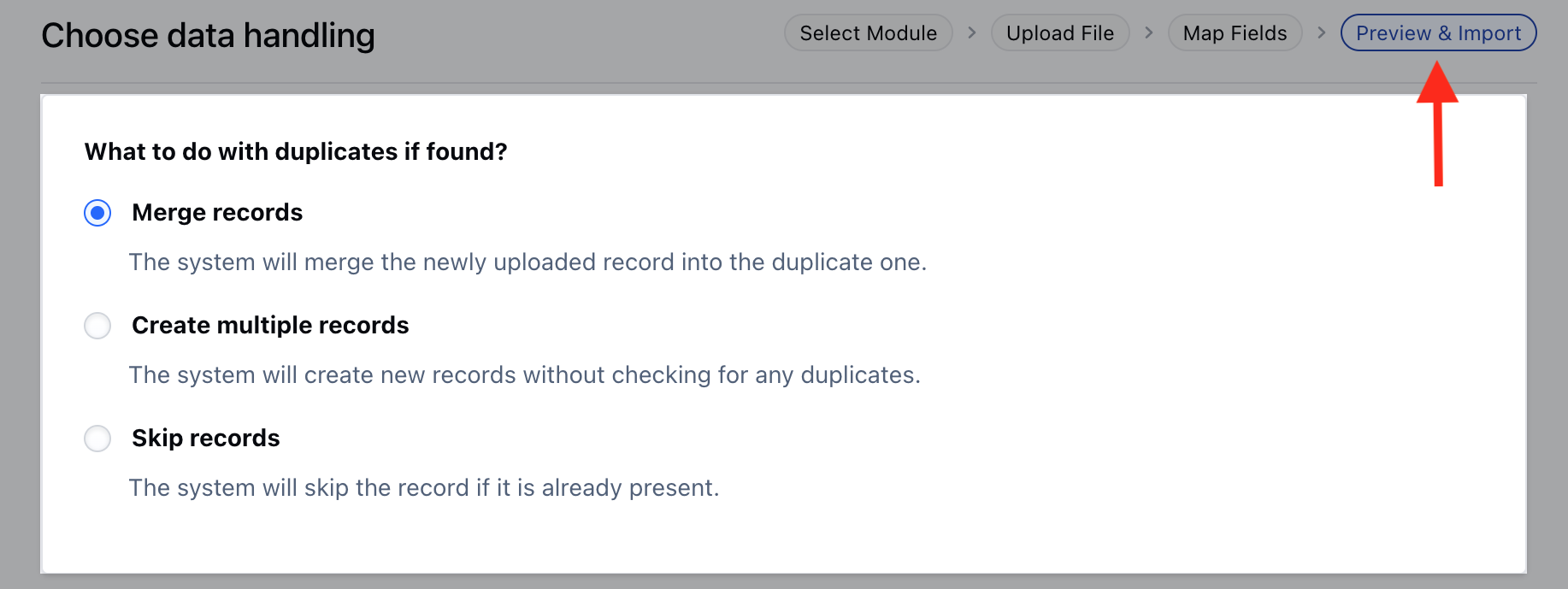
* Merge **Records**: It updates an existing entry with the new fields if any and wipes off fields that are left blank. In case you do not wish to update a specific field you can skip it while in the mapping for import.
* **Create multiple records** : This will not check for duplicates and create a new record.
* **Skip records** : It will ignore the data fetched from the sheet and keep your record as it is.
 ### Merging Duplicate Records
To merge the duplicate records,
* Navigate to the preferred **Module** from the left menubar **(Contacts, Companies & Custom Modules)**
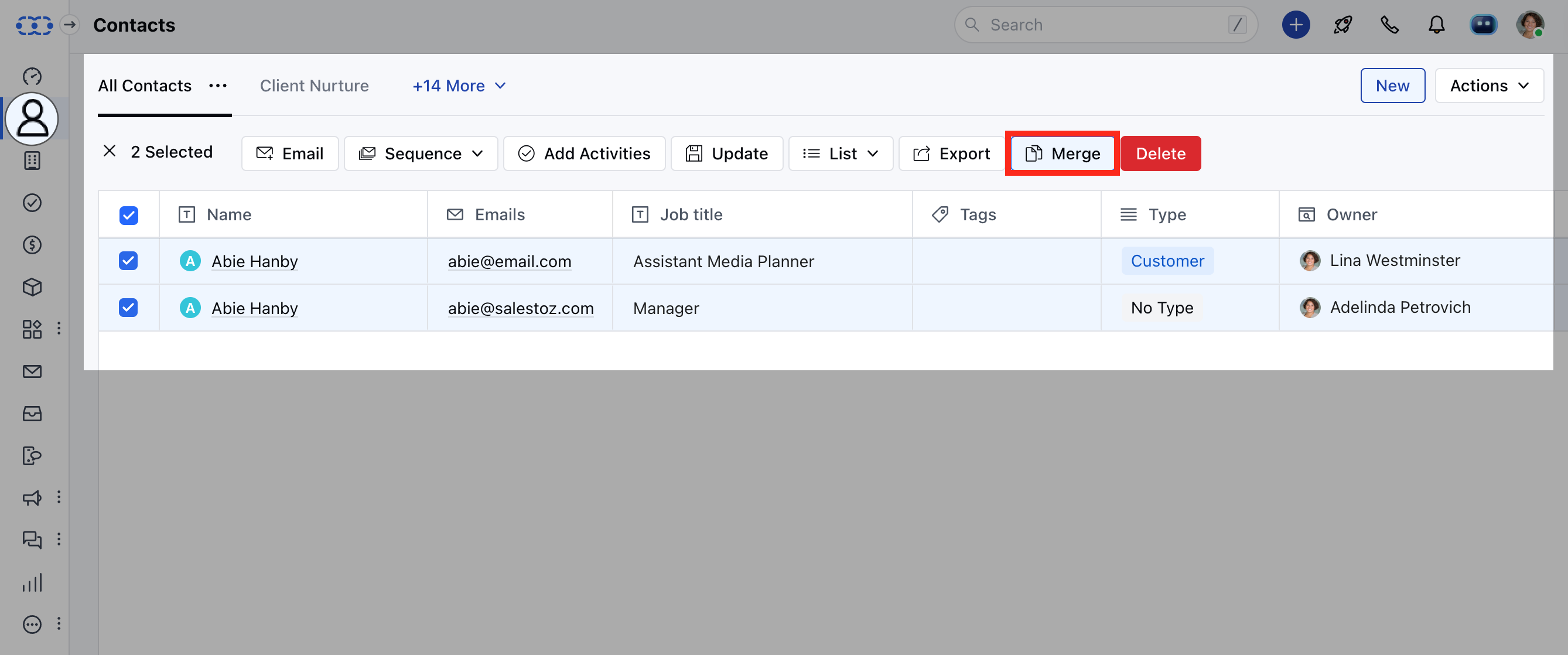
* Search for the contacts that you wish to merge. You can merge a maximum of 3 records at a time.
* Click on **Merge**. [Learn More](https://support.salesmate.io/hc/en-us/articles/360003565031-Merging-Duplicate-Records)
### Merging Duplicate Records
To merge the duplicate records,
* Navigate to the preferred **Module** from the left menubar **(Contacts, Companies & Custom Modules)**
* Search for the contacts that you wish to merge. You can merge a maximum of 3 records at a time.
* Click on **Merge**. [Learn More](https://support.salesmate.io/hc/en-us/articles/360003565031-Merging-Duplicate-Records)
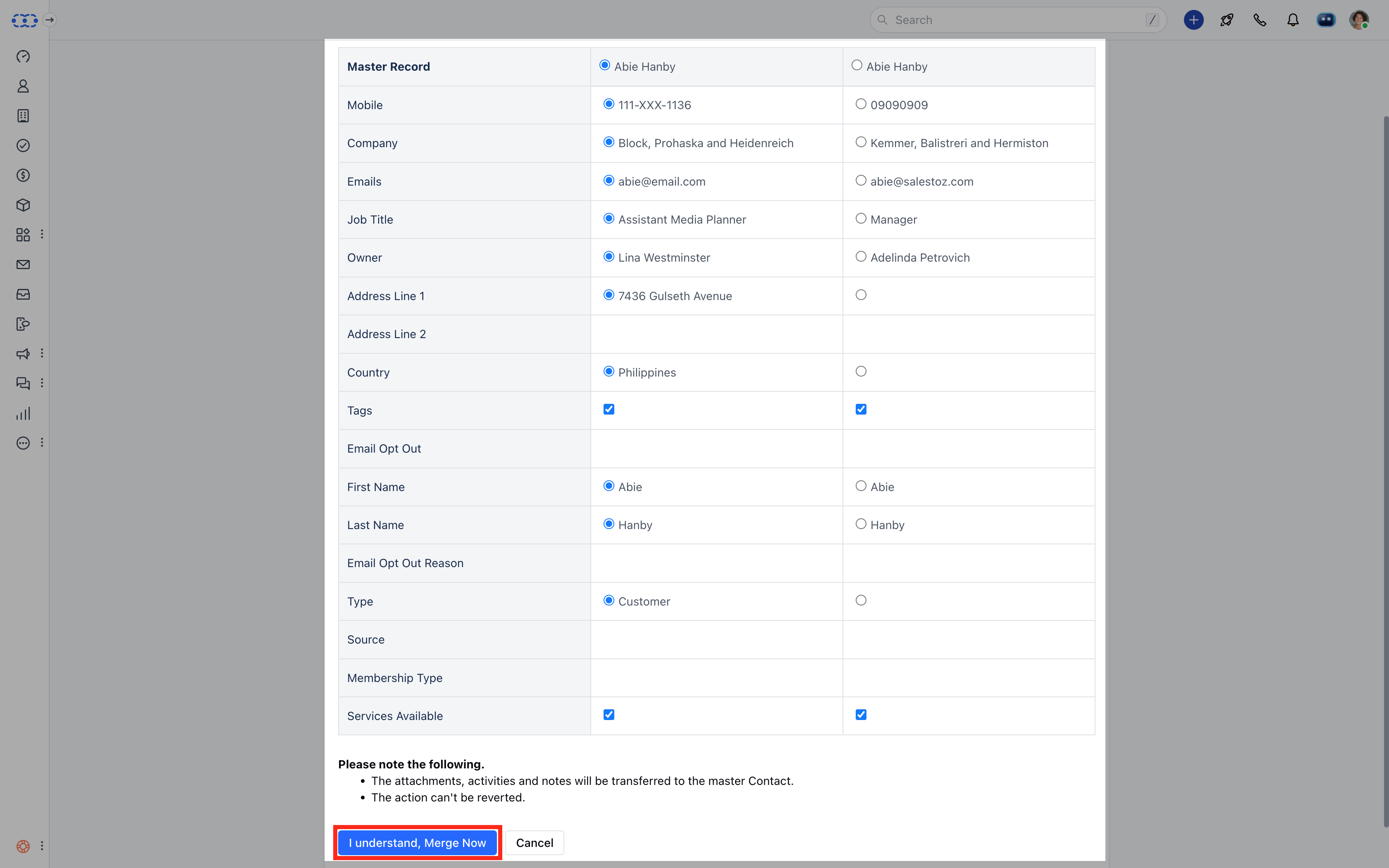
 * Select the fields you want to keep in your master record.
* Click on **I understand, Merge Now** to combine the records.
* Select the fields you want to keep in your master record.
* Click on **I understand, Merge Now** to combine the records.
 **Note**:
* Max of three records can be combined into one master record.
* All your conversations ( notes, emails, activities, deals ) with all the records, will be merged into one master record.
**Note**:
* Max of three records can be combined into one master record.
* All your conversations ( notes, emails, activities, deals ) with all the records, will be merged into one master record.