> ## Documentation Index
> Fetch the complete documentation index at: https://support.getskara.ai/llms.txt
> Use this file to discover all available pages before exploring further.
# Security Monitor
* **Security** is a very important part of any software and thus it's important to keep track of all **your devices** and the **access history** to monitor for any suspicious activity and change the security settings accordingly.
Topics Covered:
* [Active Devices](#active-devices)
* [Access History](#access-history)
### Active Devices
To monitor the currently **active devices**,
* Navigate to the **Profile Icon** on the top right corner
* Click on **Setup**
* Head over to **Users and Security**
* Click on **Security Monitor**
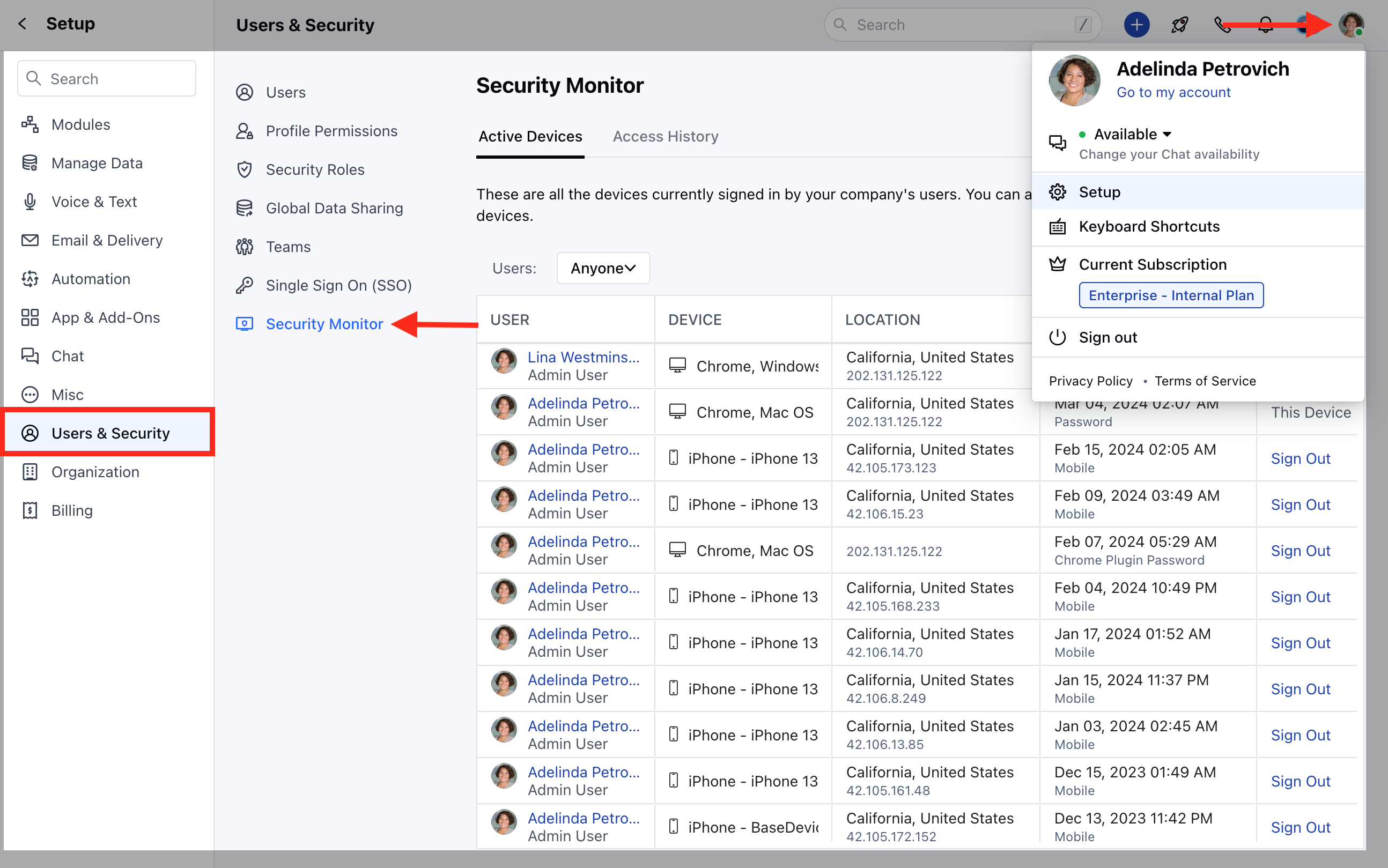 * Click on **Active Devices**
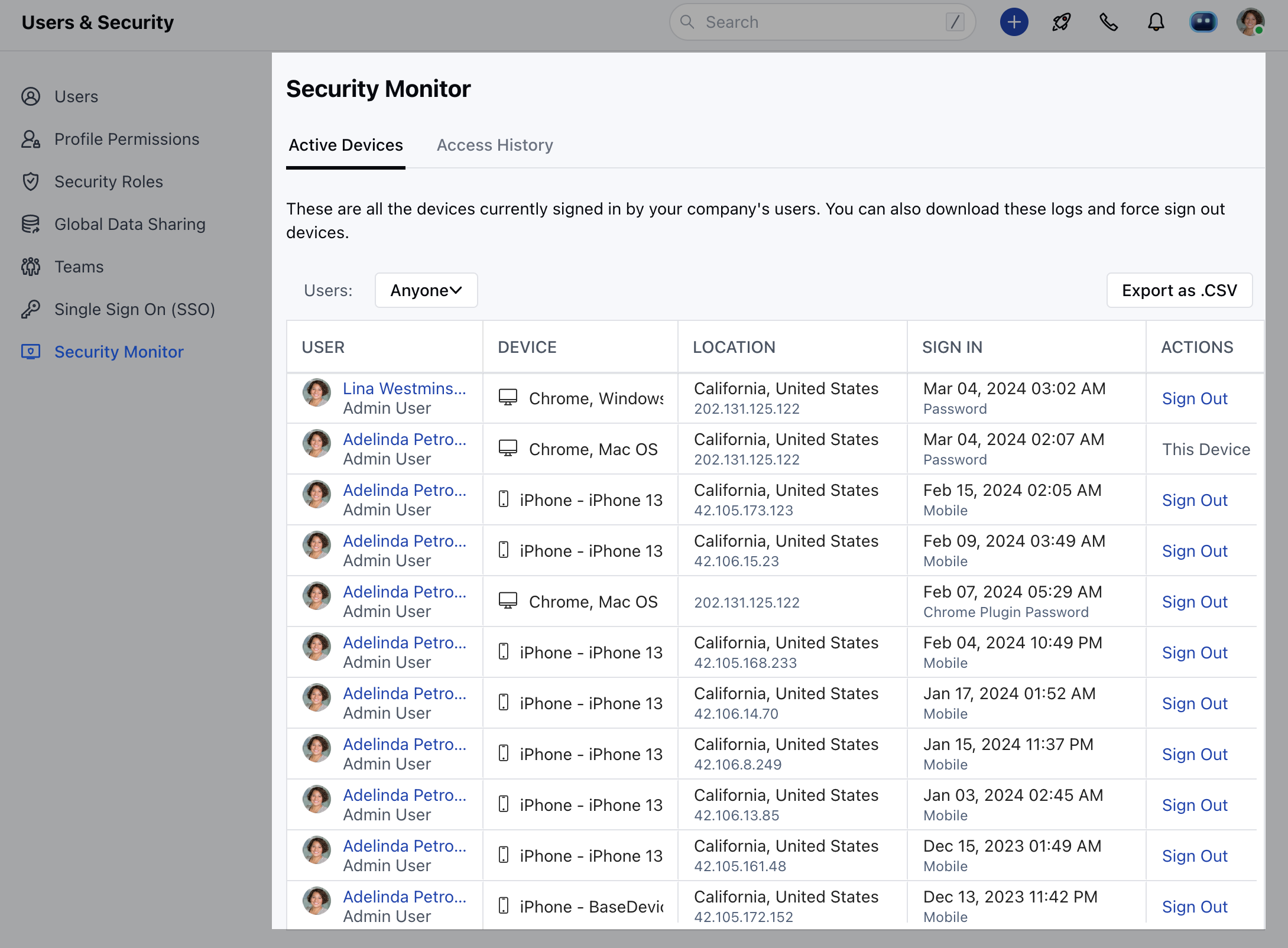 ### Access History
* Additionally, In case you wish to check for the **Access History** or logs for the last 90 days, you can do so by clicking on the access history just beside the active devices tab.
### Access History
* Additionally, In case you wish to check for the **Access History** or logs for the last 90 days, you can do so by clicking on the access history just beside the active devices tab.
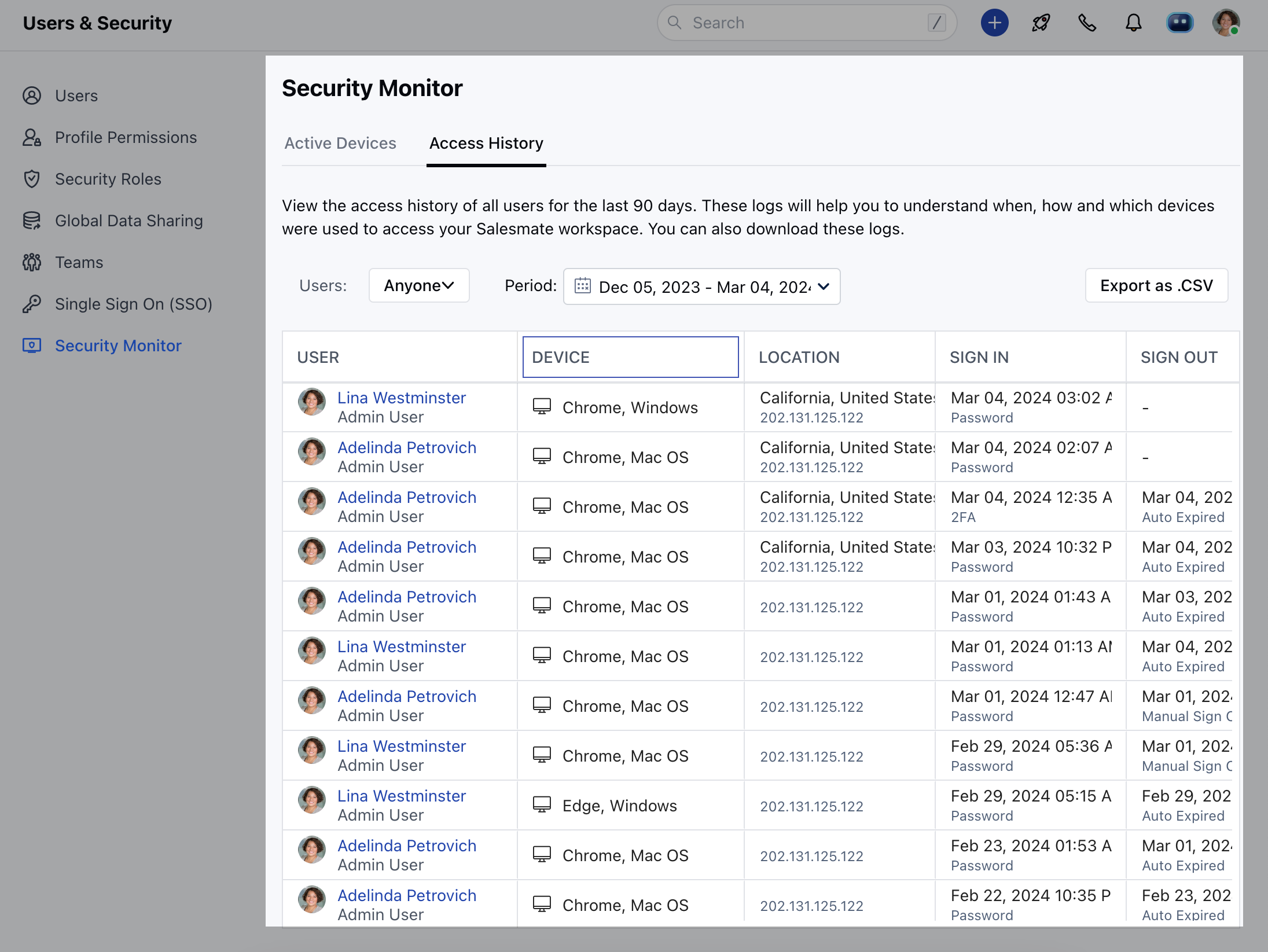 * Using the security monitor the user will now be able to keep track of the following
* Device used
* The location from where the user accessed the platformSign in / Sign out History
* Log out from specific devices that are unused.
**Note**:Only the Admin profile would be able to have access to the security monitor feature.
* Using the security monitor the user will now be able to keep track of the following
* Device used
* The location from where the user accessed the platformSign in / Sign out History
* Log out from specific devices that are unused.
**Note**:Only the Admin profile would be able to have access to the security monitor feature.