> ## Documentation Index
> Fetch the complete documentation index at: https://support.getskara.ai/llms.txt
> Use this file to discover all available pages before exploring further.
# How to Delete a Team?
**Note**: Only users with an "Admin" role can perform this action.
### To Delete a Team :
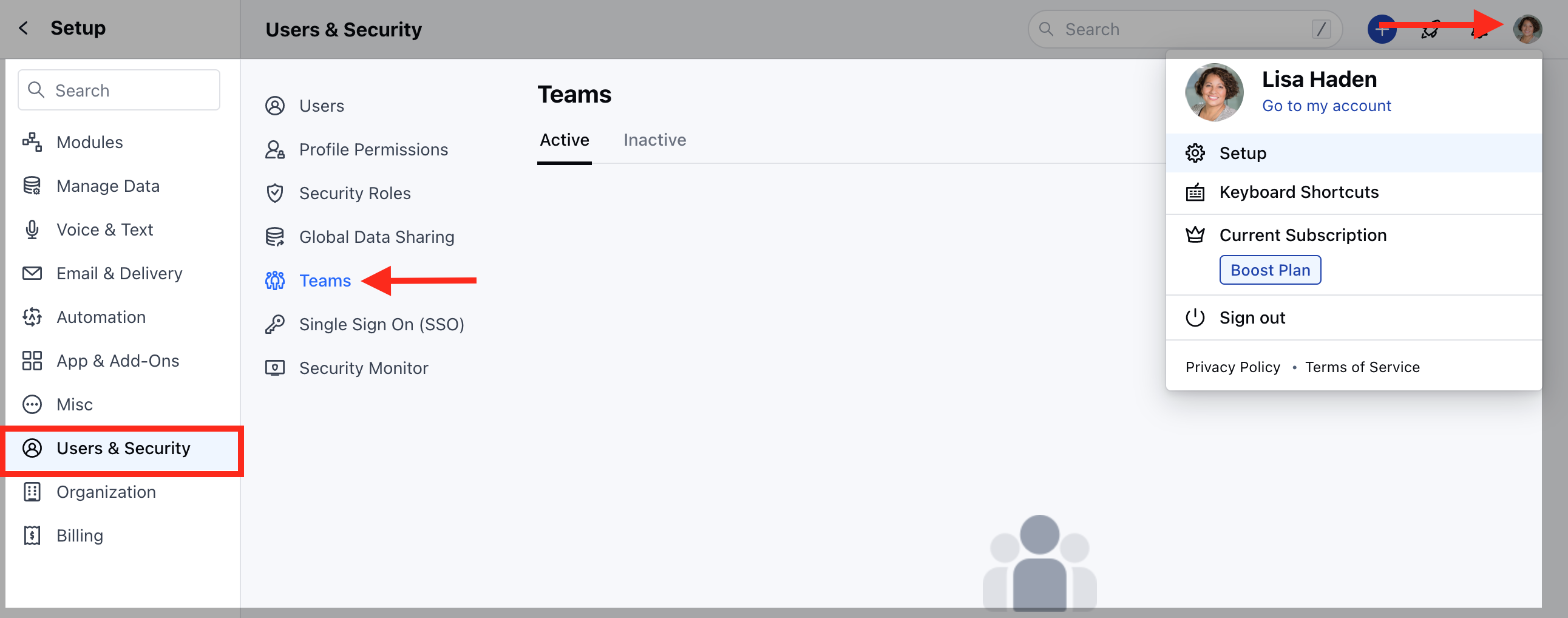
* Navigate to the **Profile icon** on the top right corner
* Click on **Setup**
* Head over to **Users and Security**
* Click on **Teams**
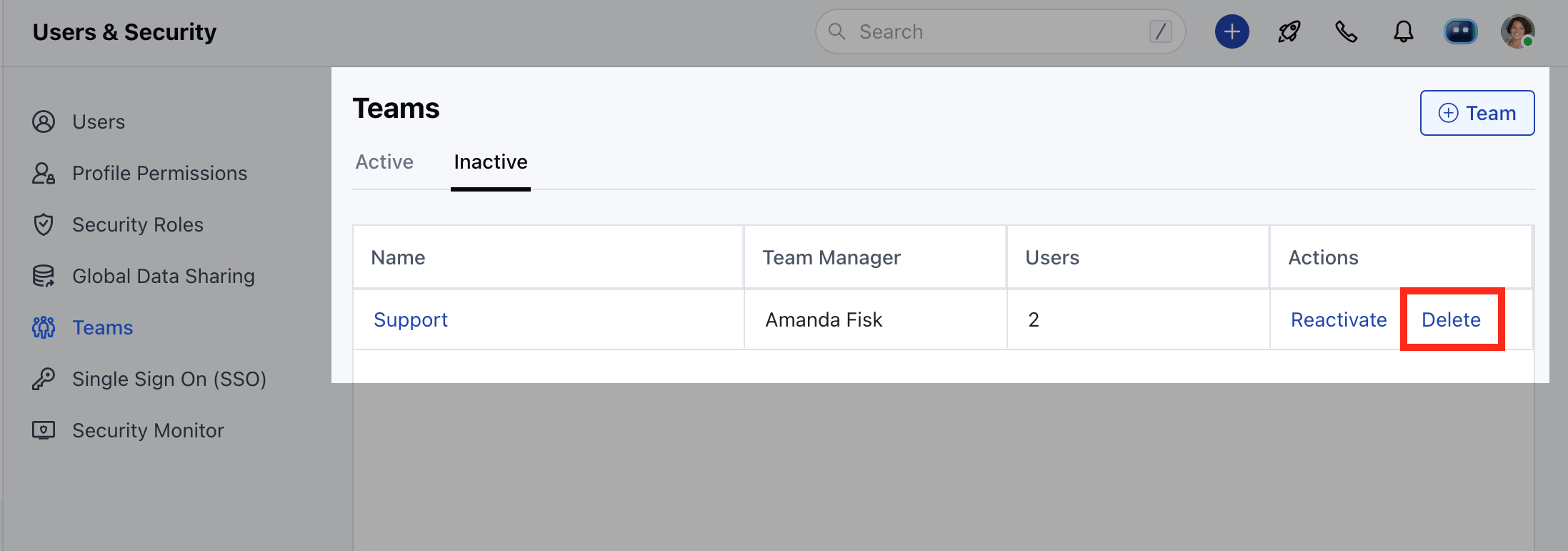
 * Click on the **Inactive** tab to view a list of "Inactivated" teams
* Click on **Delete** to delete a team.
* Click on the **Inactive** tab to view a list of "Inactivated" teams
* Click on **Delete** to delete a team.
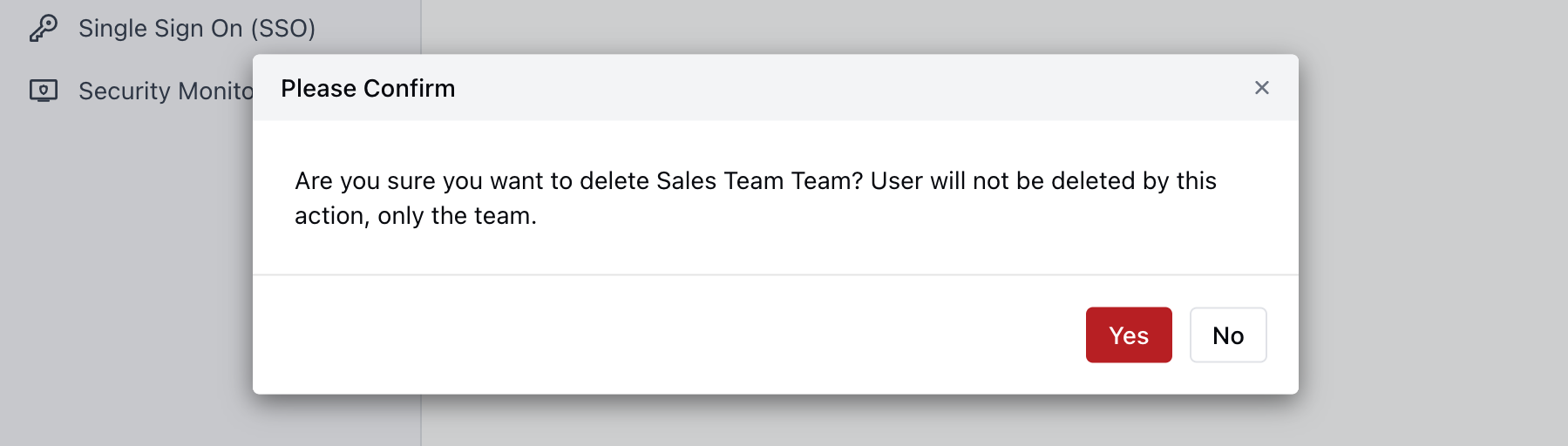
 * Confirm **"Yes"** to delete a team.
 * If a view has been created using this team it will first ask the user to change or delete such view before deleting the team.
Note :
* A deleted team cannot be recovered.
* It will no longer appear in filters.
* It will not appear for Team mentions.
* If a view has been created using this team it will first ask the user to change or delete such view before deleting the team.
Note :
* A deleted team cannot be recovered.
* It will no longer appear in filters.
* It will not appear for Team mentions.