> ## Documentation Index
> Fetch the complete documentation index at: https://support.getskara.ai/llms.txt
> Use this file to discover all available pages before exploring further.
# How to Delete Validation Rule
You can easily delete a Validation Rule to keep your system organized and relevant to your needs. In this article, we’ll show you how simple it is to delete a Validation Rule when it's no longer required.You can refer to the article on creating a validation rule [here](https://support.salesmate.io/hc/en-us/articles/42923331176601).
### How to Delete a Validation Rule
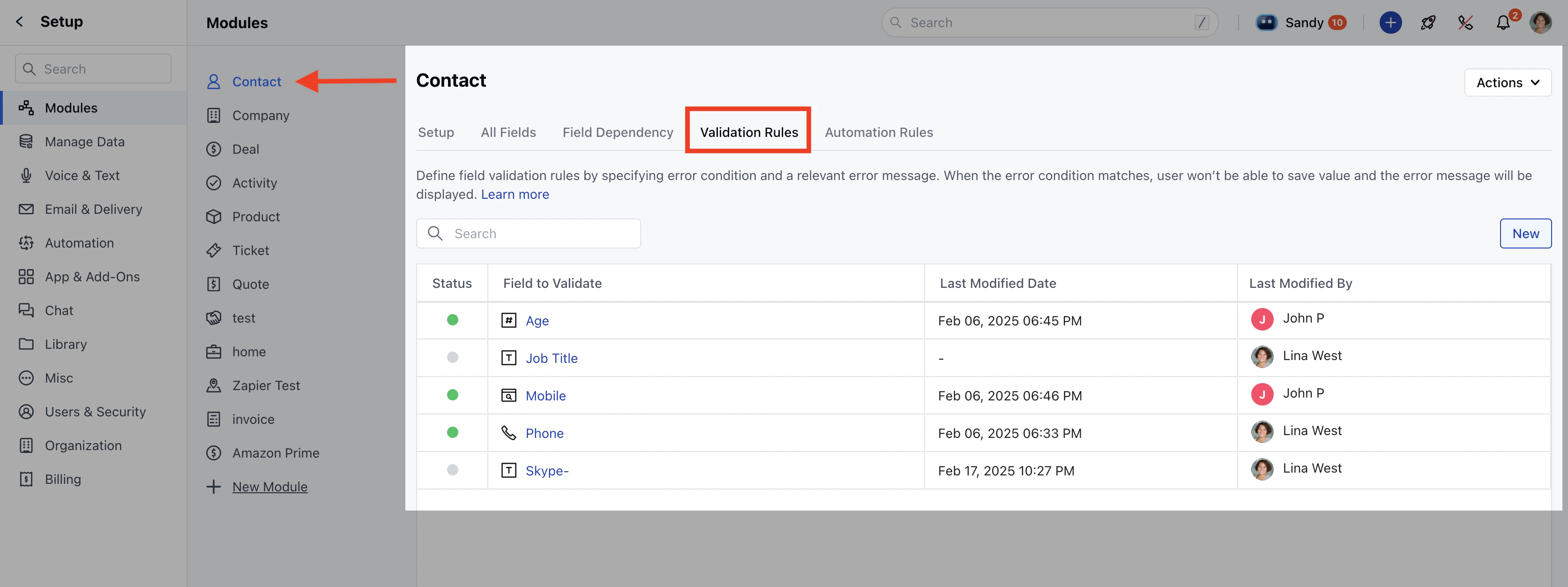
Navigate to the **Profile Icon** on the top right corner.Click on **Set Up**. Go to the **Modules** section.Select the module where you want to delete a validation rule.Click on the **Validation Rules** tab.
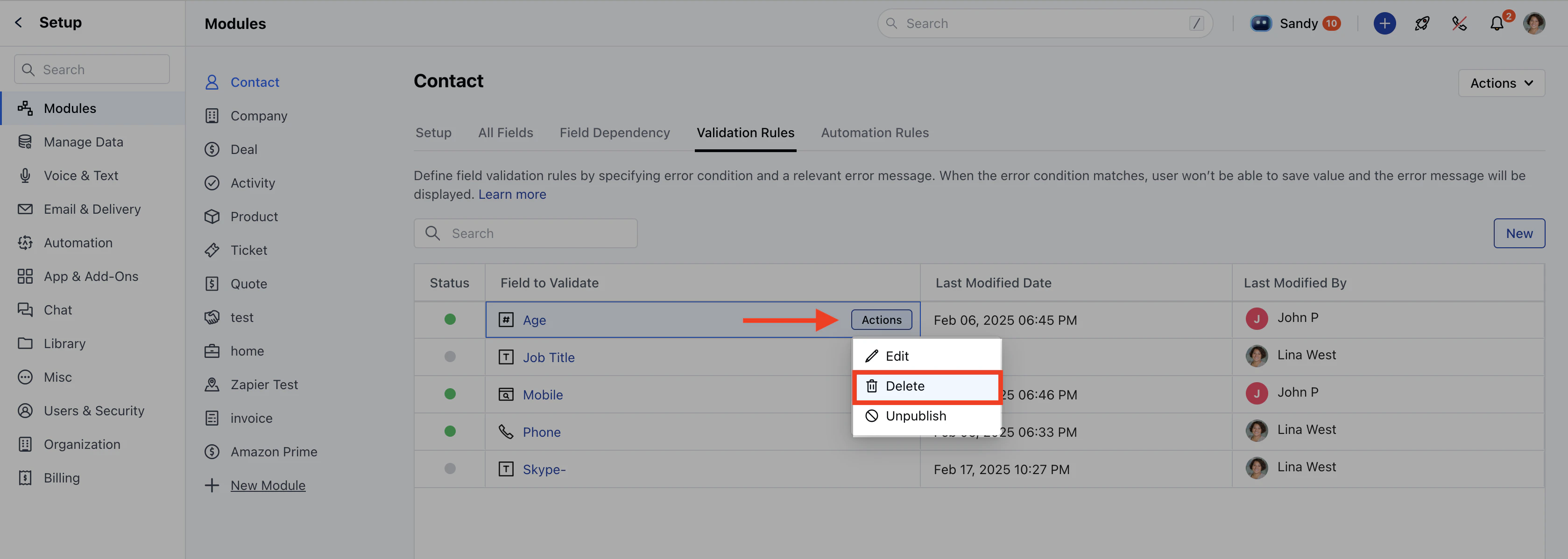
 Hover over the validation rule you want to delete and click on **Actions**. Click on the **Delete** option.
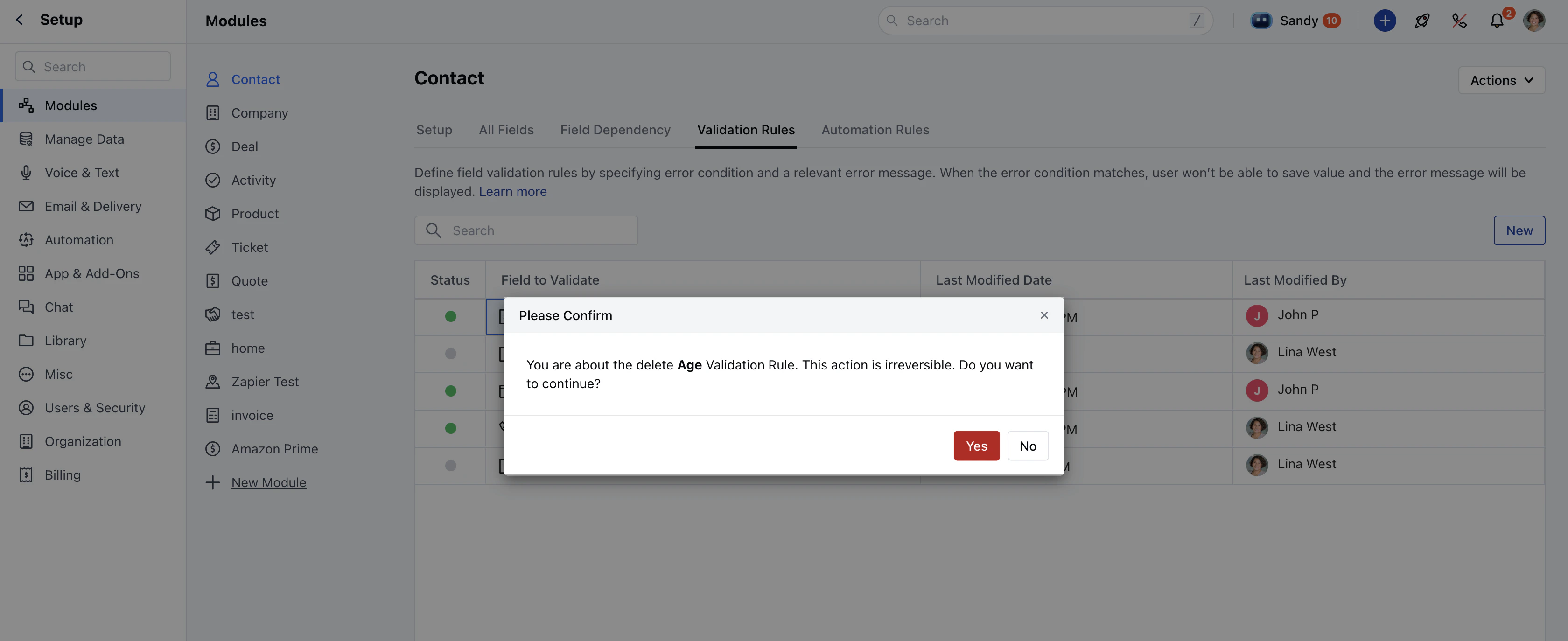
 A confirmation message will appear:\_“You are about to delete the {fieldName} validation rule. This action is irreversible. Do you want to continue?”\_Click **Yes** to confirm.
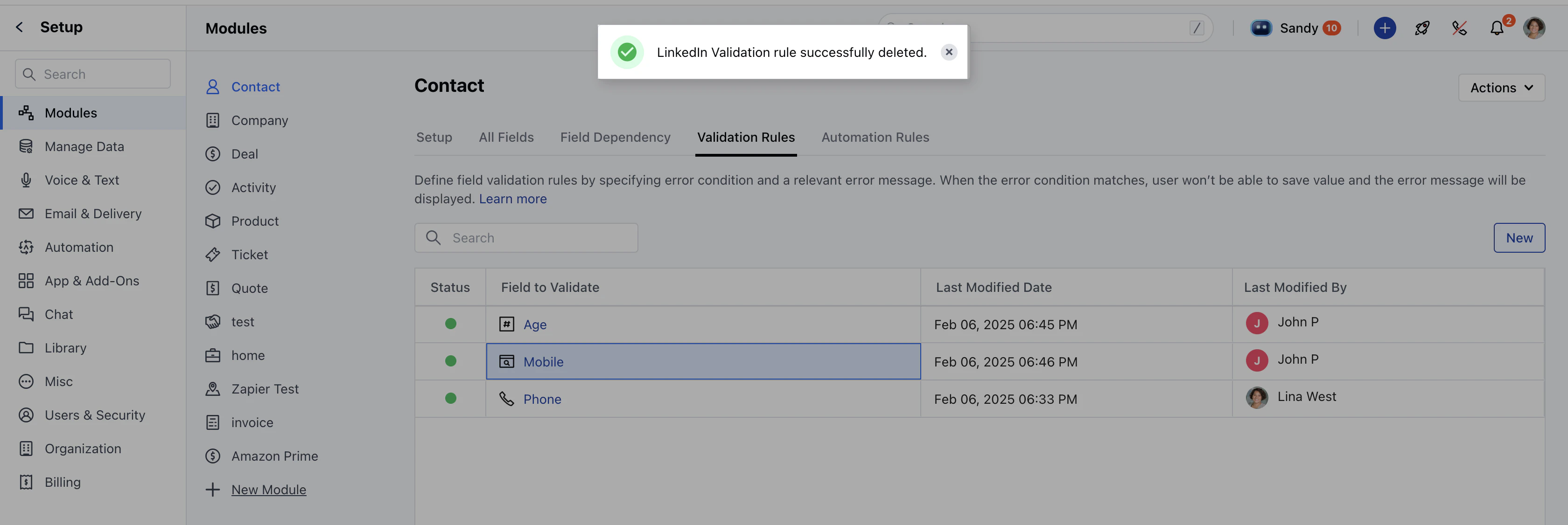
 Once deleted, you will see a "*{fieldName}* Validation rule successfully deleted" message.
 \*\*Note:\*\*You will require “**Manage Modules**” permission to access these settings.