> ## Documentation Index
> Fetch the complete documentation index at: https://support.getskara.ai/llms.txt
> Use this file to discover all available pages before exploring further.
# Validation Rule Listing
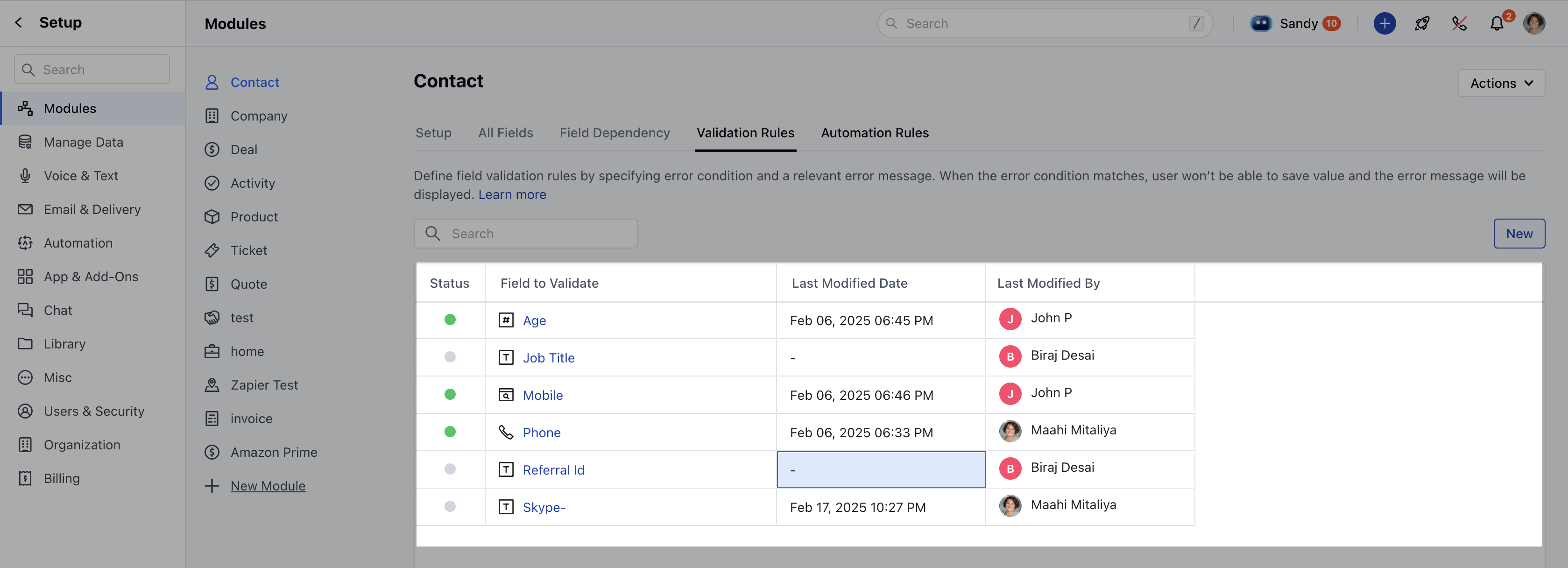
Once you have created [validation rules](https://support.salesmate.io/hc/en-us/articles/42923331176601), the listing grid will display the following columns:**Status**: Indicates the current state of the rule, such as Published or Draft.
* **Field to Validate**: Specifies the field on which the validation rule is applied.
* **Last Modified Date**: Shows the most recent date when the rule was modified.
* **Last Modified By**: Displays the name of the user who last modified the rule.
 ### Sorting & Searching
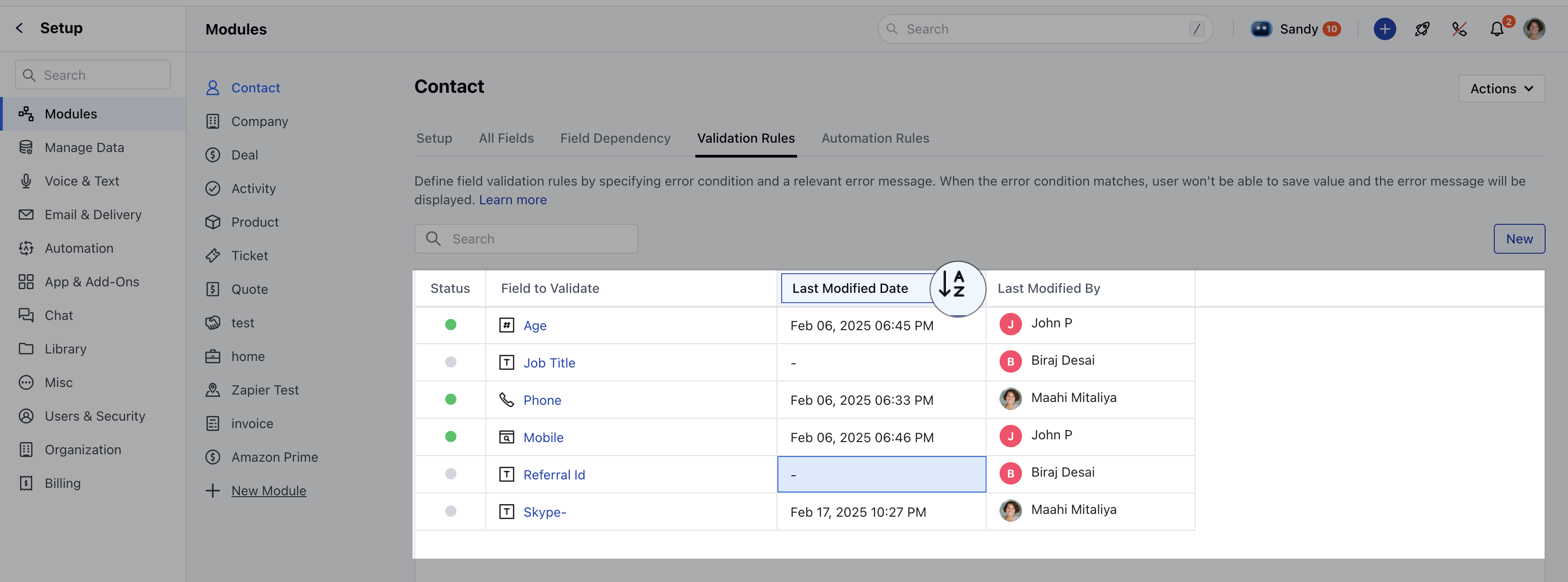
Sorting can be applied to the **Last Modified Date** column.The default sorting is **ascending** based on the **Field to Validate** column.Users can search for rules by entering field names in the search bar.
### Sorting & Searching
Sorting can be applied to the **Last Modified Date** column.The default sorting is **ascending** based on the **Field to Validate** column.Users can search for rules by entering field names in the search bar.
 ### Actions
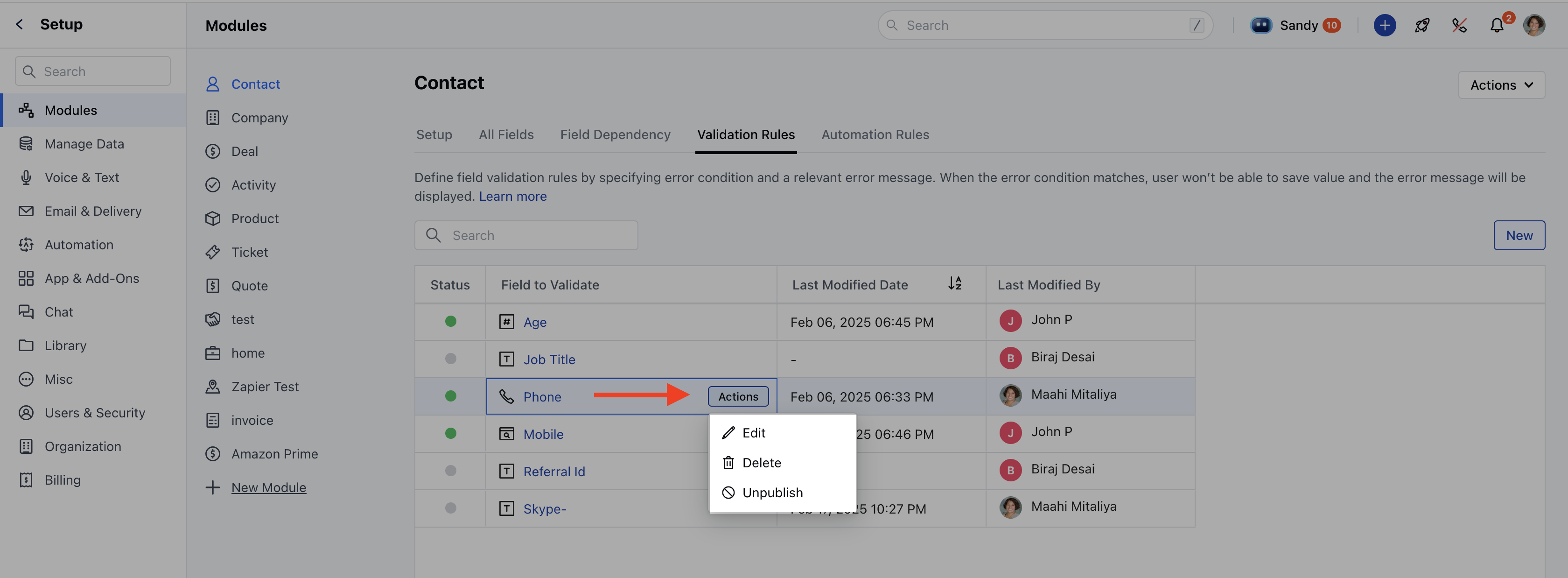
Users can perform the following actions on validation rules:**Edit**: Modify the rule as needed. [Learn More](https://support.salesmate.io/hc/en-us/articles/42923425408153-How-to-Edit-Validation-Rule)**Unpublish**: Available only if the rule is currently published.
* **Delete**: Remove the rule permanently.
* [Learn More](https://support.salesmate.io/hc/en-us/articles/42923460271513-How-to-Delete-Validation-Rule)
### Actions
Users can perform the following actions on validation rules:**Edit**: Modify the rule as needed. [Learn More](https://support.salesmate.io/hc/en-us/articles/42923425408153-How-to-Edit-Validation-Rule)**Unpublish**: Available only if the rule is currently published.
* **Delete**: Remove the rule permanently.
* [Learn More](https://support.salesmate.io/hc/en-us/articles/42923460271513-How-to-Delete-Validation-Rule)
 This listing grid helps in managing validation rules efficiently, providing a clear overview and quick access to modifications.