> ## Documentation Index
> Fetch the complete documentation index at: https://support.getskara.ai/llms.txt
> Use this file to discover all available pages before exploring further.
# How to Delete the Flow
To delete a journey, please follow these steps:
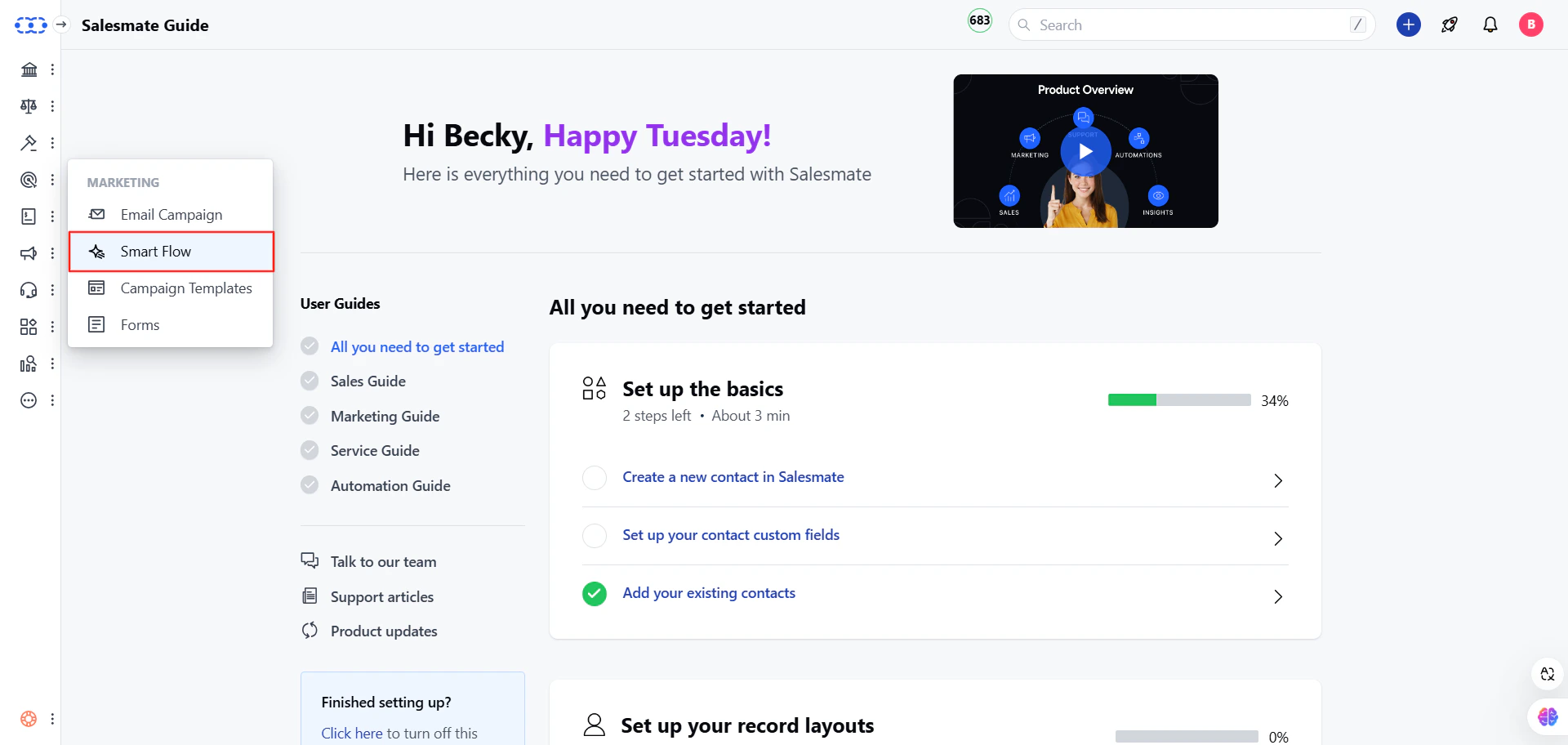
Navigate to the **Outreach Icon** from the left menu barClick on the **Smart Flow**
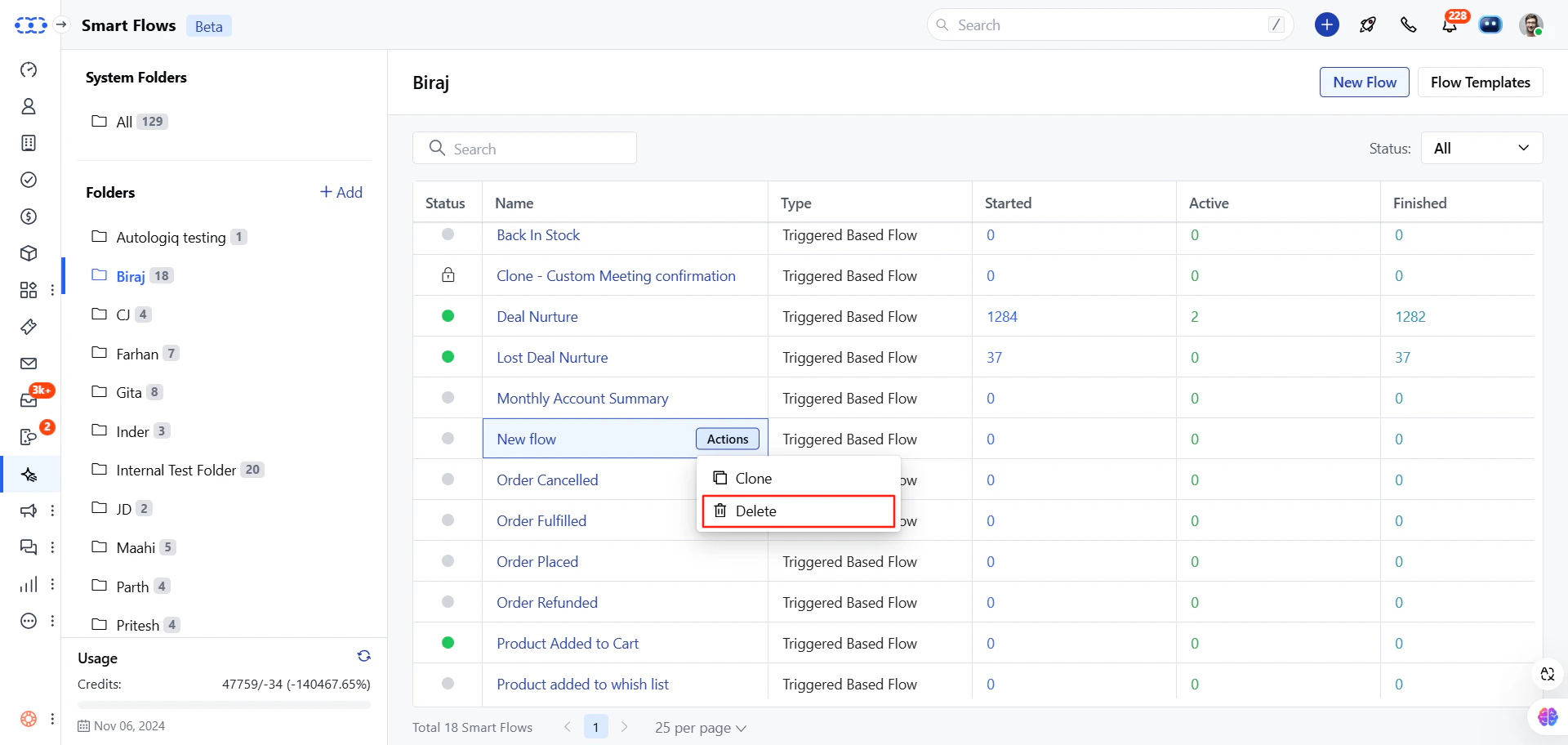
 Find your Flow\.Click on the **Actions** button.Select the **Delete** option.
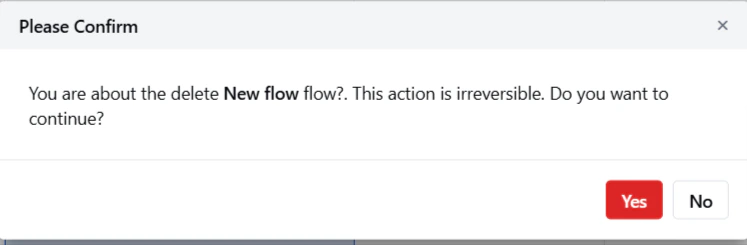
 Confirm your action to delete the Smart Flow.
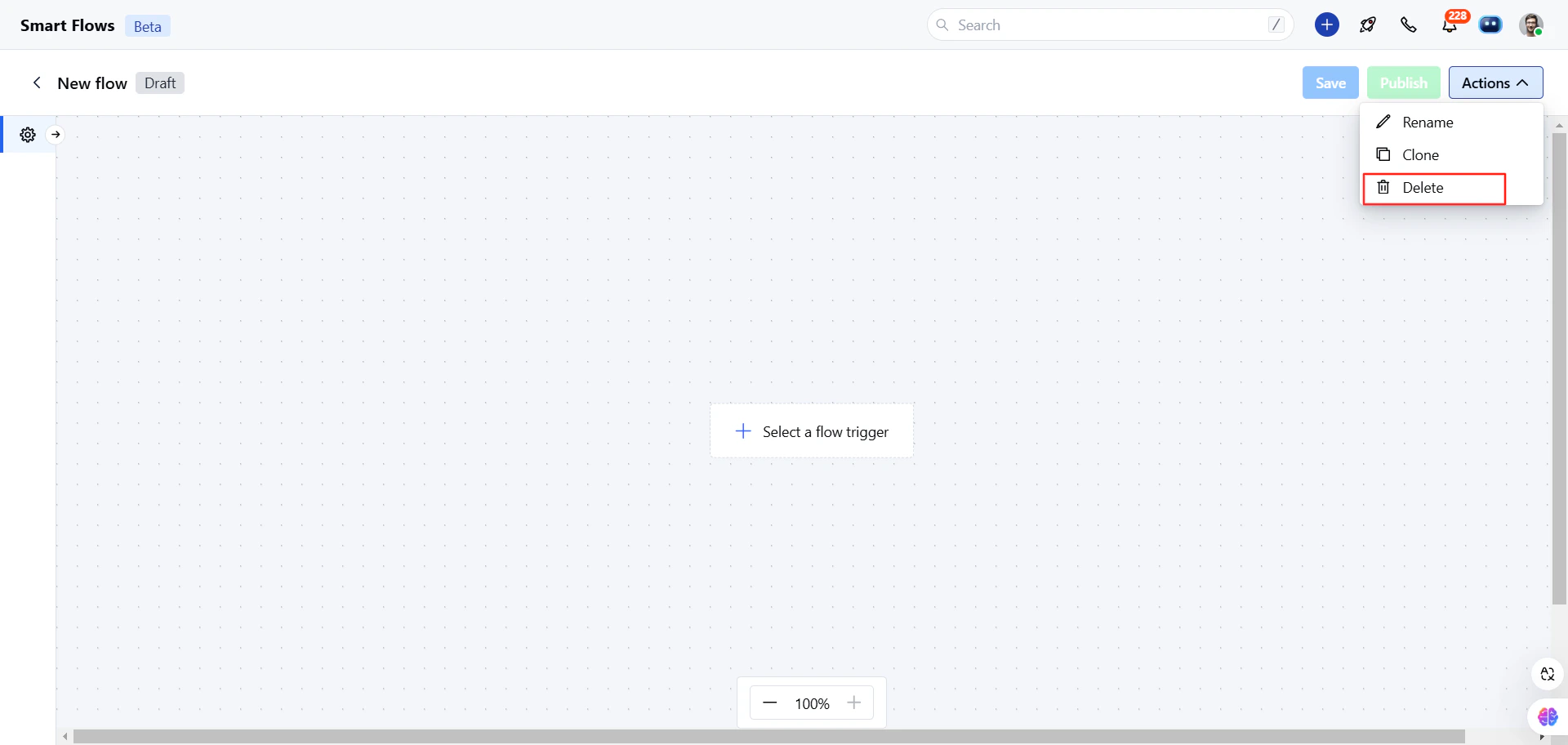
 Or
Or
 \*\*Note:\*\*On delete, all enrolled contacts to that Smart Flow get unenrolled. Delete operations are irreversible; once done, you can't recover your Smart Flow. If you want to stop any flow temporarily, then use the Pause or Lock flow options.