> ## Documentation Index
> Fetch the complete documentation index at: https://support.getskara.ai/llms.txt
> Use this file to discover all available pages before exploring further.
# API Call/ Webhook
### This action enables you to use APIs or Webhooks, providing a valuable tool for technical users to transfer data between different applications. If you're not familiar with making API calls and their functioning mechanisms, we recommend consulting your developer for assistance.
### **Topics covered:**
* [How to use "API Call/ Webhook" Action?](#how-to-use-api-call-webhook-action)
* [Practical Example](#practical-example)
### How to use "API Call/ Webhook" Action?
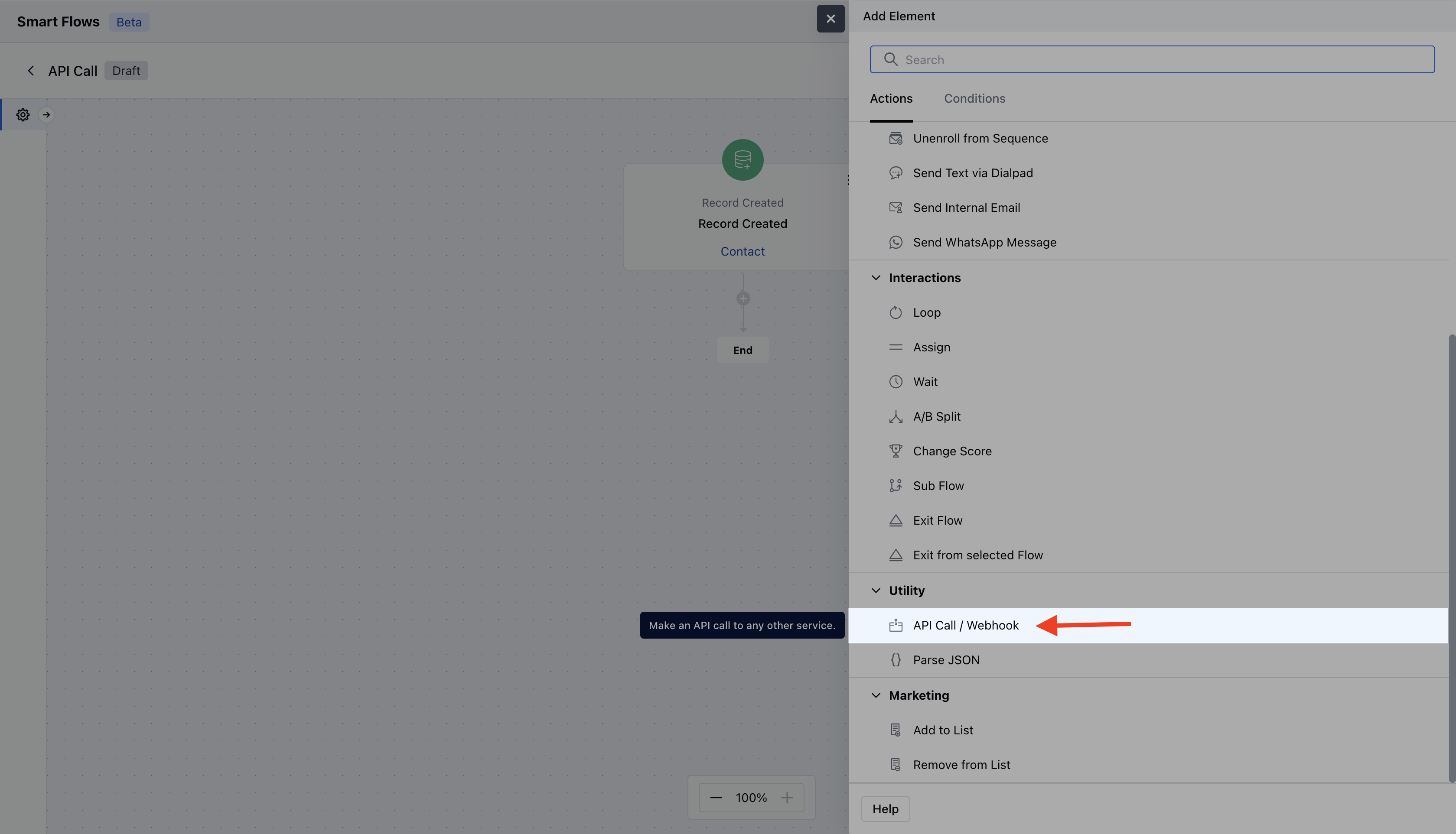
While setting up the Smart Flow, select **"API Call/ Webhook"** action.
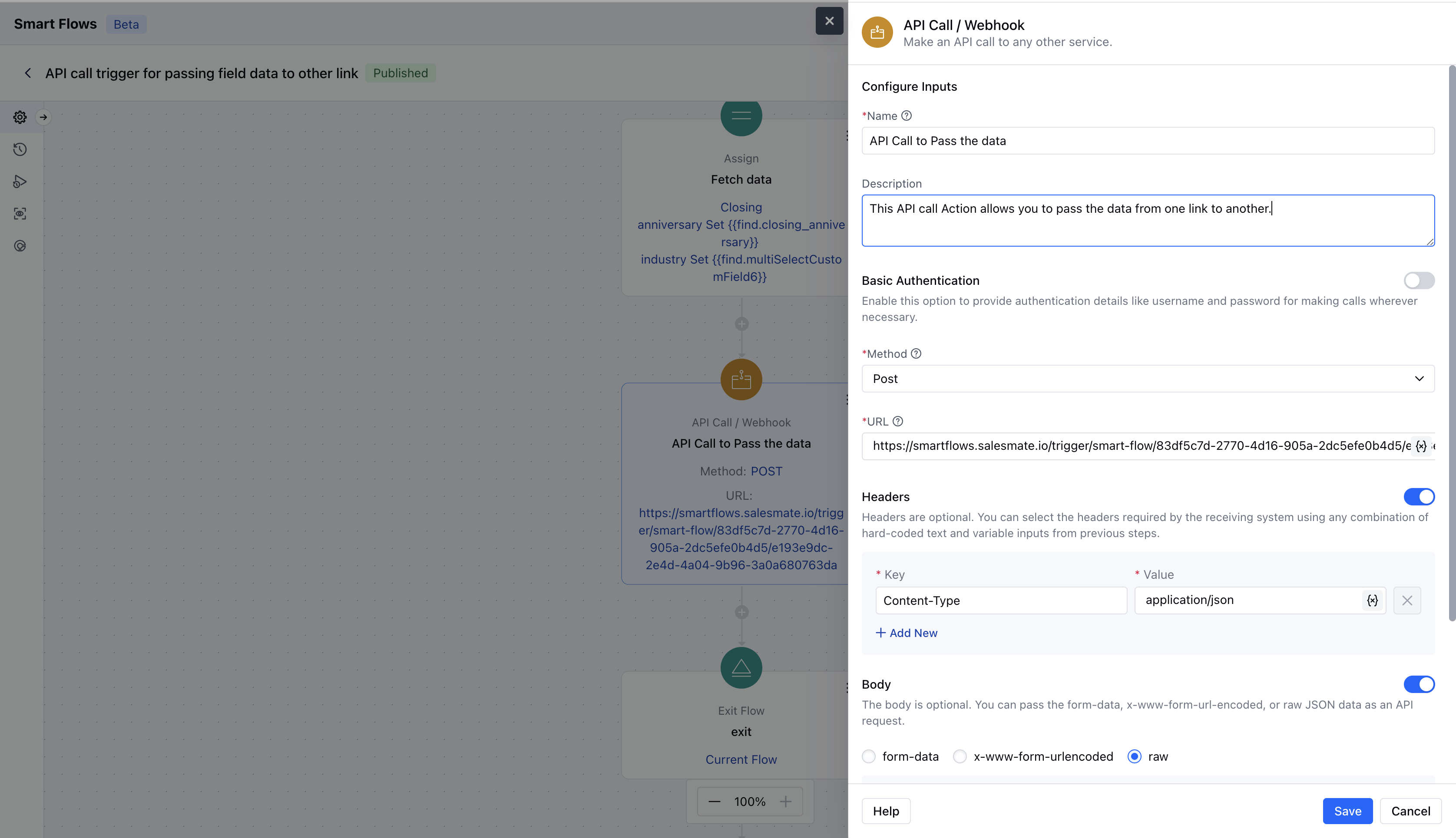
 To create an API call, you’ll need to provide the following details **Name**: A descriptive name for your API call.
* **Description**: Briefly describe what this API call does.
* **API Name**: Specify the name of the API you are calling.
* **Basic Auth**:**Username**: (Optional) Your username for authentication.
* **Password**: (Optional) Your password for authentication.
* **Method**: Choose the HTTP method for your request:**GET**(Default)\*\* POST \*\*PATCH \*\*PUT \*\*DELETE \*\*URL \*\*: This is a required field. It can be a hardcoded URL or generated using Salesmate variables.
* \*\* Headers \*\*: (Optional) Specify any headers needed by the receiving system, using a mix of hard-coded text and variable inputs from earlier steps.
* \*\* Body \*\*: (Optional) Include form-data, x-www-form-urlencoded, or raw JSON data for your API request. Note that this input will not be applicable for GET requests.
To create an API call, you’ll need to provide the following details **Name**: A descriptive name for your API call.
* **Description**: Briefly describe what this API call does.
* **API Name**: Specify the name of the API you are calling.
* **Basic Auth**:**Username**: (Optional) Your username for authentication.
* **Password**: (Optional) Your password for authentication.
* **Method**: Choose the HTTP method for your request:**GET**(Default)\*\* POST \*\*PATCH \*\*PUT \*\*DELETE \*\*URL \*\*: This is a required field. It can be a hardcoded URL or generated using Salesmate variables.
* \*\* Headers \*\*: (Optional) Specify any headers needed by the receiving system, using a mix of hard-coded text and variable inputs from earlier steps.
* \*\* Body \*\*: (Optional) Include form-data, x-www-form-urlencoded, or raw JSON data for your API request. Note that this input will not be applicable for GET requests.
 Once you’ve filled out all required fields, make sure to hit **Save**.
### Practical Example:
If you're using the third-party application "Asana" for project management and want to automatically fetch deal information from Salesmate into Asana, you can create a flow that uses the "API/Webhook" action.
Once you’ve filled out all required fields, make sure to hit **Save**.
### Practical Example:
If you're using the third-party application "Asana" for project management and want to automatically fetch deal information from Salesmate into Asana, you can create a flow that uses the "API/Webhook" action.
