> ## Documentation Index
> Fetch the complete documentation index at: https://support.getskara.ai/llms.txt
> Use this file to discover all available pages before exploring further.
# Create Note
The **Create a Note** action enables you to add a note to an associated record within a workflow automation. This is useful for updating records with quick details or logging important information seamlessly.
* **Topics covered:** -
* [How to configure the Create Note action](#how-to-configure-the-create-note-action)
* [Practical Example](#practical-example)
### How to configure the Create Note action
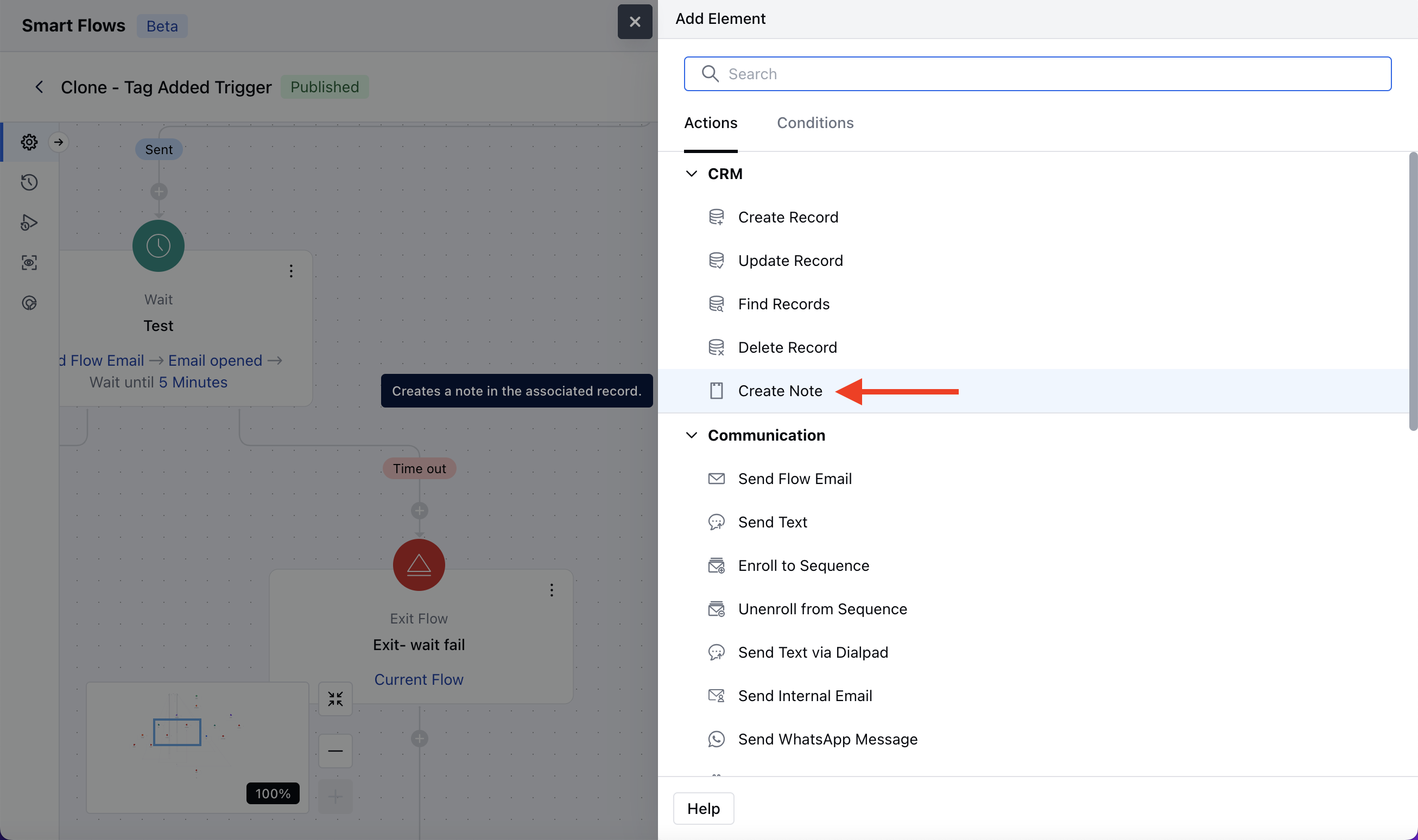
While setting up a Smart Flow, select the Create Note action.
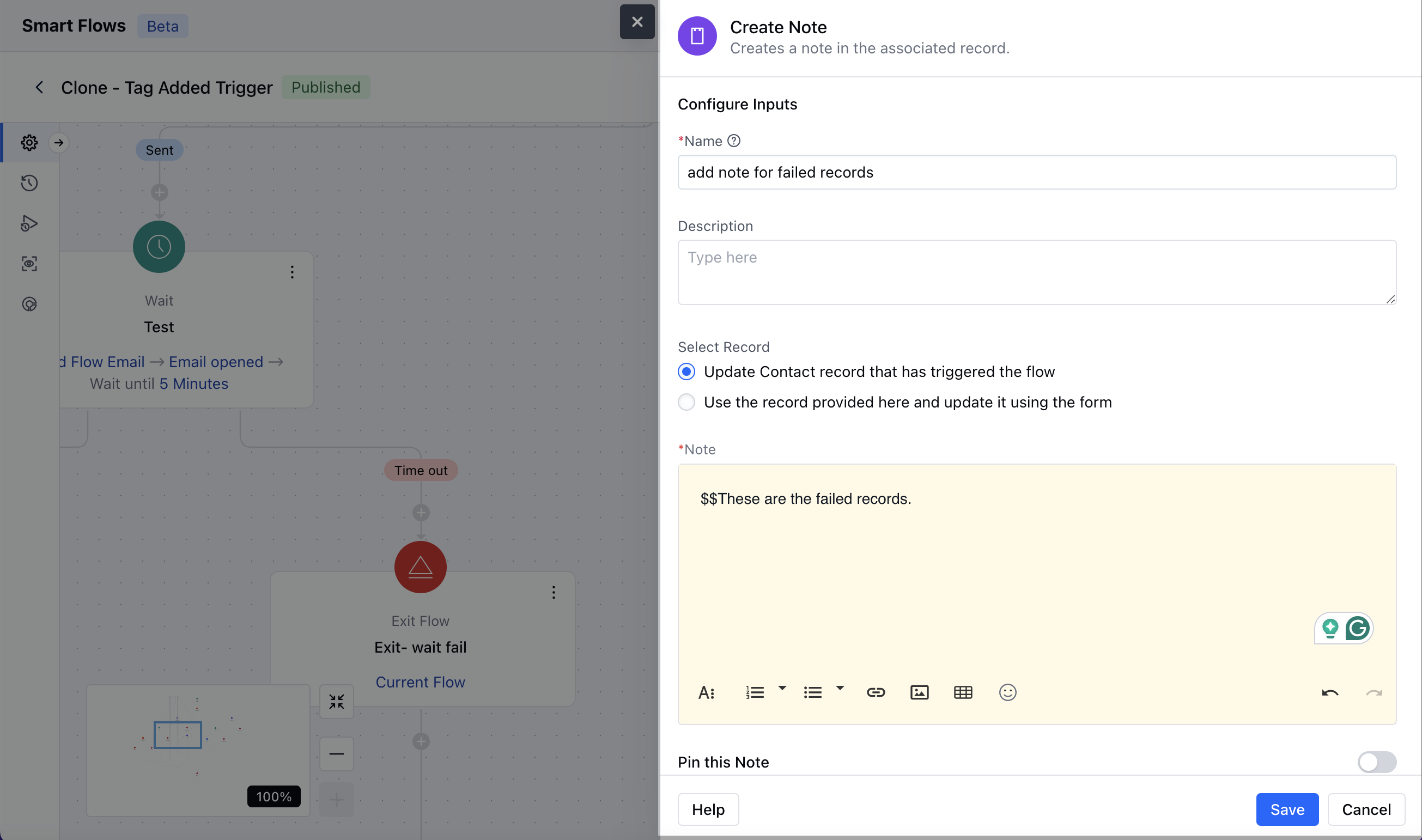
 Once the Create Note action is selected, configure it by providing the following details:
* **Name:** Assign a clear and descriptive name to the action to easily identify its purpose in the flow.
* **Description:** Add a description for better understanding.
* **Select Record:** Use the record that triggered the flow: This option will add a note to the record that has triggered the smart flow\.Use the record provided here and update it using the form: Here you need to select the record variable for which you like to add a note.Note: Enter the message or content you want to add as a note. This field supports a \*\*Rich Text Editor (RTE)\*\*for formatting.Pin this Note: Enable this option if you want the note **pinned**. By default, it is disabled.Once the configuration is completed, hit **Save**.
Once the Create Note action is selected, configure it by providing the following details:
* **Name:** Assign a clear and descriptive name to the action to easily identify its purpose in the flow.
* **Description:** Add a description for better understanding.
* **Select Record:** Use the record that triggered the flow: This option will add a note to the record that has triggered the smart flow\.Use the record provided here and update it using the form: Here you need to select the record variable for which you like to add a note.Note: Enter the message or content you want to add as a note. This field supports a \*\*Rich Text Editor (RTE)\*\*for formatting.Pin this Note: Enable this option if you want the note **pinned**. By default, it is disabled.Once the configuration is completed, hit **Save**.
 ### Practical Example:
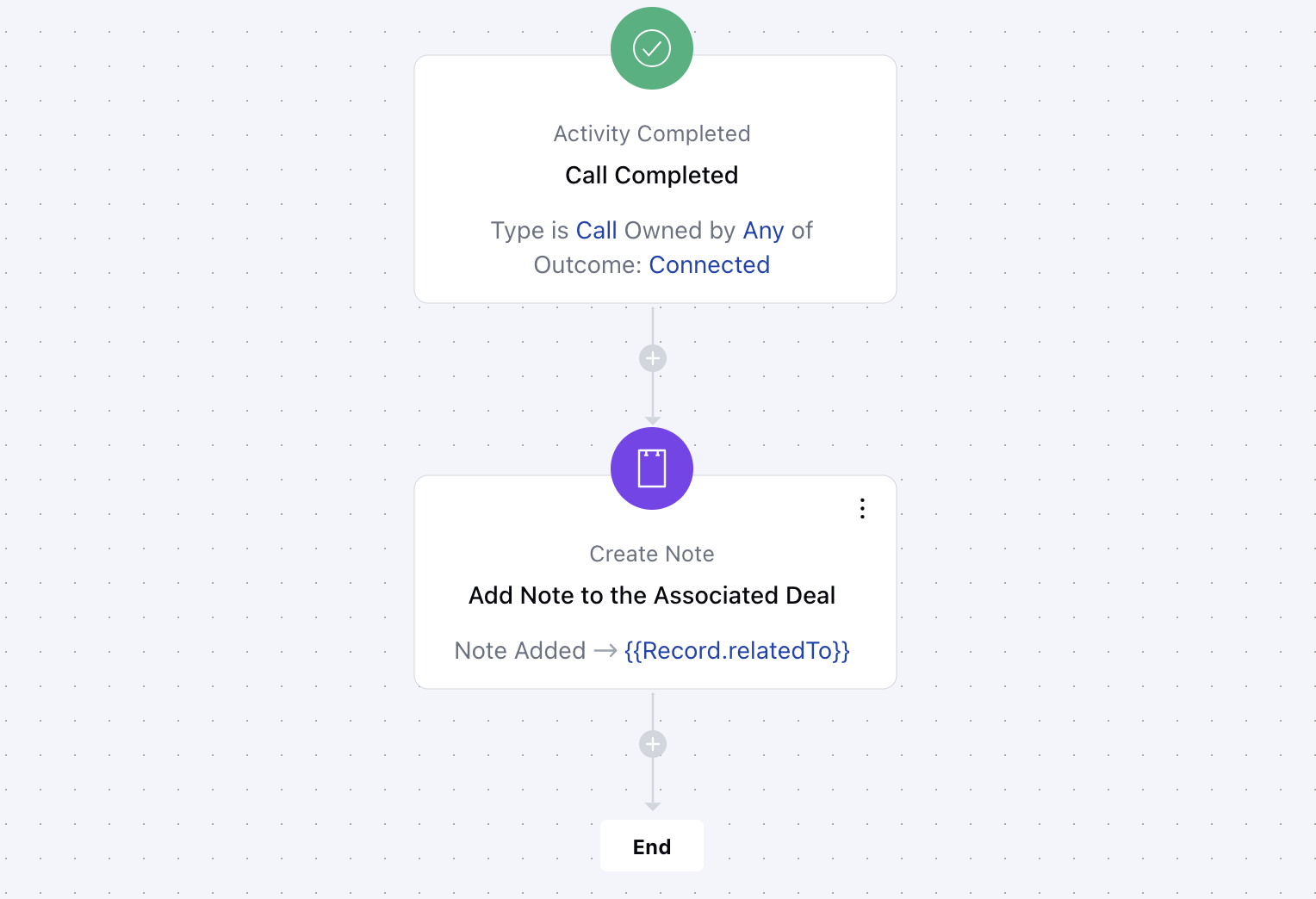
A sales manager wants to ensure that follow-up notes are automatically added to a deal record after completing a sales call.
### Practical Example:
A sales manager wants to ensure that follow-up notes are automatically added to a deal record after completing a sales call.