> ## Documentation Index
> Fetch the complete documentation index at: https://support.getskara.ai/llms.txt
> Use this file to discover all available pages before exploring further.
# Exit from Selected Flow
The Exit Selected Flow Action enables you to remove a specific record from any flow other than the current one. This action is particularly useful when working with sub-flows and you need to stop a record's execution in another flow based on certain criteria.Topics Covered:
* [How to Configure Exit Selected Flow Action](#how-to-configure-exit-from-selected-flow-action)
* [Practical Example](#practical-example)
# How to Configure Exit From Selected Flow Action
When setting up a Smart Flow, select the **Exit the Selected Flow** action.
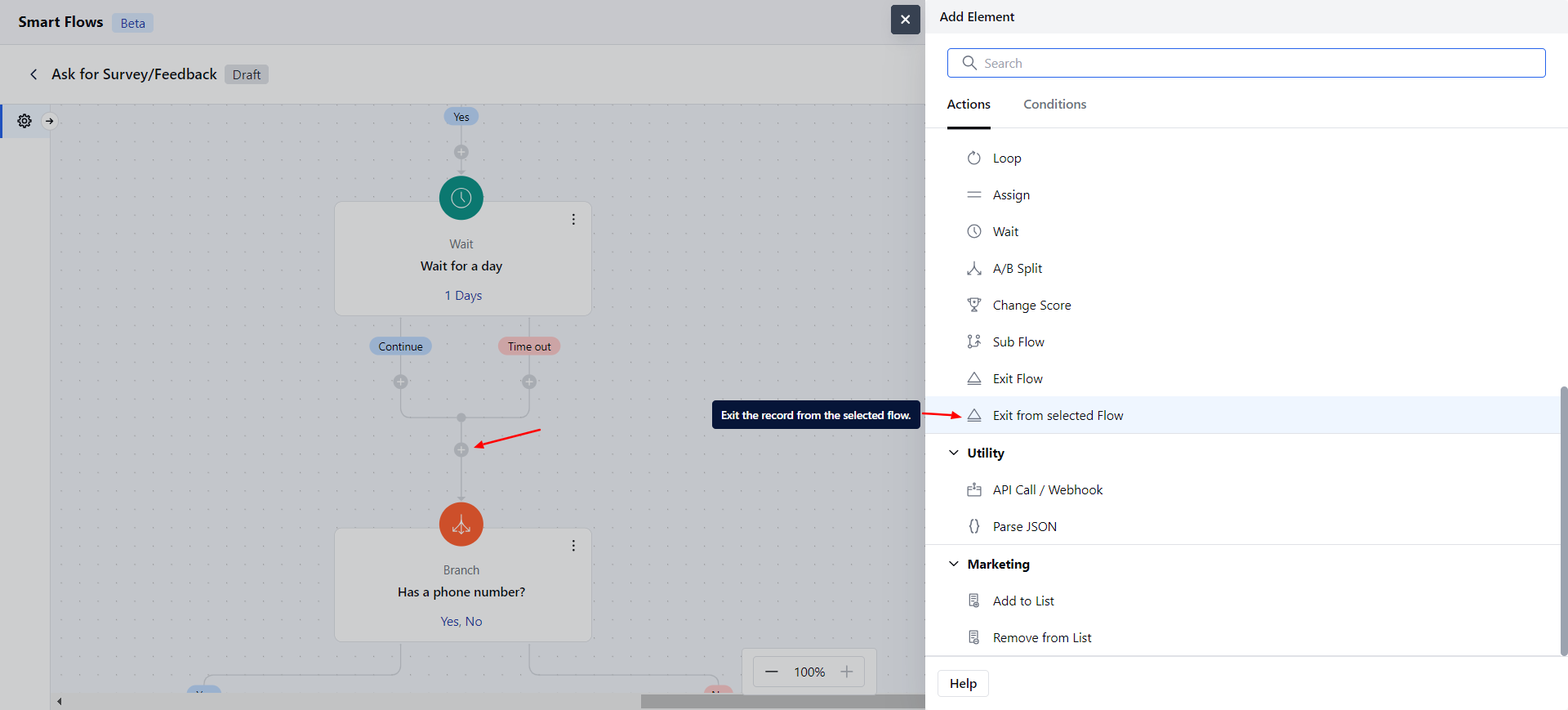 When setting up the Exit Selected Flow Action, you will need to configure the following details:**Name**: Provide a clear and descriptive name to identify the action's purpose.
* **Description**: Give a brief explanation of the action's function, describing what it will achieve.
* **Record to Exit**: Select the record variable you want to remove from another flow. Here you can select a variable at any level but it must be a single record only.
* **Flow**: Choose a flow from which to the records should be exited.
When setting up the Exit Selected Flow Action, you will need to configure the following details:**Name**: Provide a clear and descriptive name to identify the action's purpose.
* **Description**: Give a brief explanation of the action's function, describing what it will achieve.
* **Record to Exit**: Select the record variable you want to remove from another flow. Here you can select a variable at any level but it must be a single record only.
* **Flow**: Choose a flow from which to the records should be exited.
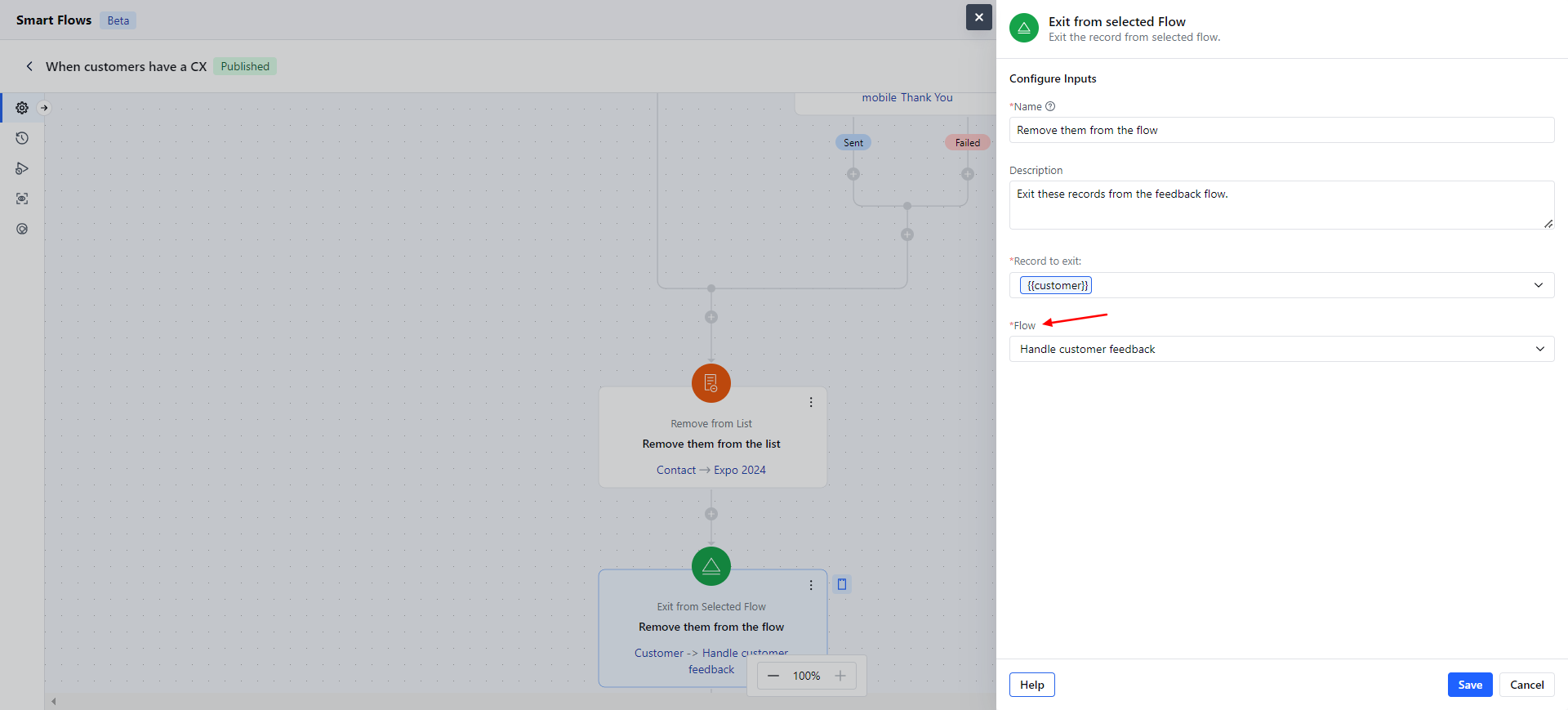 Click **Save** and continue.
# Practical Example
Click **Save** and continue.
# Practical Example