> ## Documentation Index
> Fetch the complete documentation index at: https://support.getskara.ai/llms.txt
> Use this file to discover all available pages before exploring further.
# Send Internal Email
* The **Send Internal Email Action** allows you to automate internal notifications by sending an email to Users or Team within your organization.
### **Topics covered:**
* [How to Configure Send Internal Email Action](#how-to-configure-send-internal-email-action)
* [Practical Example](#practical-example)
### How to Configure Send Internal Email Action
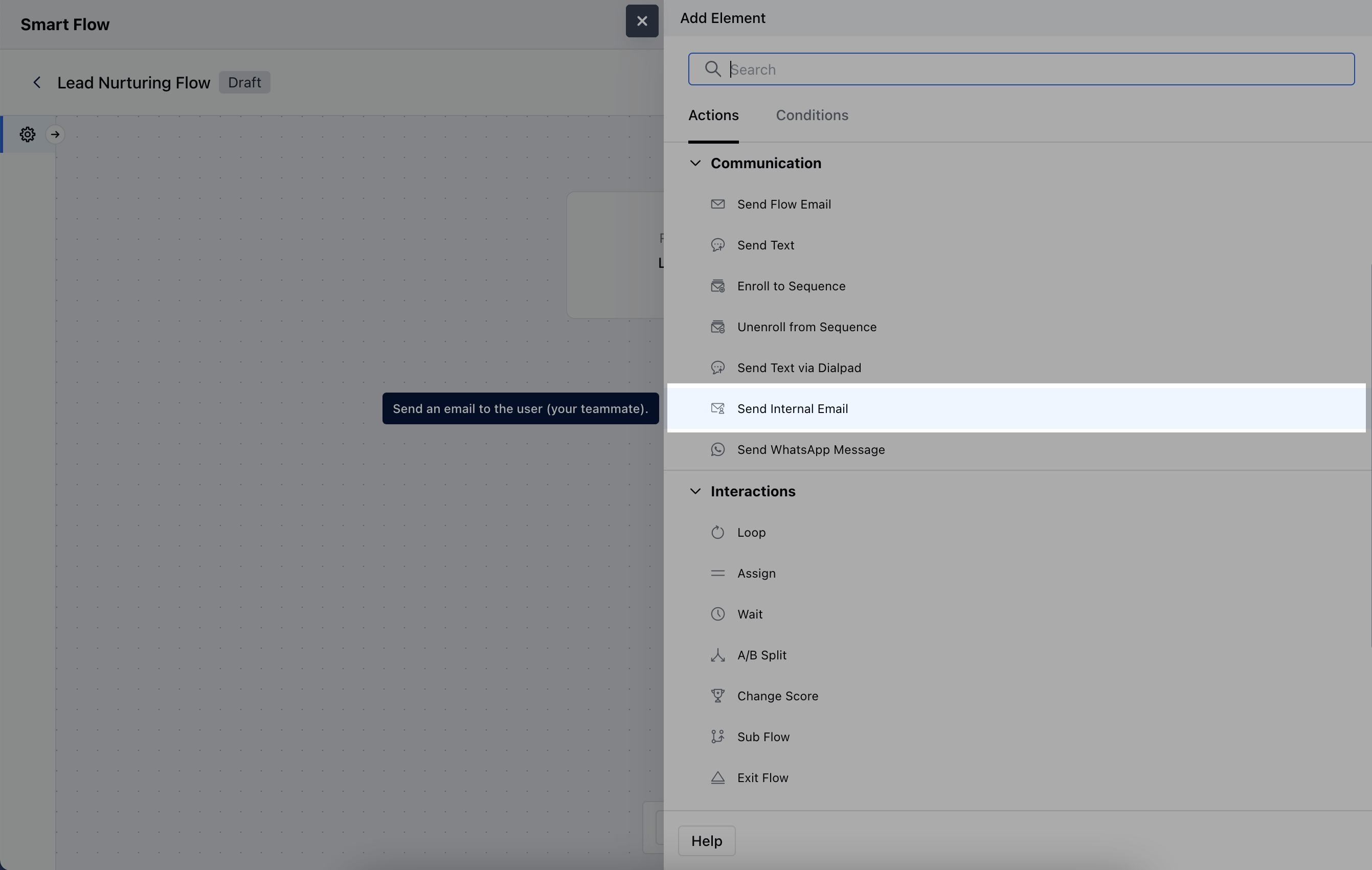
When setting up a Smart Flow, select the **Send Internal Email** action.
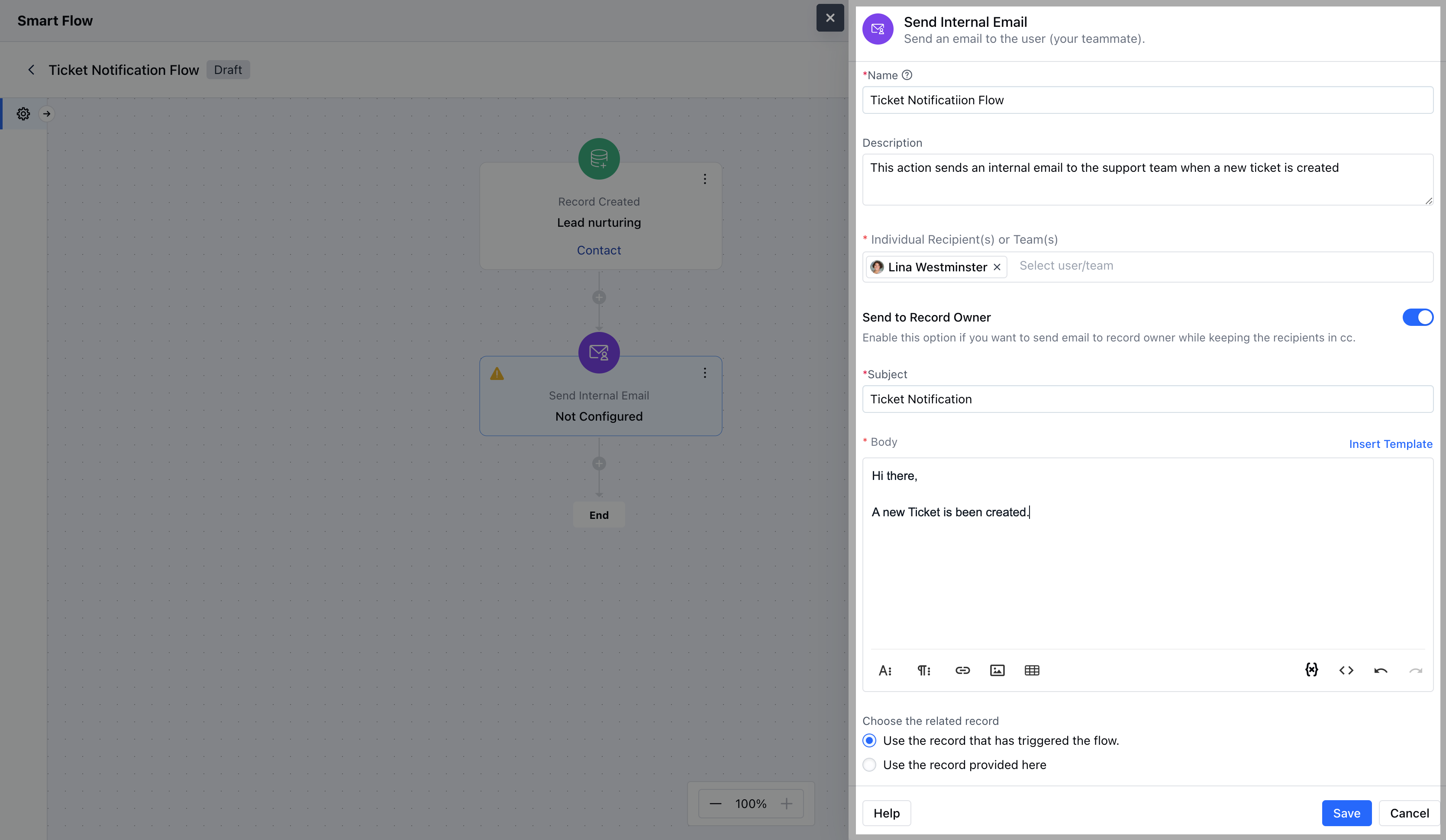
 To configure the **Send Internal Email Action**, you'll need to provide the following information:**Name**: Enter a clear and descriptive title for the action, identifying its purpose.
* **Description**: Provide a brief overview of what the email is intended to achieve within the flow.
* **Individual Recipient(s) or Team(s)**: Specify the User or Team who will receive the internal email.
* **Send to Record Owner**: Choose to send the email to the owner of the associated record.
* **Subject**: Provide a clear and relevant subject line that captures the purpose of the email.
* **Body**: Either manually enter the email content or select from predefined templates.
* **Choose the Related Record**: This option allows you to associate the email with a specific record in your system.
* **Use the record that has triggered the flow**: Automatically link the email to the record that initiated the flow.
* **Use the record provided here**: Manually select a different record to associate with the email, rather than the one that triggered the flow\.Once the configuration is completed, hit on **Save**.
To configure the **Send Internal Email Action**, you'll need to provide the following information:**Name**: Enter a clear and descriptive title for the action, identifying its purpose.
* **Description**: Provide a brief overview of what the email is intended to achieve within the flow.
* **Individual Recipient(s) or Team(s)**: Specify the User or Team who will receive the internal email.
* **Send to Record Owner**: Choose to send the email to the owner of the associated record.
* **Subject**: Provide a clear and relevant subject line that captures the purpose of the email.
* **Body**: Either manually enter the email content or select from predefined templates.
* **Choose the Related Record**: This option allows you to associate the email with a specific record in your system.
* **Use the record that has triggered the flow**: Automatically link the email to the record that initiated the flow.
* **Use the record provided here**: Manually select a different record to associate with the email, rather than the one that triggered the flow\.Once the configuration is completed, hit on **Save**.
 ### Practical Example
Considering this use case where you want to notify your teammate when a deal is created and you have a specific E-mail template configured to notify them internally.Using this action can help you achieve this use case where this action can be configured when a record/deal is created to send an Internal E-mail to notify them.This can be used to notify a specific User/Record Owner/Team
### Practical Example
Considering this use case where you want to notify your teammate when a deal is created and you have a specific E-mail template configured to notify them internally.Using this action can help you achieve this use case where this action can be configured when a record/deal is created to send an Internal E-mail to notify them.This can be used to notify a specific User/Record Owner/Team