> ## Documentation Index
> Fetch the complete documentation index at: https://support.getskara.ai/llms.txt
> Use this file to discover all available pages before exploring further.
# Send Text
* The **Send Text Action** allows you to automatically send text messages to contacts within a Smart Flow.
### **Topics covered:**
[How to Configure Send Text Action](#how-to-configure-send-text-action)
* [Practical Example](#practical-example)
### How to Configure Send Text Action
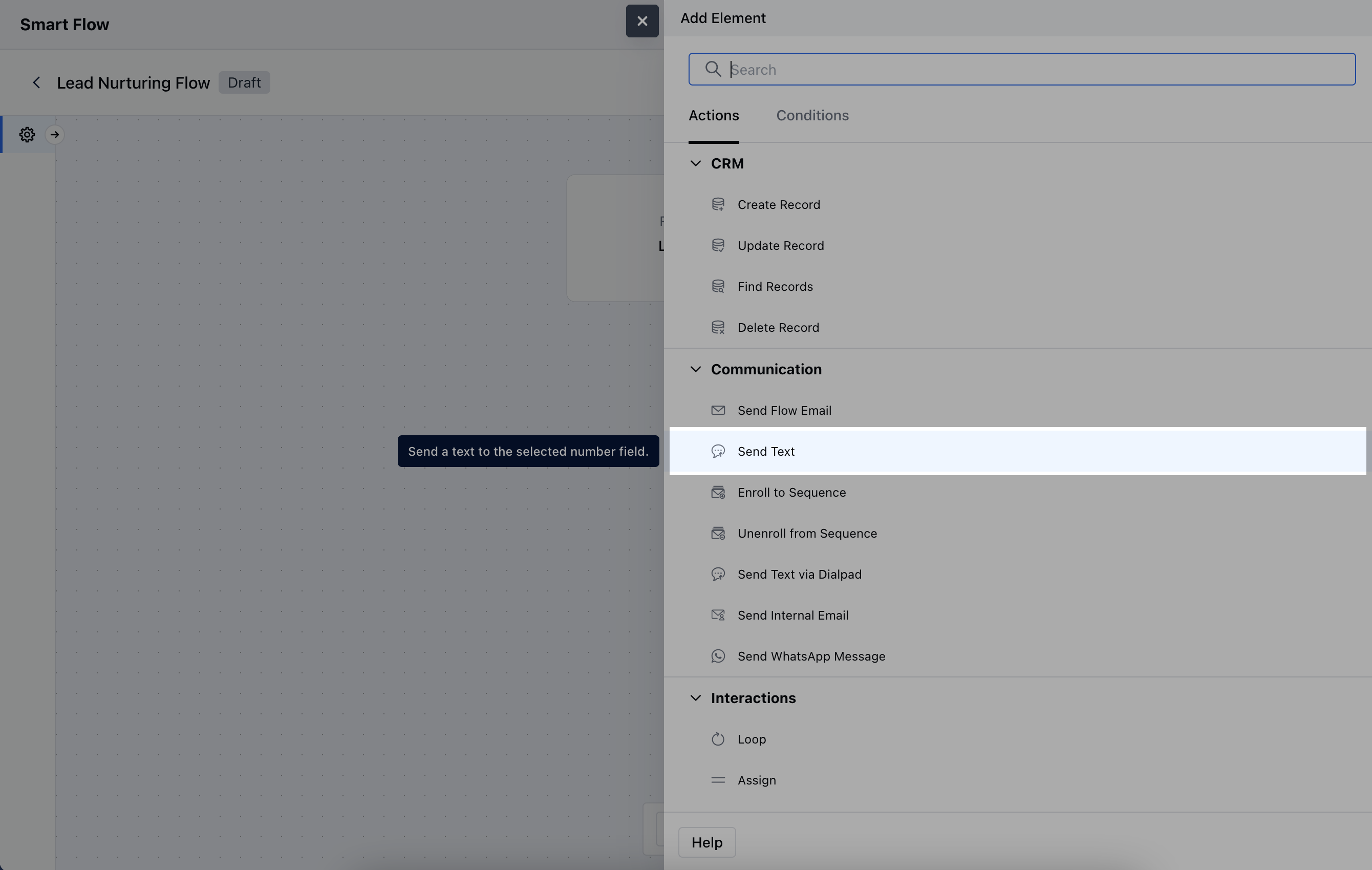
While setting up a Smart Flow, select **Send Text** action.
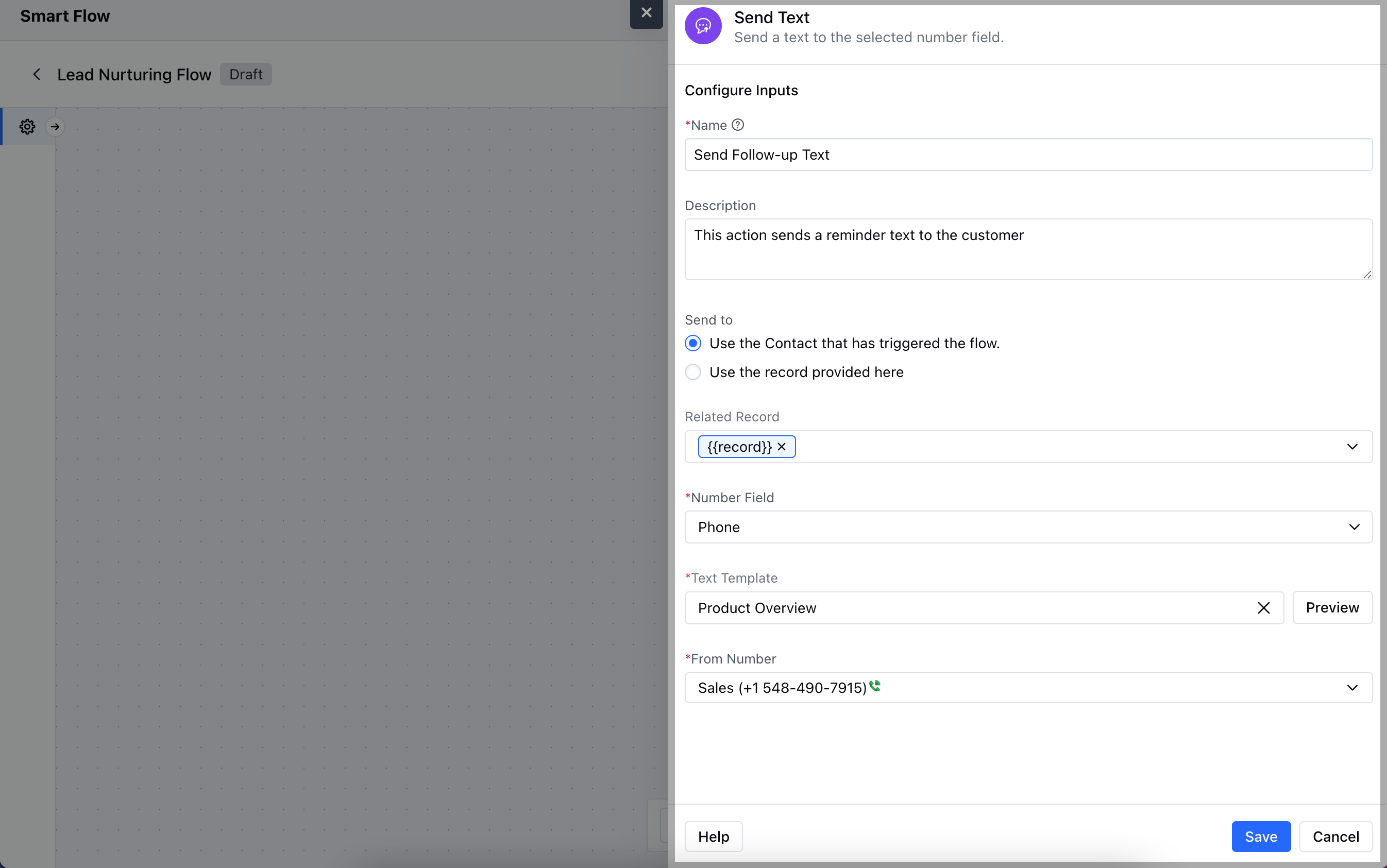
 To configure the Send Text Action, you'll need to provide the following details:**Name**: Give the action a clear and descriptive title.
* **Description**: Offer a brief explanation of the action’s purpose **Send to**:**Use the Contact that has triggered the flow**: Automatically send the text to the contact linked to the flow trigger.
* **Use the record provided here**: Manually specify the recipient for the text.
* **Related Record**: If applicable, link the action to a related record.
* **Number Field**: Choose the phone number field from the contact or related record.
* **Text Template**: Select a pre-designed text template to send.
* **From Number**: Specify the phone number from which the text will be sent.Once the configuration is completed, hit **Save**.
To configure the Send Text Action, you'll need to provide the following details:**Name**: Give the action a clear and descriptive title.
* **Description**: Offer a brief explanation of the action’s purpose **Send to**:**Use the Contact that has triggered the flow**: Automatically send the text to the contact linked to the flow trigger.
* **Use the record provided here**: Manually specify the recipient for the text.
* **Related Record**: If applicable, link the action to a related record.
* **Number Field**: Choose the phone number field from the contact or related record.
* **Text Template**: Select a pre-designed text template to send.
* **From Number**: Specify the phone number from which the text will be sent.Once the configuration is completed, hit **Save**.
 ### Practical Example
For instance, if you would like to send **text reminders** to a contact at regular intervals, you can set up a flow and connect it to this action of **"Send Text".** The below example describes a flow that triggers when a text is sent and adds delay of 2 days before sending another text follow up.
### Practical Example
For instance, if you would like to send **text reminders** to a contact at regular intervals, you can set up a flow and connect it to this action of **"Send Text".** The below example describes a flow that triggers when a text is sent and adds delay of 2 days before sending another text follow up.