> ## Documentation Index
> Fetch the complete documentation index at: https://support.getskara.ai/llms.txt
> Use this file to discover all available pages before exploring further.
# Send WhatsApp Message
Sending **WhatsApp Message action** allows to send WhatsApp messages to a contact through \*\*Smart Flow.
* \*\* This allows you with the possibility of sending **WhatsApp communications** to your contacts automatically eliminating manual intervention on repetitive tasks.
### **Topics covered:**
* [How to configure Send WhatsApp Message Action](#how-to-configure-send-whatsapp-message-action)
* [Practical Example](https://support.salesmate.io/hc/en-us/articles/38138309260057-Send-WhatsApp-Message#h_01JCFJ1JYYM4SQRVYYT0DY4CG8)
### How to configure Send WhatsApp Message Action
When setting up a Smart Flow, Select the **Send WhatsApp Message** Action
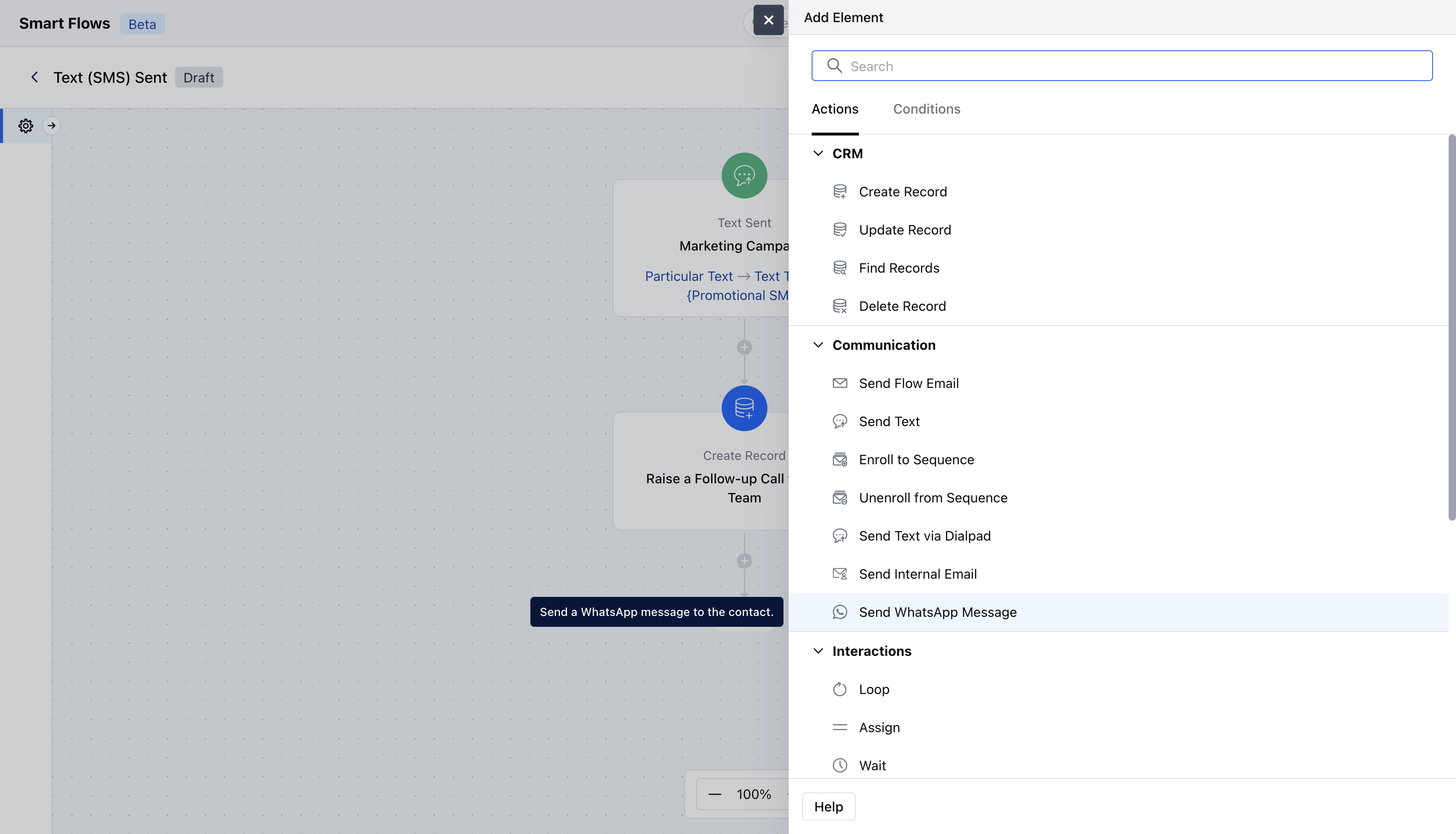 When setting Send WhatsApp Message action, you will need to configure following details:**Name**: Provide a clear and descriptive name to identify the action's purpose.
* **Description**: Give a brief explanation of the action's function, describing what it will achieve.
* **From Number**: Select the configured number through which you would like to send this message **Select Record(s) to Enroll**: Determine which records will be enrolled in the sequence. You can either select the contact associated with the flow trigger or manually choose specific records.
* **Related Record**: Specify any related record to associate with the contact to replace variables in the template **Number Field**: Select which field given in the record the message should go to. Example Cellphone, Mobile phone.
* **WhatsApp Template**: Select the template which should be sentOnce configuration is completed, hit \*\*Save.
* \*\*###
When setting Send WhatsApp Message action, you will need to configure following details:**Name**: Provide a clear and descriptive name to identify the action's purpose.
* **Description**: Give a brief explanation of the action's function, describing what it will achieve.
* **From Number**: Select the configured number through which you would like to send this message **Select Record(s) to Enroll**: Determine which records will be enrolled in the sequence. You can either select the contact associated with the flow trigger or manually choose specific records.
* **Related Record**: Specify any related record to associate with the contact to replace variables in the template **Number Field**: Select which field given in the record the message should go to. Example Cellphone, Mobile phone.
* **WhatsApp Template**: Select the template which should be sentOnce configuration is completed, hit \*\*Save.
* \*\*###
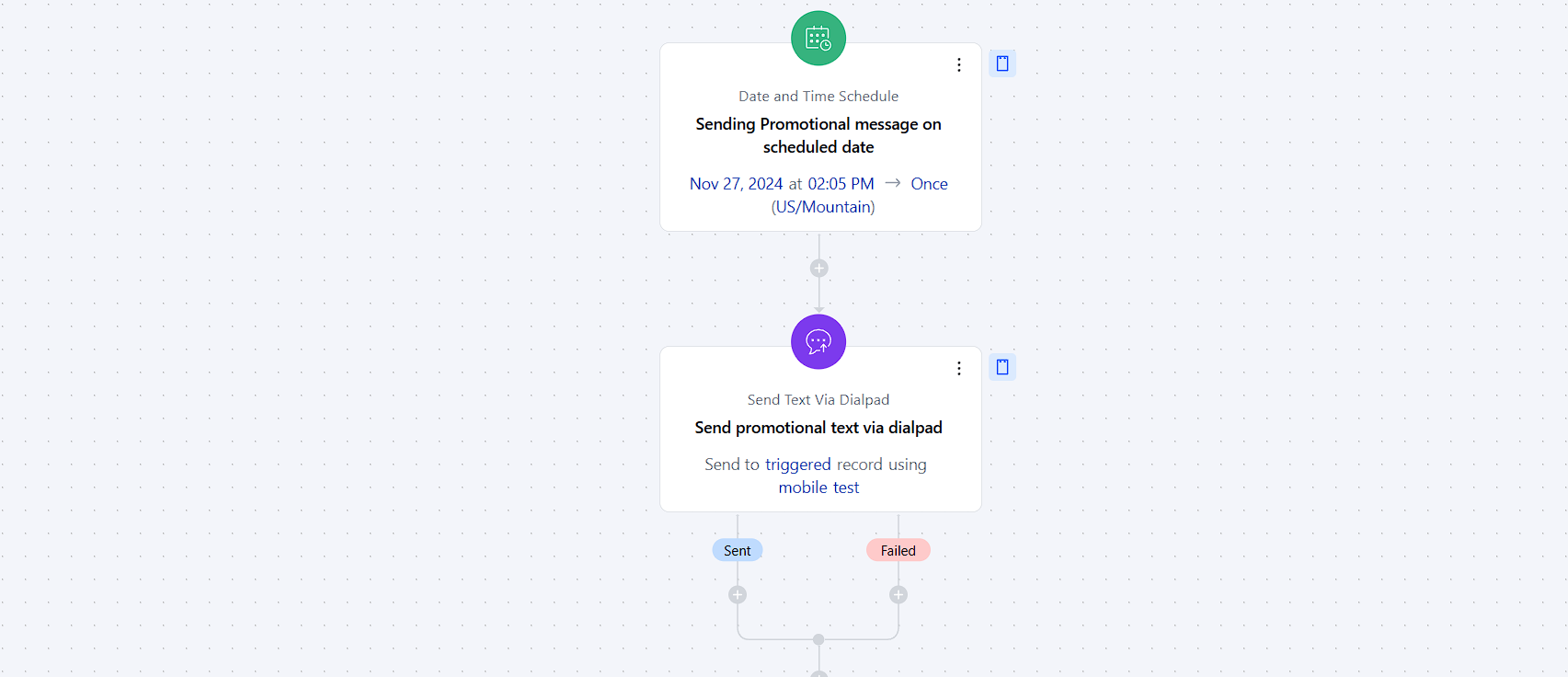 Practical Example:
For instance, you need to send a **WhatsApp Broadcast** about an upcoming promotion.The **Send WhatsApp Message** action can be configured with the trigger of **Date and Time Schedule** and following this configuration. A **WhatsApp Message** will be sent to your contacts notifying them about the promotion.
Practical Example:
For instance, you need to send a **WhatsApp Broadcast** about an upcoming promotion.The **Send WhatsApp Message** action can be configured with the trigger of **Date and Time Schedule** and following this configuration. A **WhatsApp Message** will be sent to your contacts notifying them about the promotion.