> ## Documentation Index
> Fetch the complete documentation index at: https://support.getskara.ai/llms.txt
> Use this file to discover all available pages before exploring further.
# Unenroll from Sequence
The **Unenroll from Sequence Action** allows you to automatically remove a contact or record from an ongoing email or SMS sequence.Topics Covered:
* [How to Configure Unenroll from Sequence Action](#how-to-configure-unenroll-from-sequence-action)
* [Practical Example](#practical-example)
### How to Configure Unenroll from Sequence Action
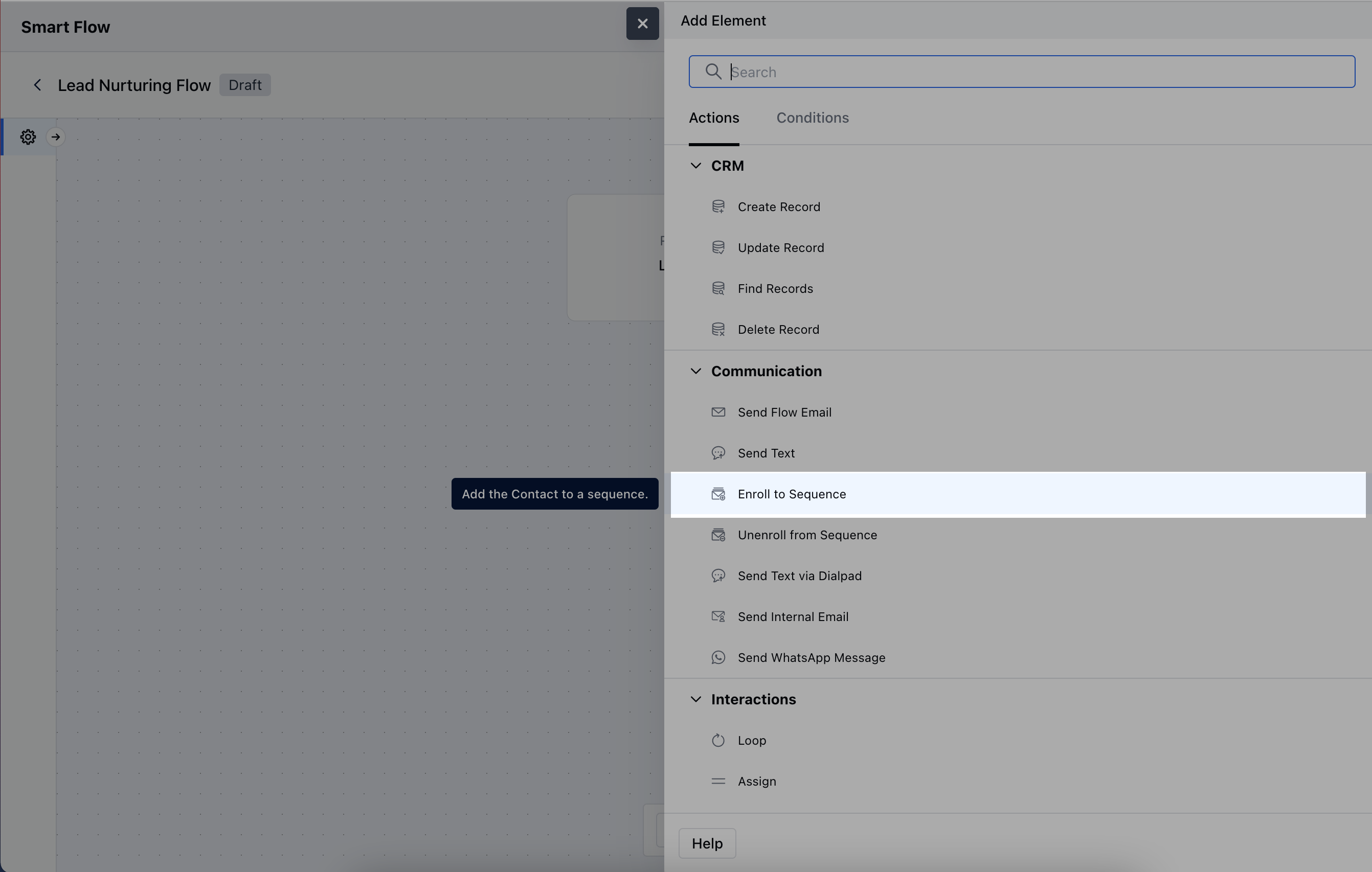
When setting up a Smart Flow, select the **Unenroll from Sequence** action.
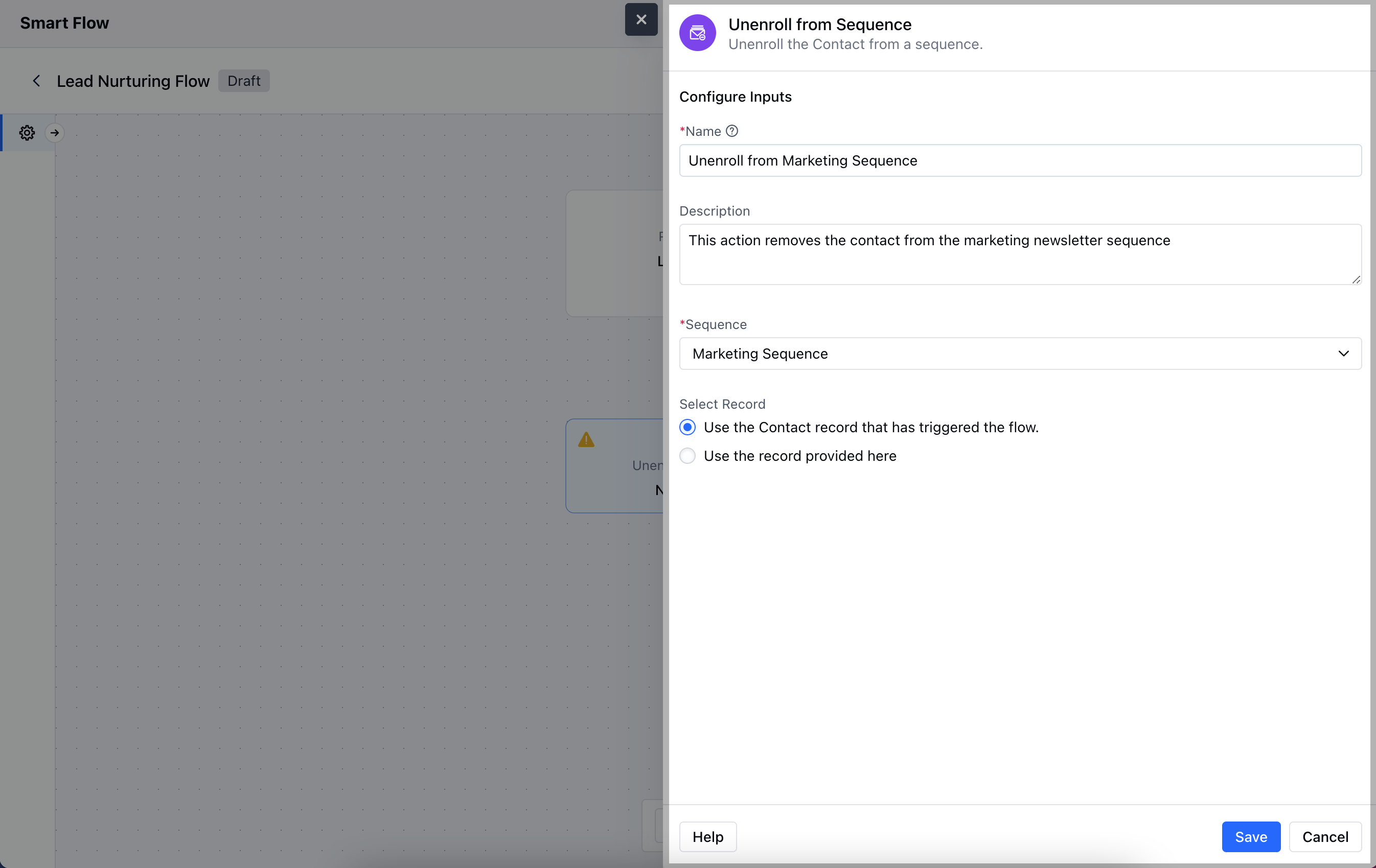
 After selecting the **Unenroll from Sequence Action**, you will need to configure it by providing the following details:**Name**: Give the action a clear and descriptive name to easily identify its purpose.
* **Description**: Write a brief explanation outlining what this action will do.
* **Sequence**: Specify the sequence from which you want to unenroll the contact or record.
* **Select Record**: Choose the record to be unenrolled:**Use the Contact record that has triggered the flow**: Automatically unenroll the contact tied to the flow's trigger.
* **Use the record provided here**: Manually select the records to be unenrolled.
After selecting the **Unenroll from Sequence Action**, you will need to configure it by providing the following details:**Name**: Give the action a clear and descriptive name to easily identify its purpose.
* **Description**: Write a brief explanation outlining what this action will do.
* **Sequence**: Specify the sequence from which you want to unenroll the contact or record.
* **Select Record**: Choose the record to be unenrolled:**Use the Contact record that has triggered the flow**: Automatically unenroll the contact tied to the flow's trigger.
* **Use the record provided here**: Manually select the records to be unenrolled.
 ### Practical Example
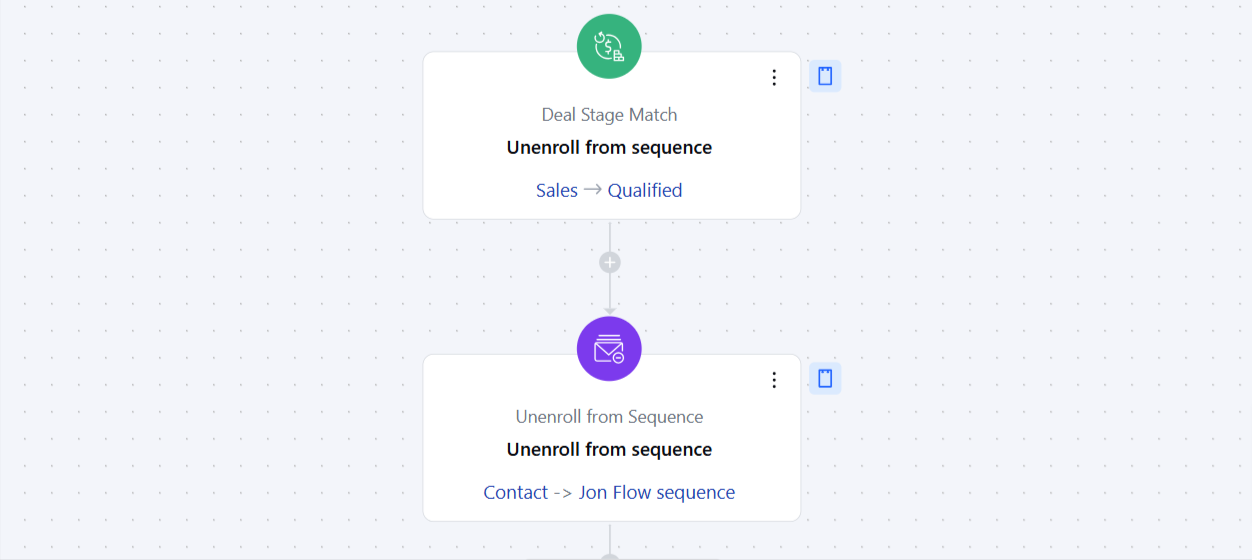
Considering a use case where you have a **Prospecting Sequence** for Qualifying a lead for Sales.The Smart Flow will allow you to unenroll contact from this sequence when a **Deal's Pipeline** is changed from **Prospect to Sales** automatically. This will allow you to ensure no further Prospecting E-mails are sent to a record as soon as they are Qualified for Sales.You can configure a flow and use this action "**Unenroll from sequence**" which executes on "**Deal Stage Match**" Added". Select the Stage on "Deal Stage Match" trigger to ensure the record is removed from the sequence when it is moved to that specific Stage/Pipeline and configure it to "Unenroll from Sequence" action.
### Practical Example
Considering a use case where you have a **Prospecting Sequence** for Qualifying a lead for Sales.The Smart Flow will allow you to unenroll contact from this sequence when a **Deal's Pipeline** is changed from **Prospect to Sales** automatically. This will allow you to ensure no further Prospecting E-mails are sent to a record as soon as they are Qualified for Sales.You can configure a flow and use this action "**Unenroll from sequence**" which executes on "**Deal Stage Match**" Added". Select the Stage on "Deal Stage Match" trigger to ensure the record is removed from the sequence when it is moved to that specific Stage/Pipeline and configure it to "Unenroll from Sequence" action.