> ## Documentation Index
> Fetch the complete documentation index at: https://support.getskara.ai/llms.txt
> Use this file to discover all available pages before exploring further.
# Update Subscription Preference (Action)
* The **Update Subscription Preference** action in Smart Flow is used to update a contact’s subscription preferences for a specific subscription type.
### **Topics covered:**
* [How to Configure](#how-to-configure)
* [Practical Example:](#practical-example)
### How to Configure
While setting up a Smart Flow, select **Update Record** Action.
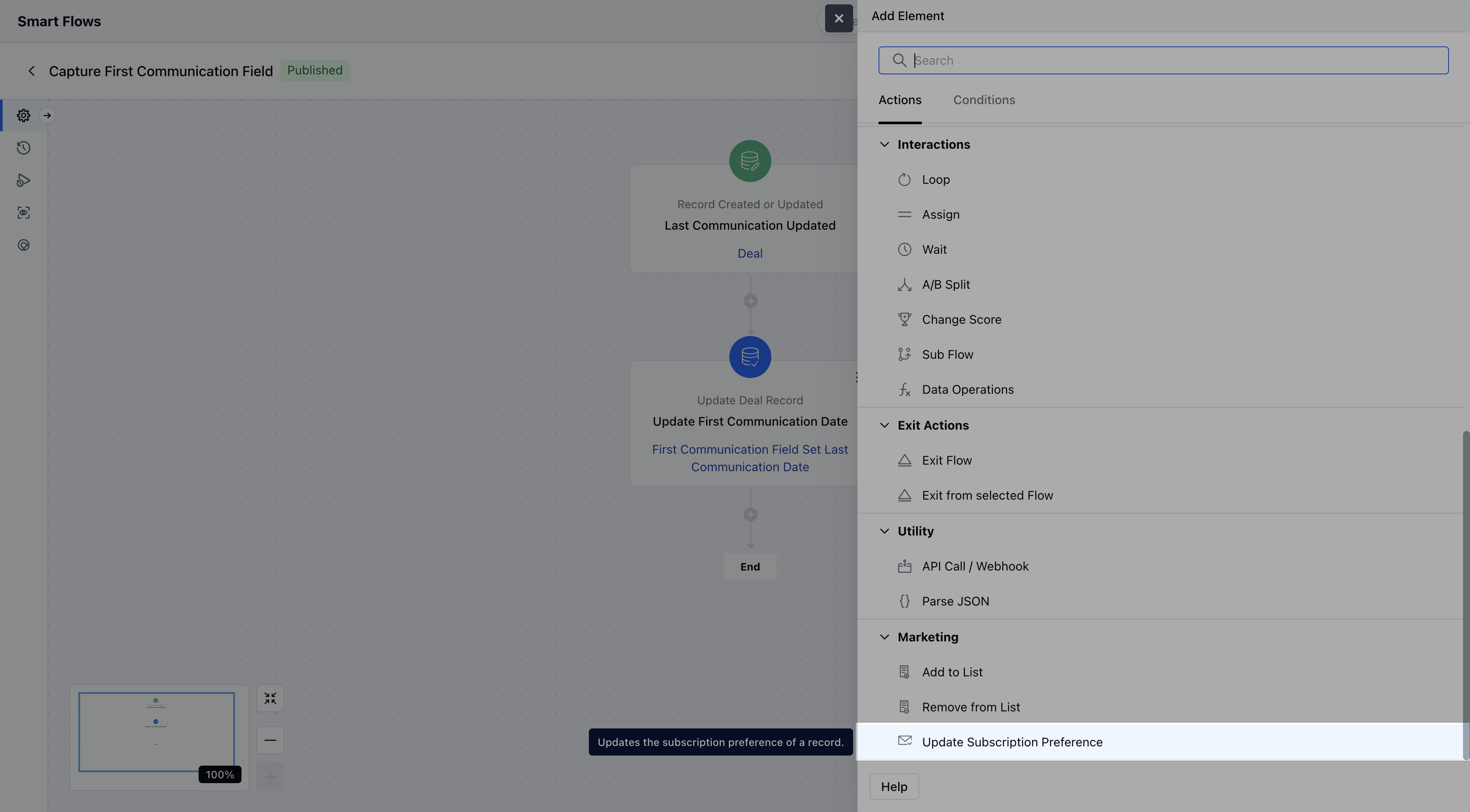 Once selected, you’ll need to configure the following details for the **Update Record Action**:**Name**: Provide a descriptive name for this action to easily identify its purpose.
* **Description**: Offer a brief explanation of what this action will accomplish and why it’s needed in the flow.
* **Choose the record and update method**: Select the specific record to update and decide whether to update it using a form or predefined variables \*\*Subscription Type:\*\*Select the subscription type that you want to update **Subscription Preference**: Select their opt-in preference for the subscription
Once selected, you’ll need to configure the following details for the **Update Record Action**:**Name**: Provide a descriptive name for this action to easily identify its purpose.
* **Description**: Offer a brief explanation of what this action will accomplish and why it’s needed in the flow.
* **Choose the record and update method**: Select the specific record to update and decide whether to update it using a form or predefined variables \*\*Subscription Type:\*\*Select the subscription type that you want to update **Subscription Preference**: Select their opt-in preference for the subscription
 Once the configuration is completed, hit **Save**
### Practical Example:
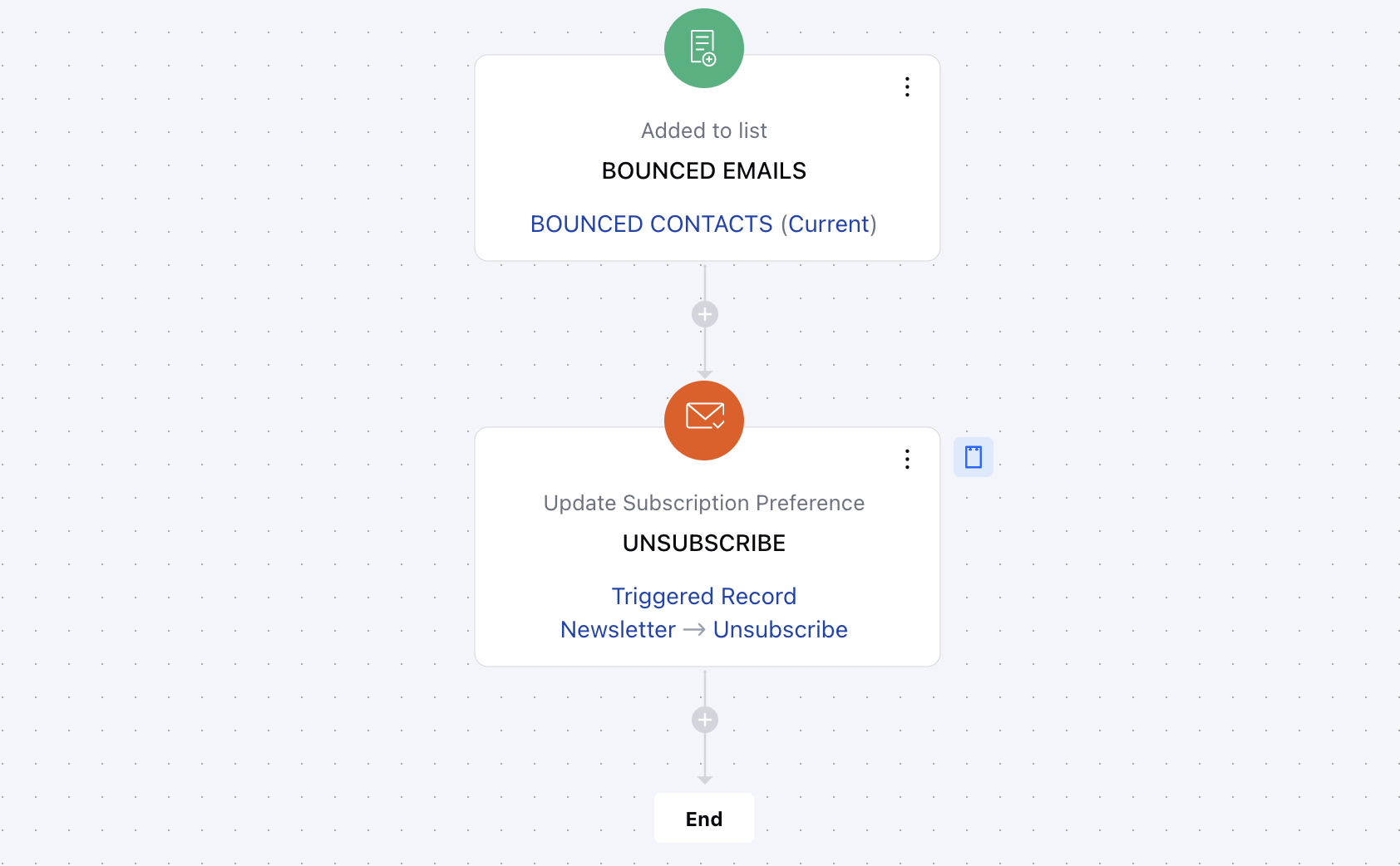
Let’s say you want to automatically unsubscribe a contact from marketing emails if their email address results in a hard bounce. This ensures your mailing list stays clean and your sender reputation remains strong.
Once the configuration is completed, hit **Save**
### Practical Example:
Let’s say you want to automatically unsubscribe a contact from marketing emails if their email address results in a hard bounce. This ensures your mailing list stays clean and your sender reputation remains strong.