> ## Documentation Index
> Fetch the complete documentation index at: https://support.getskara.ai/llms.txt
> Use this file to discover all available pages before exploring further.
# Has Visited Page
The **Has Visited Page Condition** in a Smart Flow allows you to create actions or logic based on whether a contact has visited a specific page on your website.
### **Topics covered:**
* [How to Configure Has Visited Page Condition](#how-to-configure-has-visited-page-condition)
* [Practical Example](#practical-example)
### How to Configure Has Visited Page Condition
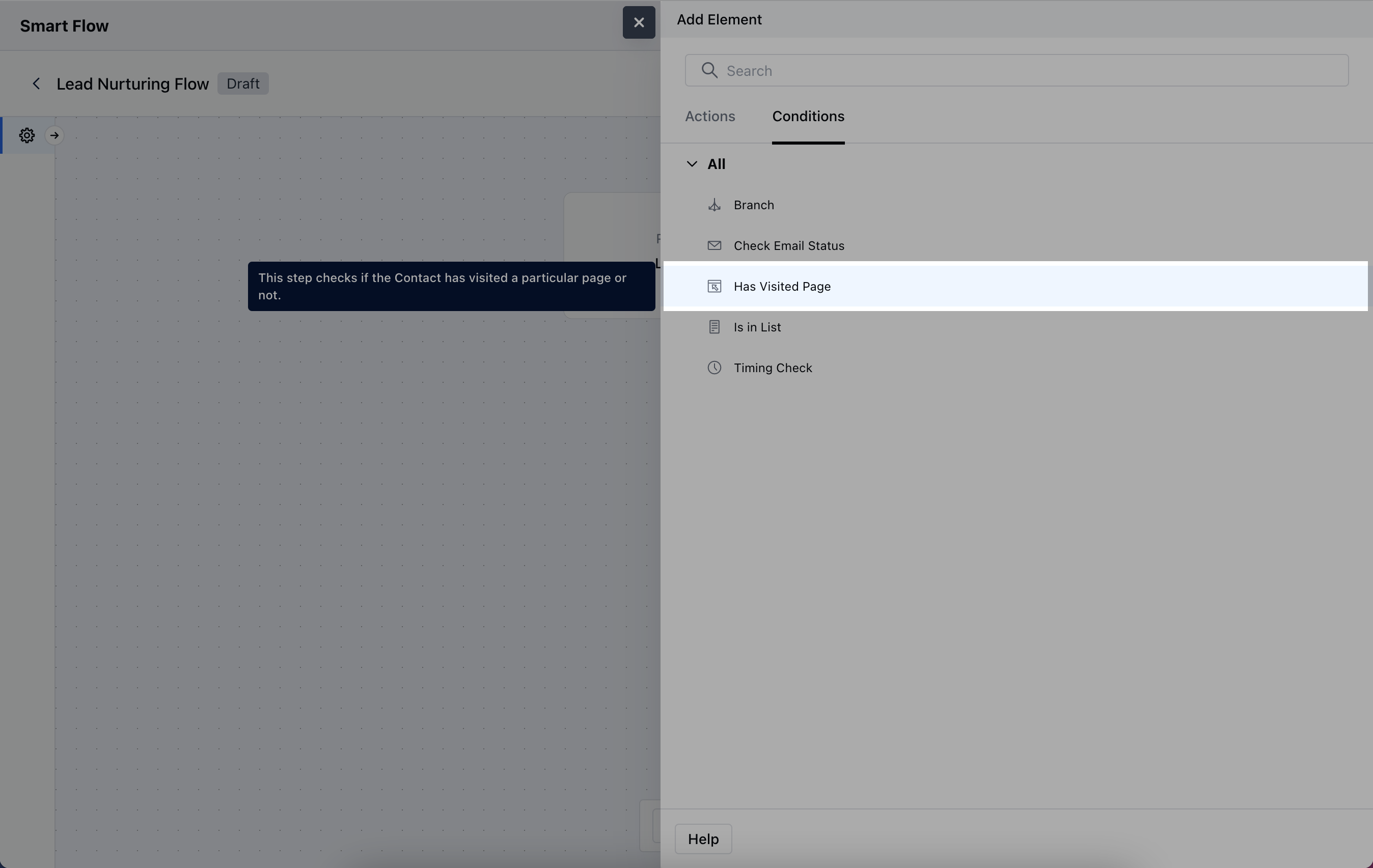
When setting up a Smart Flow, choose the **Has Visited Page** Condition.
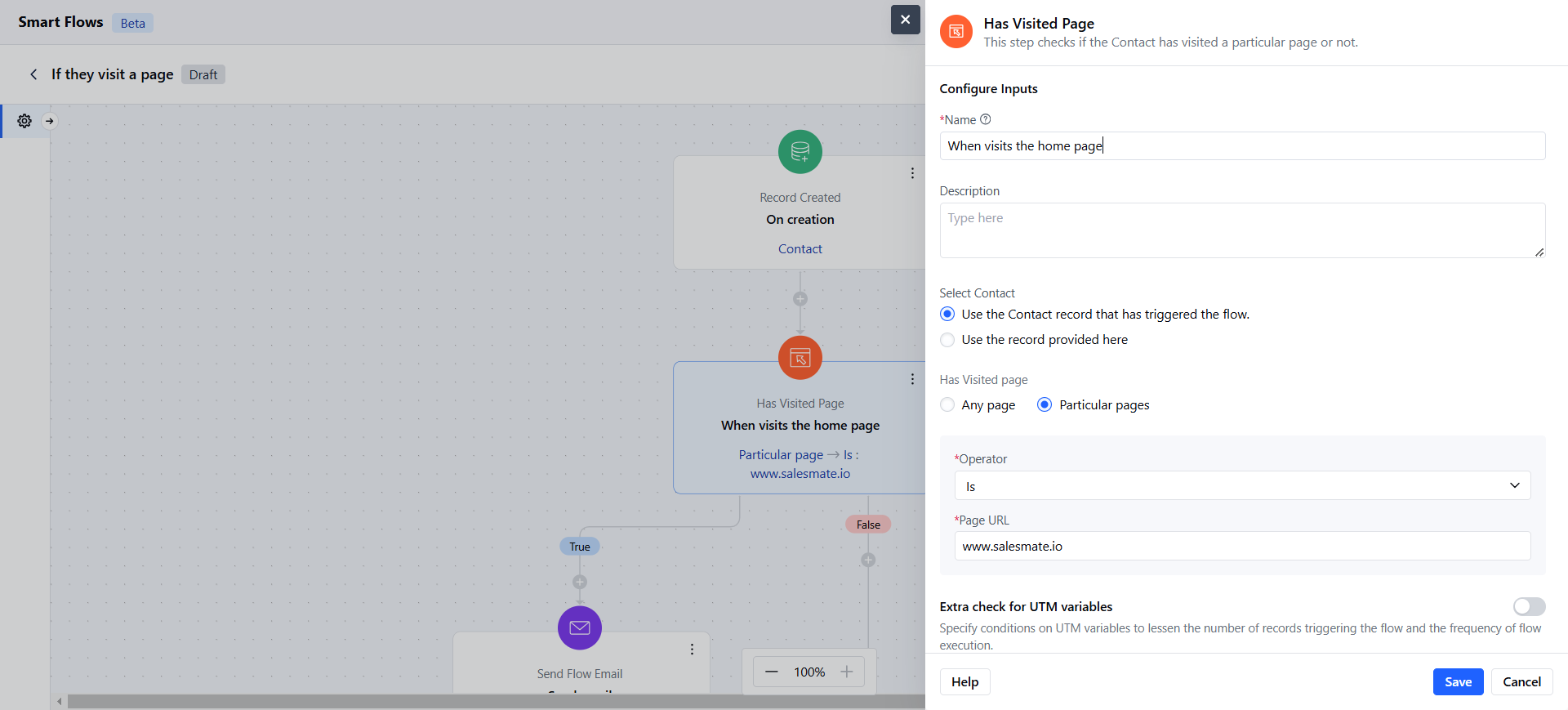
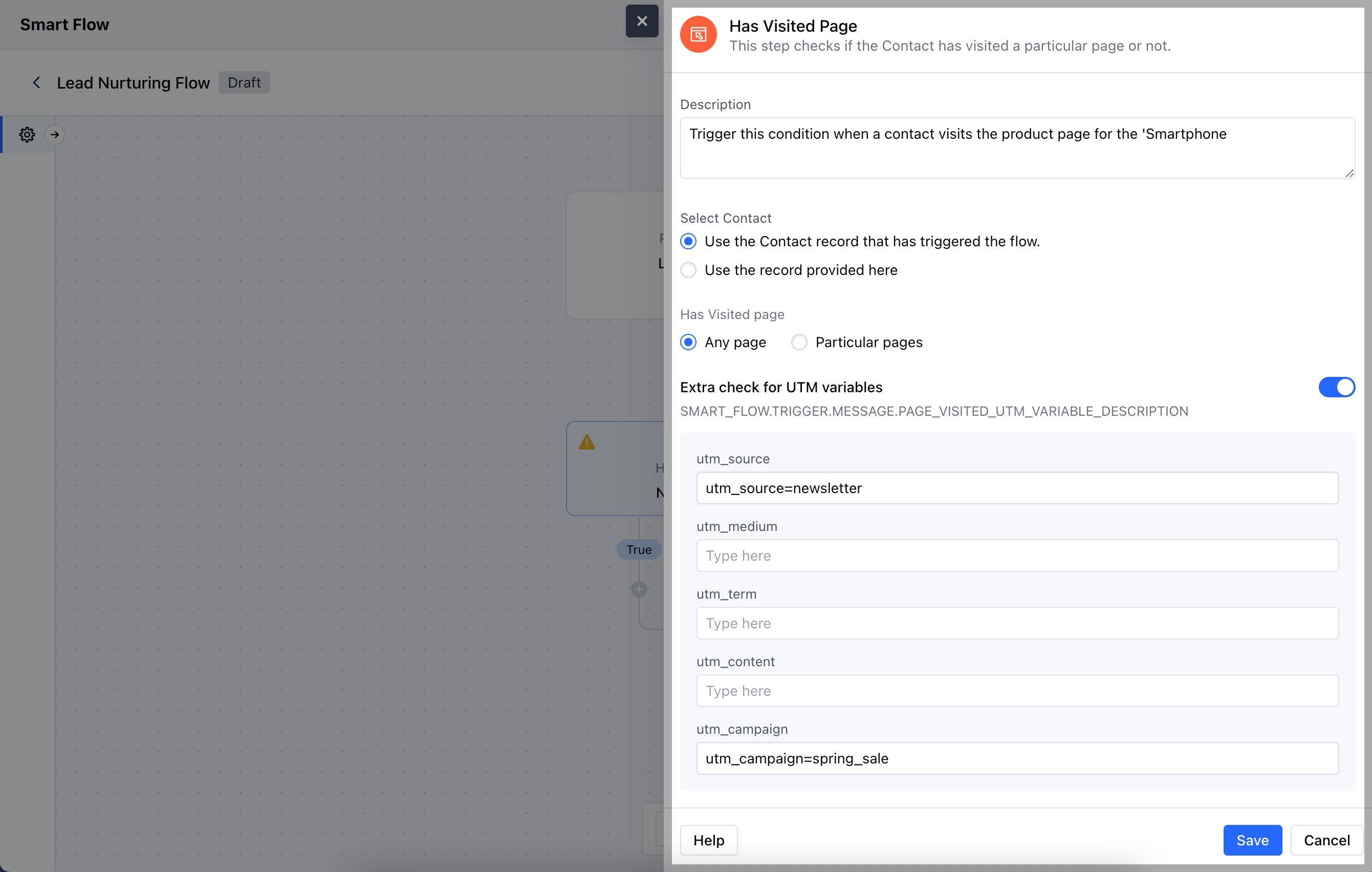
 After selecting, you'll need to configure the **Has Visited Page** condition by providing the following details:
* **Name:** Assign a clear name to easily identify the condition.
* **Description:** Provide a brief explanation of what this condition does and its purpose in the flow.
* **Select Contact:**- **Use the Contact record that has triggered the flow:** Choose this if the contact initiating the flow will also be used to track the page visit.
* **Use the record provided here:** Choose this option if you want to manually specify a different contact or record.
* **Select Page:**- **Any Page:** Trigger the condition if the contact has visited any page on your website.
* **Particular Page:** Set the condition to trigger only when a specific page is visited.
* **Extra check for UTM variables:** Add any UTM parameters to narrow down the condition to specific campaigns or traffic sources. Once the configuration is completed, hit **Save**.
After selecting, you'll need to configure the **Has Visited Page** condition by providing the following details:
* **Name:** Assign a clear name to easily identify the condition.
* **Description:** Provide a brief explanation of what this condition does and its purpose in the flow.
* **Select Contact:**- **Use the Contact record that has triggered the flow:** Choose this if the contact initiating the flow will also be used to track the page visit.
* **Use the record provided here:** Choose this option if you want to manually specify a different contact or record.
* **Select Page:**- **Any Page:** Trigger the condition if the contact has visited any page on your website.
* **Particular Page:** Set the condition to trigger only when a specific page is visited.
* **Extra check for UTM variables:** Add any UTM parameters to narrow down the condition to specific campaigns or traffic sources. Once the configuration is completed, hit **Save**.
 ### Practical Example
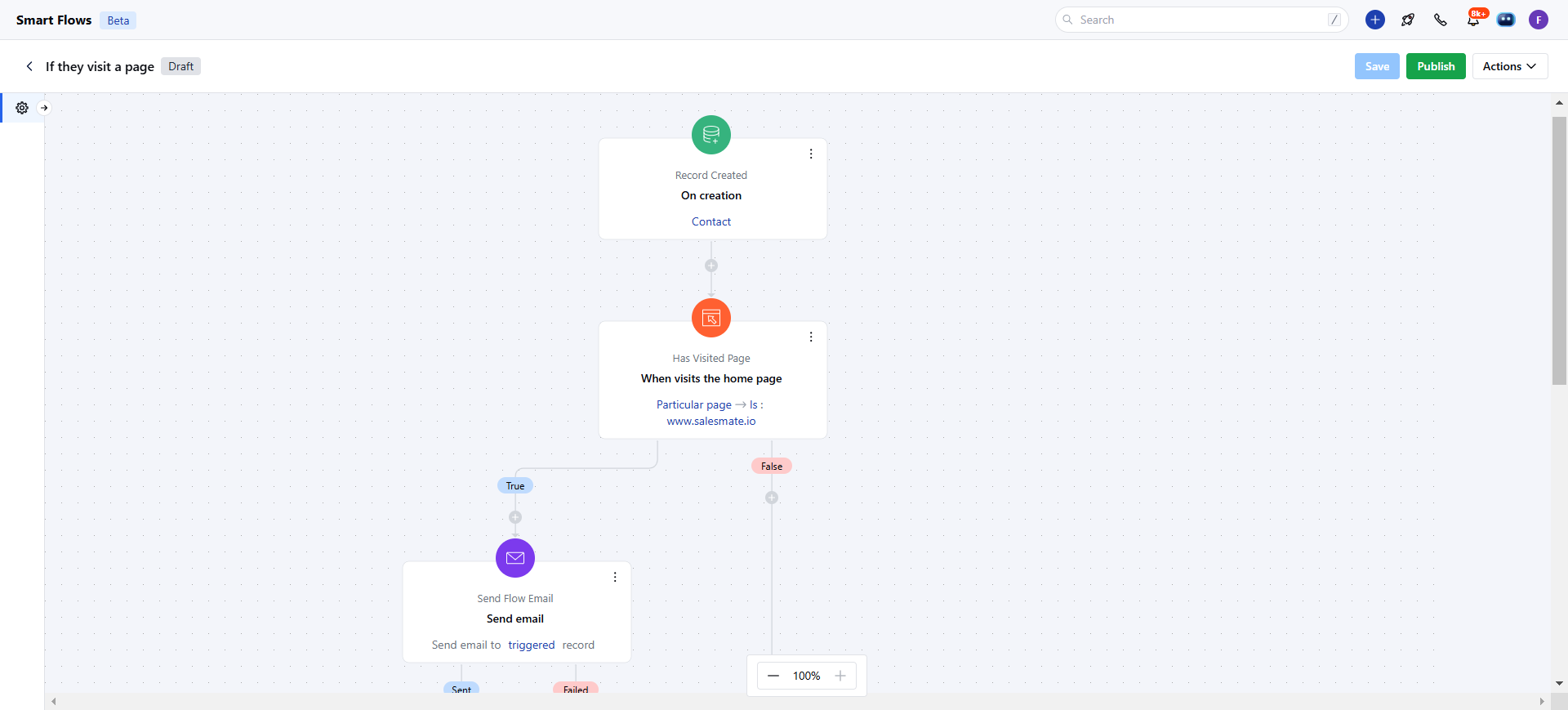
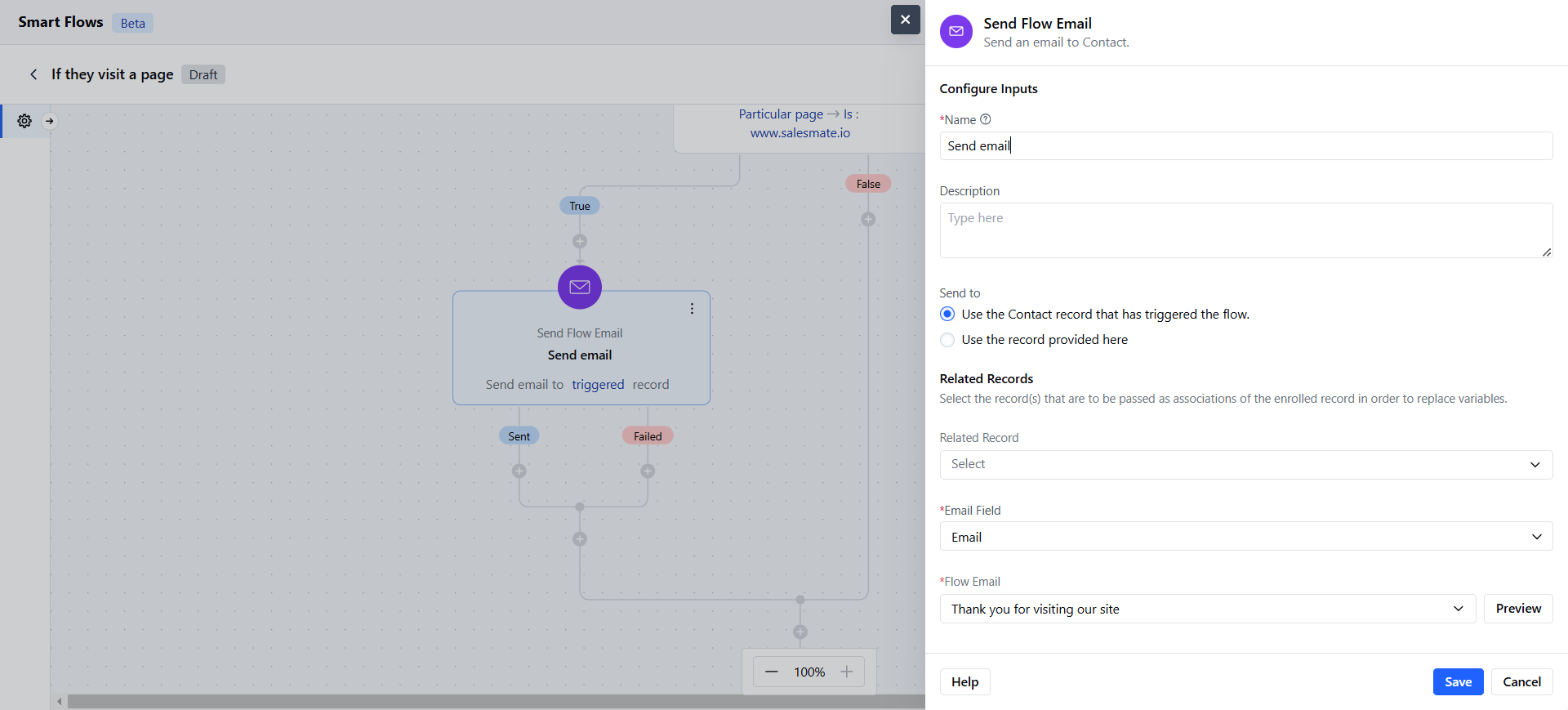
Using the "Has Visited a Page" condition, you can automate email engagement for site visitors. When a contact visits your website, this condition triggers an automated email, allowing you to promptly reach out with tailored information, offers, or a welcome message. This approach helps you engage visitors right as they show interest.
### Practical Example
Using the "Has Visited a Page" condition, you can automate email engagement for site visitors. When a contact visits your website, this condition triggers an automated email, allowing you to promptly reach out with tailored information, offers, or a welcome message. This approach helps you engage visitors right as they show interest.