> ## Documentation Index
> Fetch the complete documentation index at: https://support.getskara.ai/llms.txt
> Use this file to discover all available pages before exploring further.
# Timing Check
The **Timing Check Condition** in a Smart Flow allows you to evaluate the timing of an event or action to determine whether to proceed with a specific step in the flow.
### **Topics covered:**
* [How to Configure Timing Check Condition](#how-to-configure-timing-check-condition)
* [Practical Example](#practical-example)
### How to Configure Timing Check Condition
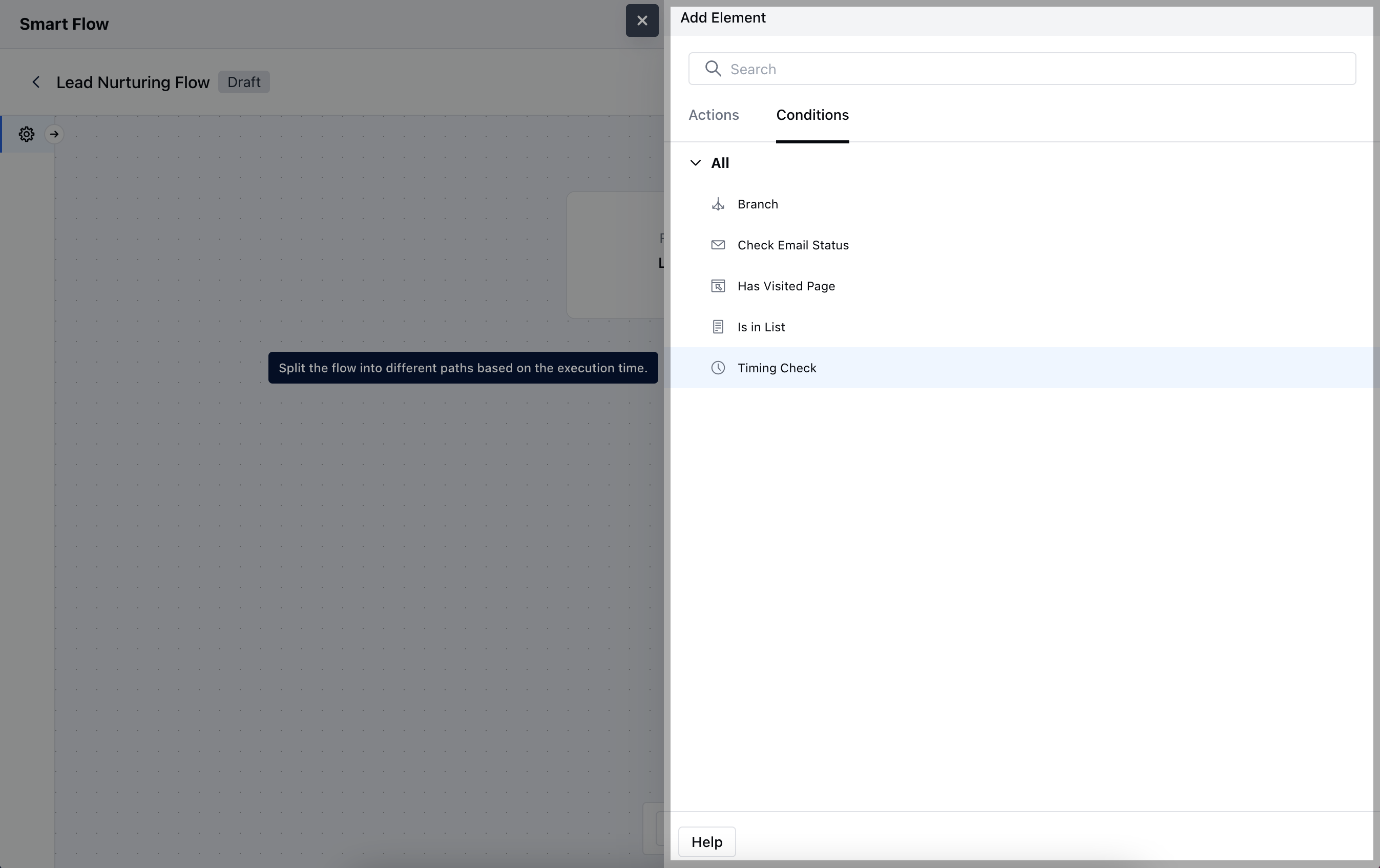
When setting up a Smart Flow, choose the **Timing Check** condition.
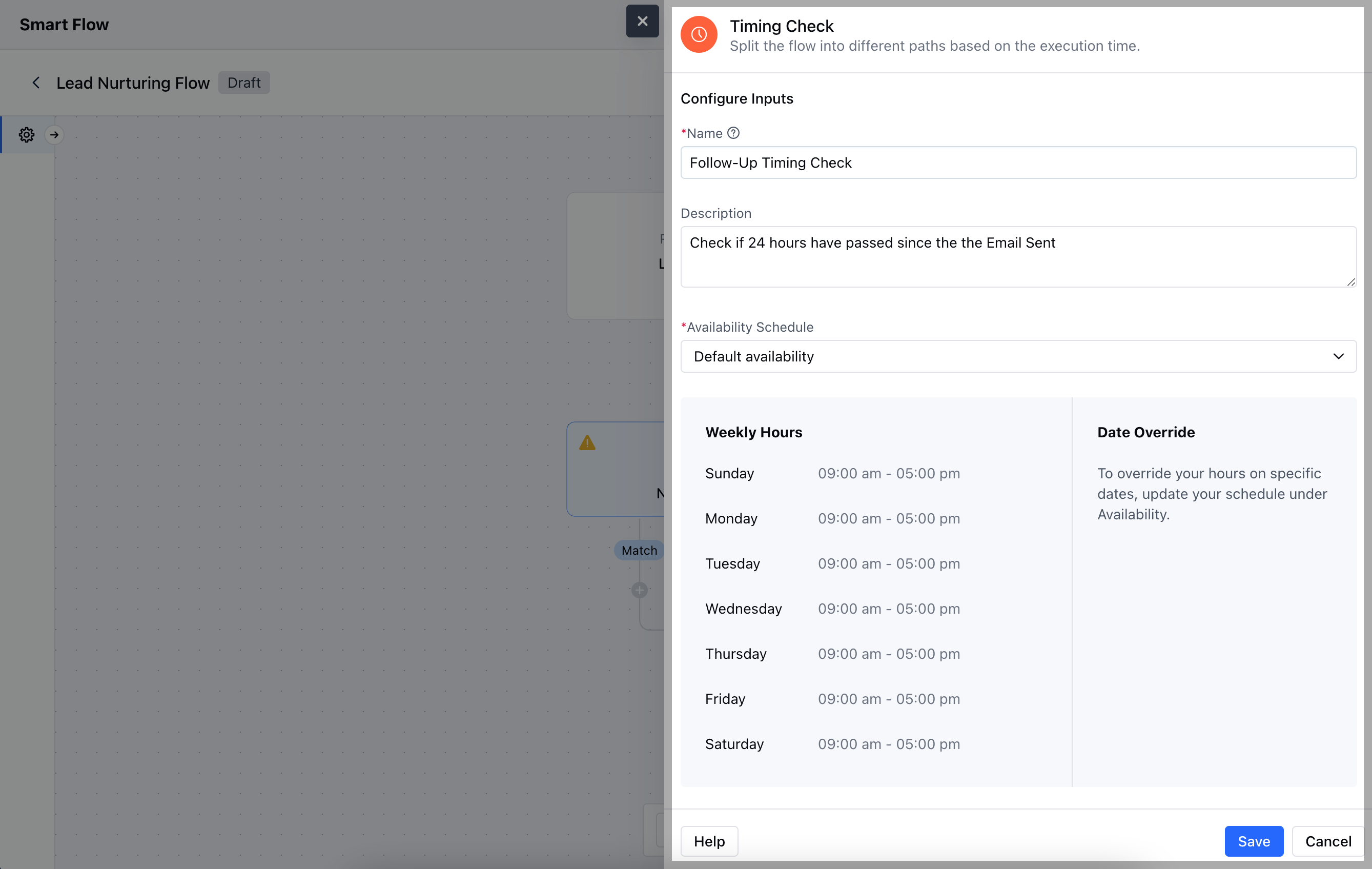
 After making your selection, you will need to configure the **Timing Check condition** by entering the following details:
* **Name:** Assign a clear and descriptive title for the condition that indicates its purpose within the flow.
* **Description:** Provide a brief explanation of what this condition does and why it’s important in the context of the flow.
* **Availability Schedule:** Define the specific time frames during which the condition will be evaluated.Once the configuration is completed, hit **Save**.
After making your selection, you will need to configure the **Timing Check condition** by entering the following details:
* **Name:** Assign a clear and descriptive title for the condition that indicates its purpose within the flow.
* **Description:** Provide a brief explanation of what this condition does and why it’s important in the context of the flow.
* **Availability Schedule:** Define the specific time frames during which the condition will be evaluated.Once the configuration is completed, hit **Save**.
 ### Practical Example
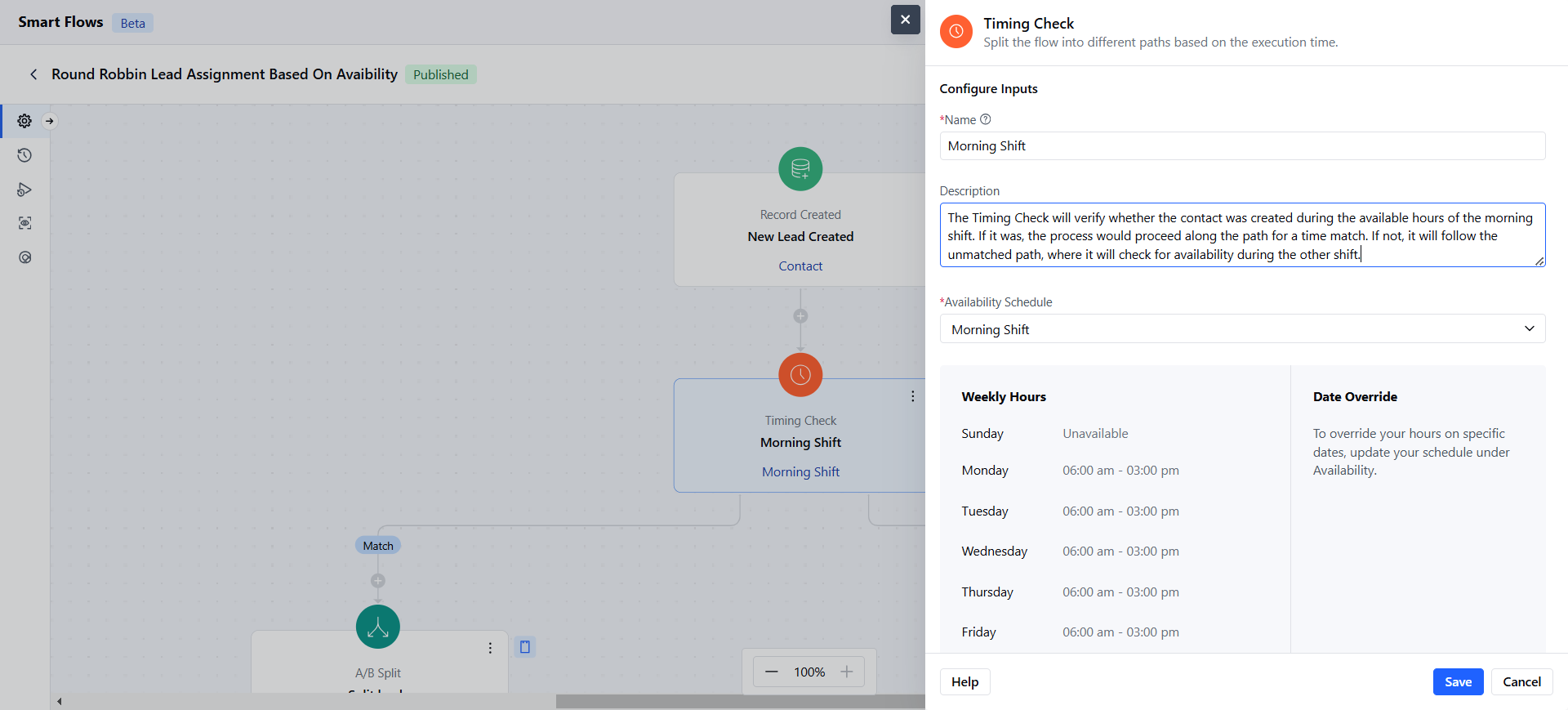
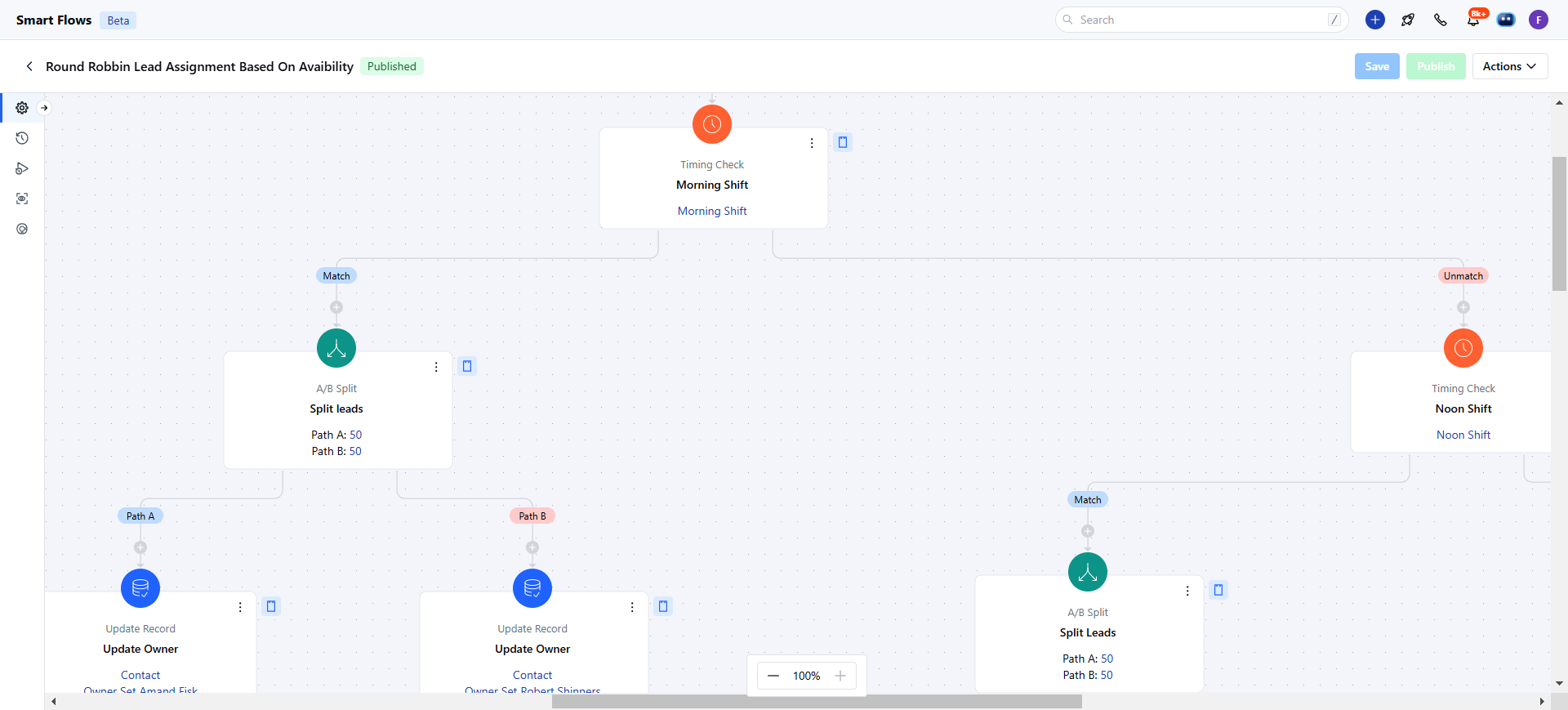
* The **Timing Check** condition can be used to verify if a contact was created during the morning shift (9 AM - 5 PM). If it was, it will assign the contact to the team working during that shift. If not, it checks for availability during the evening shift and routes the contact accordingly.
### Practical Example
* The **Timing Check** condition can be used to verify if a contact was created during the morning shift (9 AM - 5 PM). If it was, it will assign the contact to the team working during that shift. If not, it checks for availability during the evening shift and routes the contact accordingly.