> ## Documentation Index
> Fetch the complete documentation index at: https://support.getskara.ai/llms.txt
> Use this file to discover all available pages before exploring further.
# Date Match
* The **Date Match** trigger activates a flow when a specific date field in a record matches a defined date.
### **Topics covered:**
[How to Configure Date Match Trigger](#how-to-configure-date-match-trigger)
* [Practical Example](#practical-example)
### How to Configure Date Match Trigger
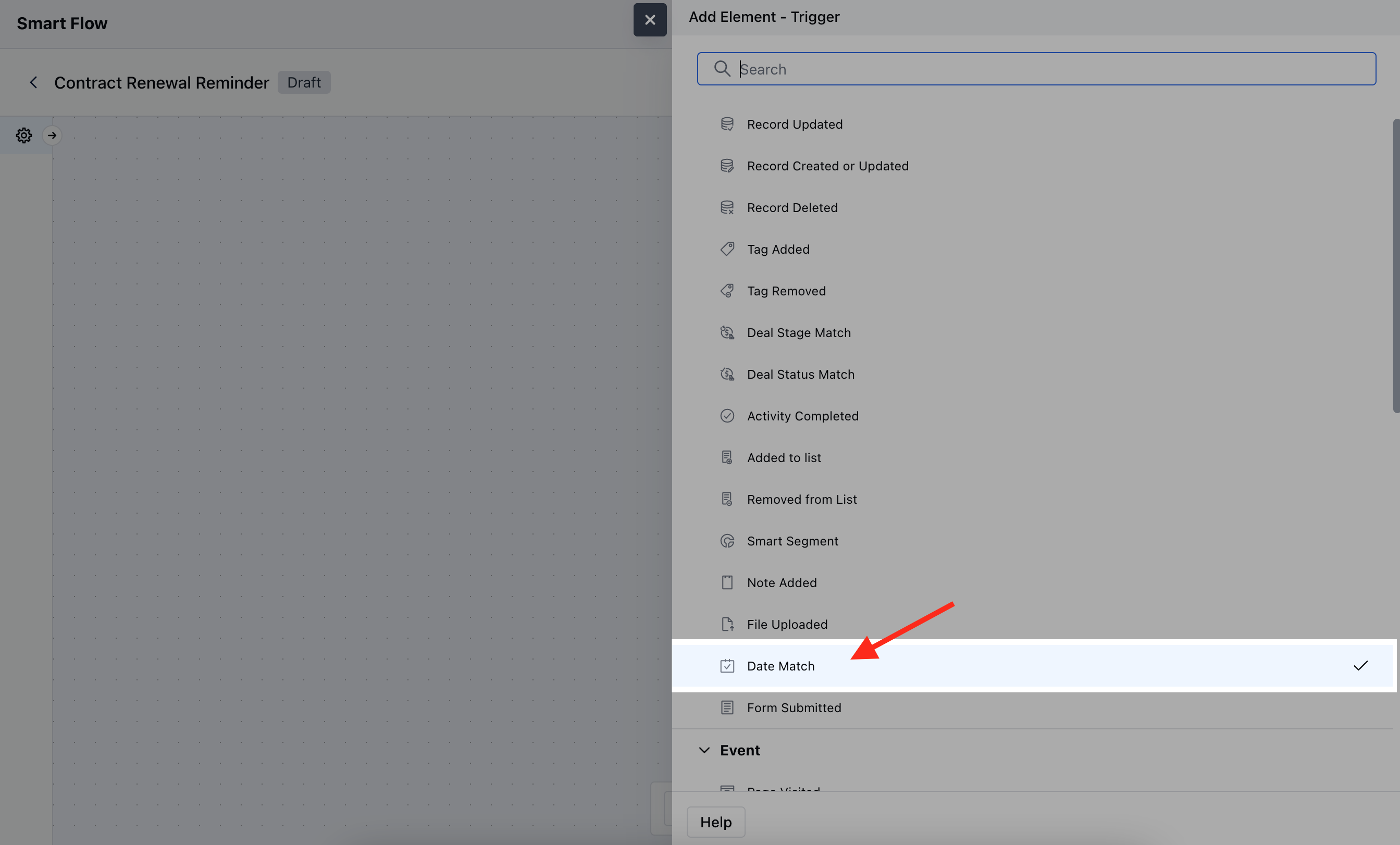
While creating the Trigger Based Flows select Date Match trigger.
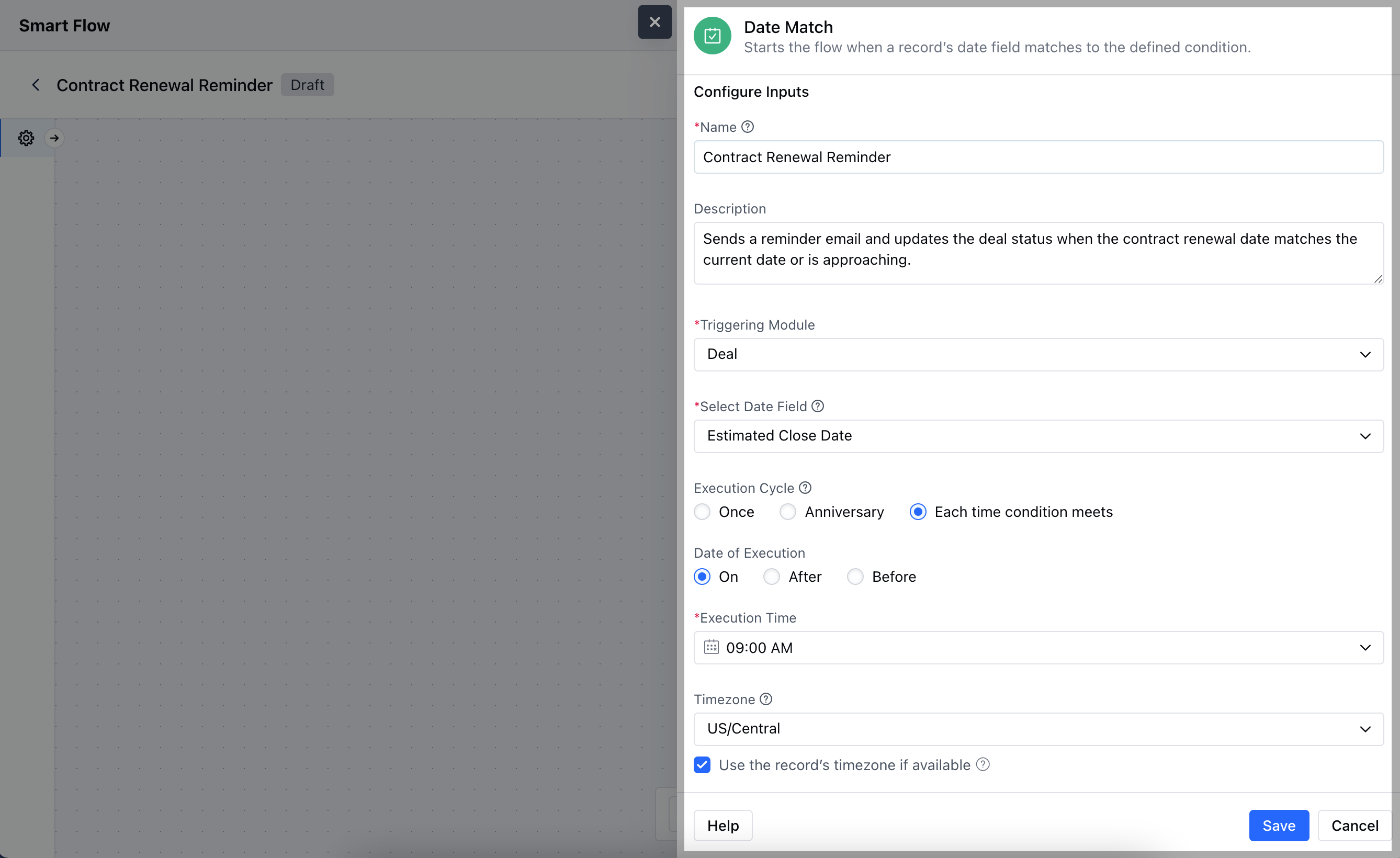
 After selecting the **Date Match** trigger, you'll need to configure the block by entering the following details:
* **Name:** Provide a clear and descriptive name for the trigger to identify its purpose within the flow.
* **Description:** Write a brief explanation of what the trigger does and its role in the flow, helping to clarify its function and impact.
* **Triggering Module:** Choose the specific module where the date field is located and where the trigger will be applied.
* **Select Date Field:** Specify the date field in the record that the trigger will monitor for a match.
* **Execution Cycle:** Define how often the trigger should check for the date match.
* **Date of Execution:** Set the specific date or date range that the trigger will use to match against the selected date field.
* **Execution Time:** Specify the time of day when the trigger should execute its actions.
* **Time Zone:** Select the time zone in which the date and time should be interpreted to ensure accurate timing.
* \*\*Use Contact's Timezone:\*\*Choose whether to use the contact’s time zone for the trigger, if applicable, to align with their local time.Click **Save** to save the information.
After selecting the **Date Match** trigger, you'll need to configure the block by entering the following details:
* **Name:** Provide a clear and descriptive name for the trigger to identify its purpose within the flow.
* **Description:** Write a brief explanation of what the trigger does and its role in the flow, helping to clarify its function and impact.
* **Triggering Module:** Choose the specific module where the date field is located and where the trigger will be applied.
* **Select Date Field:** Specify the date field in the record that the trigger will monitor for a match.
* **Execution Cycle:** Define how often the trigger should check for the date match.
* **Date of Execution:** Set the specific date or date range that the trigger will use to match against the selected date field.
* **Execution Time:** Specify the time of day when the trigger should execute its actions.
* **Time Zone:** Select the time zone in which the date and time should be interpreted to ensure accurate timing.
* \*\*Use Contact's Timezone:\*\*Choose whether to use the contact’s time zone for the trigger, if applicable, to align with their local time.Click **Save** to save the information.
 ### Practical Example
Here, we are managing a subscription-based service, and we want to send a renewal reminder email to customers a week before their subscription expires.
### Practical Example
Here, we are managing a subscription-based service, and we want to send a renewal reminder email to customers a week before their subscription expires.
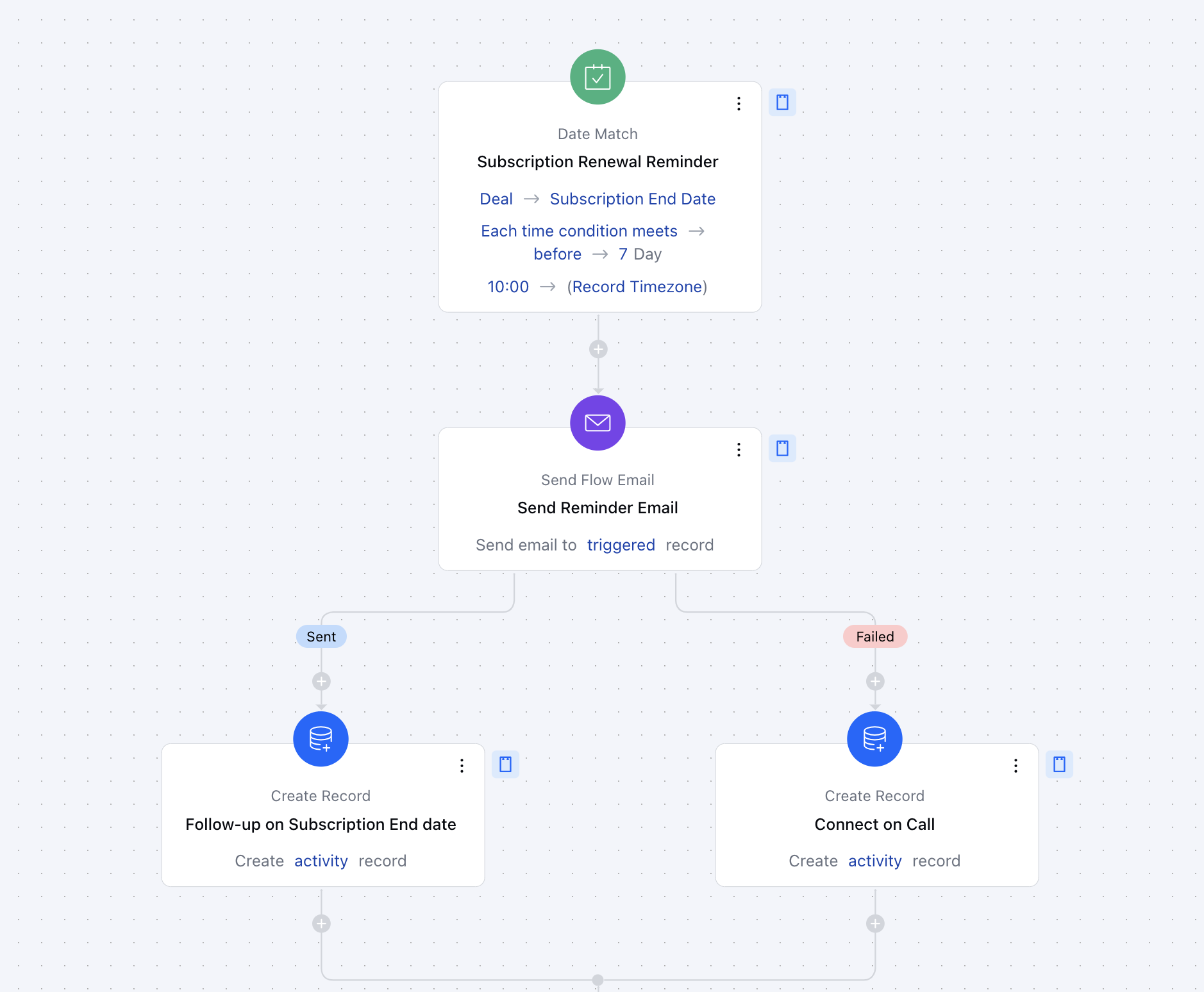 With this setup, every day, the system will check for subscriptions that are set to expire in one week. When a match is found, customers will receive a timely reminder, helping to improve renewal rates and customer satisfaction.