> ## Documentation Index
> Fetch the complete documentation index at: https://support.getskara.ai/llms.txt
> Use this file to discover all available pages before exploring further.
# Deal Status Match
The Deal Status Match trigger activates the flow when a deal reaches a specified stage initiating automated actions based on that status.
### **Topics covered:**
* [How to Configure Deal Status Match Trigger](#how-to-configure-deal-status-match-trigger)
* [Practical Example](#practical-examplehttpssupportsalesmateiohcen-usarticles36768404490393-deal-status-matchh_01j7wr44y96g5ft52y14qx6g1v)
### How to Configure Deal Status Match Trigger
While creating the Trigger Based Flows select **Deal Status Match** trigger.
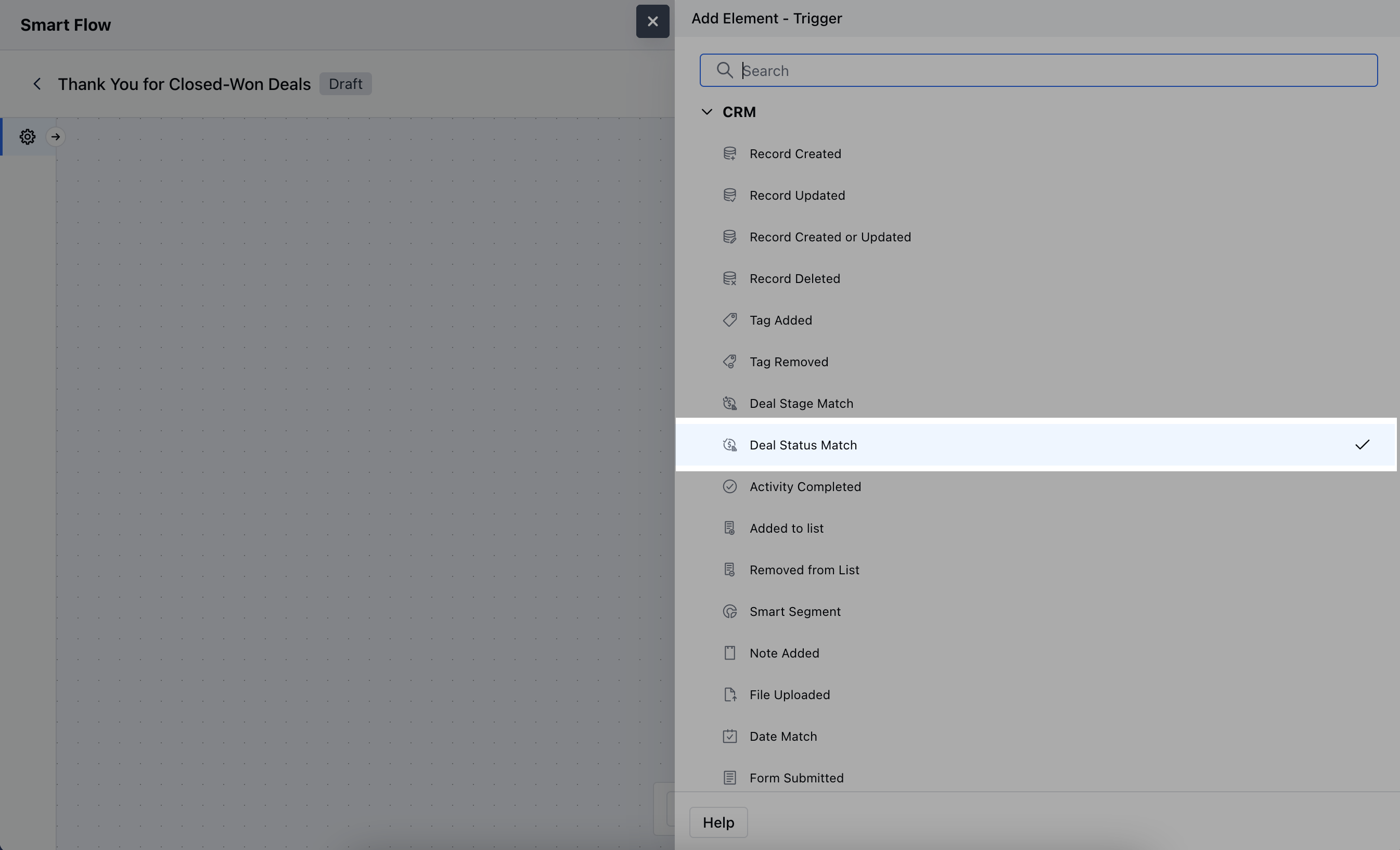 Once selected, you would then need to configure the block.As you click on the block, a pop will open to add following details.
* **Name:** Enter a clear and descriptive name for the trigger.
* **Description:** Provide a brief explanation of what the trigger does and its role in the flow.
* **Pipeline:** Choose the specific pipeline where the trigger will be applied. This defines which pipeline's deals will be monitored for status changes.
* **Status:** Select the specific deal status that, when updated to this status, will trigger the flow\.Once selected, hit\*\* Save.
* \*\*
Once selected, you would then need to configure the block.As you click on the block, a pop will open to add following details.
* **Name:** Enter a clear and descriptive name for the trigger.
* **Description:** Provide a brief explanation of what the trigger does and its role in the flow.
* **Pipeline:** Choose the specific pipeline where the trigger will be applied. This defines which pipeline's deals will be monitored for status changes.
* **Status:** Select the specific deal status that, when updated to this status, will trigger the flow\.Once selected, hit\*\* Save.
* \*\* \*\*
###
[Practical Example](#practical-examplehttpssupportsalesmateiohcen-usarticles36768404490393-deal-status-matchh_01j7wr44y96g5ft52y14qx6g1v)
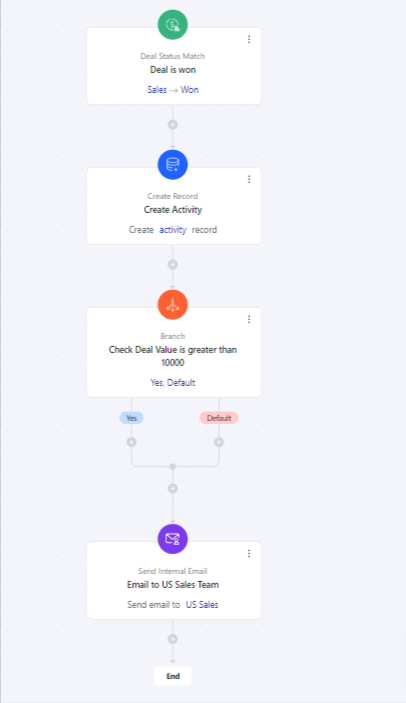
Suppose you want to create an onboarding task for your team once a deal is won or notify the US team whenever a deal is closed, having a value of more than ten thousand dollars.
\*\*
###
[Practical Example](#practical-examplehttpssupportsalesmateiohcen-usarticles36768404490393-deal-status-matchh_01j7wr44y96g5ft52y14qx6g1v)
Suppose you want to create an onboarding task for your team once a deal is won or notify the US team whenever a deal is closed, having a value of more than ten thousand dollars.