> ## Documentation Index
> Fetch the complete documentation index at: https://support.getskara.ai/llms.txt
> Use this file to discover all available pages before exploring further.
# Email Activity
The **Email Activity** trigger initiates a flow based on specific email interactions, such as when an email is sent, opened, clicked, replied , bounced or unsubscribed.
### **Topics covered:**
* [How to Configure Email Activity Trigger](#how-to-configure-email-activity-trigger)
* [Practical Example](#practical-example)
### How to Configure Email Activity Trigger
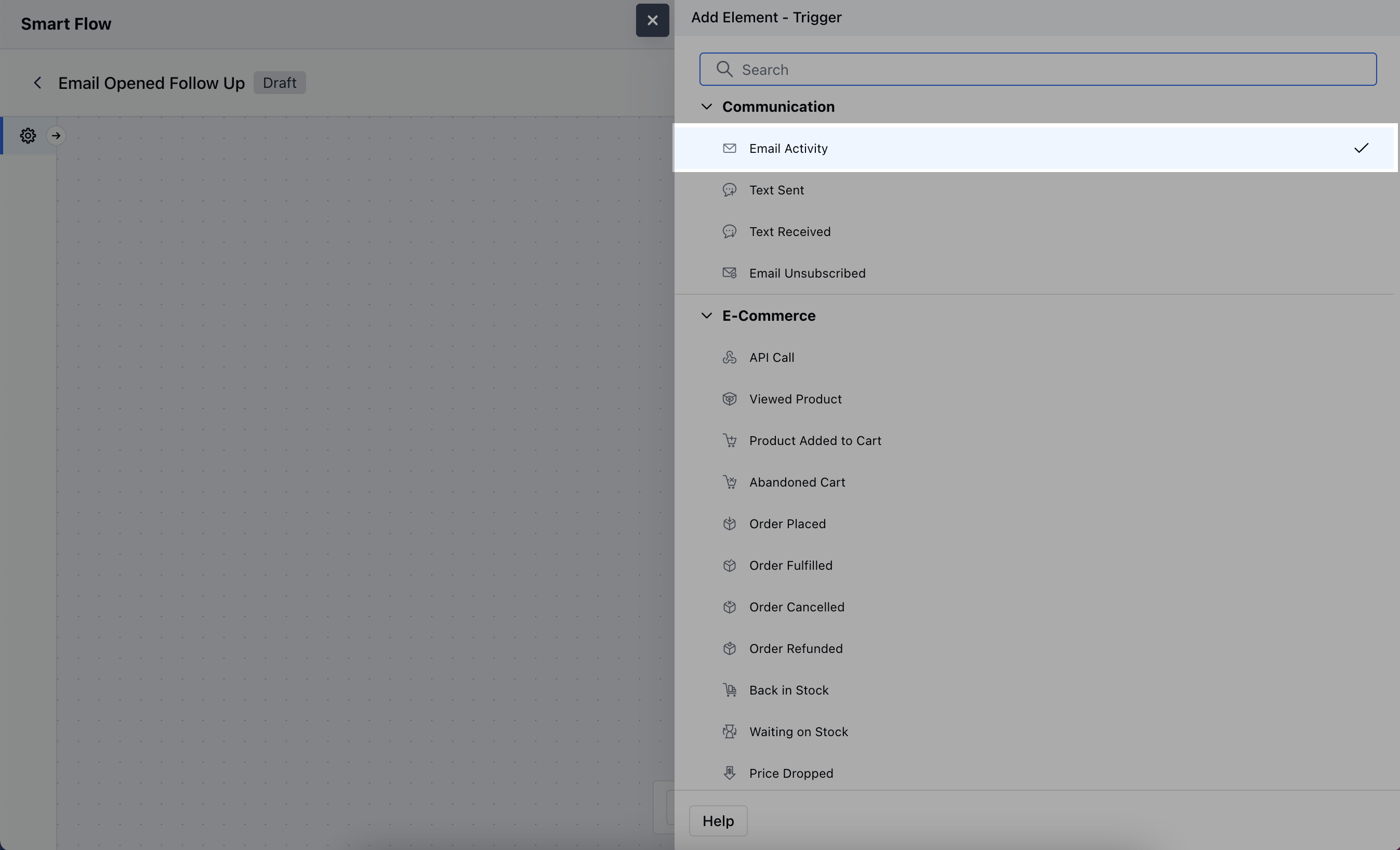
While creating the Trigger Based Flows select the **Email Activity** trigger
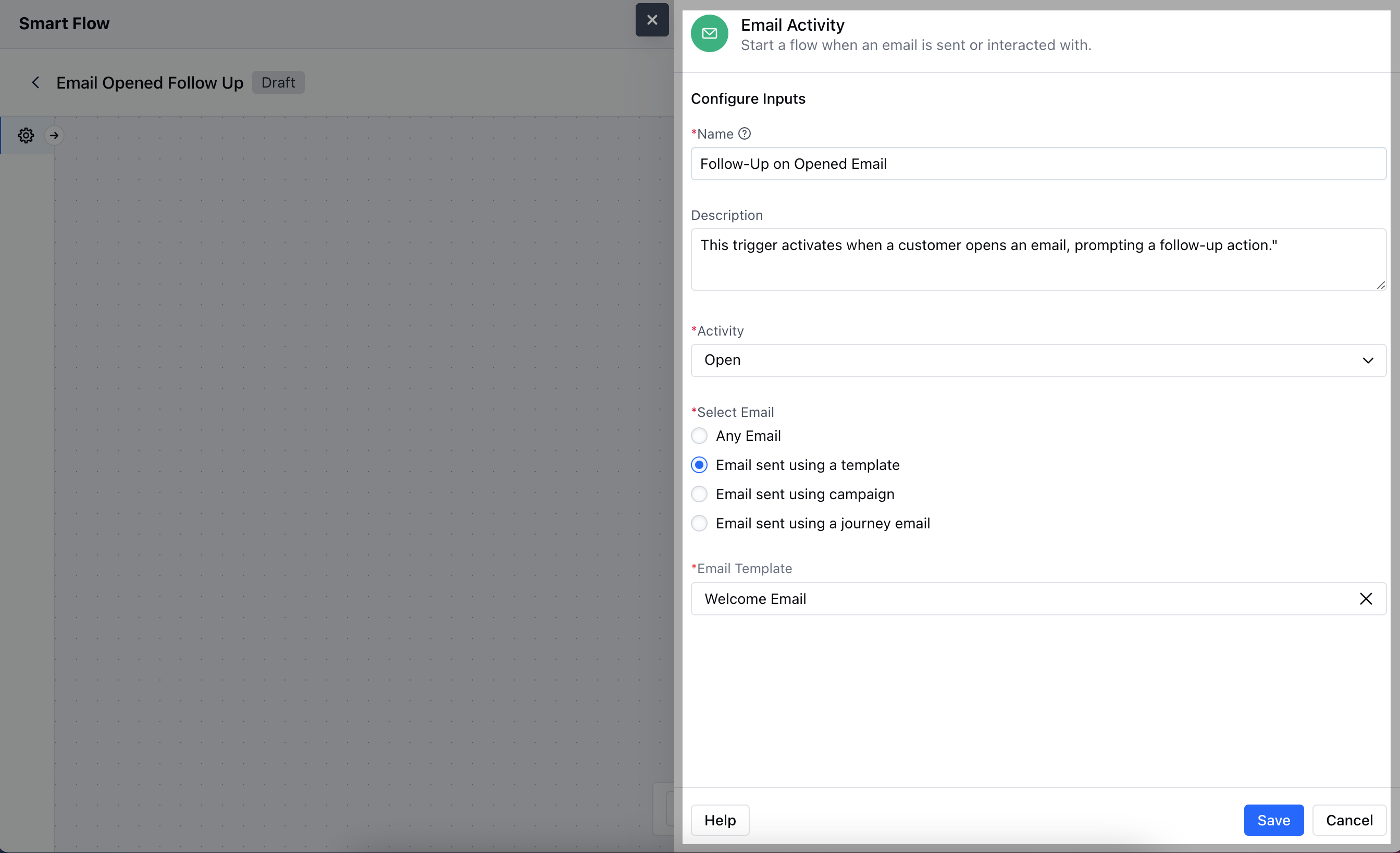
 After selecting the Email Activity trigger, you'll need to configure the block by entering the following details:
* **Name:** Provide a clear and descriptive name for the trigger to easily identify its purpose.
* **Description:** Enter a brief explanation of what the trigger does, describing how it fits into your flow. For example, "This trigger activates when a customer opens an email, prompting a follow-up action."
* **Activity:** Choose the specific email activity that will activate the flow.
* **Select Email:** Choose the specific email Template, Campaign or Journey Email that this trigger should monitor for activity.Once done, click on **Save**.
After selecting the Email Activity trigger, you'll need to configure the block by entering the following details:
* **Name:** Provide a clear and descriptive name for the trigger to easily identify its purpose.
* **Description:** Enter a brief explanation of what the trigger does, describing how it fits into your flow. For example, "This trigger activates when a customer opens an email, prompting a follow-up action."
* **Activity:** Choose the specific email activity that will activate the flow.
* **Select Email:** Choose the specific email Template, Campaign or Journey Email that this trigger should monitor for activity.Once done, click on **Save**.
 ### Practical Example
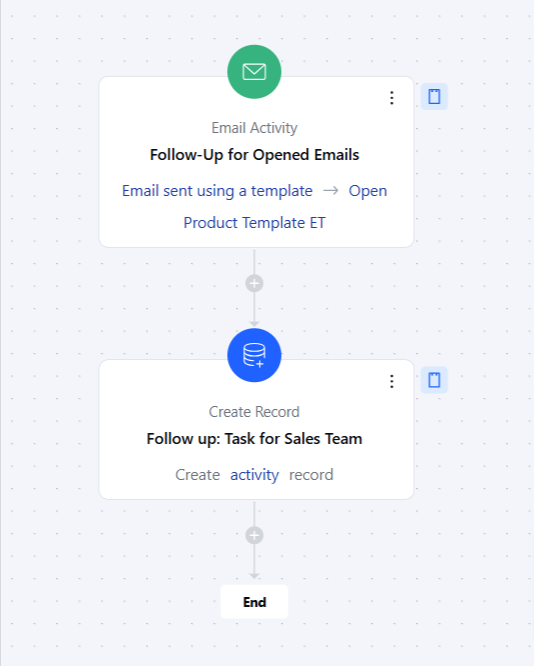
Here, we want to follow up with customers who open a promotional email but do not click on any links, to encourage them to engage further with your offerings.
### Practical Example
Here, we want to follow up with customers who open a promotional email but do not click on any links, to encourage them to engage further with your offerings.