> ## Documentation Index
> Fetch the complete documentation index at: https://support.getskara.ai/llms.txt
> Use this file to discover all available pages before exploring further.
# Smart Segment
Smart Segment starts the flow for the records matching to predefined conditions.
* **Topics covered:**
* [How to Configure Smart Segment Trigger](#how-to-configure-smart-segment-trigger)
* [Practical Example](#practical-example)
### How to Configure Smart Segment Trigger
While creating the Trigger Based Flows select **Smart Segment** trigger
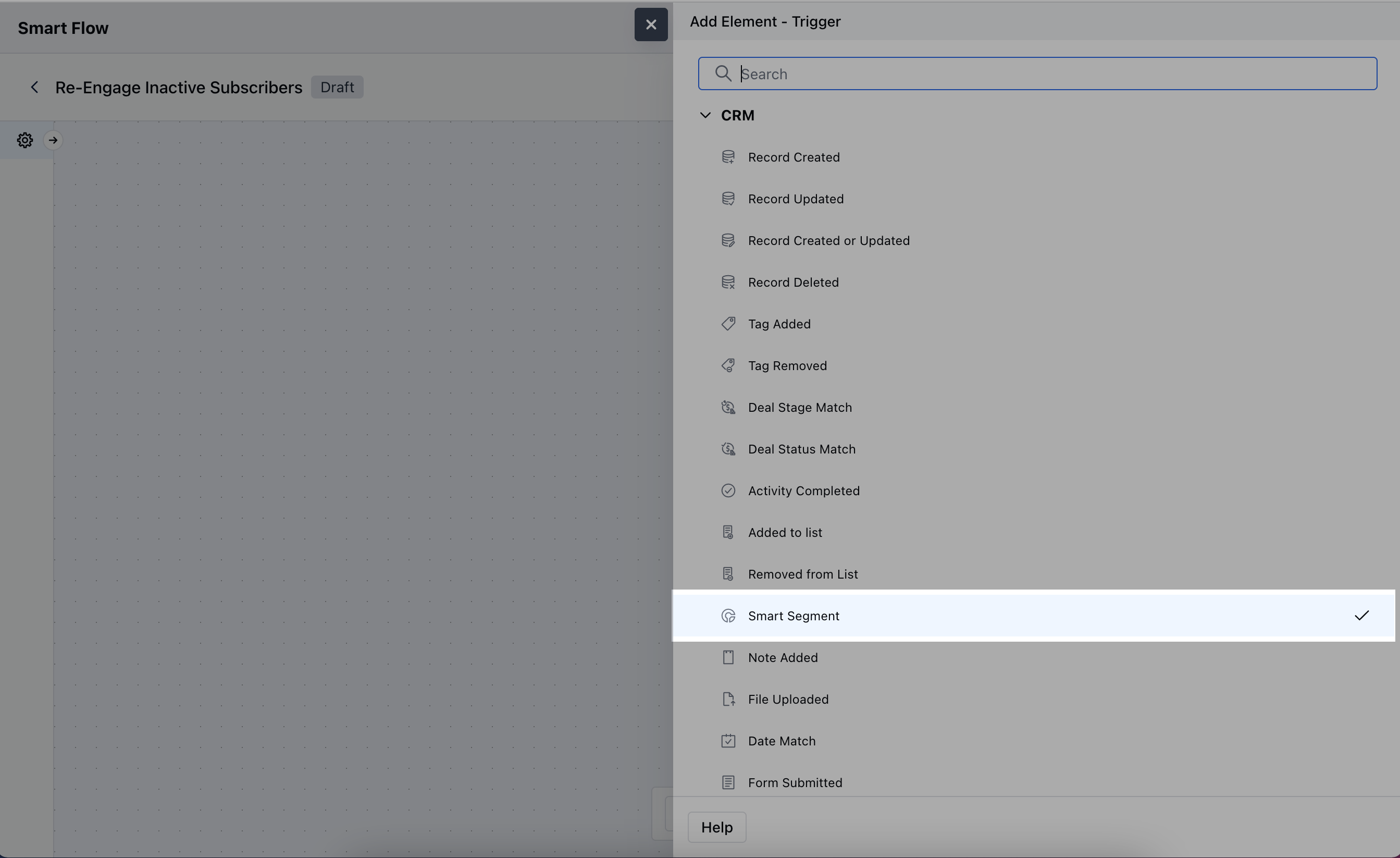 Once selected, you would then need to configure the block.
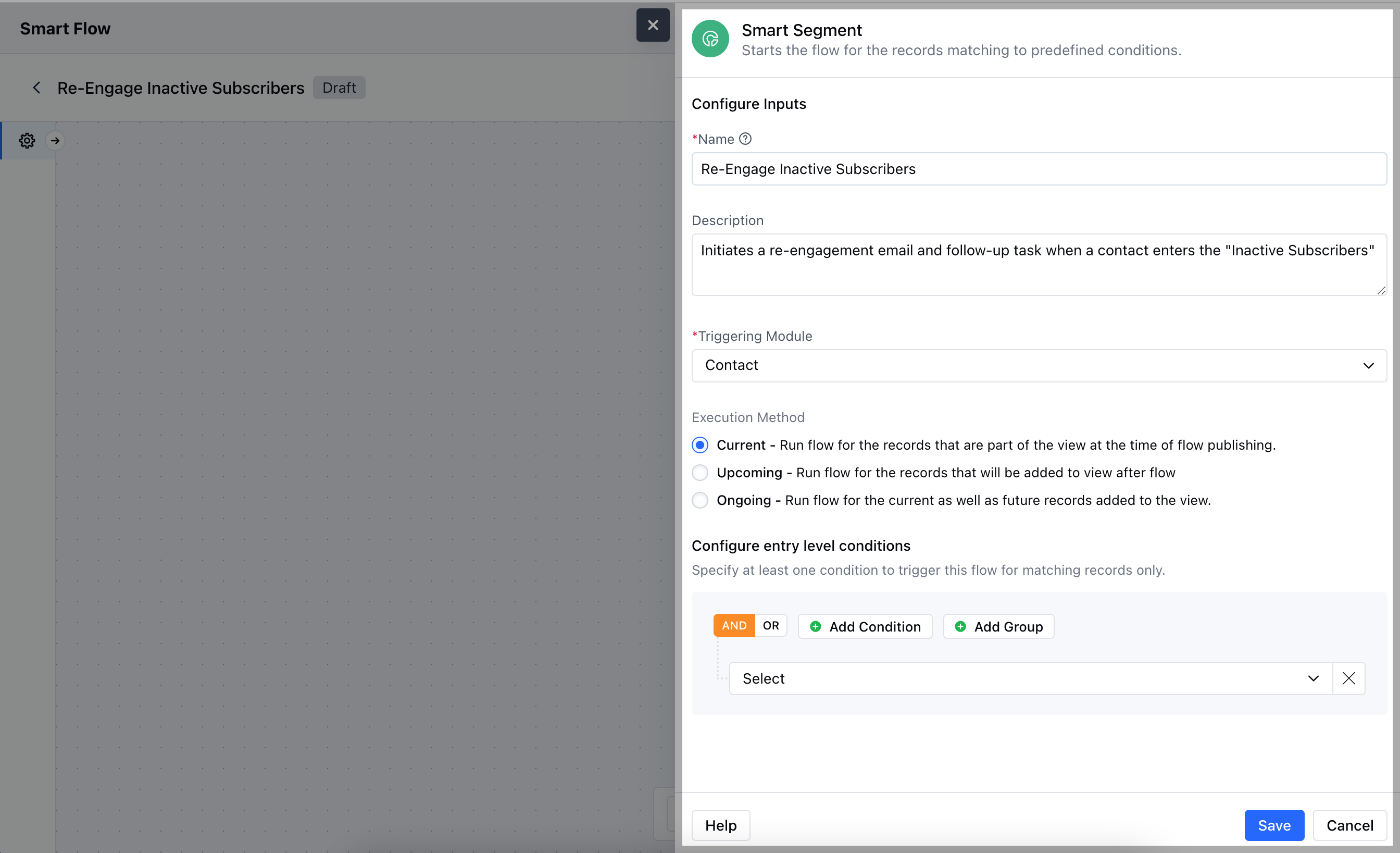
As you click on the block, a pop will open to add following details.
* **Name:** Give the trigger a name that clearly describes what it does.
* **Description:** Write a short explanation of what the trigger will do and how it fits into the flow.
* **Triggering Module:** Choose the module that will activate the trigger, specifying where the records will come from.
* **Execution Method**- **Current:** Run flow for the records that are part of the view at the time of flow publishing.
* **Upcoming:** Run flow for the records that will be added to view after flow
* **Ongoing:** Run flow for the current as well as future records added to the view.
* **Configure entry level conditions:** Define the conditions that must be met for the trigger to activate.Once added, hit on **Save**.
Once selected, you would then need to configure the block.
As you click on the block, a pop will open to add following details.
* **Name:** Give the trigger a name that clearly describes what it does.
* **Description:** Write a short explanation of what the trigger will do and how it fits into the flow.
* **Triggering Module:** Choose the module that will activate the trigger, specifying where the records will come from.
* **Execution Method**- **Current:** Run flow for the records that are part of the view at the time of flow publishing.
* **Upcoming:** Run flow for the records that will be added to view after flow
* **Ongoing:** Run flow for the current as well as future records added to the view.
* **Configure entry level conditions:** Define the conditions that must be met for the trigger to activate.Once added, hit on **Save**.
 ### Practical Example
Automatically send a re-engagement email to customers who haven’t interacted in the last 6 months
### Practical Example
Automatically send a re-engagement email to customers who haven’t interacted in the last 6 months