> ## Documentation Index
> Fetch the complete documentation index at: https://support.getskara.ai/llms.txt
> Use this file to discover all available pages before exploring further.
# Tag Removed
The **Tag Removed** Trigger activates the flow when a specific tag is deleted from a record, allowing automated actions to follow the removal of that particular label.
### **Topics covered:**
* [How to Configure Tag Removed Trigger](#how-to-configure-tag-removed-trigger)
* [Practical Example](#practical-example)
### How to Configure Tag Removed Trigger
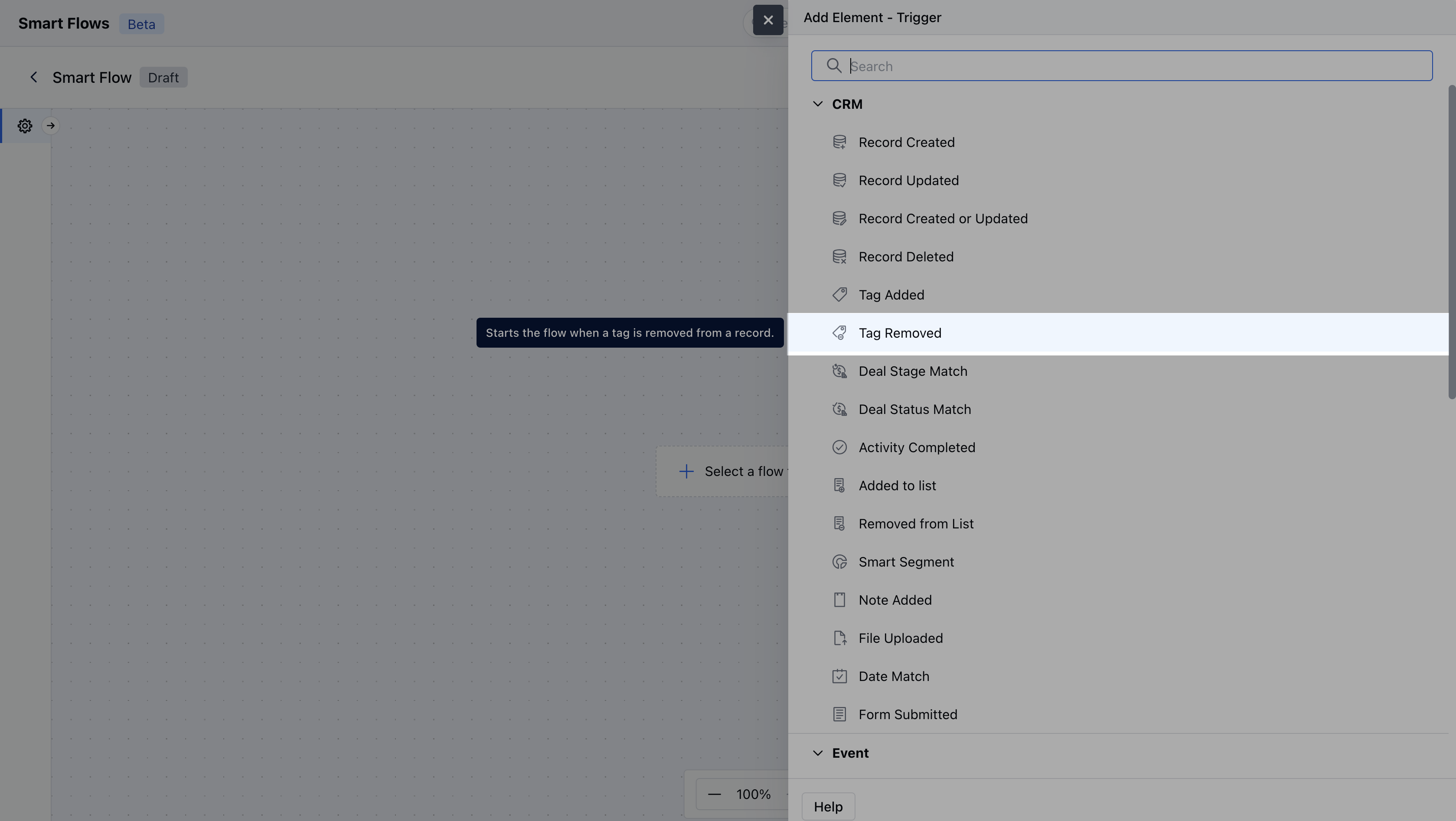
While creating the Trigger Based Flows select **Tag Removed** trigger.
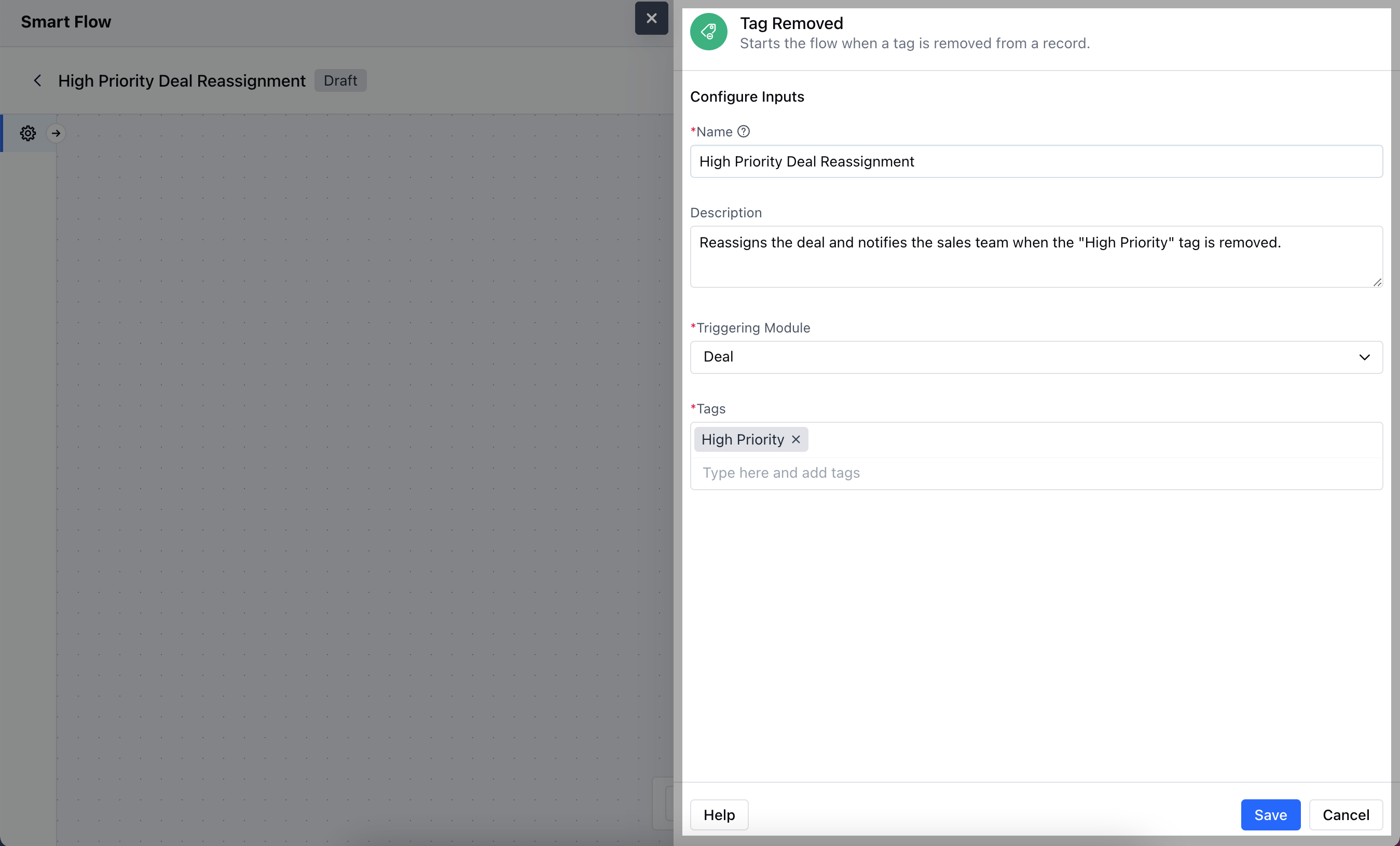
 Once selected, you would then need to configure the Trigger.As you click on the block, a pop will open to add following details.
* **Name:** Provide a clear and descriptive name for the trigger to easily identify its purpose and function within your flow.
* **Description:** Enter a brief explanation of what the trigger does and its role in the flow.
* **Module:** Select the specific module where the trigger should be applied.
* **Tags:** Specify the tag that will activate the trigger when removed from a record, ensuring the flow is initiated based on this specific label.Once done click on **Save**.
Once selected, you would then need to configure the Trigger.As you click on the block, a pop will open to add following details.
* **Name:** Provide a clear and descriptive name for the trigger to easily identify its purpose and function within your flow.
* **Description:** Enter a brief explanation of what the trigger does and its role in the flow.
* **Module:** Select the specific module where the trigger should be applied.
* **Tags:** Specify the tag that will activate the trigger when removed from a record, ensuring the flow is initiated based on this specific label.Once done click on **Save**.
 ### Practical Example
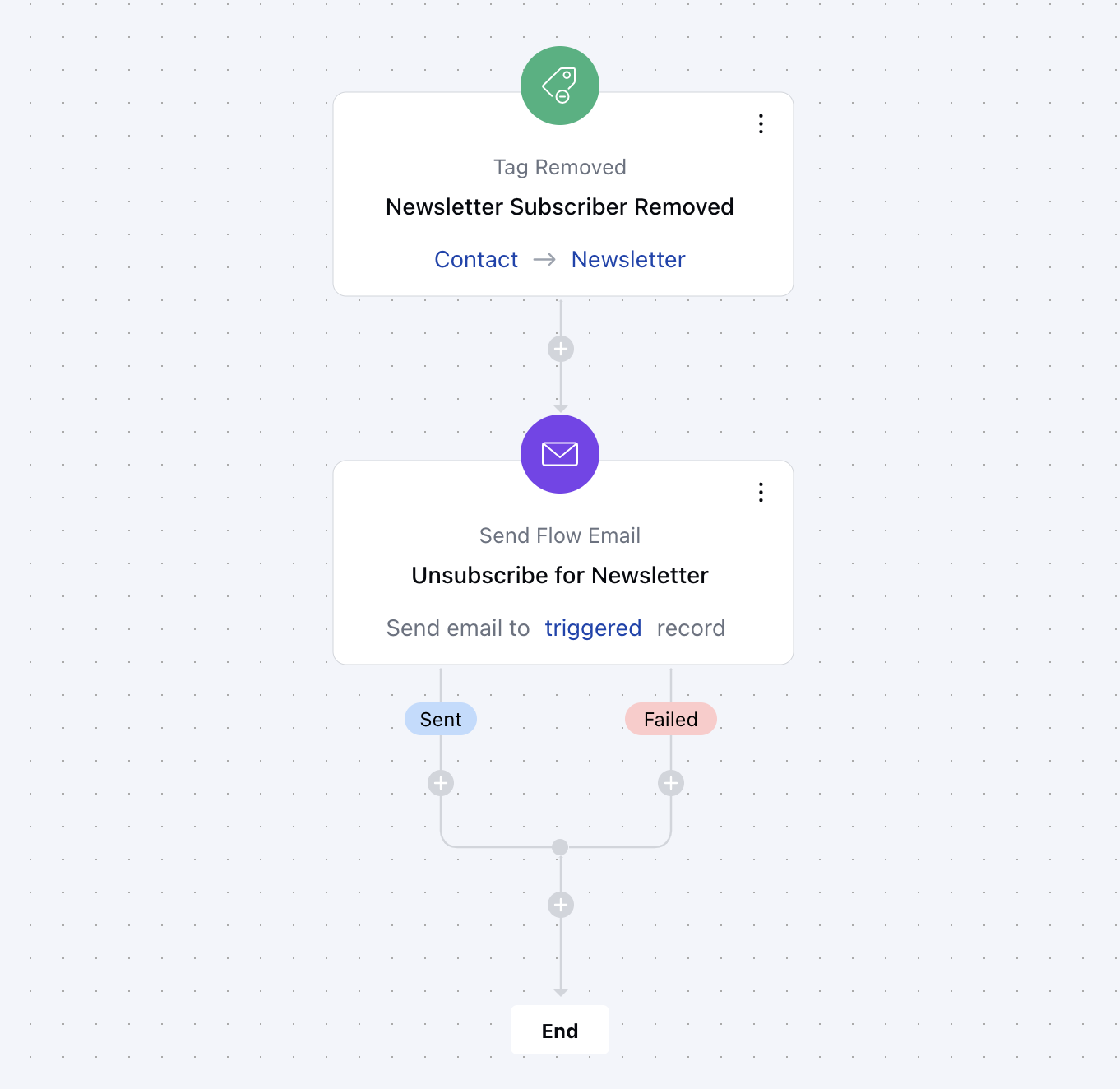
When the "NewsletterSubscriber" tag is removed from a contact, an automatic email is sent to let them know they've been unsubscribed. This keeps them informed and gives them a chance to re-subscribe if they want to continue receiving updates.
### Practical Example
When the "NewsletterSubscriber" tag is removed from a contact, an automatic email is sent to let them know they've been unsubscribed. This keeps them informed and gives them a chance to re-subscribe if they want to continue receiving updates.