> ## Documentation Index
> Fetch the complete documentation index at: https://support.getskara.ai/llms.txt
> Use this file to discover all available pages before exploring further.
# Text (SMS) Received
The **Text Received** trigger activates a flow whenever a text message (SMS) is received from a contact. This trigger is useful for automating follow-up actions or responses based on incoming messages.
### **Topics covered:**
* [How to Configure Text Received Trigger](#how-to-configure-text-received-trigger)
* [Practical Example](#practical-example)
### How to Configure Text Received Trigger
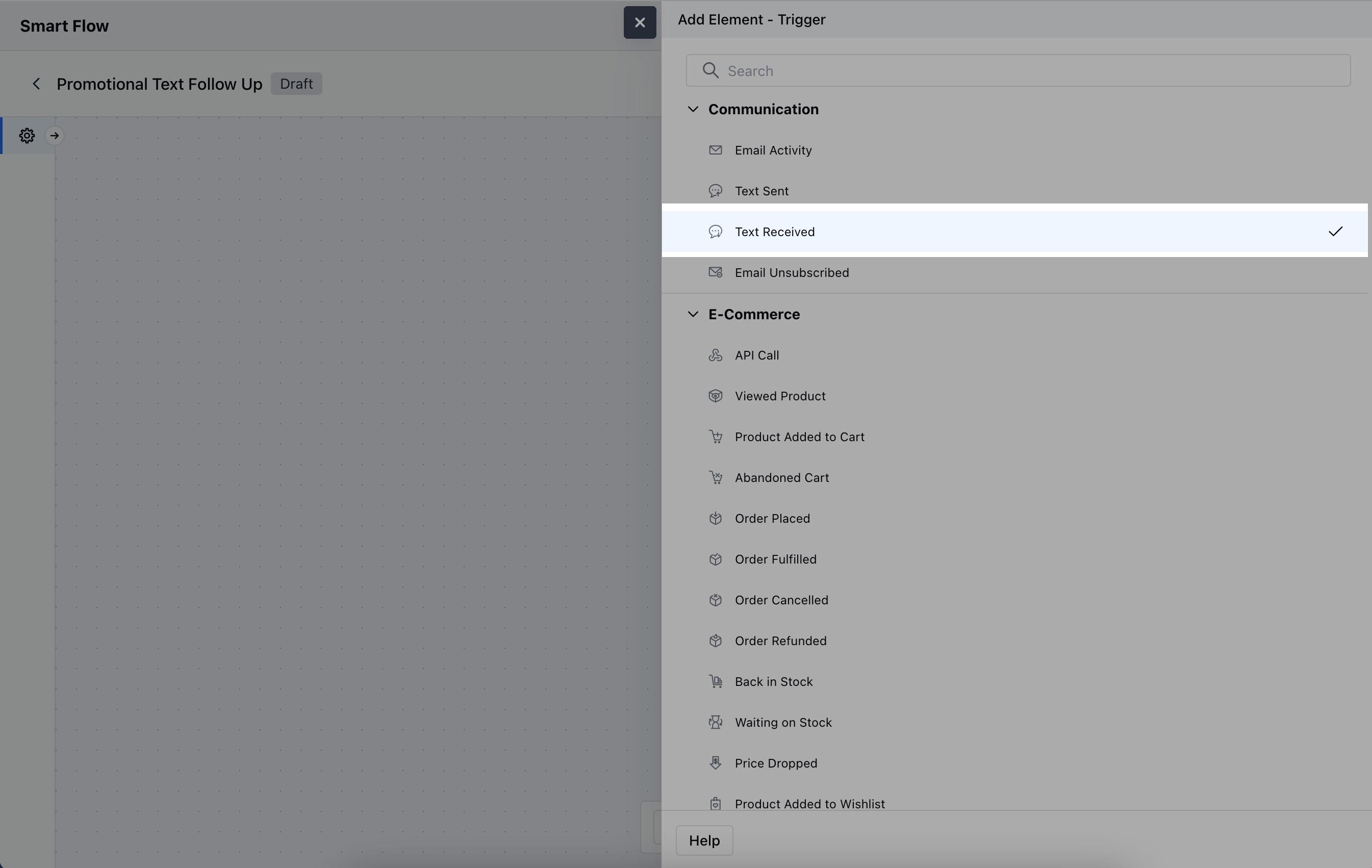
While creating the Trigger Based Flows select **Text Received** trigger.
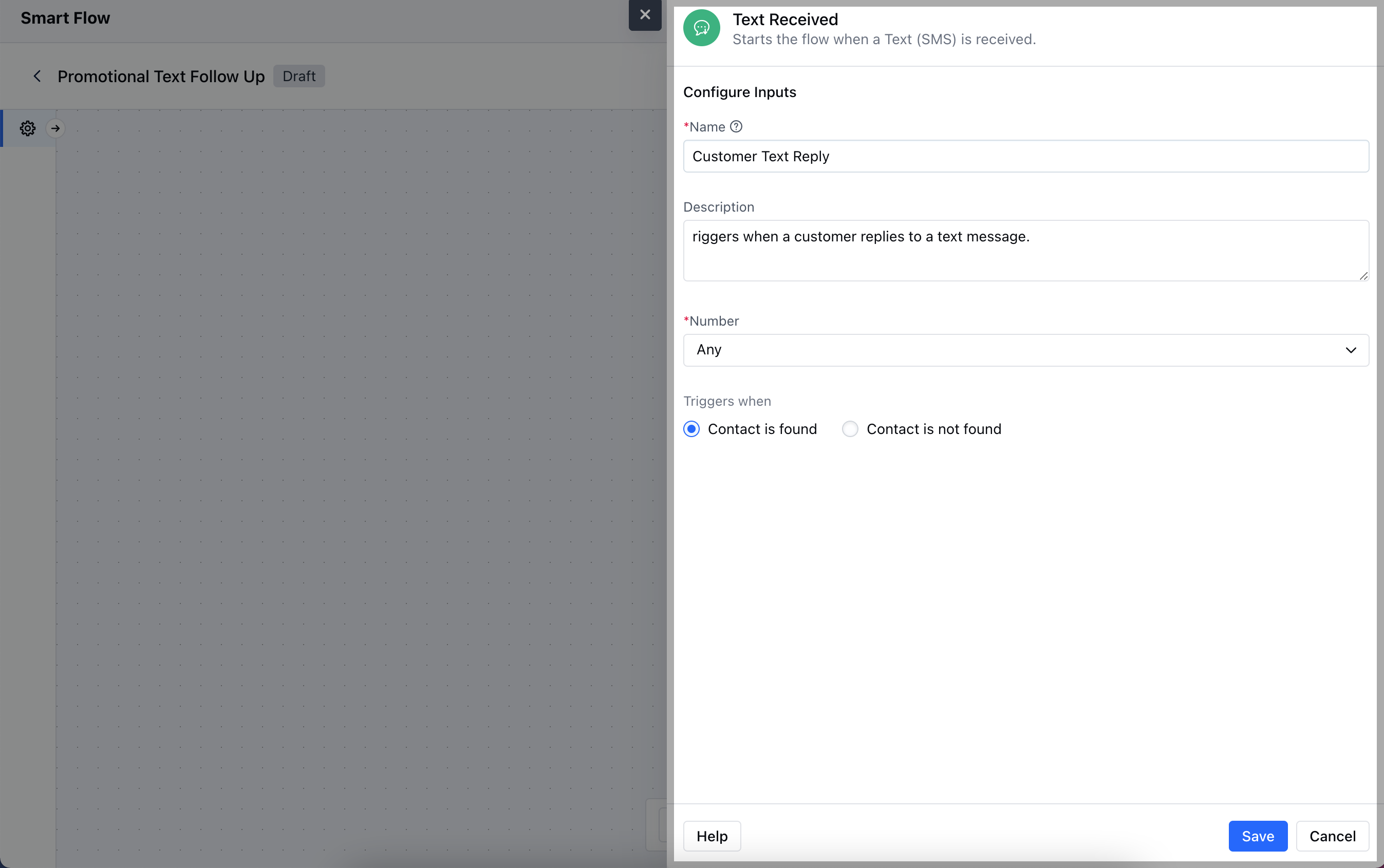
 When setting up the **Text Received** trigger, you'll configure the following details:
* **Name:** Assign a clear and descriptive name to the trigger to identify its purpose (e.g., "Customer Reply Trigger").
* **Description:** Provide a brief explanation of what the trigger does and how it fits into the workflow (e.g., "Activates when a text message is received from a customer").
* **Number:** Specify the phone number(s) or messaging channel that will receive the text and trigger the flow.
* **Trigger When:** Choose the condition that activates the trigger:
* **Contact Found:** The trigger activates when the text is received from a known contact already in your CRM.
* **Contact Not Found:** The trigger activates when the text is received from an unknown number, prompting actions like creating a new contact.Once done, click on **Save**.
When setting up the **Text Received** trigger, you'll configure the following details:
* **Name:** Assign a clear and descriptive name to the trigger to identify its purpose (e.g., "Customer Reply Trigger").
* **Description:** Provide a brief explanation of what the trigger does and how it fits into the workflow (e.g., "Activates when a text message is received from a customer").
* **Number:** Specify the phone number(s) or messaging channel that will receive the text and trigger the flow.
* **Trigger When:** Choose the condition that activates the trigger:
* **Contact Found:** The trigger activates when the text is received from a known contact already in your CRM.
* **Contact Not Found:** The trigger activates when the text is received from an unknown number, prompting actions like creating a new contact.Once done, click on **Save**.
 ### Practical Example
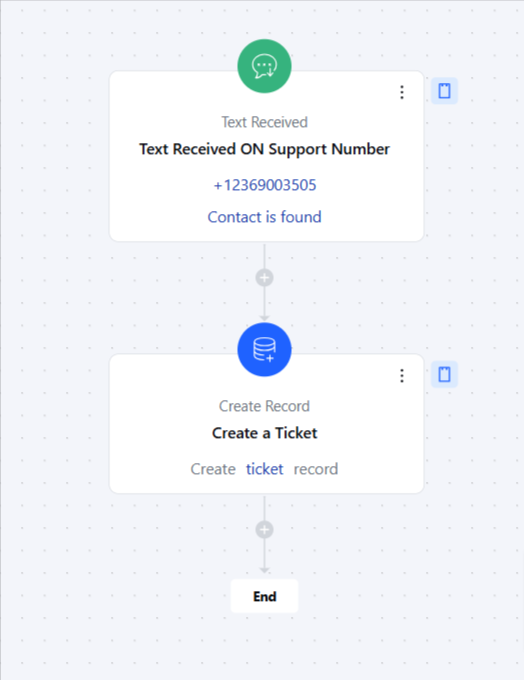
Here, Whenever a customer sends a text message to our support number, this will create a support ticket for the support team to get in touch with the contact.
### Practical Example
Here, Whenever a customer sends a text message to our support number, this will create a support ticket for the support team to get in touch with the contact.