> ## Documentation Index
> Fetch the complete documentation index at: https://support.getskara.ai/llms.txt
> Use this file to discover all available pages before exploring further.
# How to Create Snippets
Snippets in Skara allow you to standardize and streamline text, making repetitive communication faster and more consistent.
**Note:** A User with Create snippets rights can perform this operation
### **How to Create a Snippet** To create a new Snippet,
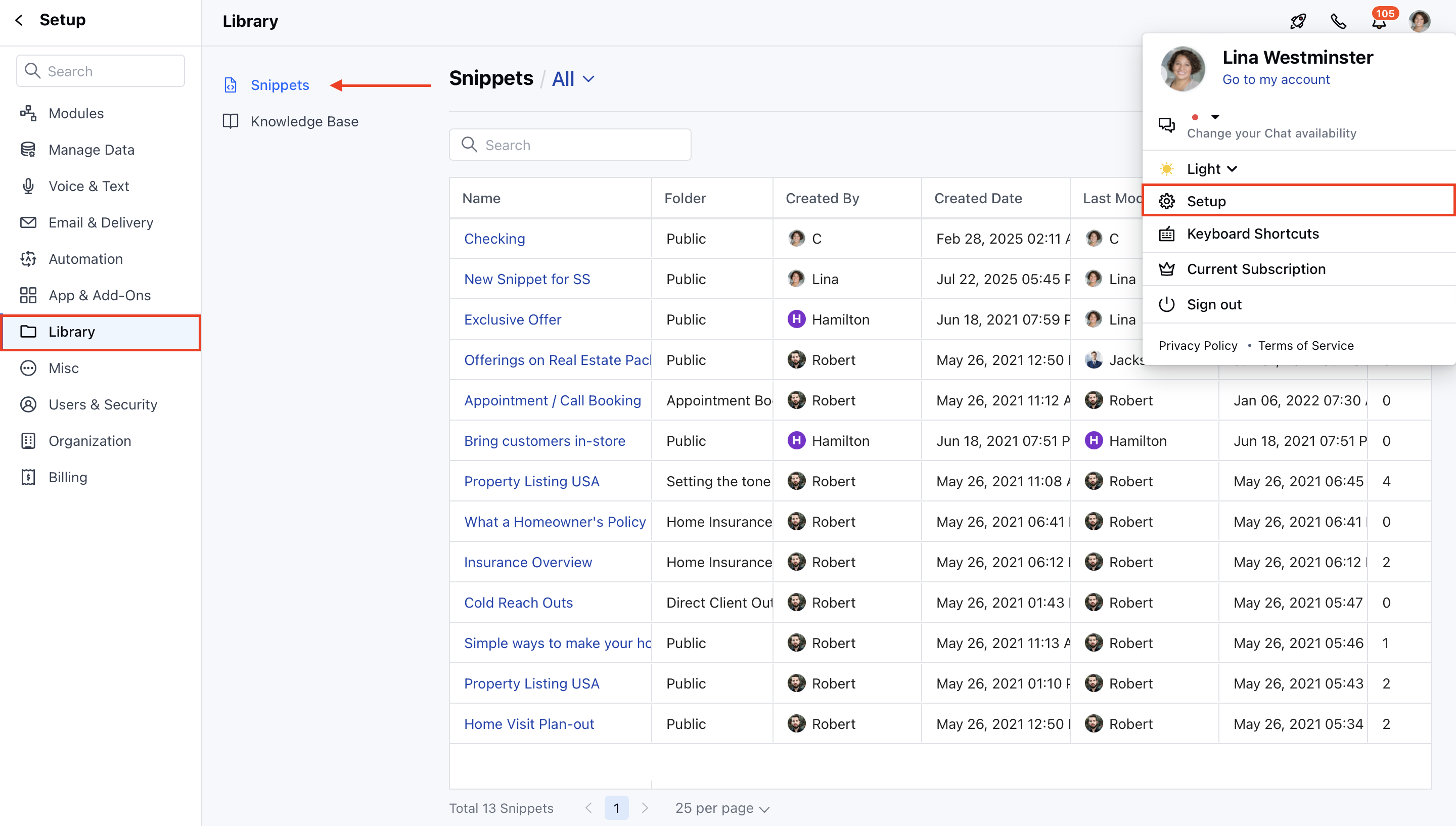
* Navigate to the **Profile Icon** on the top right corner.
* Click on the **Set Up**.
* Head over to the **Library** category.
* Click on the **Snippets** option.
 * **Click on the** New button to start creating a snippet.
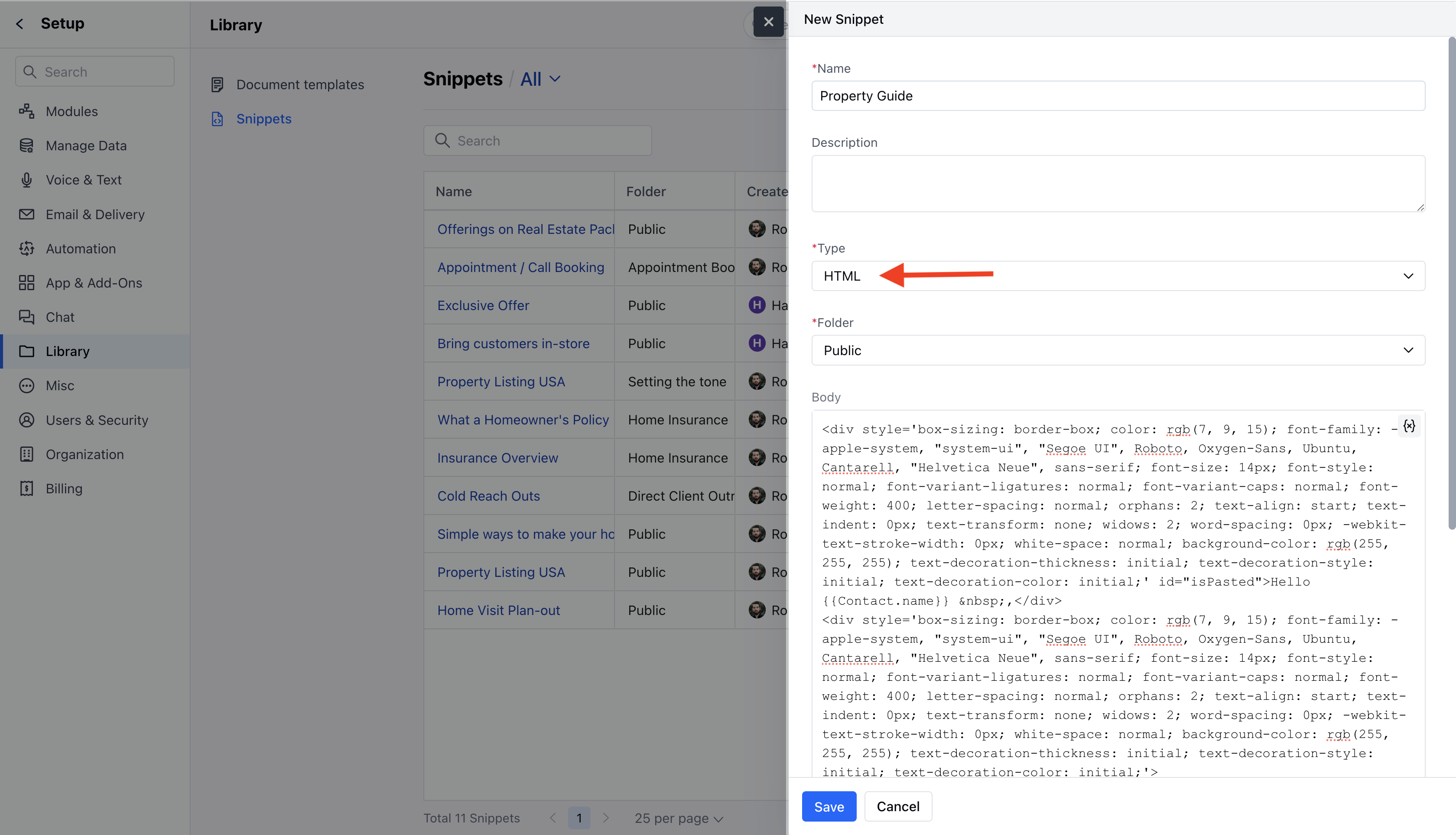
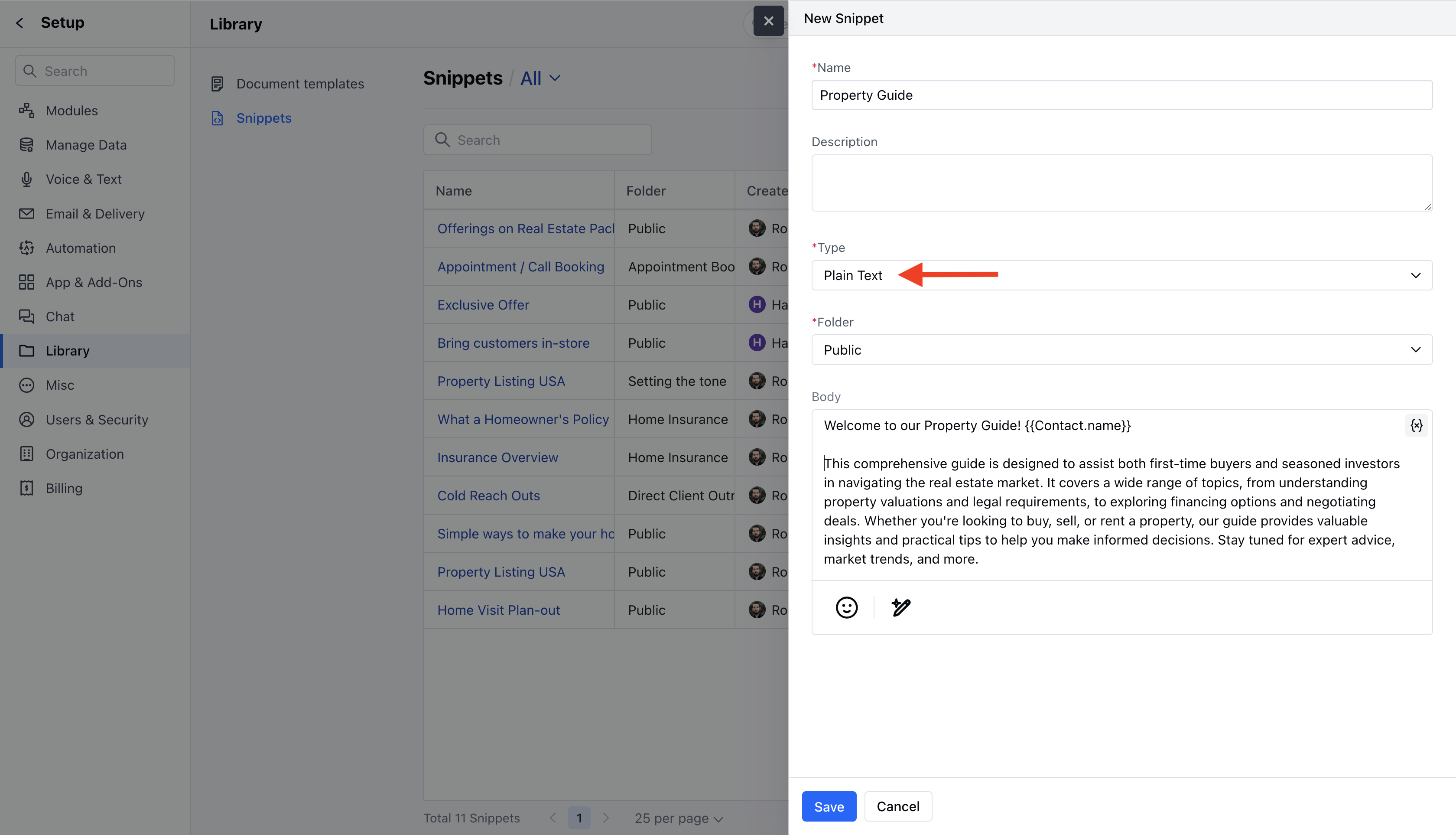
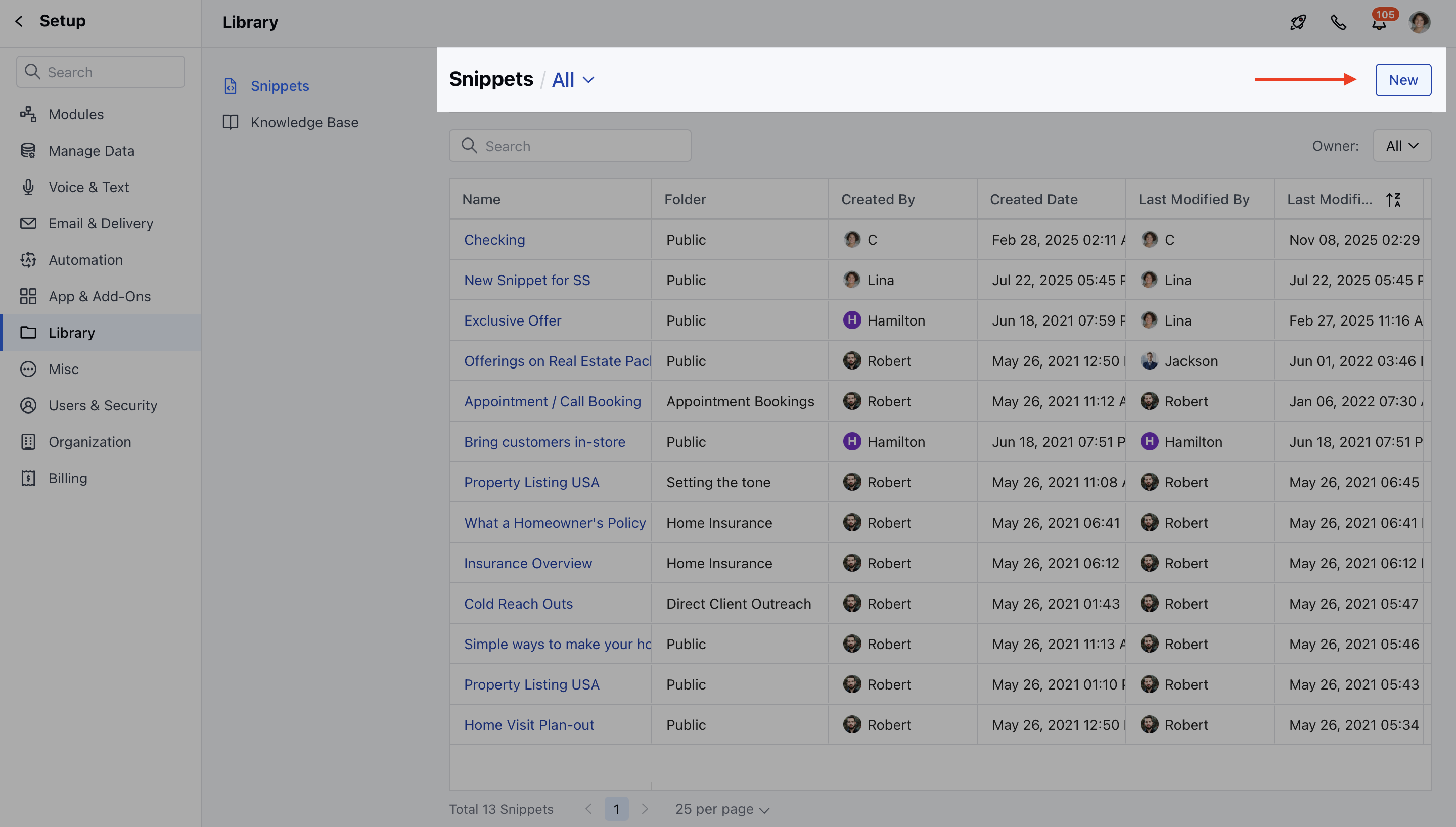 A popup will appear where you need to fill in the following information:
* **Name:** Enter the name for the Snippet.
* **Description:** Enter the brief information about the Snippet you are creating.
* Choose the type of snippet:
* **Plain Text** : Suitable for simple, unformatted text.
* **HTML** : Allows rich text formatting and personalization.
* **Folder:** Select the folder where you want to save the Snippet. [Learn More.](https://support.salesmate.io/hc/en-us/articles/40451958619033)
* **Body**
* **Text Snippets**: Supports only plain text and emojis.
* **HTML Snippets**: Allows formatting (font size, color, alignment) and includes image insertion (max 20 MB) and variable personalization.
**HTML Snippet**
A popup will appear where you need to fill in the following information:
* **Name:** Enter the name for the Snippet.
* **Description:** Enter the brief information about the Snippet you are creating.
* Choose the type of snippet:
* **Plain Text** : Suitable for simple, unformatted text.
* **HTML** : Allows rich text formatting and personalization.
* **Folder:** Select the folder where you want to save the Snippet. [Learn More.](https://support.salesmate.io/hc/en-us/articles/40451958619033)
* **Body**
* **Text Snippets**: Supports only plain text and emojis.
* **HTML Snippets**: Allows formatting (font size, color, alignment) and includes image insertion (max 20 MB) and variable personalization.
**HTML Snippet**
 **Text Snippet**
 * Once all details are provided, hit the **Save** button.
* The snippet is now available for use by users with the appropriate permissions.
* Once all details are provided, hit the **Save** button.
* The snippet is now available for use by users with the appropriate permissions.