> ## Documentation Index
> Fetch the complete documentation index at: https://support.getskara.ai/llms.txt
> Use this file to discover all available pages before exploring further.
# Snippet Listing
Snippet Listing provides a comprehensive overview of all snippets in a tabular format.
To access Snippet Listing,
* **Navigate to the** Profile Icon on the top right corner
* **Click on the** Setup and Navigate to **Library**
* Navigate to **Library** Go to **Snippets**, all the active Snippets by default will be shown
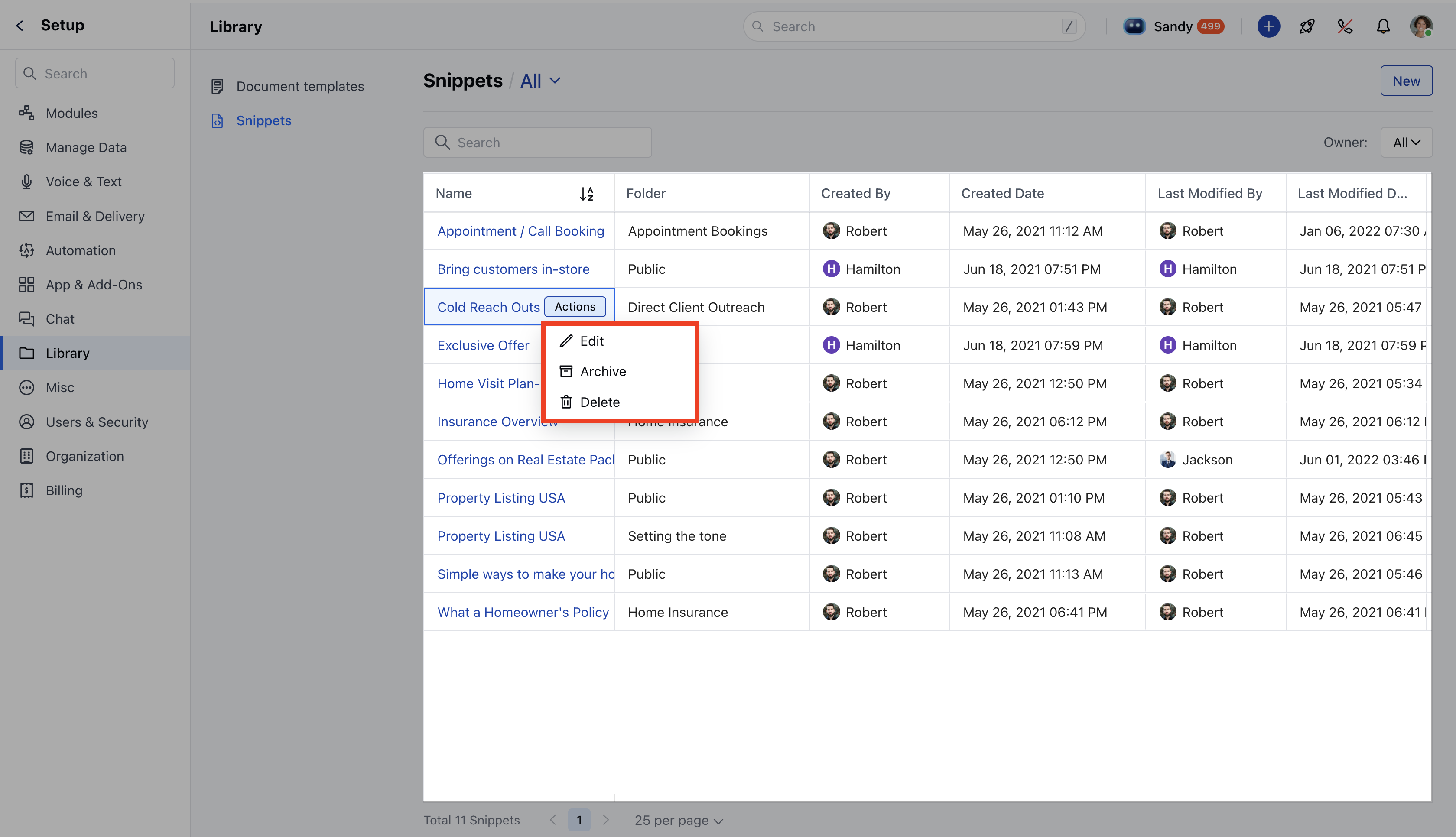
* You will see the snippets in a tabular format with the following columns:
* **Snippet Name** : The title of the snippet.
* **Folder**: The folder where the snippet is stored.
* **Created By**: The user who created and owns the snippet.
* **Created Date**: The date the snippet was created.
* **Last Modified:** The date the snippet was last updated.
* **Usage Count:** The number of times the snippet has been used.
Note: Only users with edit rights can archive or unarchive snippets.
 * **Snippet Preview:** Click on a snippet to view its details on the [Snippet Detail Page](https://support.salesmate.io/hc/en-us/articles/40451925654297).
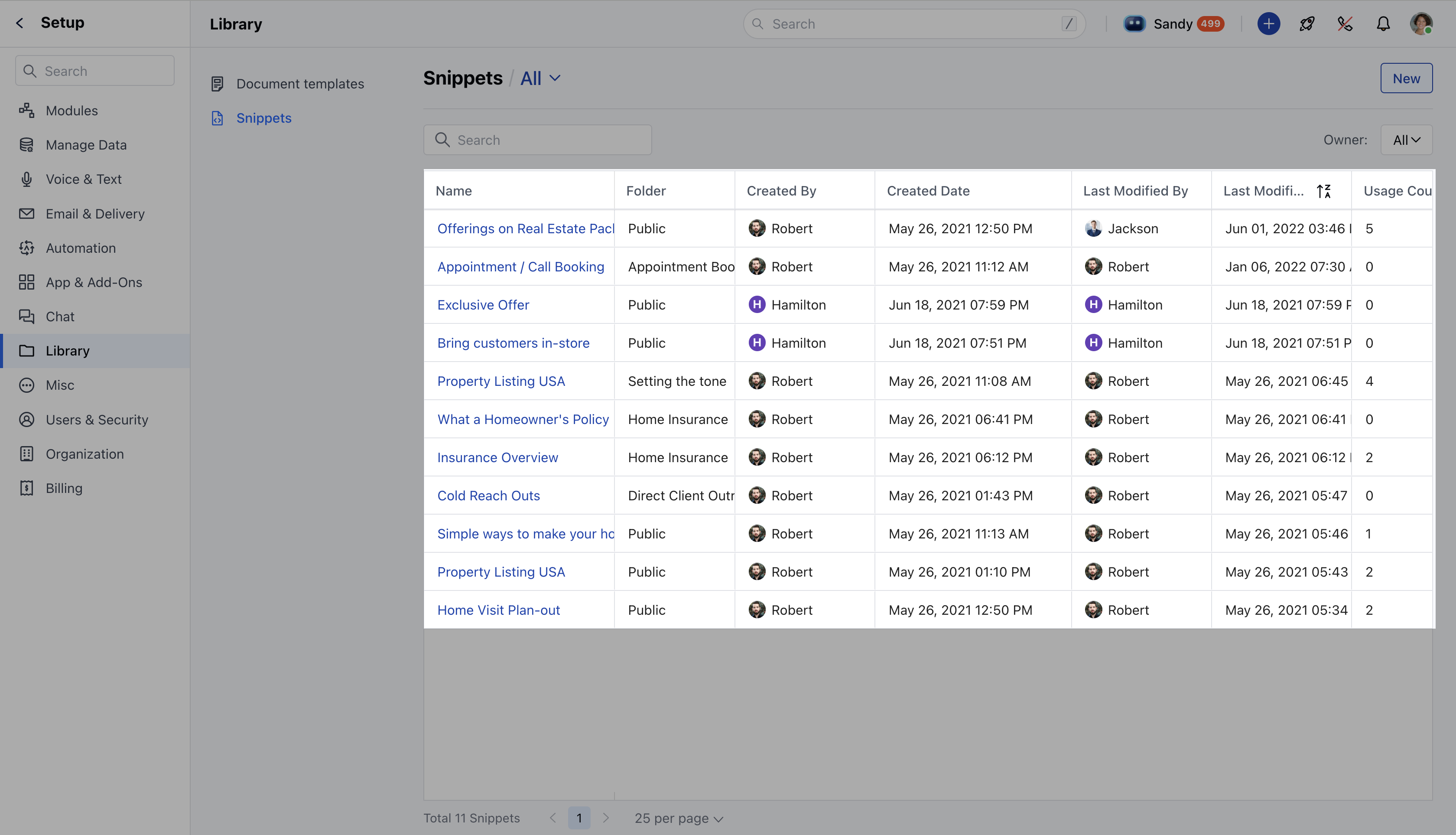
* **Managing folders**: We can add a new folder directly from the Snippet Listing Page, edit an existing folder and delete a folder. [Learn more](https://support.salesmate.io/hc/en-us/articles/40451925654297) on how to organize folders.
* **Snippet Preview:** Click on a snippet to view its details on the [Snippet Detail Page](https://support.salesmate.io/hc/en-us/articles/40451925654297).
* **Managing folders**: We can add a new folder directly from the Snippet Listing Page, edit an existing folder and delete a folder. [Learn more](https://support.salesmate.io/hc/en-us/articles/40451925654297) on how to organize folders.
 In order to Edit a Snippet,
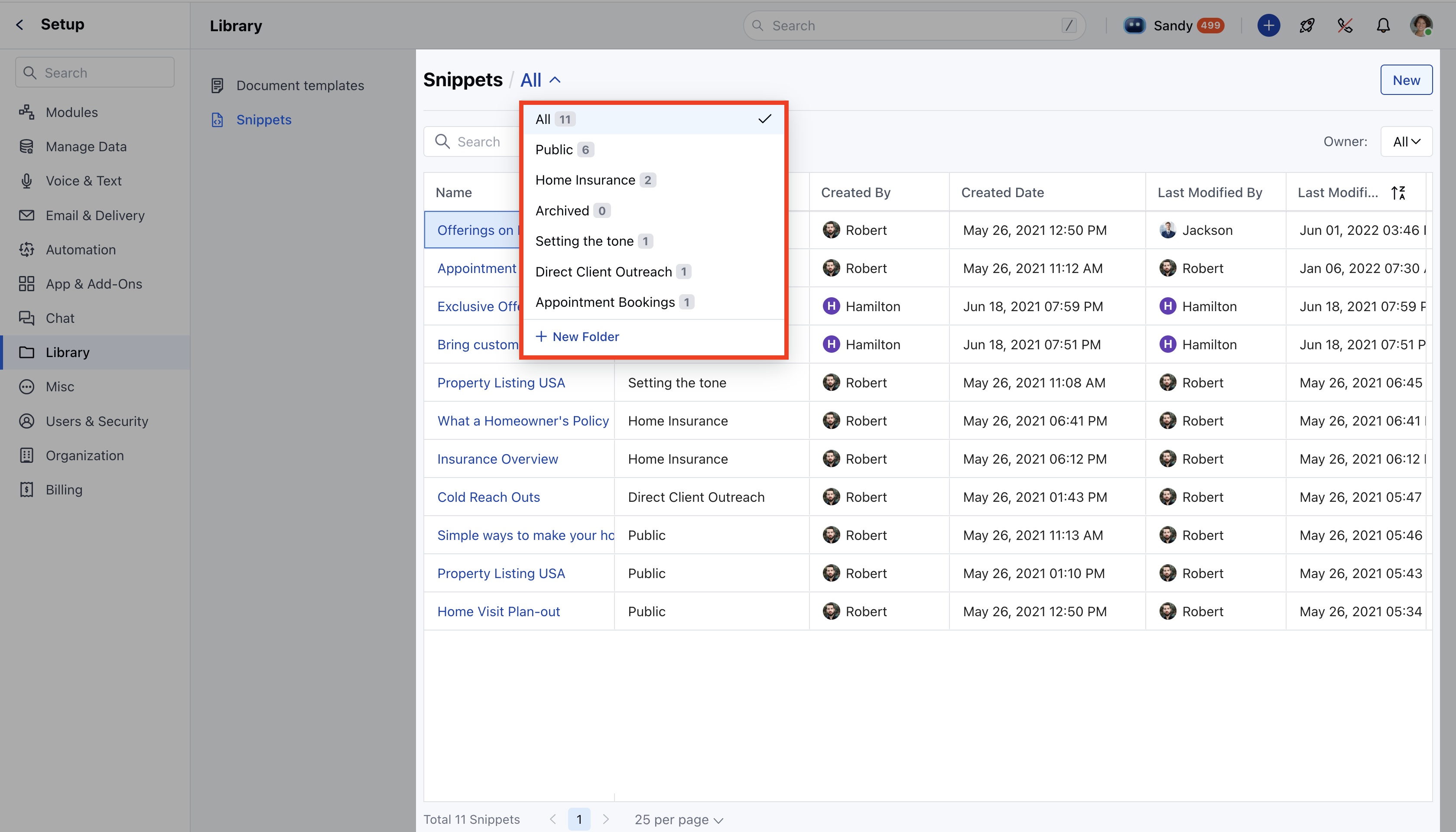
* Hover on the snippet's name and click on the Actions button
* You can perform the following operations
* [Edit](https://support.salesmate.io/hc/en-us/articles/40451899848345)
* [Archive](https://support.salesmate.io/hc/en-us/articles/40451894683417)
* [Delete](https://support.salesmate.io/hc/en-us/articles/40451899848345)
In order to Edit a Snippet,
* Hover on the snippet's name and click on the Actions button
* You can perform the following operations
* [Edit](https://support.salesmate.io/hc/en-us/articles/40451899848345)
* [Archive](https://support.salesmate.io/hc/en-us/articles/40451894683417)
* [Delete](https://support.salesmate.io/hc/en-us/articles/40451899848345)