> ## Documentation Index
> Fetch the complete documentation index at: https://support.getskara.ai/llms.txt
> Use this file to discover all available pages before exploring further.

# How to Follow/ Unfollow Tickets

Once the Ticket is created Skara allows the flexibility to Follow/ Unfollow the Tickets to the Users with appropriate rights

To Follow/ Unfollow the Tickets,

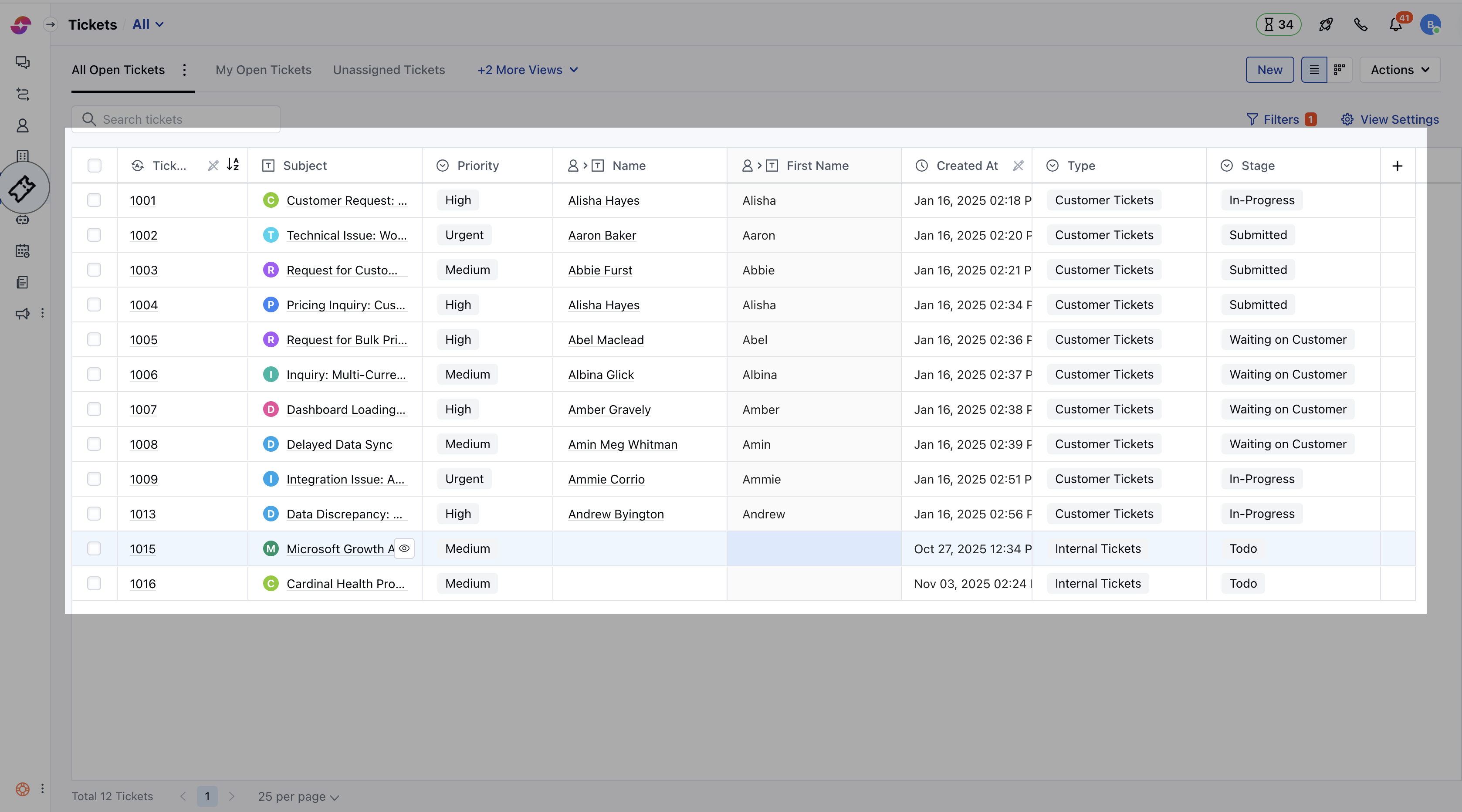
* Navigate to the **Ticket module** from the left sidebar
* Click on the Ticket you wish to **Follow/ Unfollow** and open it in the Detail View
<img src="https://mintcdn.com/salesmate/XhPsU8BTtsK-IdEi/images/Screenshot2025-11-10at4.20.15PM.png?fit=max&auto=format&n=XhPsU8BTtsK-IdEi&q=85&s=7b846874cabec54ae3a05688c3d2c685" alt="Screenshot 2025-11-10 at 4.20.15 PM.png" width="3356" height="1864" data-path="images/Screenshot2025-11-10at4.20.15PM.png" />

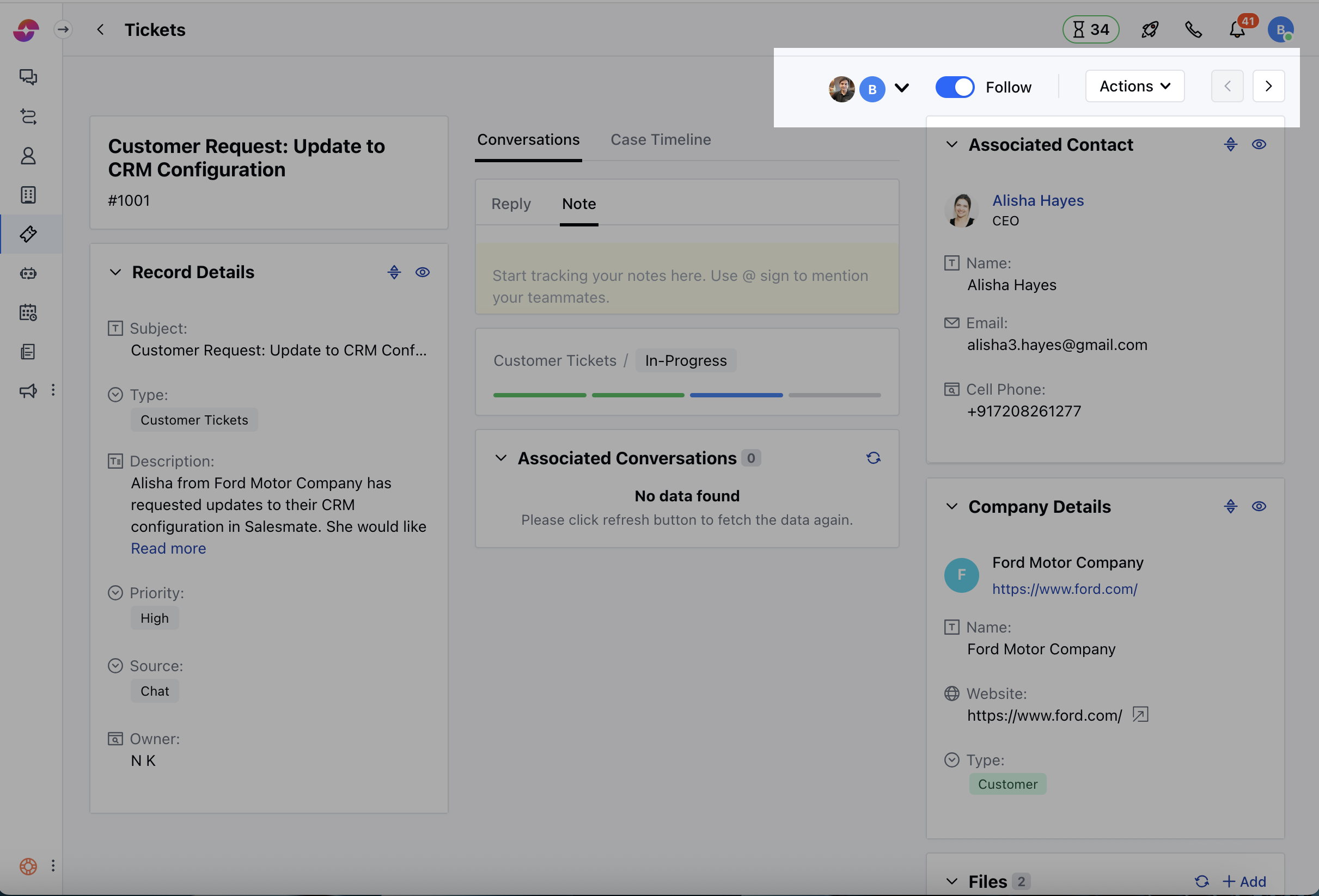
* **Enable** the Follow option to start Following the Ticket
<img src="https://mintcdn.com/salesmate/XhPsU8BTtsK-IdEi/images/Screenshot2025-11-10at4.22.14PM.png?fit=max&auto=format&n=XhPsU8BTtsK-IdEi&q=85&s=5cde733089a183a527c0d2c58c3c0792" alt="Screenshot 2025-11-10 at 4.22.14 PM.png" width="2422" height="1646" data-path="images/Screenshot2025-11-10at4.22.14PM.png" />

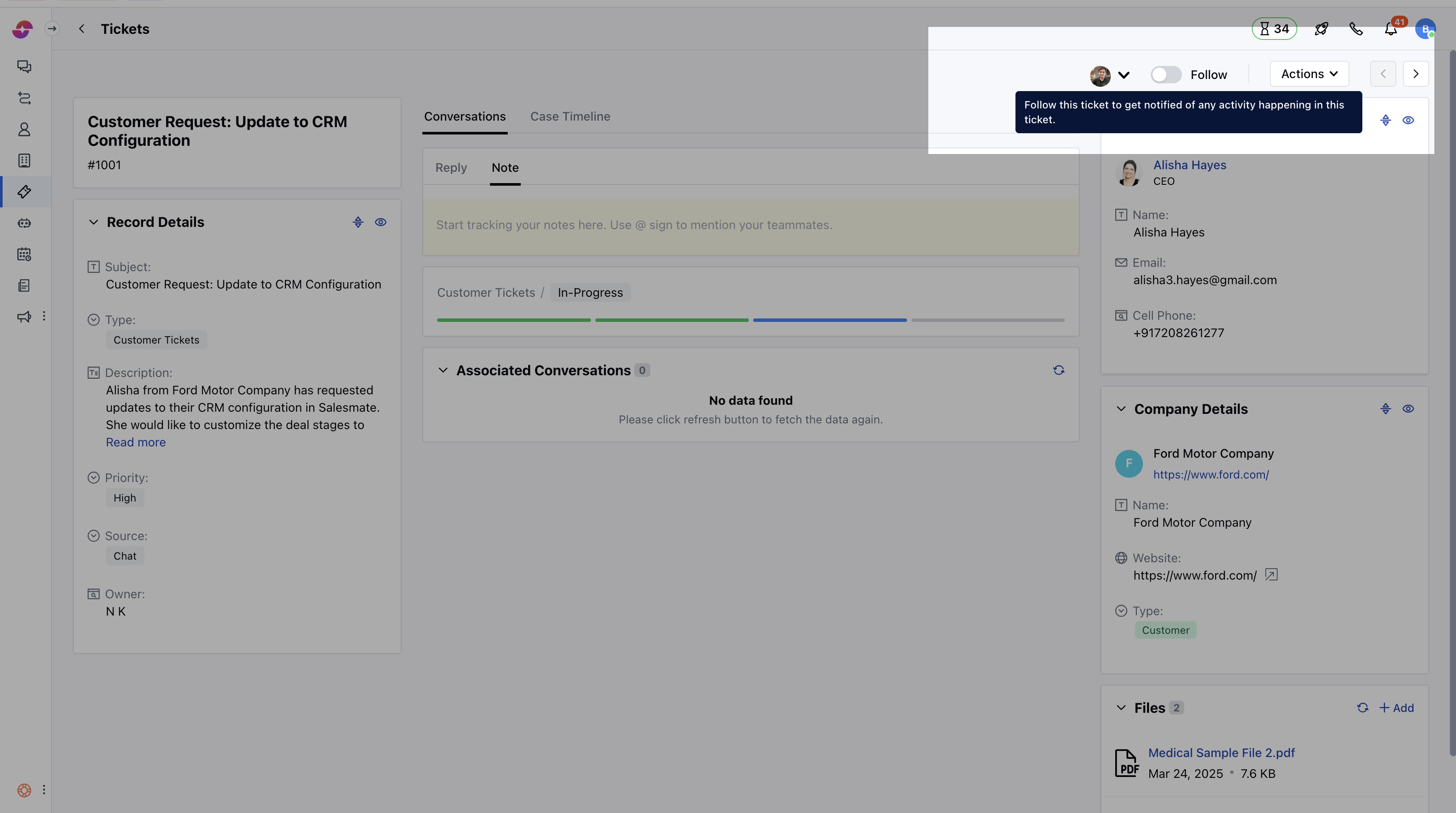
* Likewise, you have the ability to disable the option to Unfollow a Ticket
<img src="https://mintcdn.com/salesmate/XhPsU8BTtsK-IdEi/images/Screenshot2025-11-10at4.23.10PM.png?fit=max&auto=format&n=XhPsU8BTtsK-IdEi&q=85&s=923a9c998a236d2e981c25f1f2dc1a22" alt="Screenshot 2025-11-10 at 4.23.10 PM.png" width="3358" height="1874" data-path="images/Screenshot2025-11-10at4.23.10PM.png" />
