> ## Documentation Index
> Fetch the complete documentation index at: https://support.getskara.ai/llms.txt
> Use this file to discover all available pages before exploring further.
# Related Ticket Widget
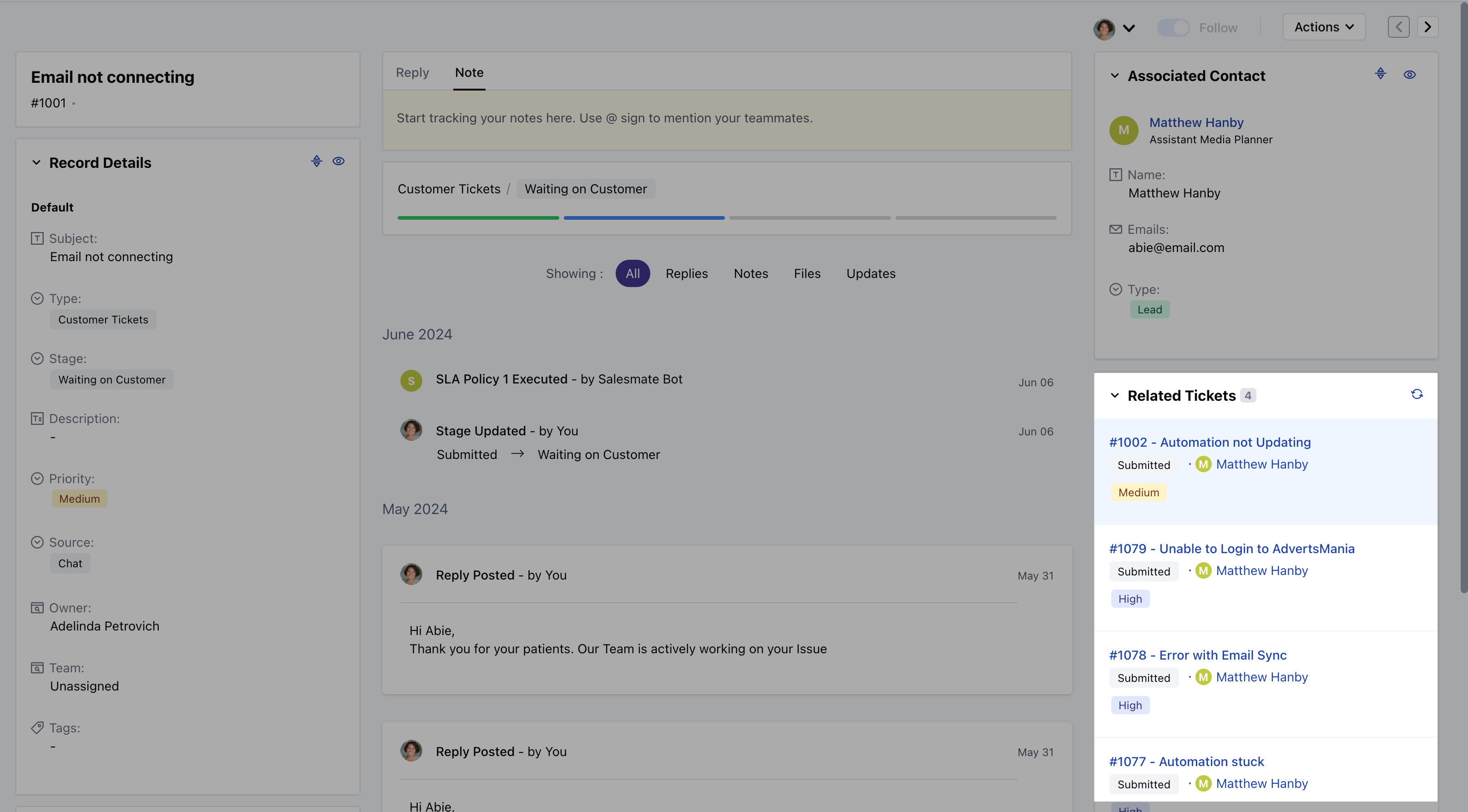
Related Ticket widget displays tickets linked to the primary contact or company associated with the current ticket.
**Note:** This widget is only available for the Ticket Module.
### **Topics covered:**
* [How to add the Related Ticket Widget to the
Layout](#how-to-add-the-related-ticket-widget-to-the-layout)
* [Customize the Related Ticket
Widget](#how-to-add-the-related-ticket-widget-to-the-layout)
* [How would it appear in Detail
Page](#how-would-it-appear-in-detail-page)
### How to add the Related Ticket Widget to the Layout
To add the widget,
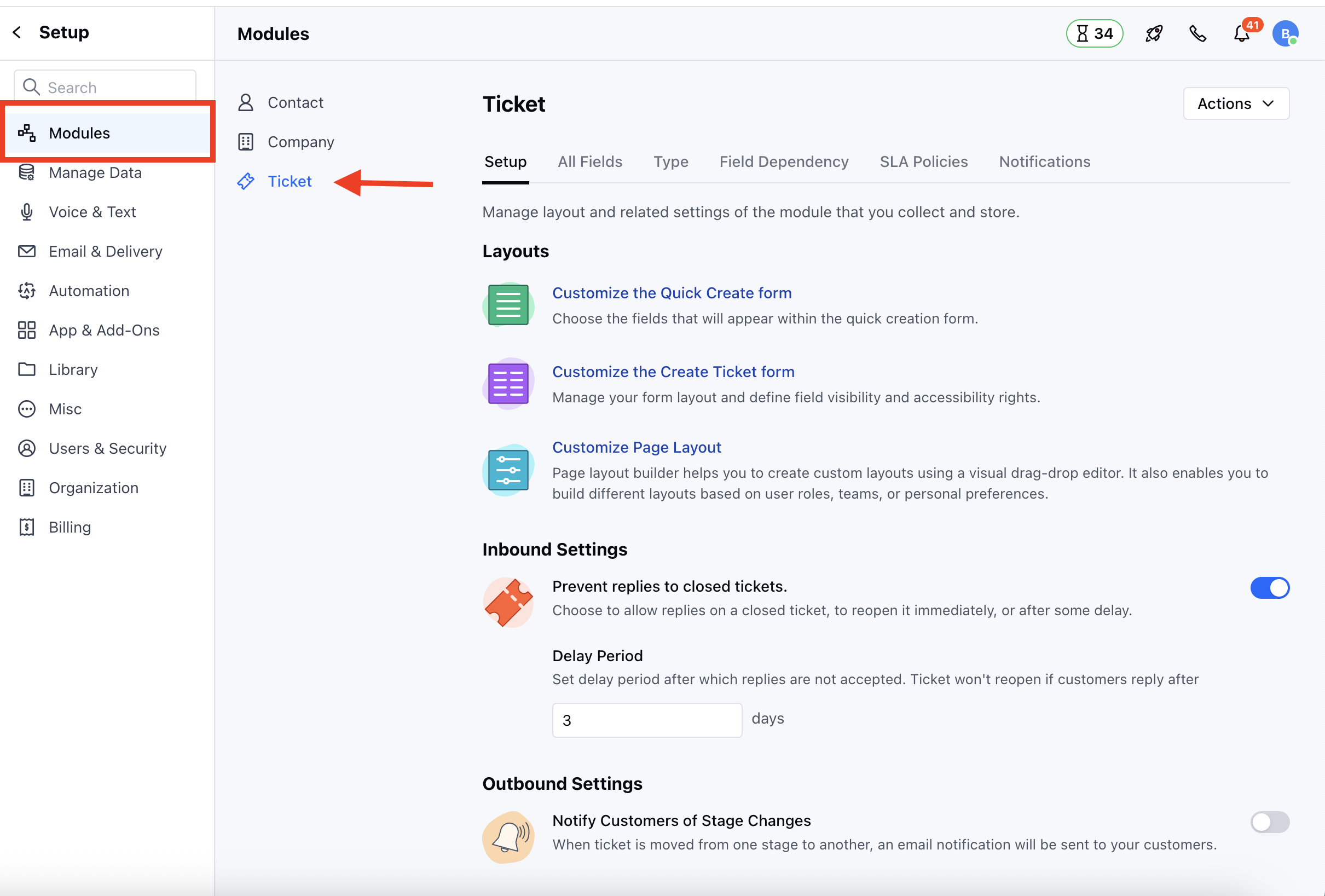
* Navigate to the **Profile Icon** on the top right corner.
* Click on the **Set Up**.
* Head over to the **Modules** Category.
* Select the **Tickets** Module.
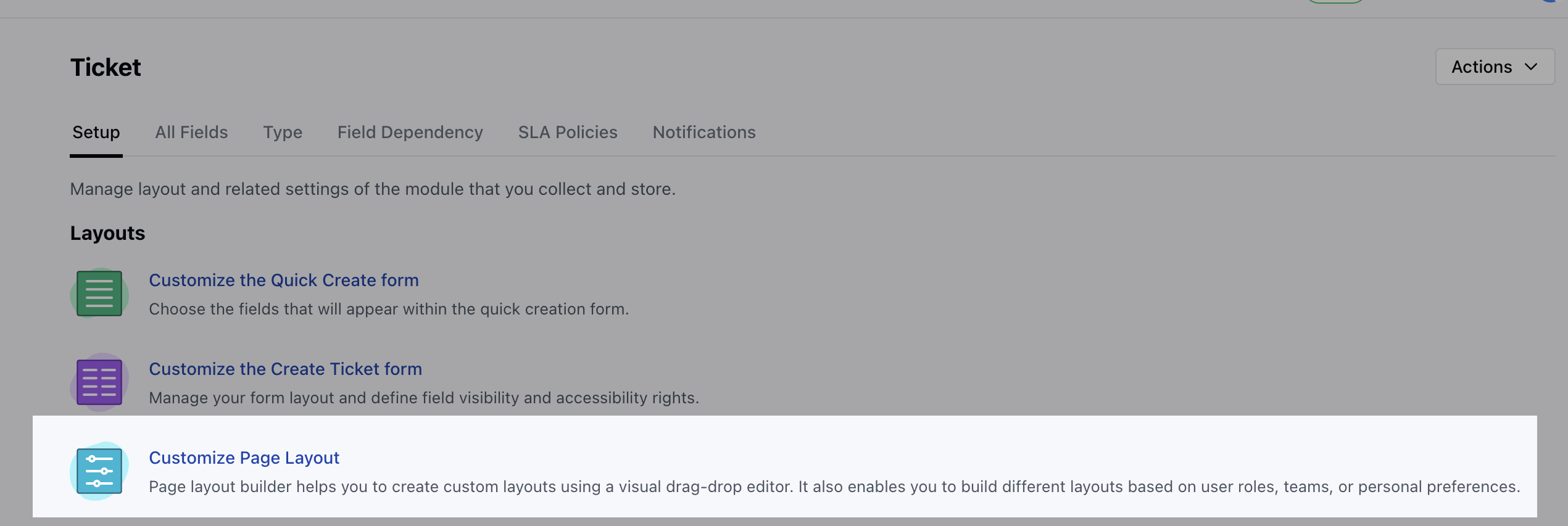
 * Click on the **Customize Page Layout** option under **Set Up** section.
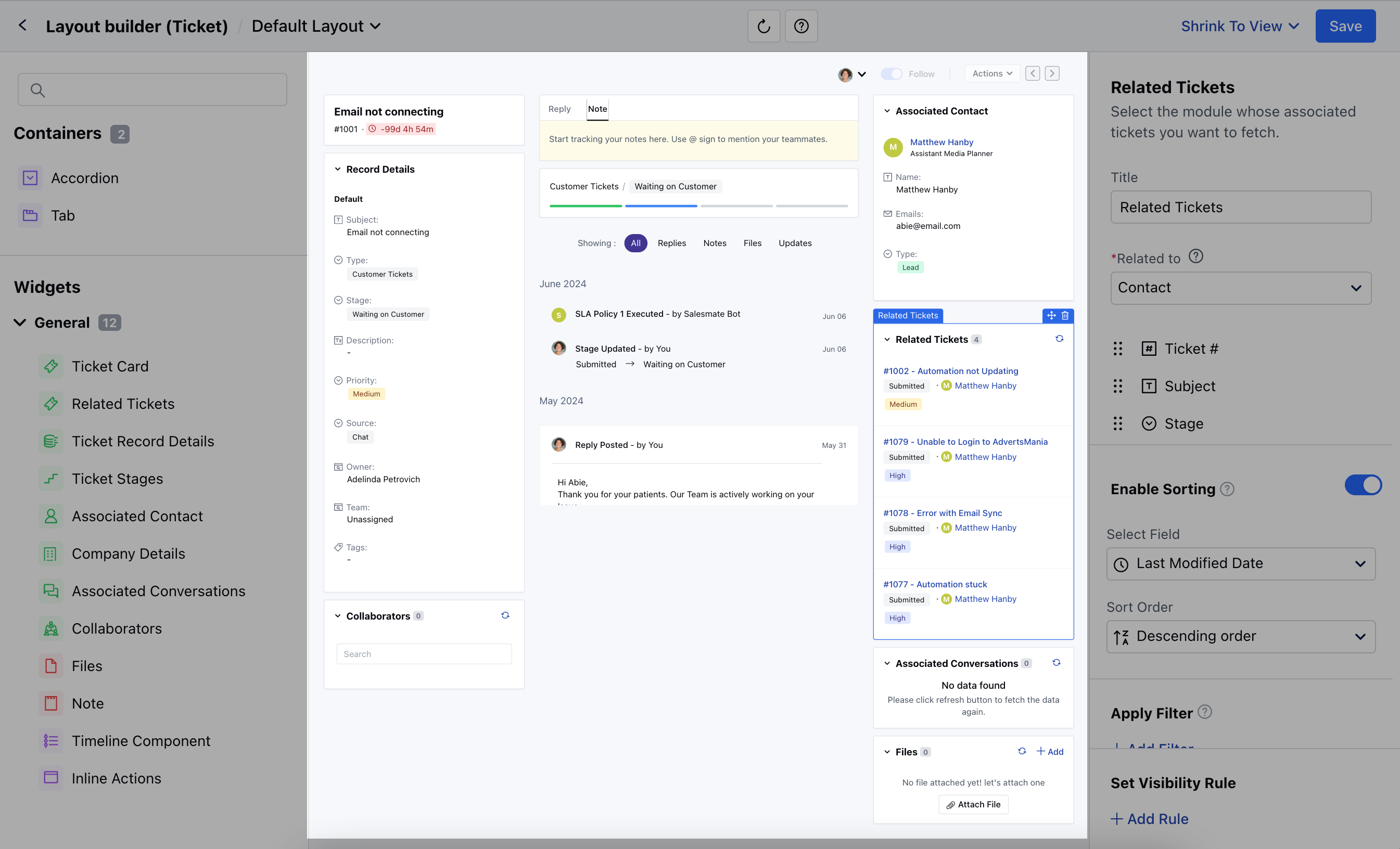
 * Here you can either edit the Default Layout or create the new Layout - Simply drag and drop the widget to the Layout.
 ### Customize the Related Ticket Widget
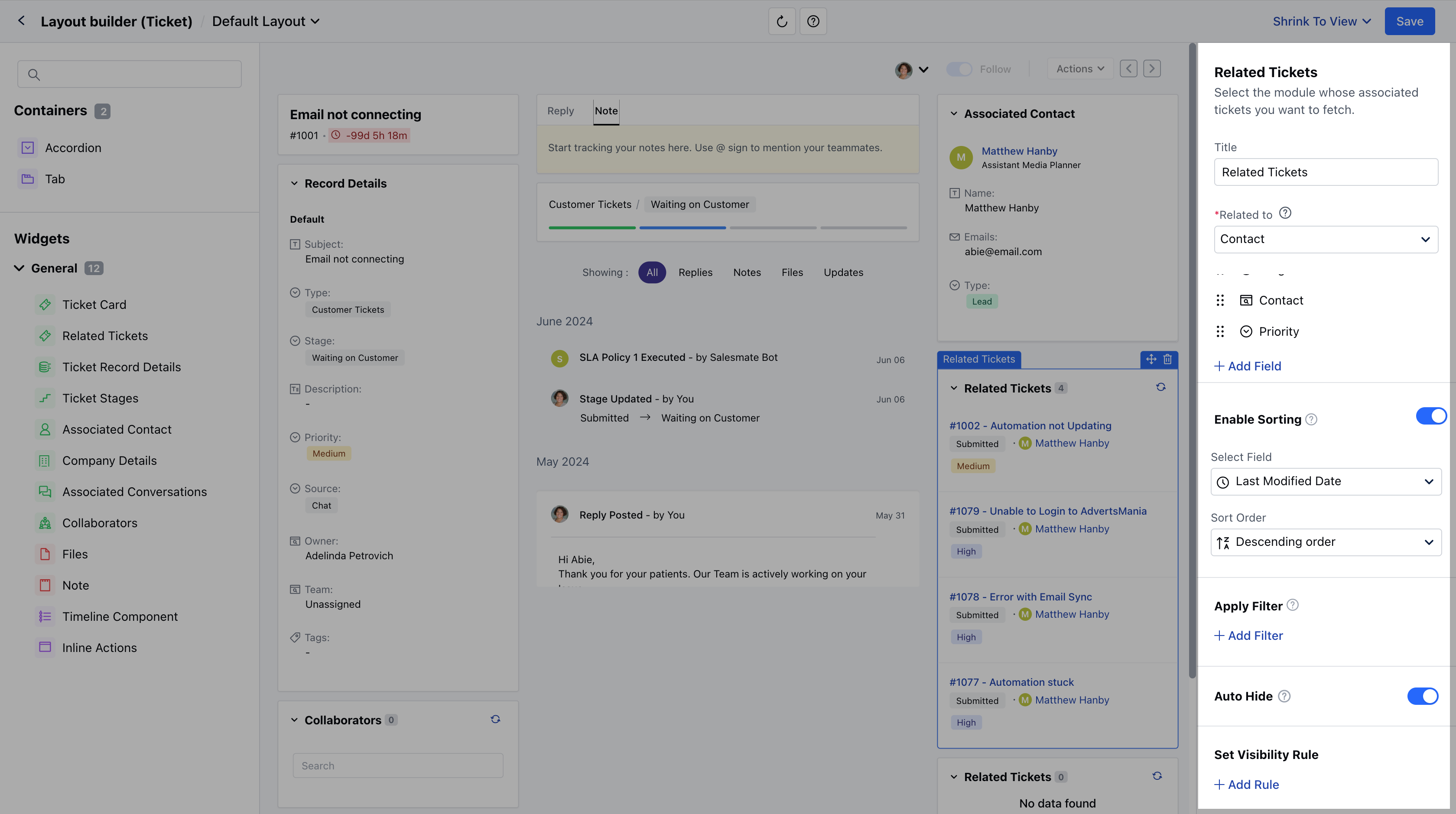
* Once the Widget is added to the Layout, as you click on the Widget the following options will appear
* **Title:** Customize the Widget as per your preference
* **Related to:** Select the module whose associated tickets you want to fetch.
* **(Contact, Company, or Product)**
* **Fields:** Select which ticket fields should be displayed in the widget.
* **Enable Sorting:** Choose a field to apply default sorting. Learn More
* **Auto Hide:** Enable this option to hide this widget automatically when no tickets are found.
* **Apply Filter:** Apply filters to view specific data only.
* **Set Visibility Rule:** Set a visibility rule to control when the widget is displayed, based on specific conditions.
* Once you’ve configured the widget to your liking, **Save** the changes.
### Customize the Related Ticket Widget
* Once the Widget is added to the Layout, as you click on the Widget the following options will appear
* **Title:** Customize the Widget as per your preference
* **Related to:** Select the module whose associated tickets you want to fetch.
* **(Contact, Company, or Product)**
* **Fields:** Select which ticket fields should be displayed in the widget.
* **Enable Sorting:** Choose a field to apply default sorting. Learn More
* **Auto Hide:** Enable this option to hide this widget automatically when no tickets are found.
* **Apply Filter:** Apply filters to view specific data only.
* **Set Visibility Rule:** Set a visibility rule to control when the widget is displayed, based on specific conditions.
* Once you’ve configured the widget to your liking, **Save** the changes.
 ### How would it appear in Detail Page
* When you view a ticket, this widget will automatically fetch and display related tickets based on the Related To setting:
* **If set to Contact:** It will show other tickets associated with the primary contact of the ticket you're viewing.
* **If set to Company:** It will show other tickets associated with the primary company linked to the ticket.
### How would it appear in Detail Page
* When you view a ticket, this widget will automatically fetch and display related tickets based on the Related To setting:
* **If set to Contact:** It will show other tickets associated with the primary contact of the ticket you're viewing.
* **If set to Company:** It will show other tickets associated with the primary company linked to the ticket.