> ## Documentation Index
> Fetch the complete documentation index at: https://support.getskara.ai/llms.txt
> Use this file to discover all available pages before exploring further.
# SLA Listing
To manage the SLA Listing,
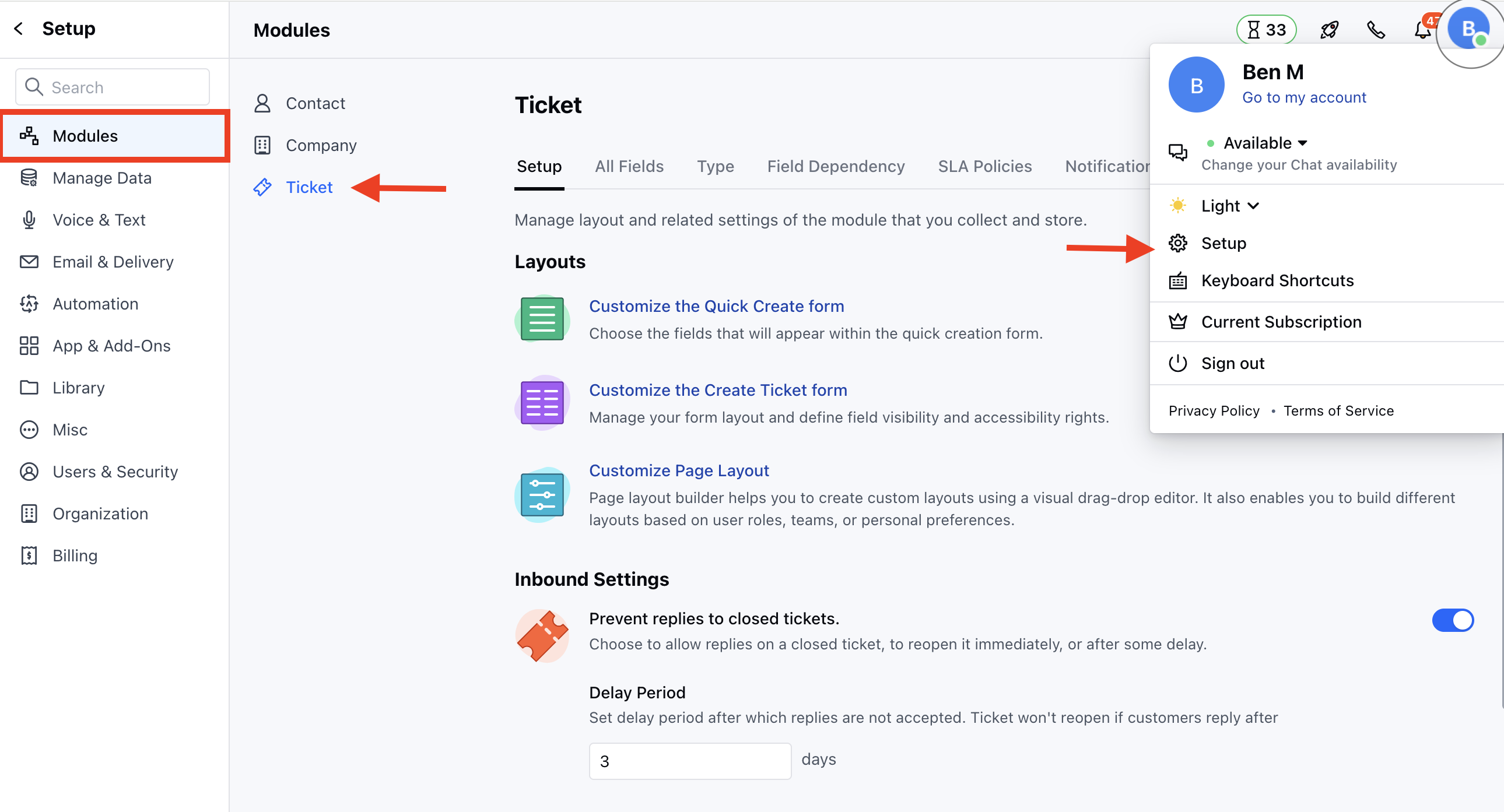
* Navigate to the **Profile Icon** on the top right corner
* Click on **Set Up**
* Head over to the **Modules** category
* Click on **Tickets**
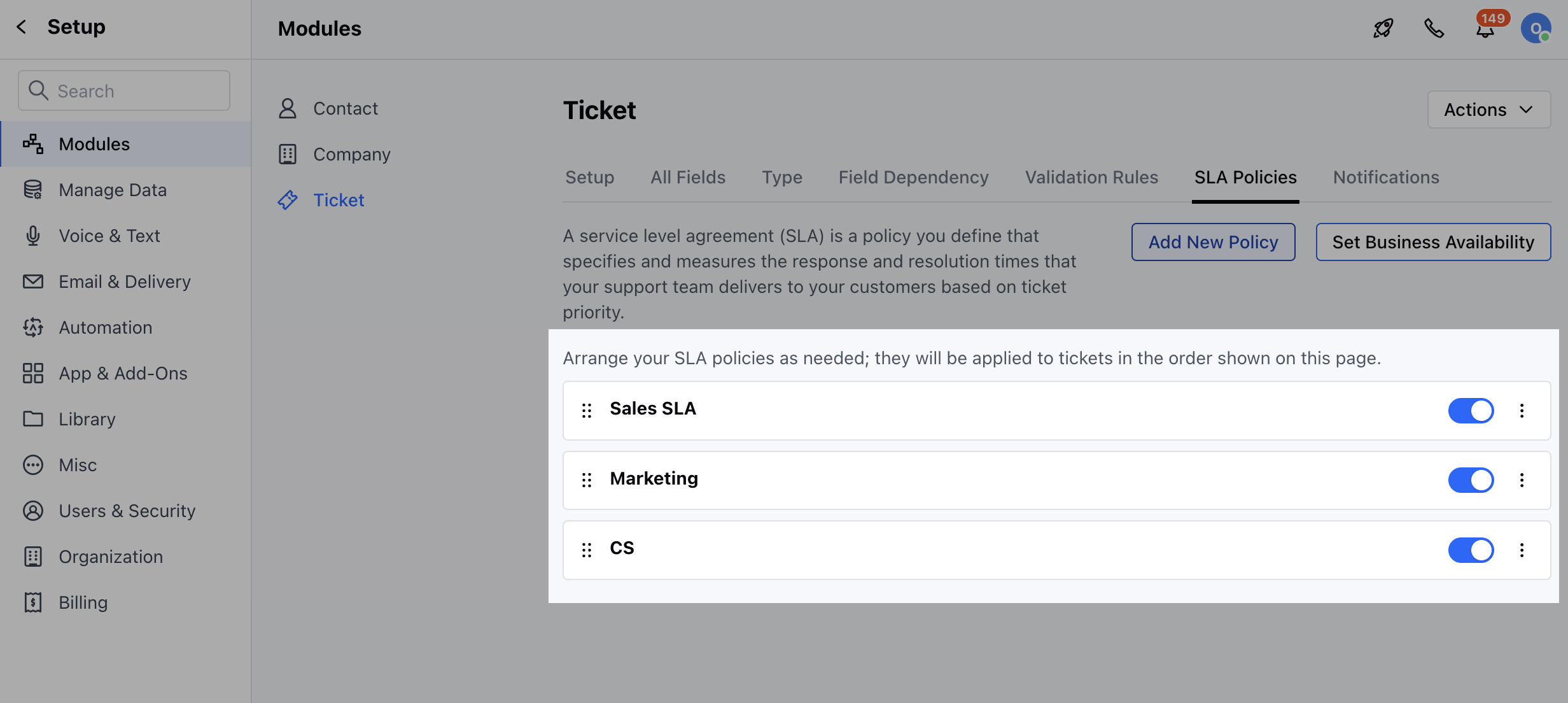
 * Head to the **SLA Policies** section
* Here, you will find the list of all available SLA Policies
* Here you can enable/disable the Policies when there is a change in your business process
* Head to the **SLA Policies** section
* Here, you will find the list of all available SLA Policies
* Here you can enable/disable the Policies when there is a change in your business process
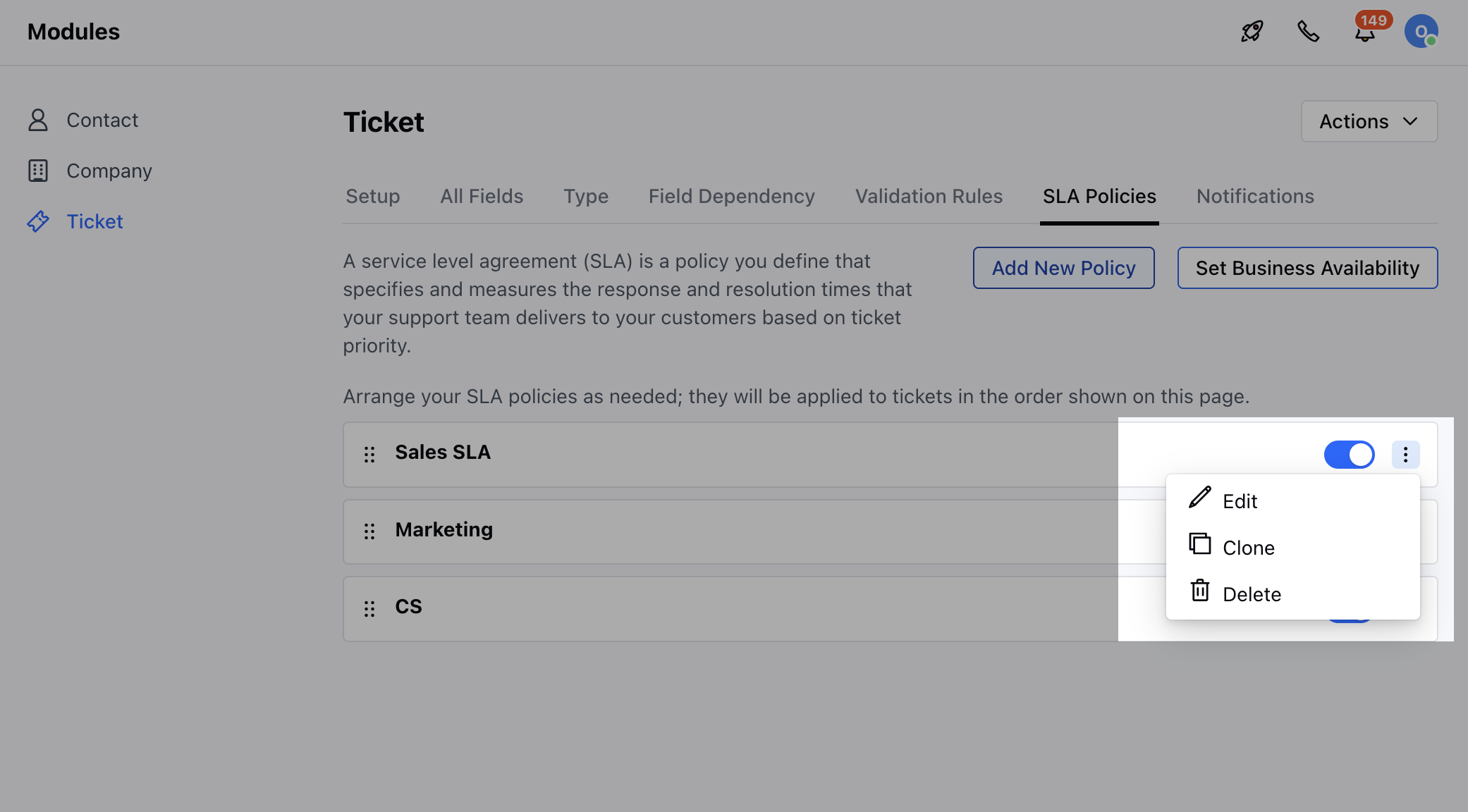
 * You can click on the three dots to,
* **Edit**
* **Clone**
* **Delete**
* You can click on the three dots to,
* **Edit**
* **Clone**
* **Delete**