> ## Documentation Index
> Fetch the complete documentation index at: https://support.getskara.ai/llms.txt
> Use this file to discover all available pages before exploring further.
# Tickets FAQ's
### \*\*Can you edit a ticket priority field?
* No, you can’t edit the ticket priority field. They can be used with default values only. If you need further priorities, then you can create and use a custom field.
### \*\*Can you delete a reply on the ticket? If yes, is there any specific permission for it?
* Yes, there is permission for deleting replies on a ticket, similar to chat. You can delete a reply from the ticket, and it does not affect the notifications that are sent.
### \*\*How to Prevent Replies on Closed Tickets?
To Prevent Replies on Closed Tickets,
* Navigate to the **Profile Icon** on the top right corner
* Click on the **Set Up**
* Head over to the **Tickets** Module
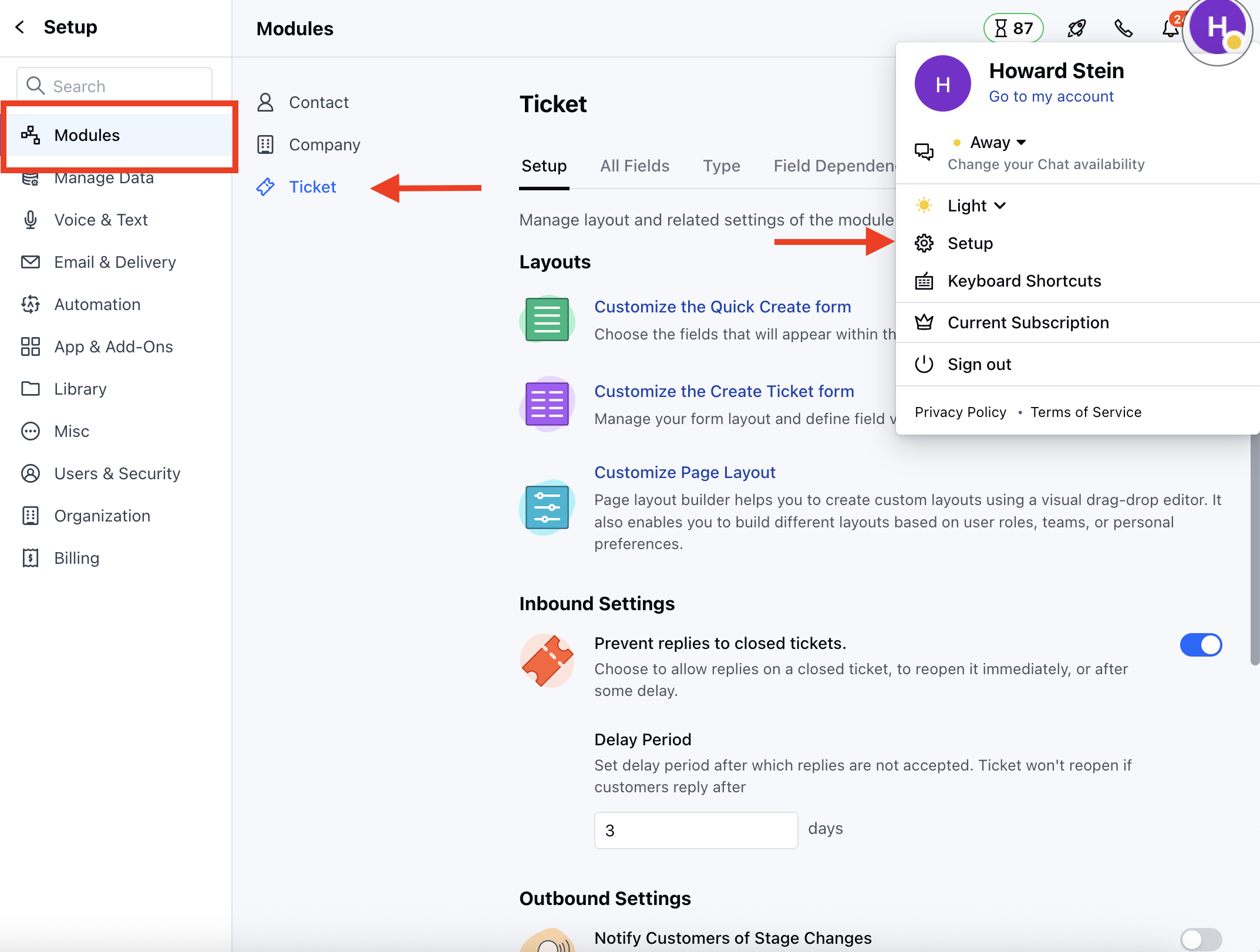 * Under **Setup** section head to the **Inbound Settings**
* Here configure the following options
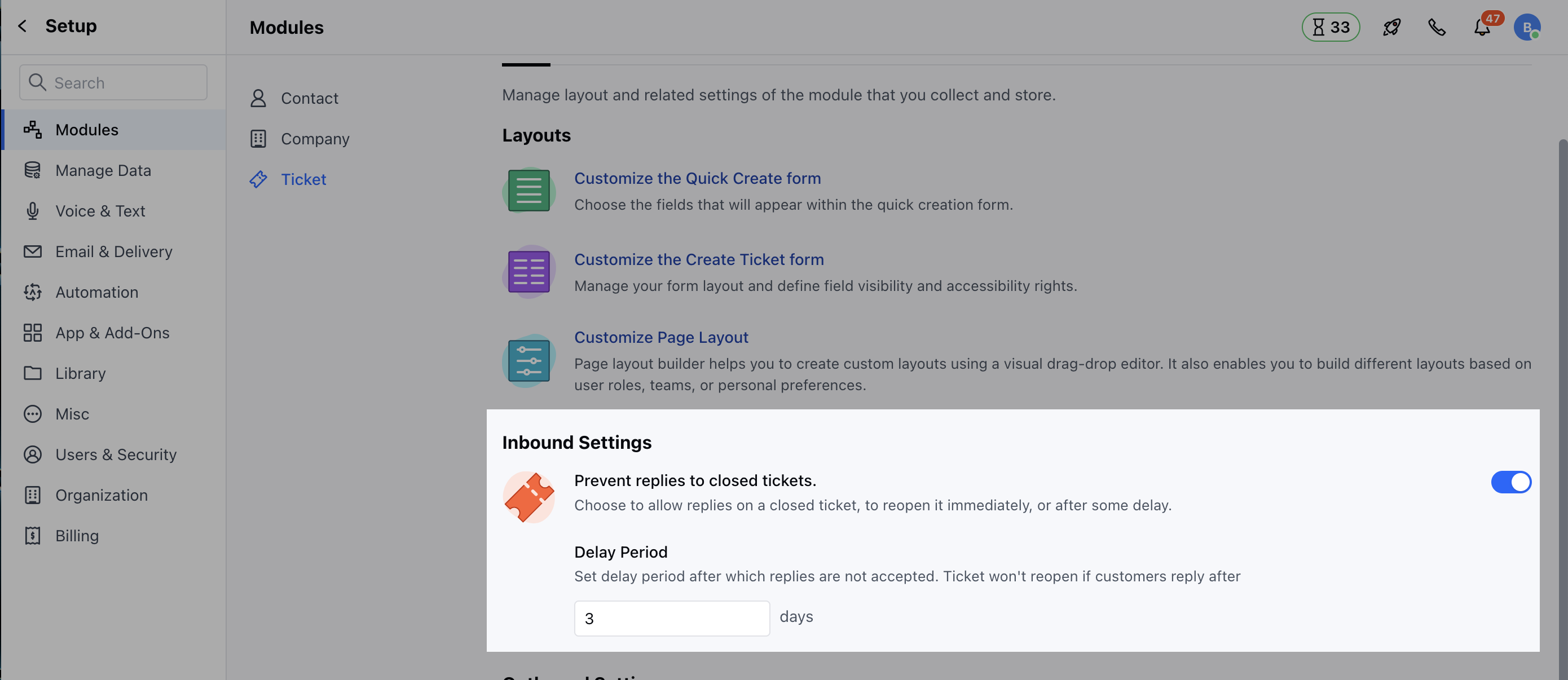
* **Prevent Replies to the Closed Tickets:** Enable this option to allow replies on a closed ticket, to reopen it immediately, or after some delay.
* **Delay Period:** Set delay period after which replies are not accepted. Ticket won't reopen if customers reply after
* Under **Setup** section head to the **Inbound Settings**
* Here configure the following options
* **Prevent Replies to the Closed Tickets:** Enable this option to allow replies on a closed ticket, to reopen it immediately, or after some delay.
* **Delay Period:** Set delay period after which replies are not accepted. Ticket won't reopen if customers reply after