

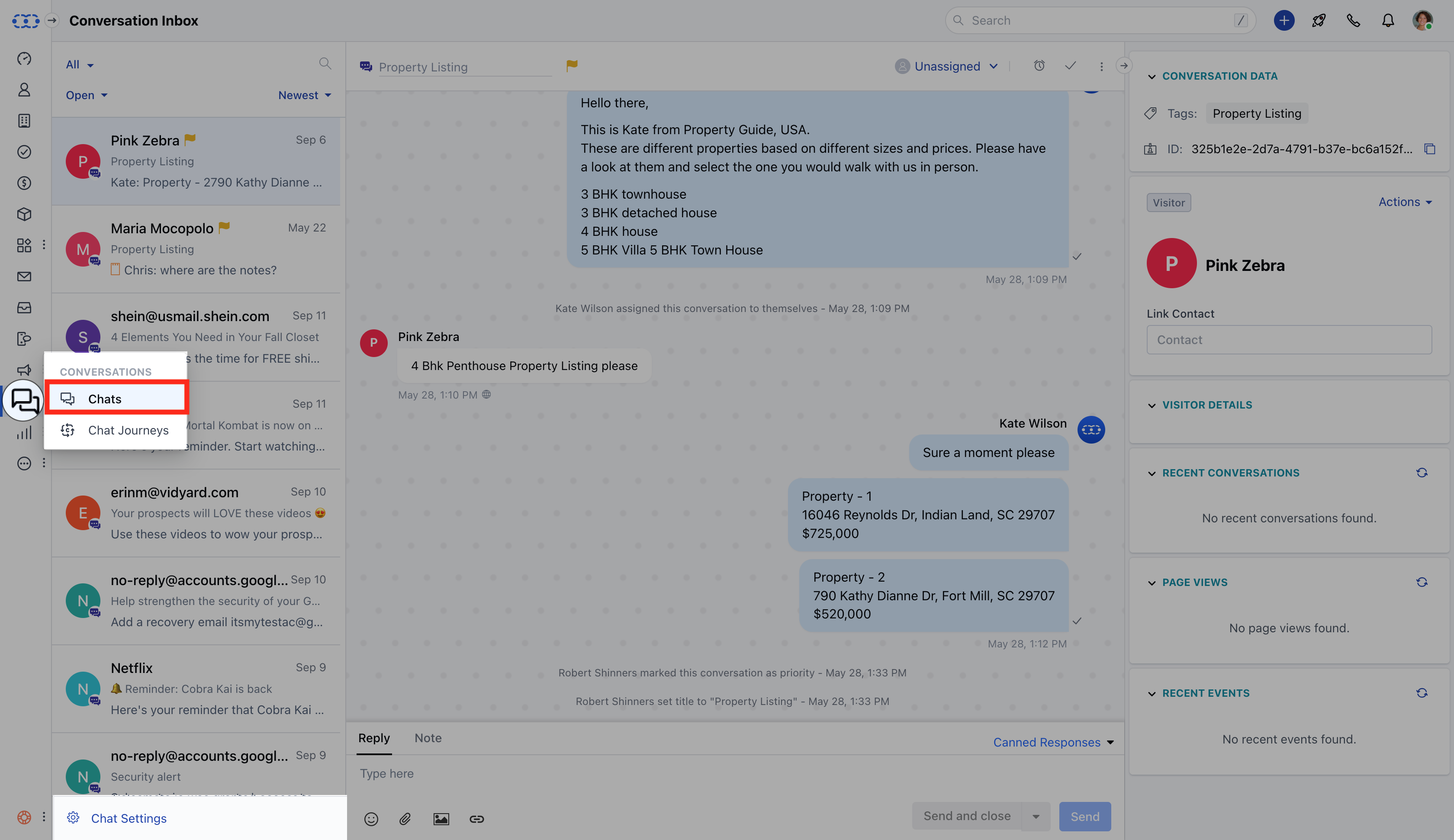
- Navigate to the Conversations Icon from the left menu bar
- Select Chats
- Click Chat Settings from the bottom left corner
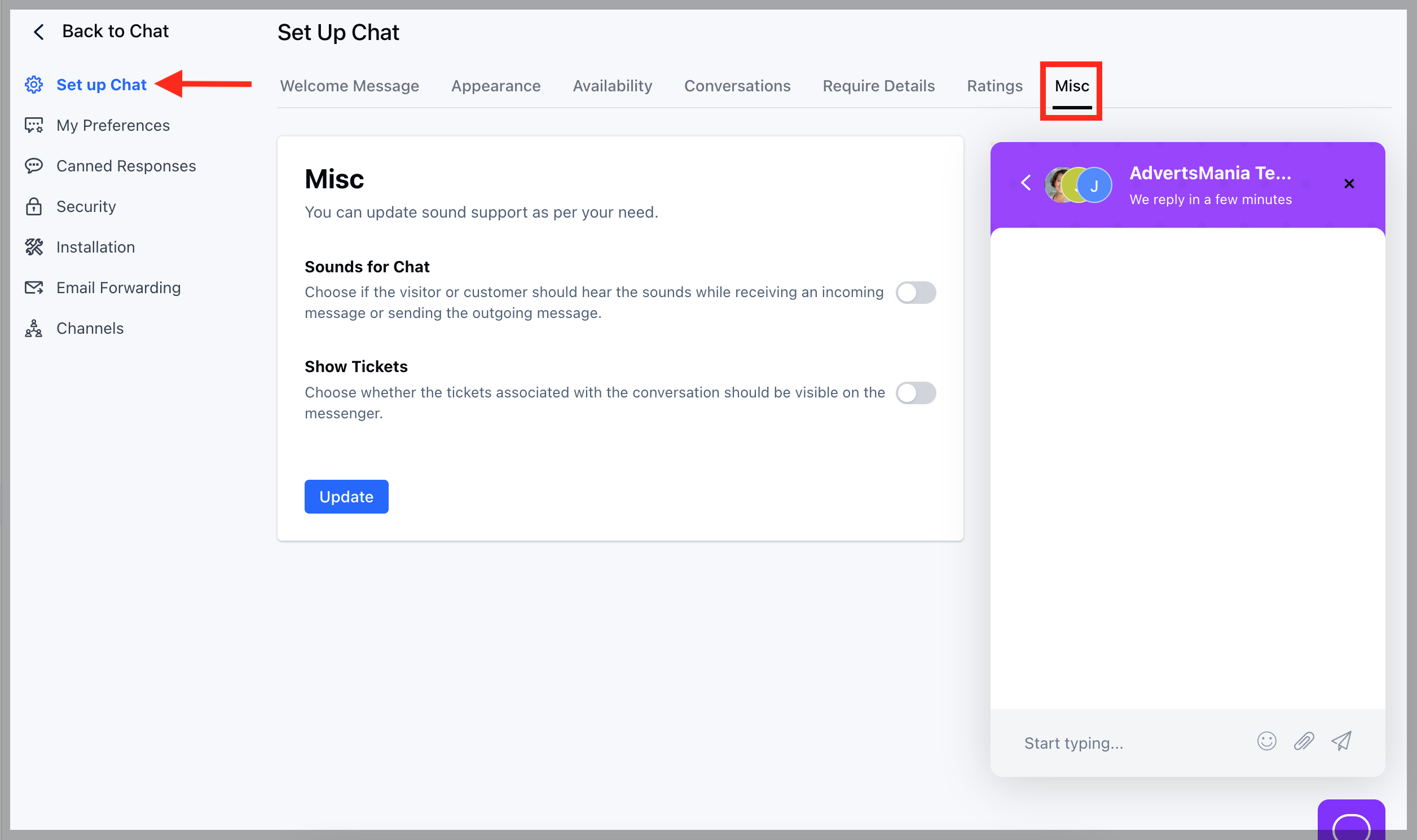
- Head to the Set Up Chat option * Click on the Misc option at the end
- To be able to view the Tickets under Chat Widget you would need to enable the Show Tickets option
- Hit Update button
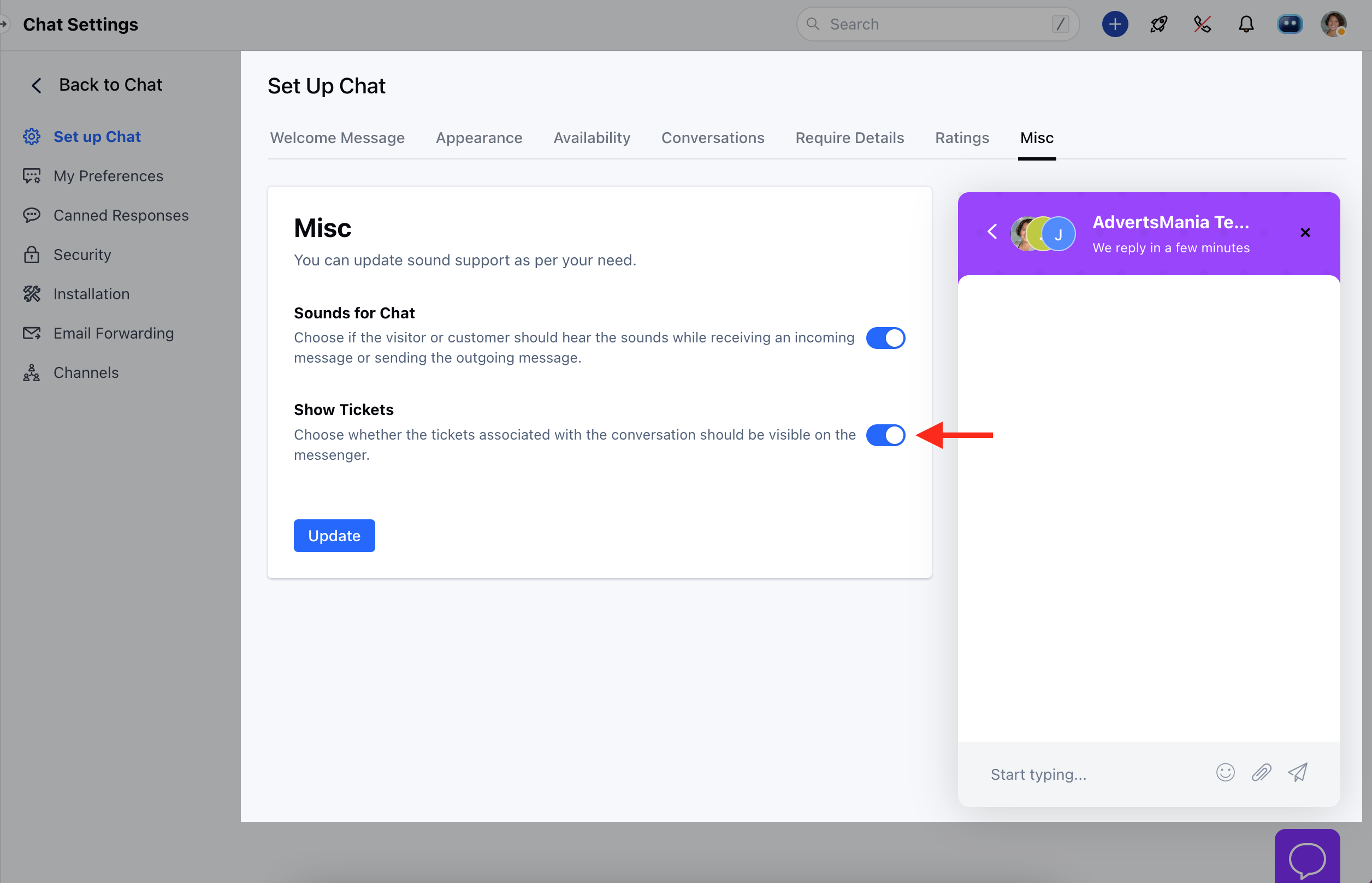
- Like wise you can disable the option if you no longer wish the Tickets to be visible under associated conversations