Note: You will require to manage field rights to perform this action.
Topics covered:
How to Edit Contact Type
To Edit Contact Type,- Navigate to the Profile Icon on the top right corner
- Click on the Set Up
- Head Over to the Modules Category
- Select the Module (Contact, Company)
- Go to the All Detail Form Fields section
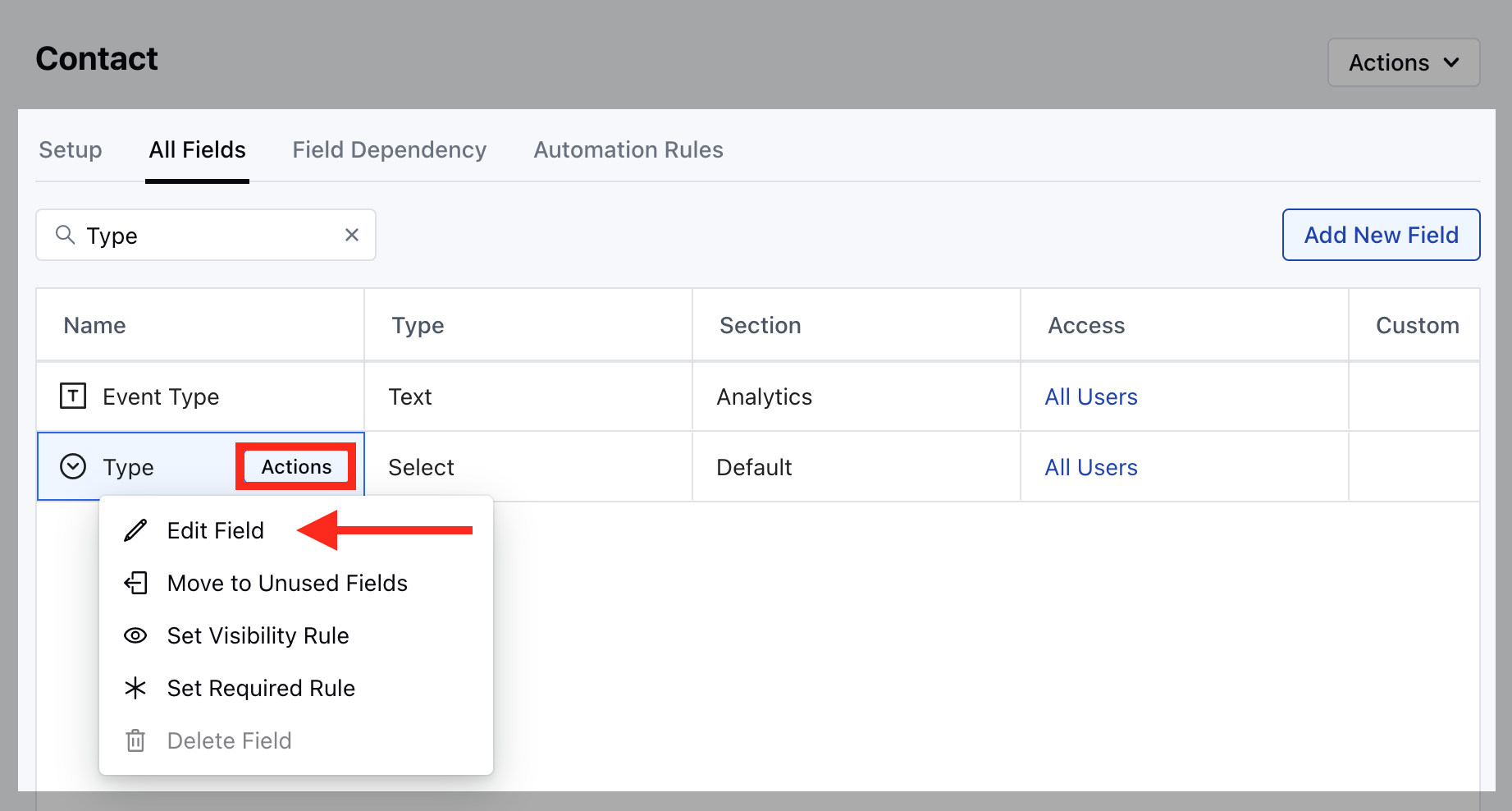
- Search for Type field and hover over it, Action button will appear
- Click on the Edit Field option
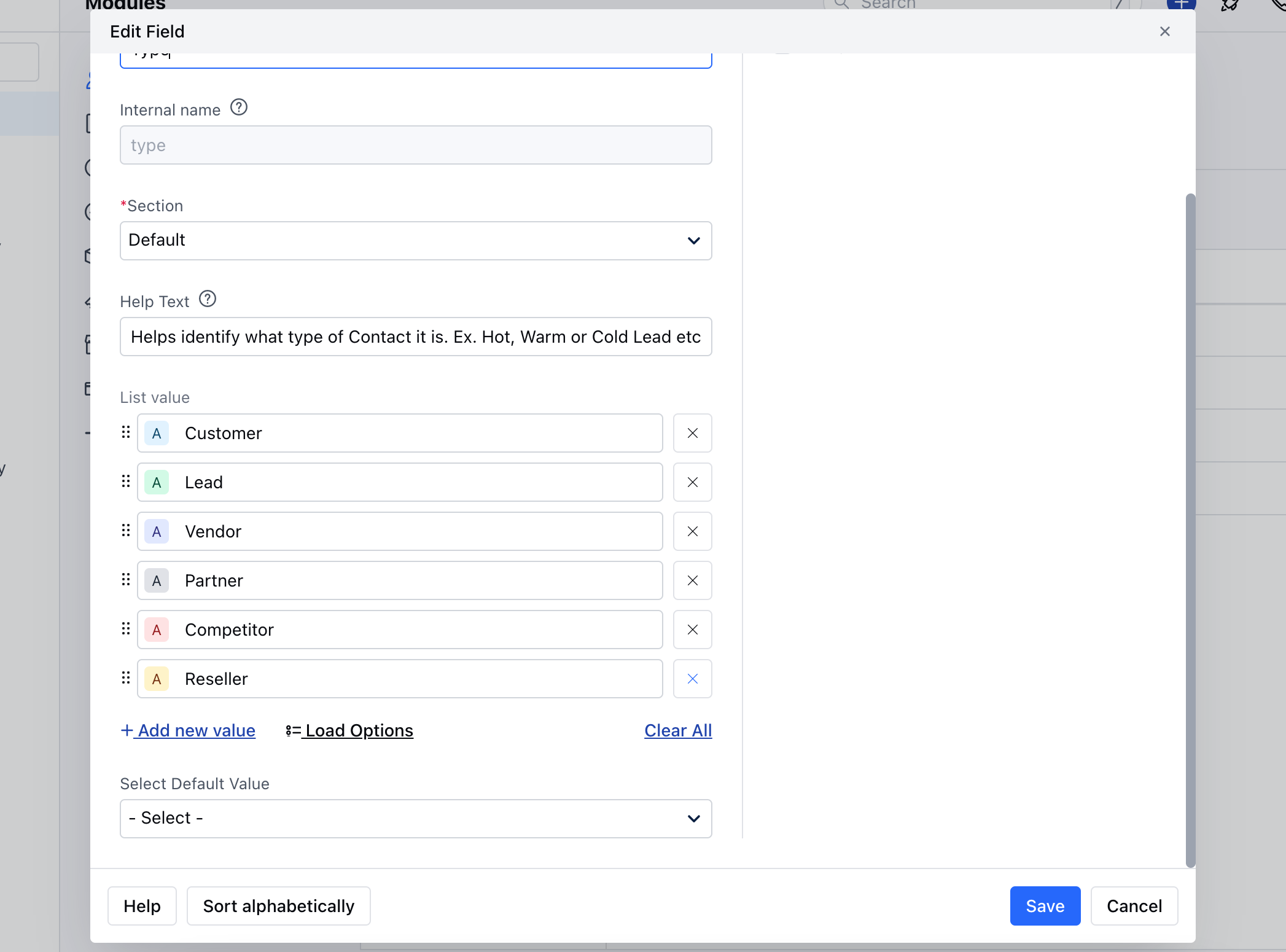
- Here you can Rename the Field or add new field.
- Once done, hit on Save .
How to Delete Contact Type
To delete the Contact Type,- Navigate to the Profile Icon on the top right corner
- Click on the Set Up
- Head Over to the Modules Category
-
Select the Module (Contact, Company)**
- ** Go to the ** All Detail Form Fields** section.
- Search for Type field and hover over it,
- Action button will appear.
- Click on the Remove button to
- Delete the Type.