

Note: By default Salesmate checks for the available slots under your primary and the in-built system calendar.
How to select Additional Calendars
In order to select multiple calendars, please follow the below steps:- Navigate to the More option from left sidebar menu
- Click on Meeting Scheduler
- Under Actions on the top right corner select Select Calendars For Availability

- A pop-up dialogue box would open up prompting you to Select Calendars For Availability .
- Selecting one or more calendars from the available list of calendars will share your availability with visitors and will avoid double booking.
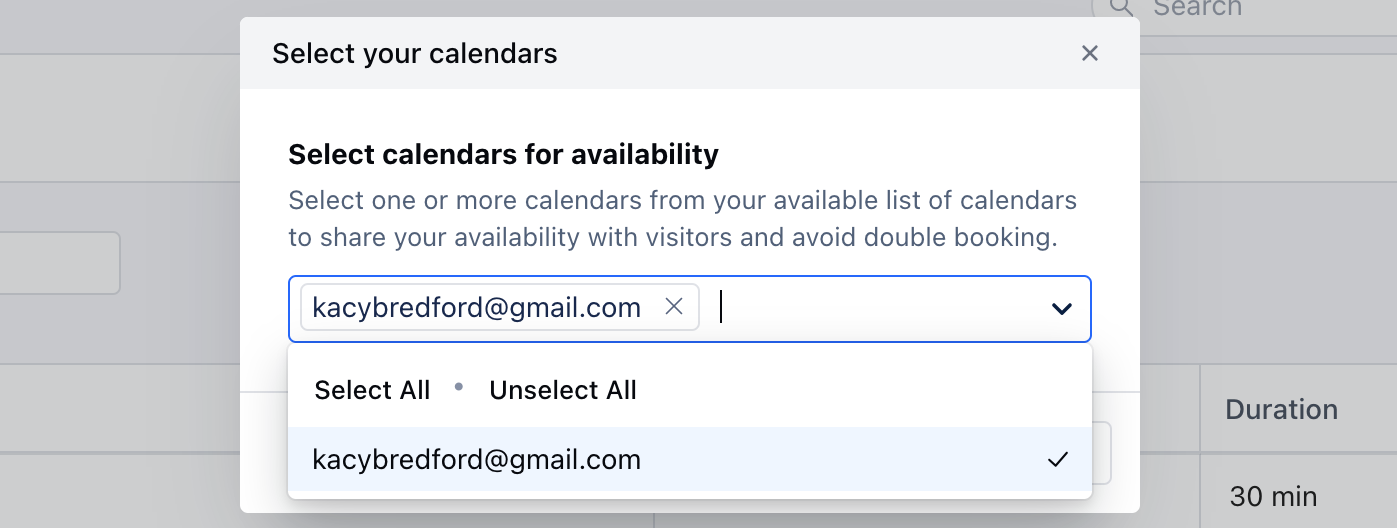
- Select from the list of calendar options under the dropdown menu, which will allow you to select
- multiple calendars from your selected calendar account under Calendar Sync.
- After you have made the required changes, hit Save .
- Now the availability for new meetings would be checked under all the selected calendars to check for the slots.