

Topics covered:
- Smart Flow Credits Inclusion based on Plans
- Trial Accounts
- Free Credit Renewal for Monthly and Annual Plans
- Manually Adding Credits for Smart Flows
- How to Enable Auto-Recharge
- How to Disable Auto-Recharge
- Pricing Structure to purchase additional credits
- Effect of Smart Flow on Email campaign
- How contact quota is utilized for Automation Journeys and Smart flow
Smart Flow Credits inclusion based on plans
Trial Accounts
A trial plan can have up to 15 active flows at once.You’ll receive a total of 2,000 credits during the trial.If your trial ends while you have active flows, all of them will be paused, but your data will remain safe.Free Credit Renewal for Monthly and Annual Plans
- Monthly Plans: Your credits will automatically renew on your next billing date, ensuring you always have the credits needed for the month.
- Annual Plans: Your credits will renew monthly, based on your plan’s billing date. For instance, if your plan renews on May 8th, your credits will be renewed on the 8th of each month.
Manually Adding Credits for Smart Flows
You can manually add credits through the Smart Flow and Campaign landing screens to ensure your Smart Flows run smoothly without interruption.- Steps to Manually Add Credits: Navigate to the Smart Flow or Campaign Listing Screen.Click on Add Credits on the bottom left side under usage
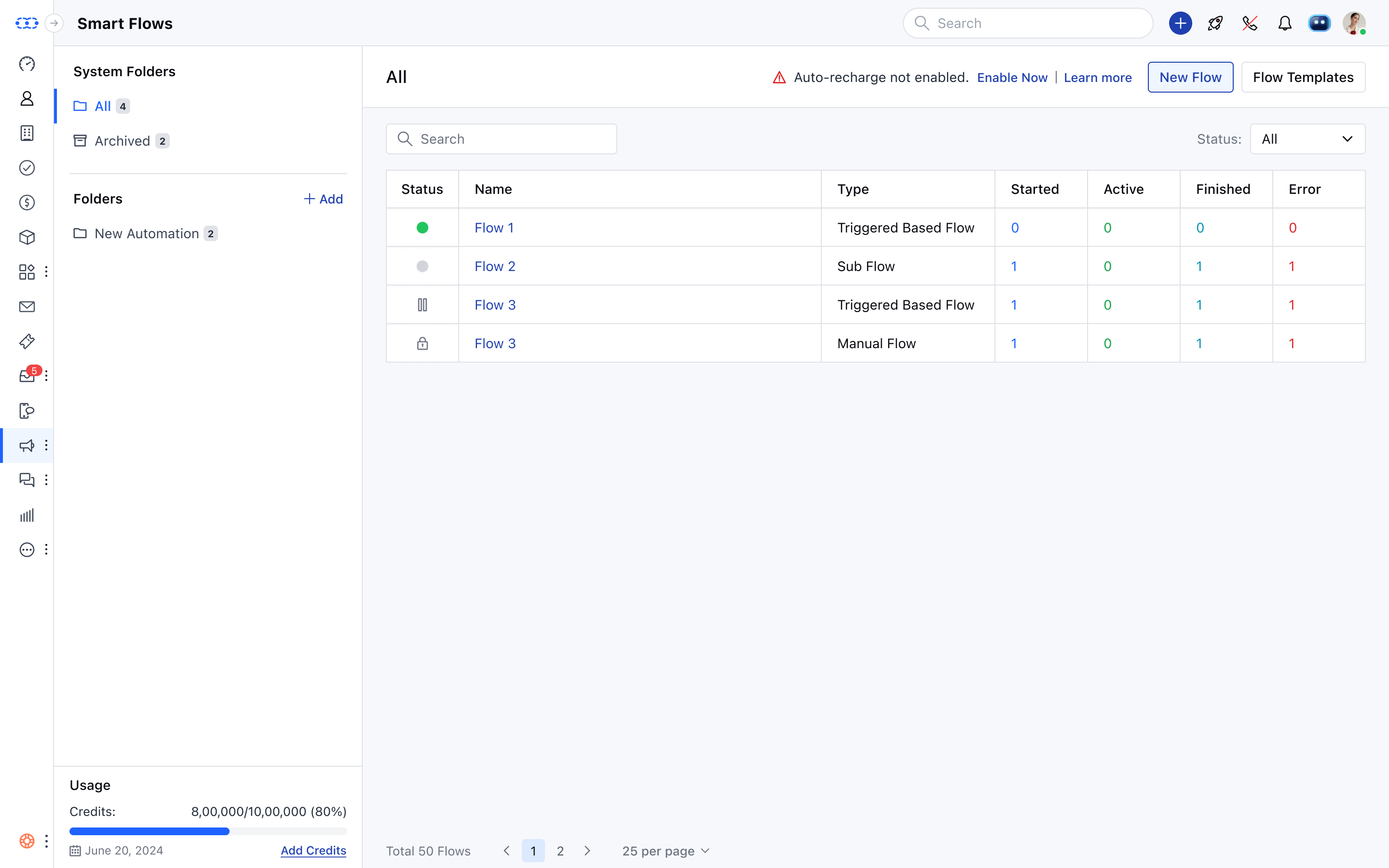
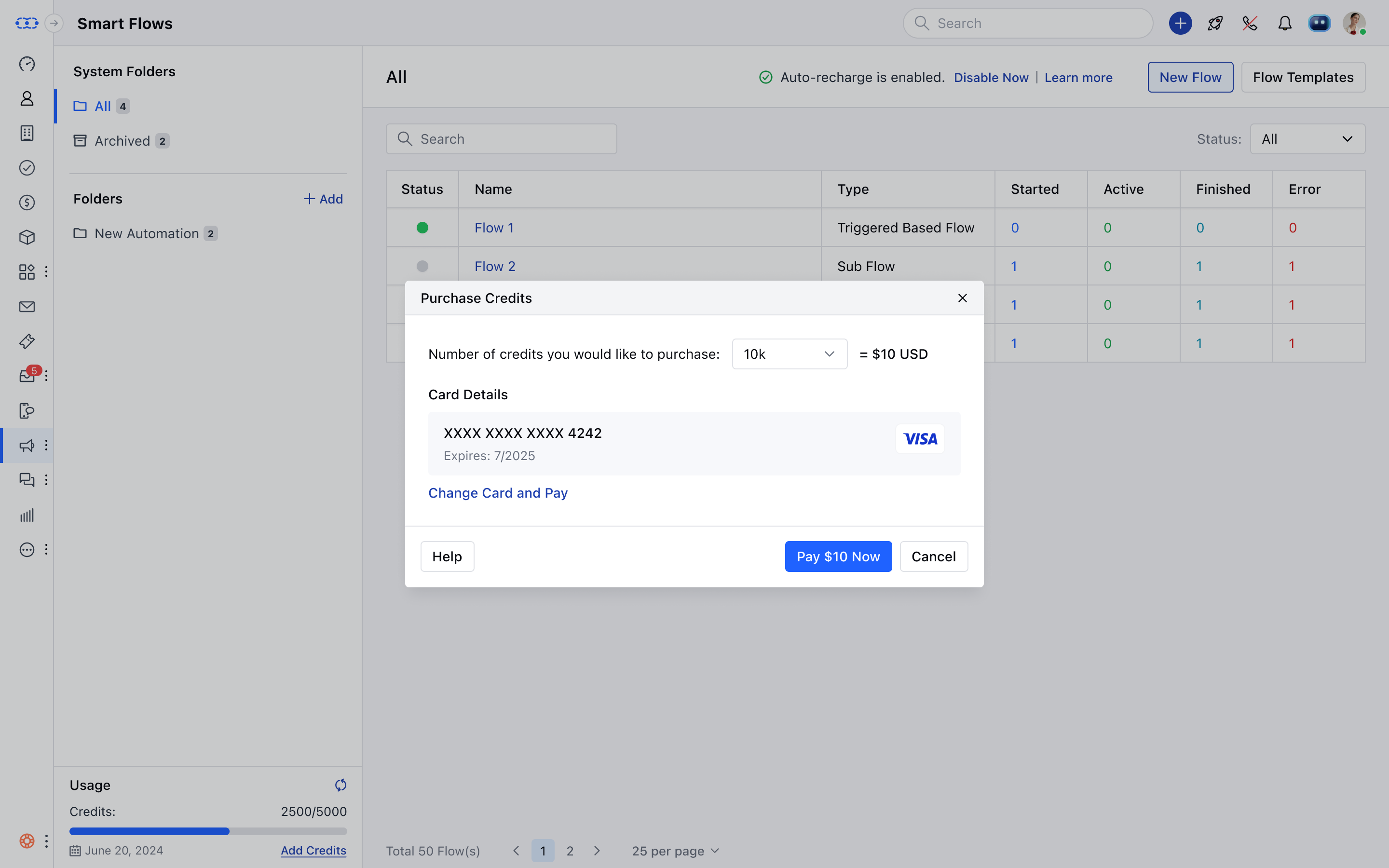
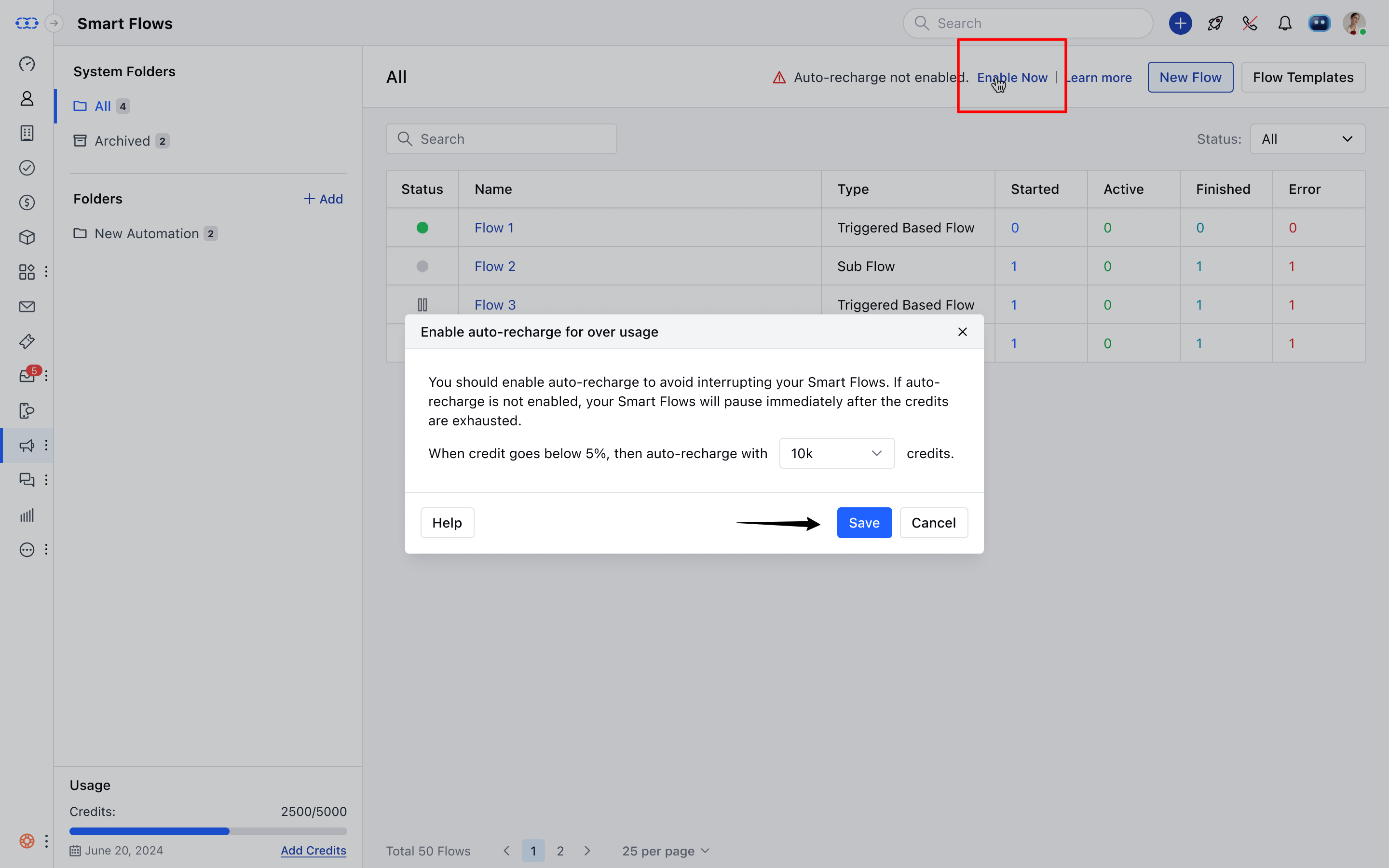
How to Enable Auto-Recharge **Steps to Enable Auto-Recharge:**Navigate to the Smart Flow or Campaign Listing Screen.If auto-recharge is not enabled, you’ll see a warning message just above the listing screen:⚠️ “Auto recharge not enabled. Enable NowClick on **Enable Now.
- **Choose the desired credits for auto-recharge and click Save.
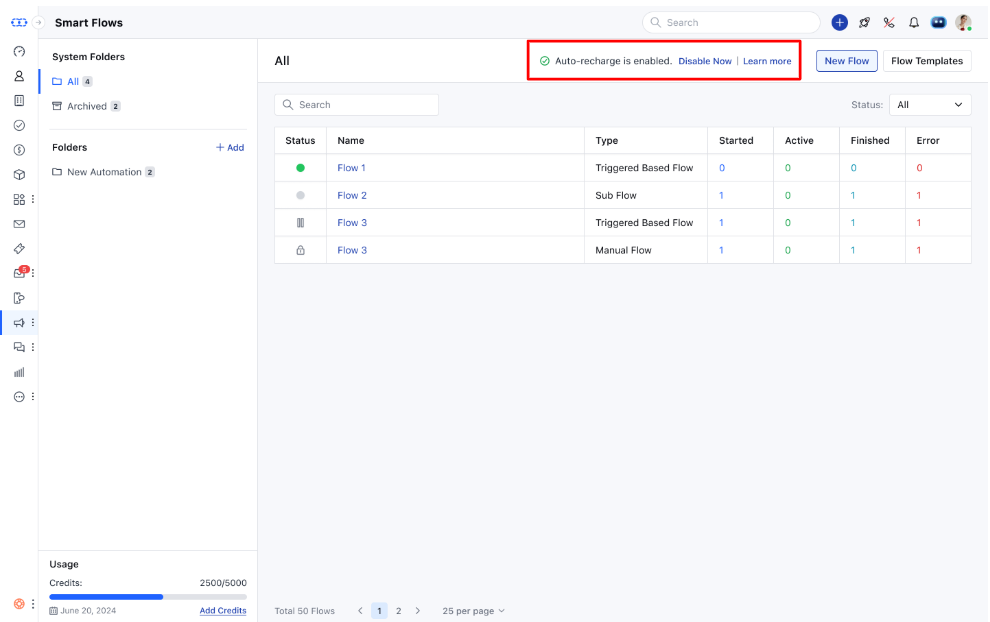
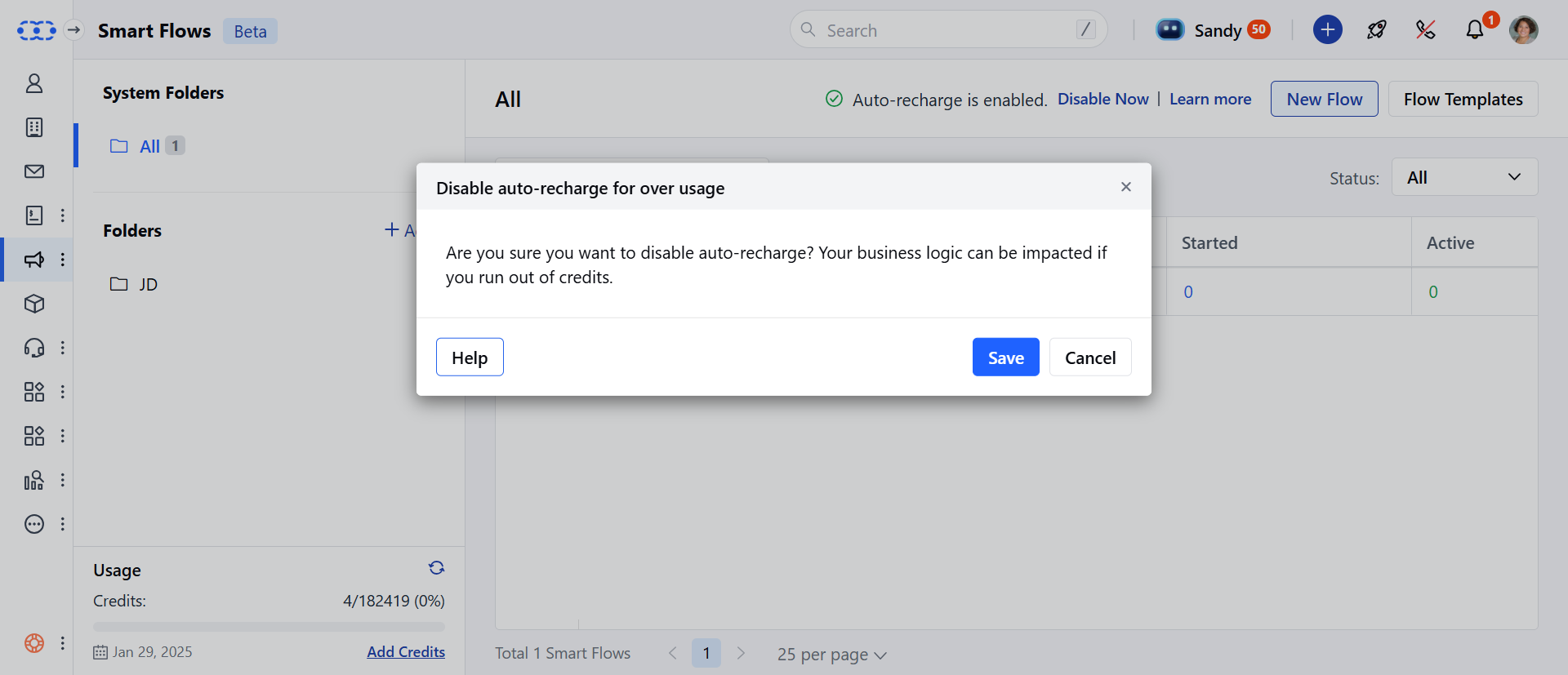
How to Disable Auto-Recharge **Steps to Disable Auto-Recharge:**Navigate to the Smart Flow page.Hit on Disable Now from the top row.
Additional Credits Pricing
If you intend to purchase 100,000 credits, the price applicable would be 130 (1210 as per the first slab) + ($101 as per the second slab)
Effect of Smart Flow on Email campaign
As we learned above, E-mail action consumes 4 credits any E-mails sent via E-mail campaigns will consume 4 credits. For instance, If 100 Emails were sent through Email campaign, it will consume 400 credits. Learn More about credits and how they are consumed. How Contact Quota is Utilized for Automation Journeys and Smart FlowsHow contact quota is utilized for Automation Journeys and Smart flow
Automation Journeys consume your contact quota based on the number of unique contacts triggered within a billing cycle. If you have a paid subscription for Automation Journeys, Smart Flows will share the same contact quota.- For example: