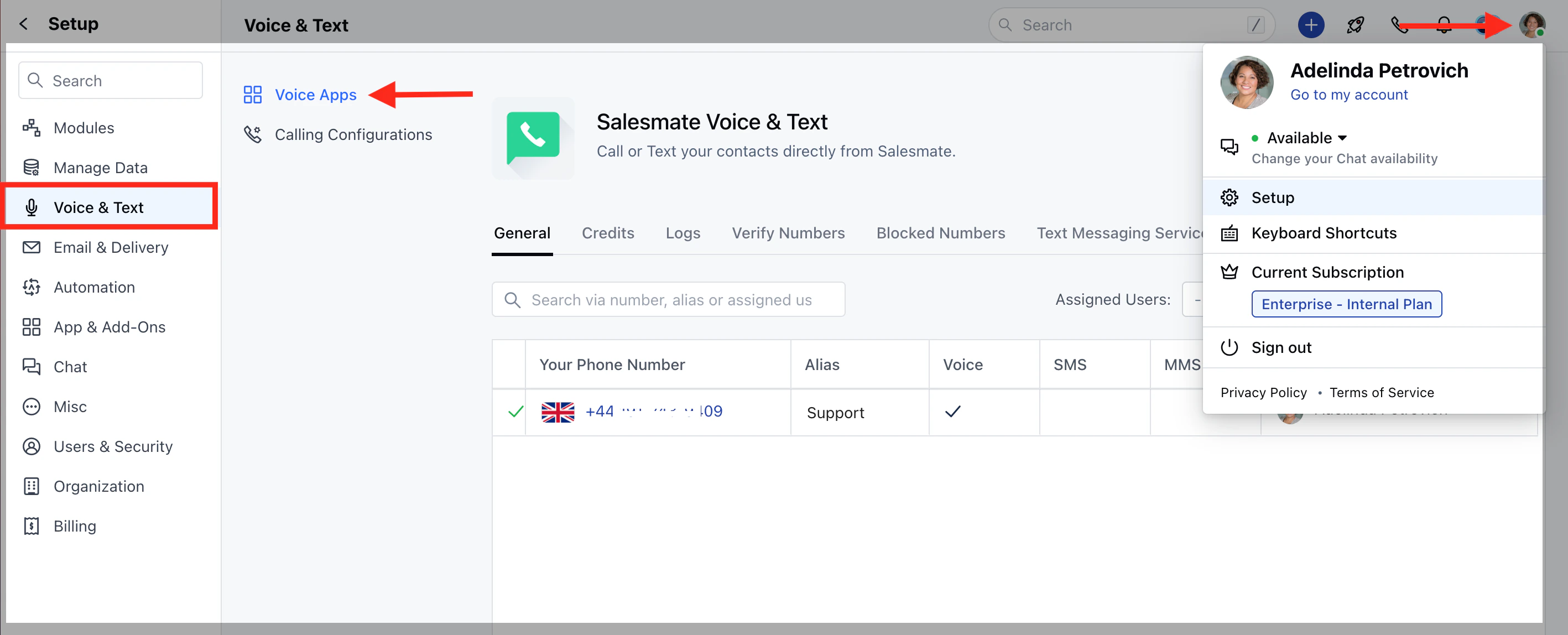
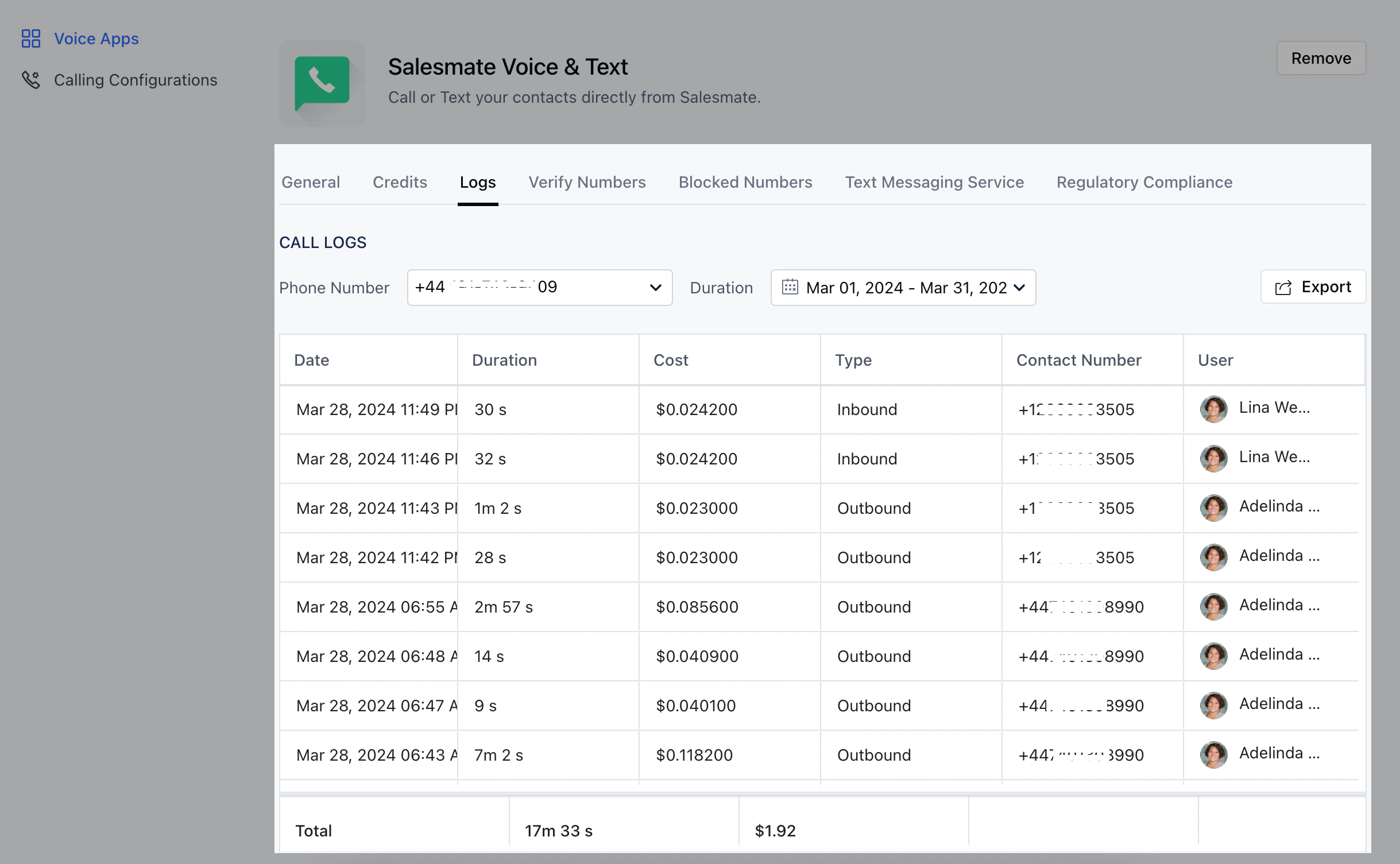
Every call that was made or answered by each sales rep can now be seen with the help of the call logs on each number. To check the call cost :Navigate to the Profile Icon on the top right cornerClick on Setup Head over to Voice & Text categoryClick on Voice AppsOn the Salesmate Voice & Text Page hit the Logs TabYou will be able to see each charge on the selected numberYou can select the number and duration for which you wish to view the logs