

- To Setup the Calling Configuration: Navigate to the Profile Icon on the top right cornerClick on Setup Head over to Voice & Text categoryClick on Calling Configuration
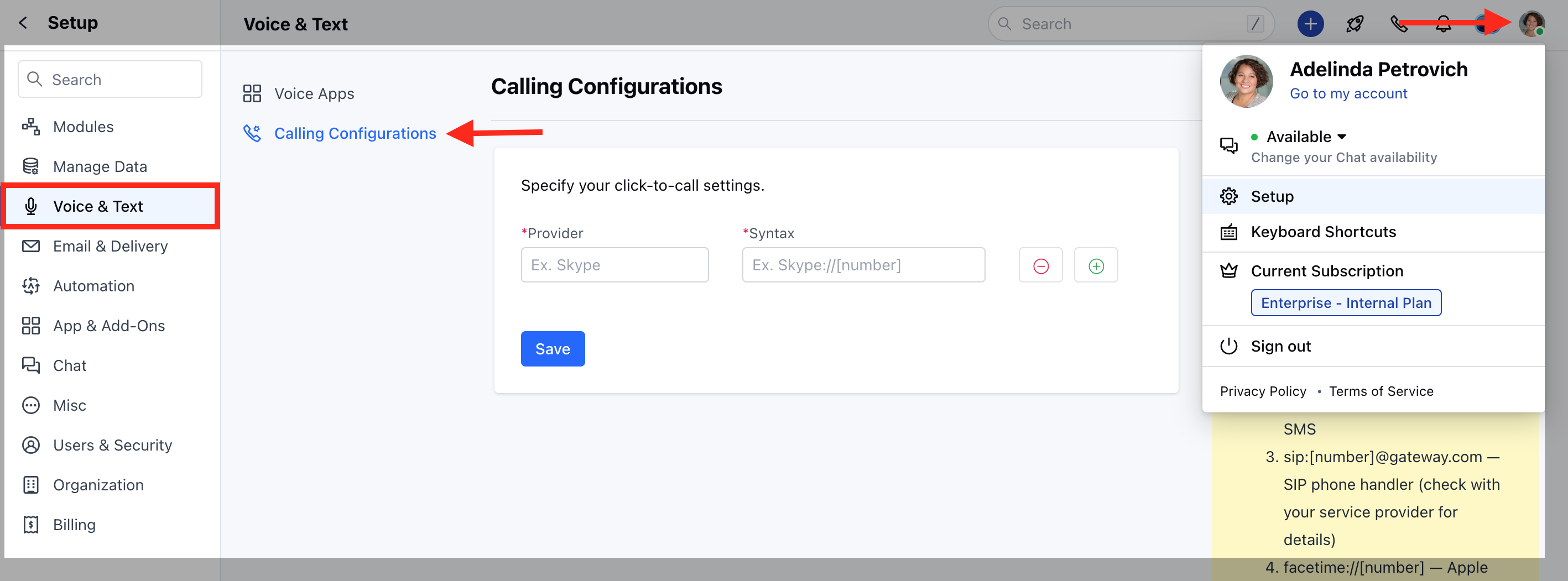
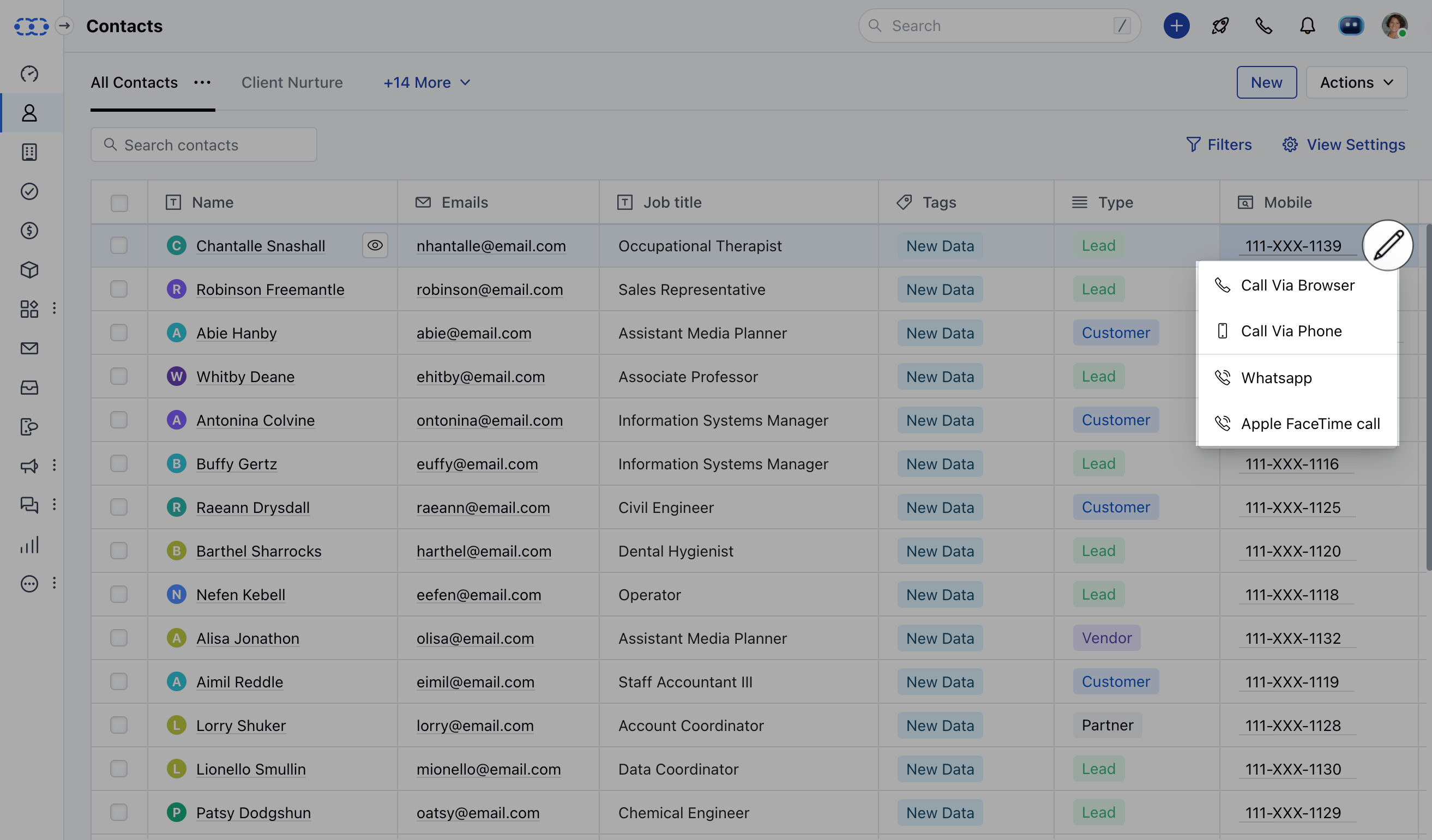
- Provider label: This will be shown at the time of initiating calls from the screen for example: “Apple”
- Syntax: This will be used by Salesmate to call protocols that will be listened to by the browser or installed apps.You can set up multiple click-to-call options from the pageHit Save to store all those options.
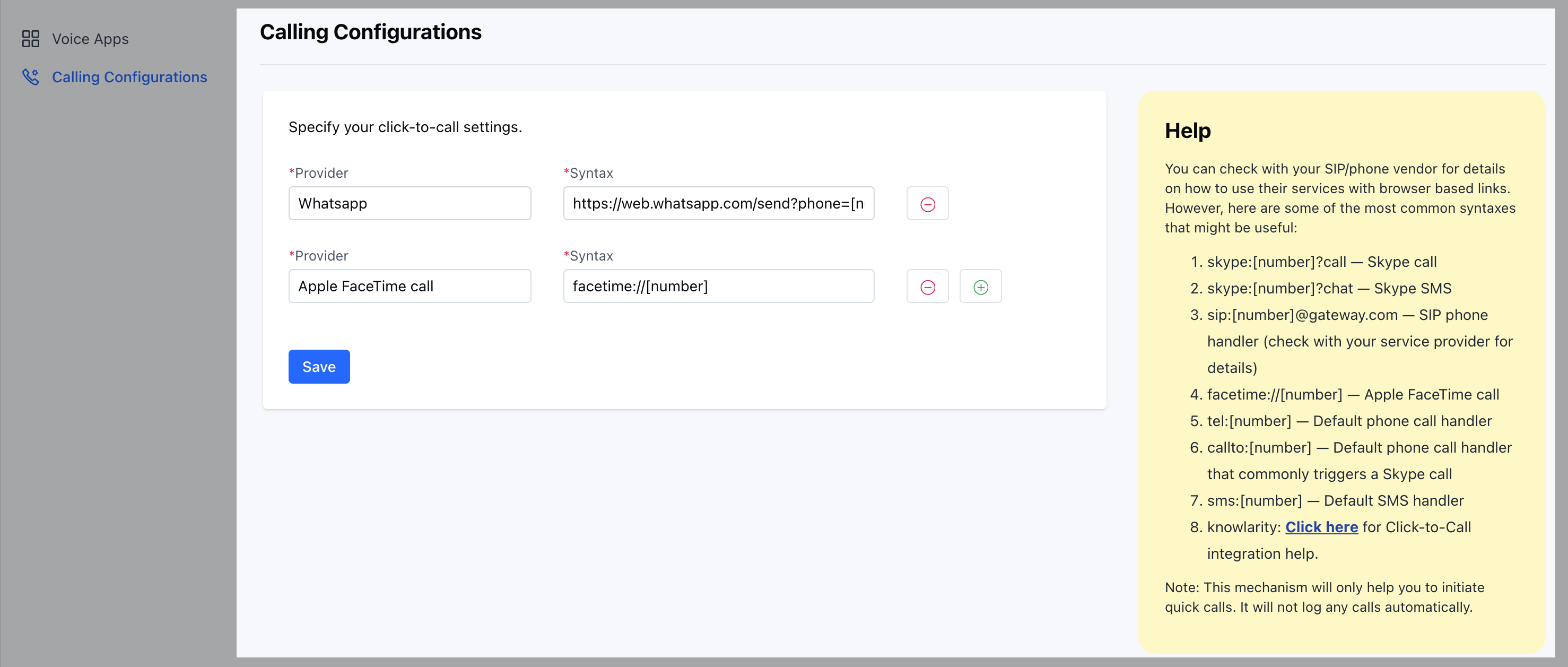
- knowlarity: Click here for Click-to-Call integration help.
- Whatsapp: https://web.whatsapp.com/send?phone=[number] Note: This facility only allows you to make calls using the configured app and does not have the facility to record or log calls. If you are looking for features like call logging, call recording, and call transfer please refer to Salesmate Built-in Voice & Text OR Ring Central Integration features.