

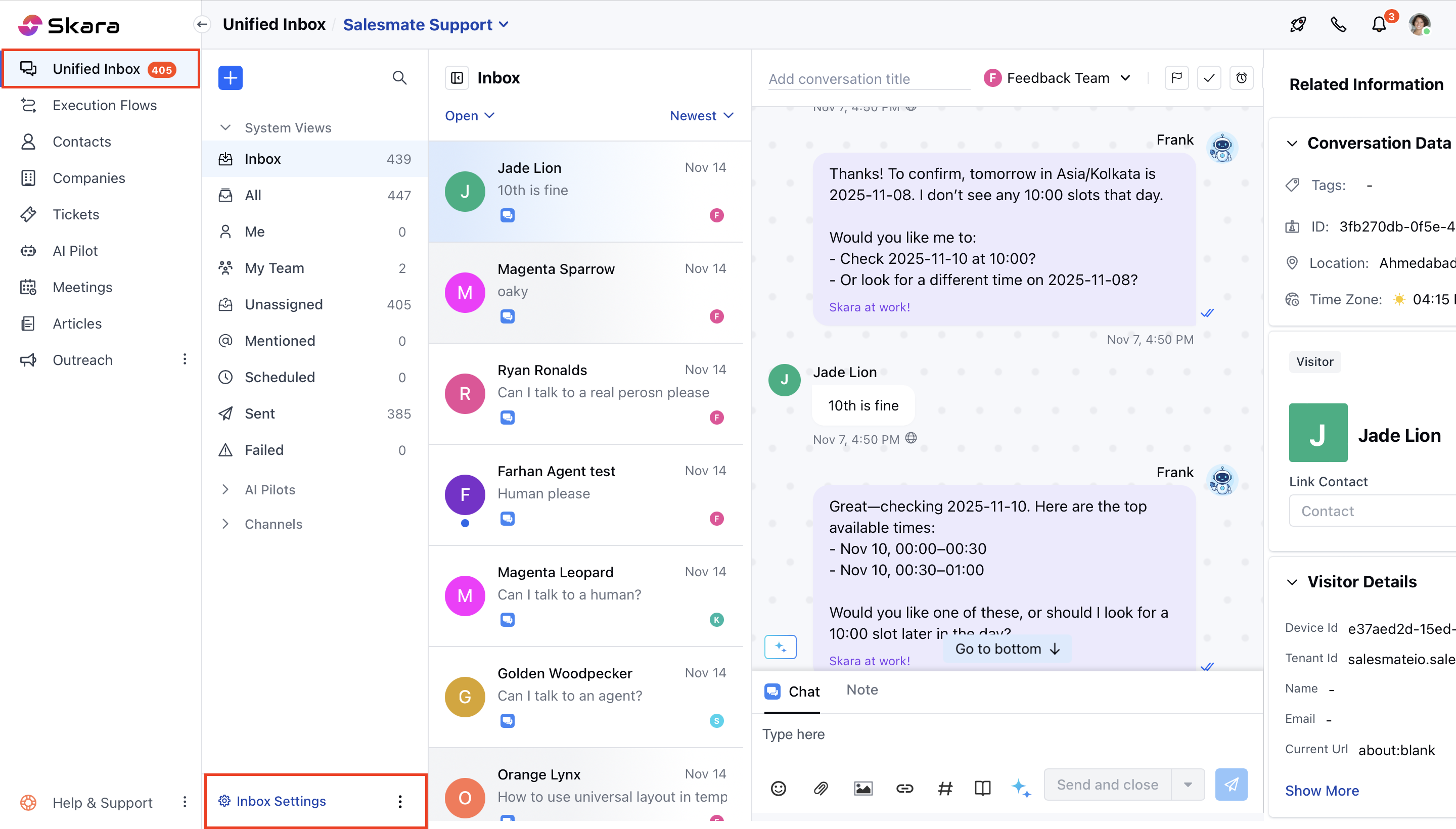
- Click on Unified inbox
- Head to Chat Settings on bottom left.
- Switch to My Preferences in the left sidebar
- Click on the “Assignment Preference” tab.
- Select your preference.
- Assign conversation to me
- Keep it unassigned
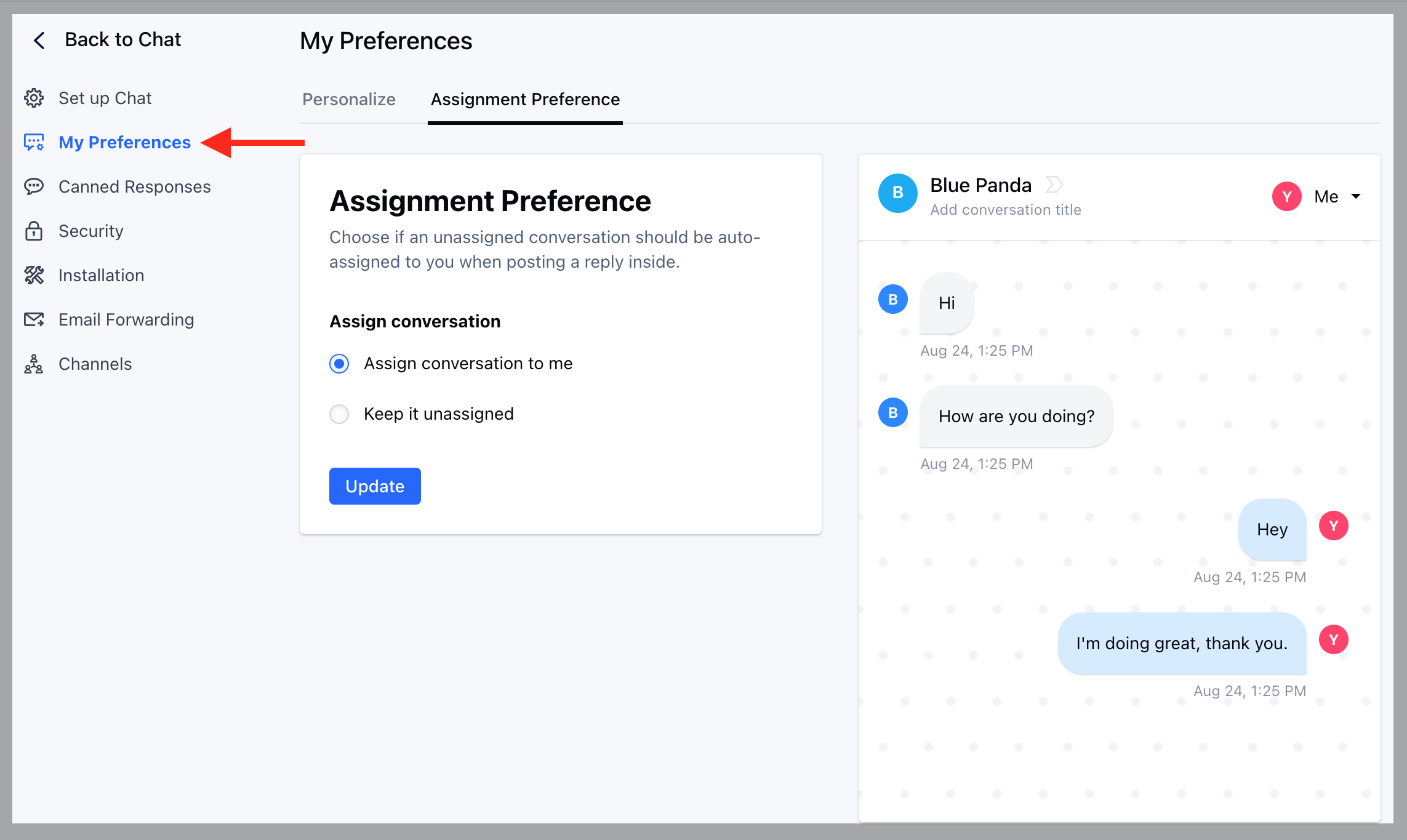
- Hit the Update button to save your changes
- These changes will reflect in your inbox once a new conversation is created, it will assign to you if you reply inside an unassigned conversation (as per the settings configured in the above image).