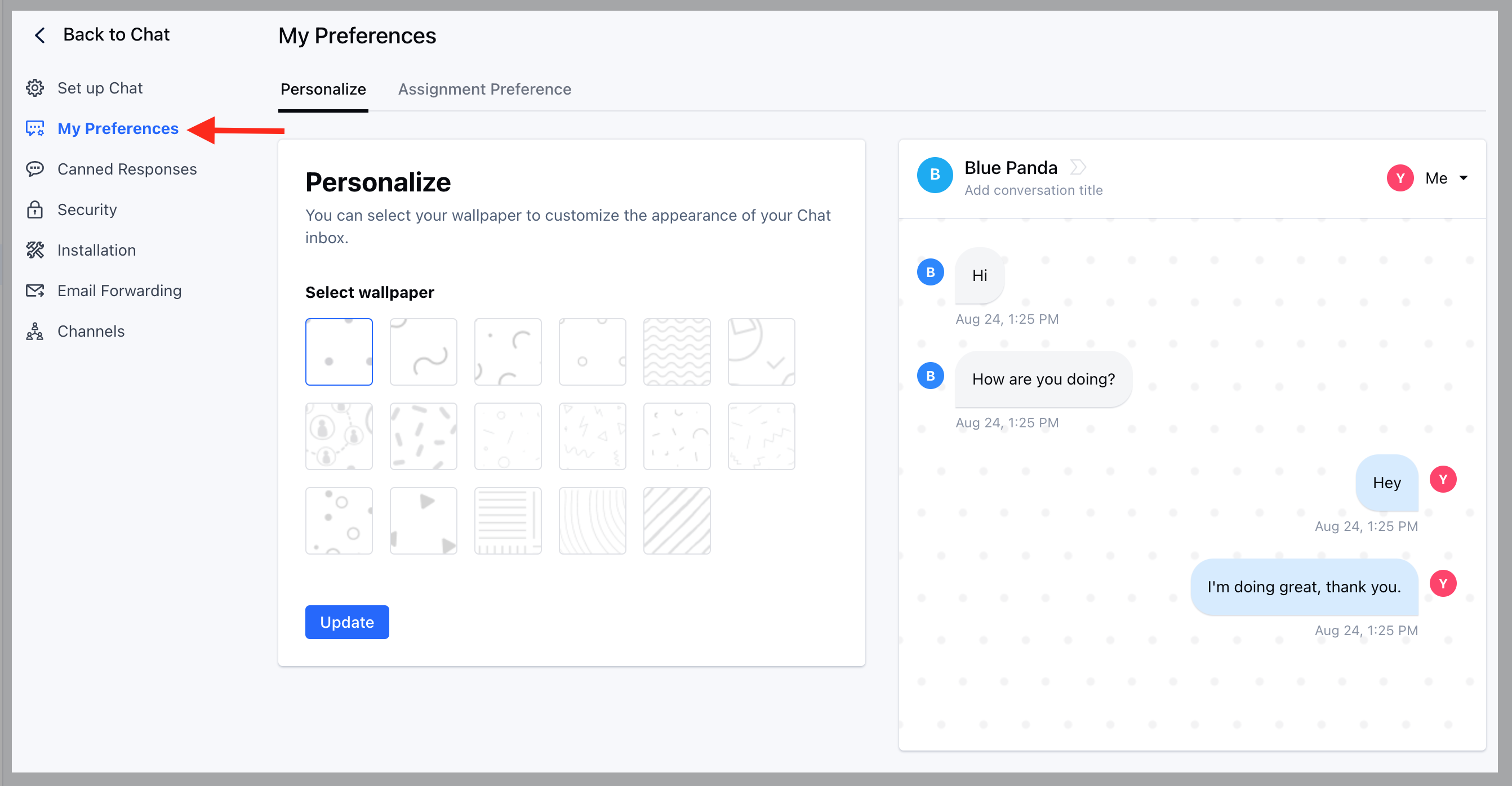
- Navigate to Conversations Icon on the left menu bar
- Click on Chats
- Head to Chat Settings on bottom left
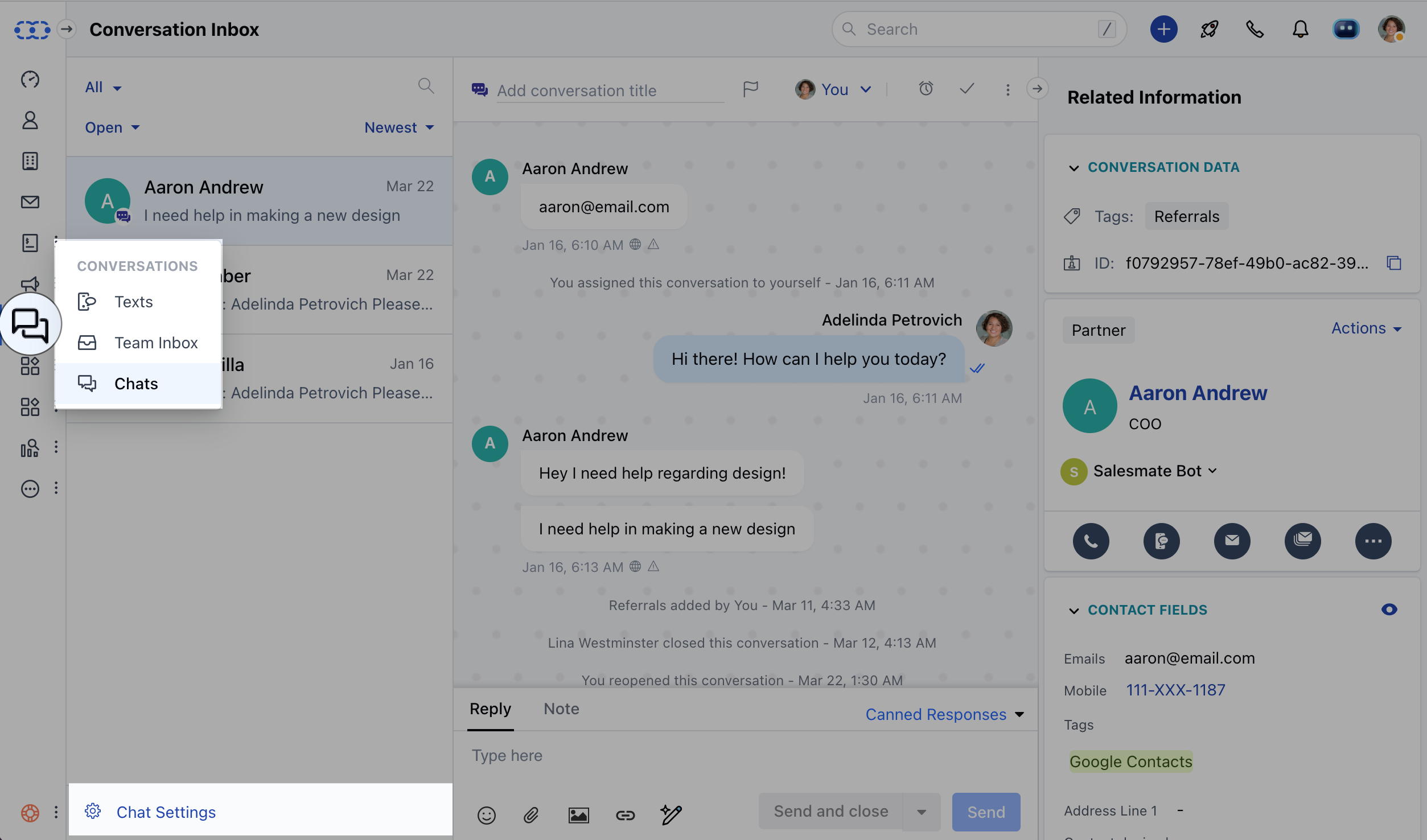
- Click on the My Preferences link in the left sidebar
- Click on the “Personalize” tab.
- Now you can select your preferred wallpaper and see how it looks in the live preview shown on the right side.
- Hit the Update button to save your changes.