

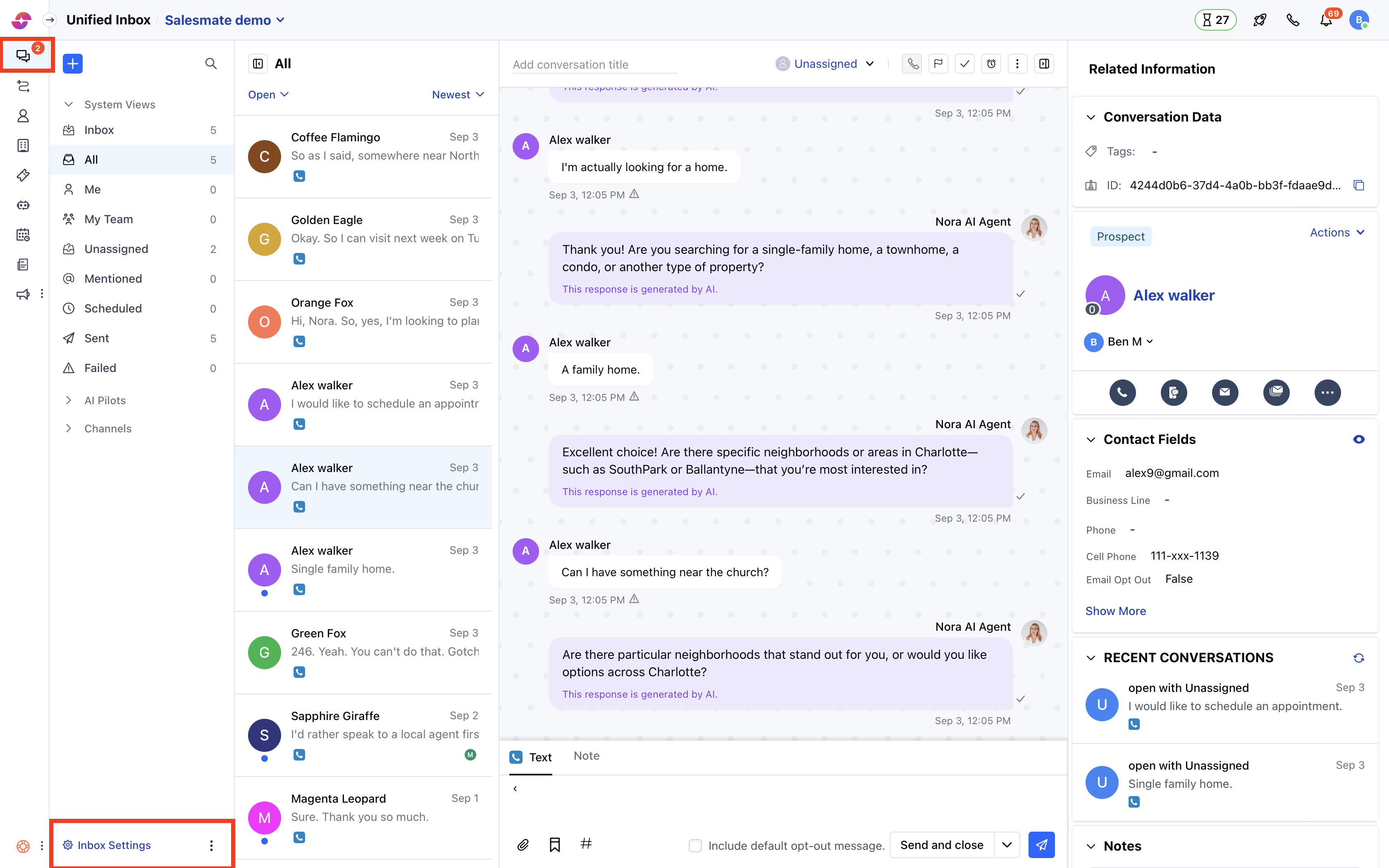
- Navigate to Conversations Icon on the left menu bar
- Click on Chats
- Head to Chat Settings on bottom left.
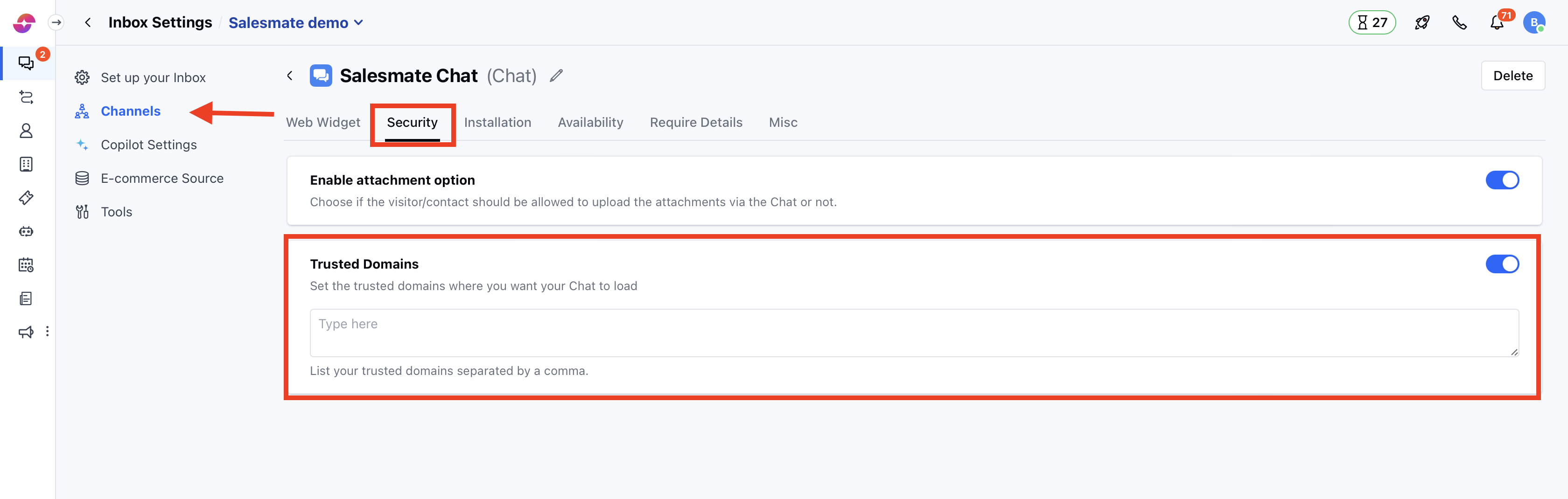
- Switch to the Security tab in the left sidebar
- Click on the “Trusted Domains” tab
- List your trusted domains separated by a comma
- Hit Update to save your changes.
Note:
- Only users with “Manage Chat settings” permission can access this setting.
- If you skip this setting, then Chat will load from all domains.
- You can provide multiple domains separated by a comma. E.g. www.yourwebsite.com, www.yourwebsite.net
- To list all subdomains, use an asterisk, like *.yourwebsite.com.
- Ensure you add the entire domain name (i.e. www.yourwebsite.com). Please note yourwebsite.com and www.yourwebsite.com are two different domains.