- Topics covered: -
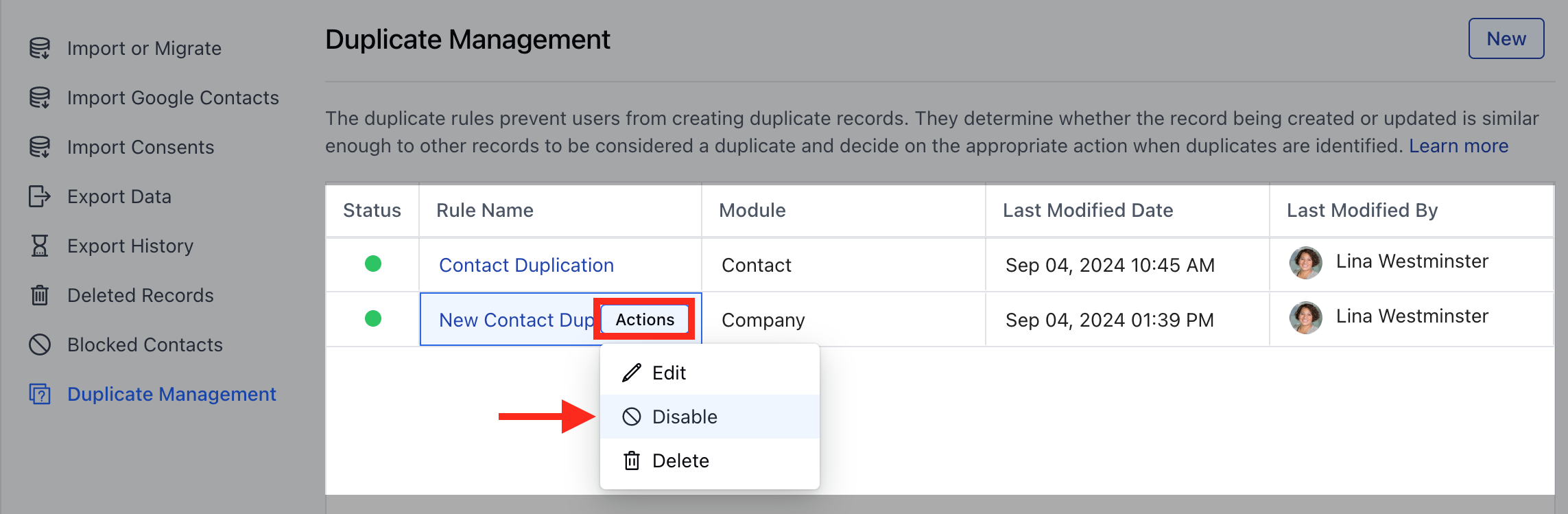
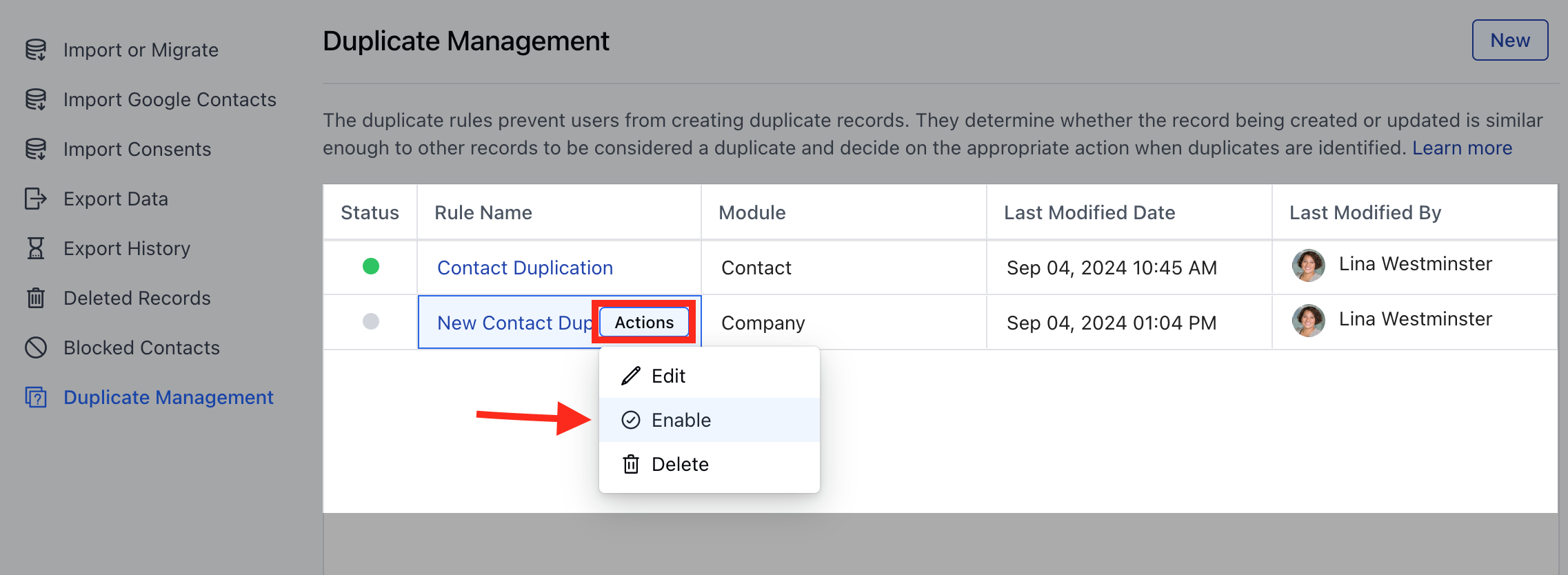
- Activate the Duplicate Rule
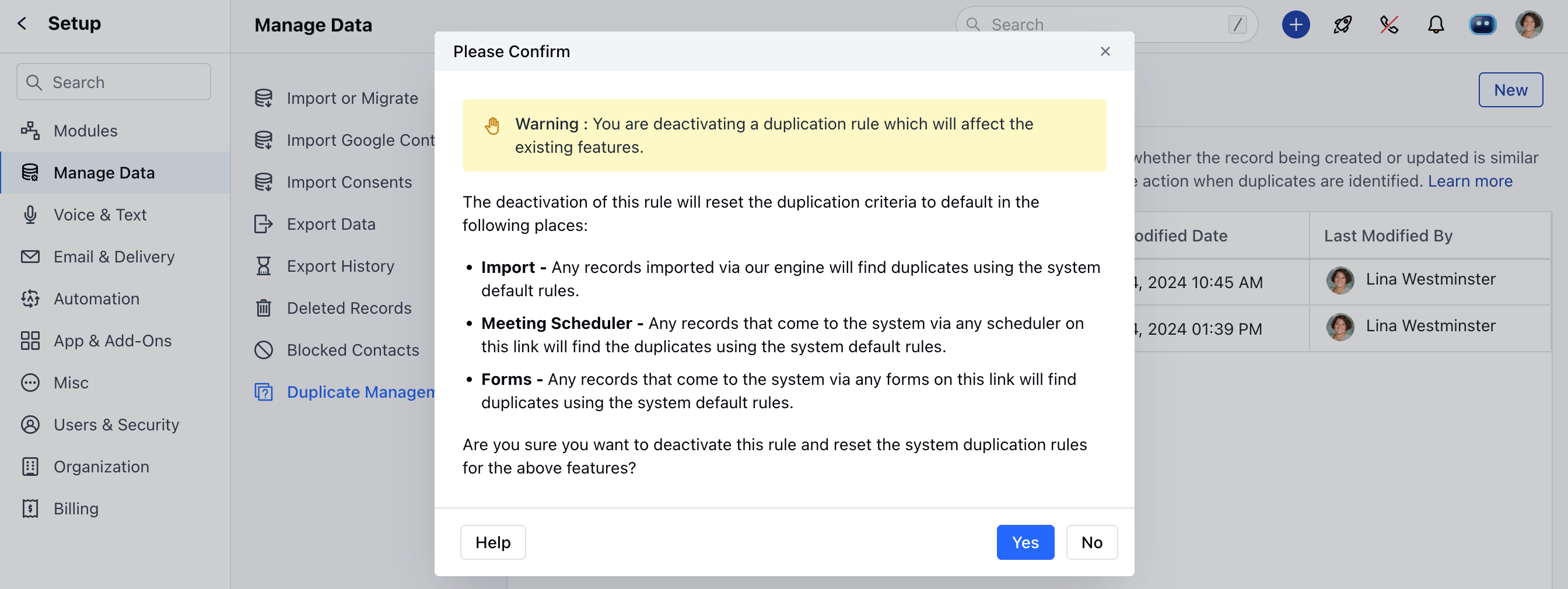
- Deactivate the Duplicate Rule
Activate the Duplicate Rule
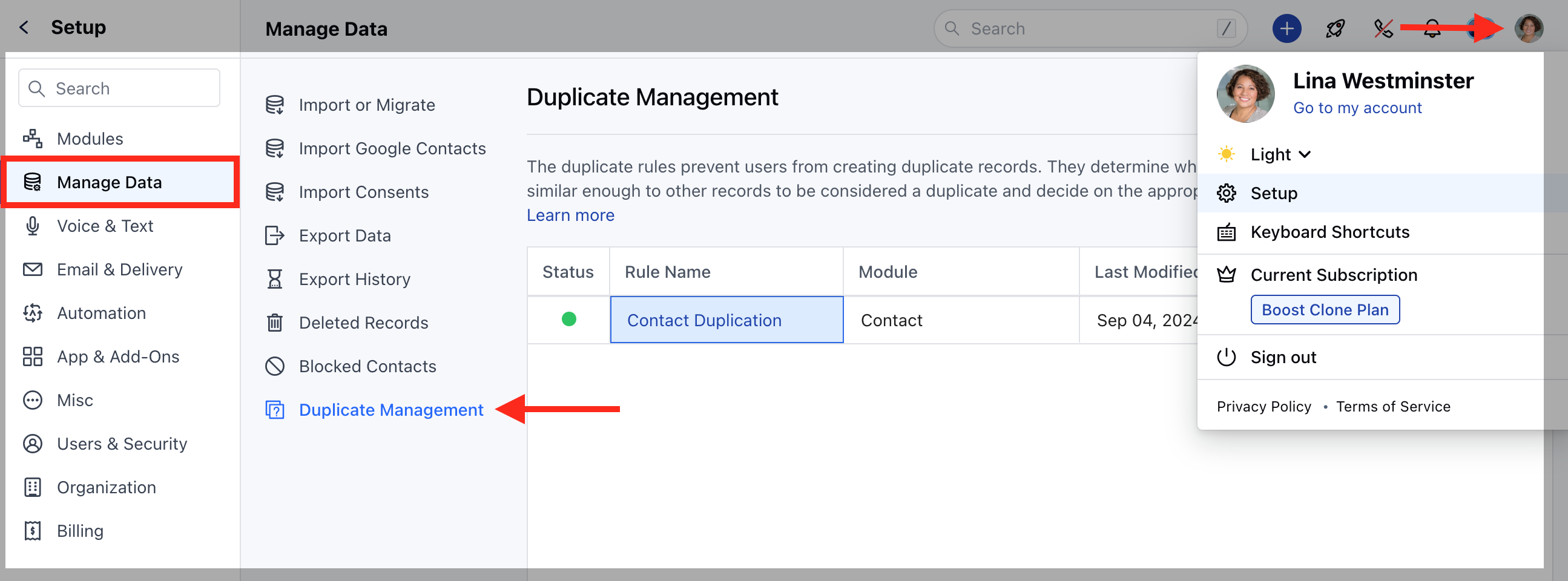
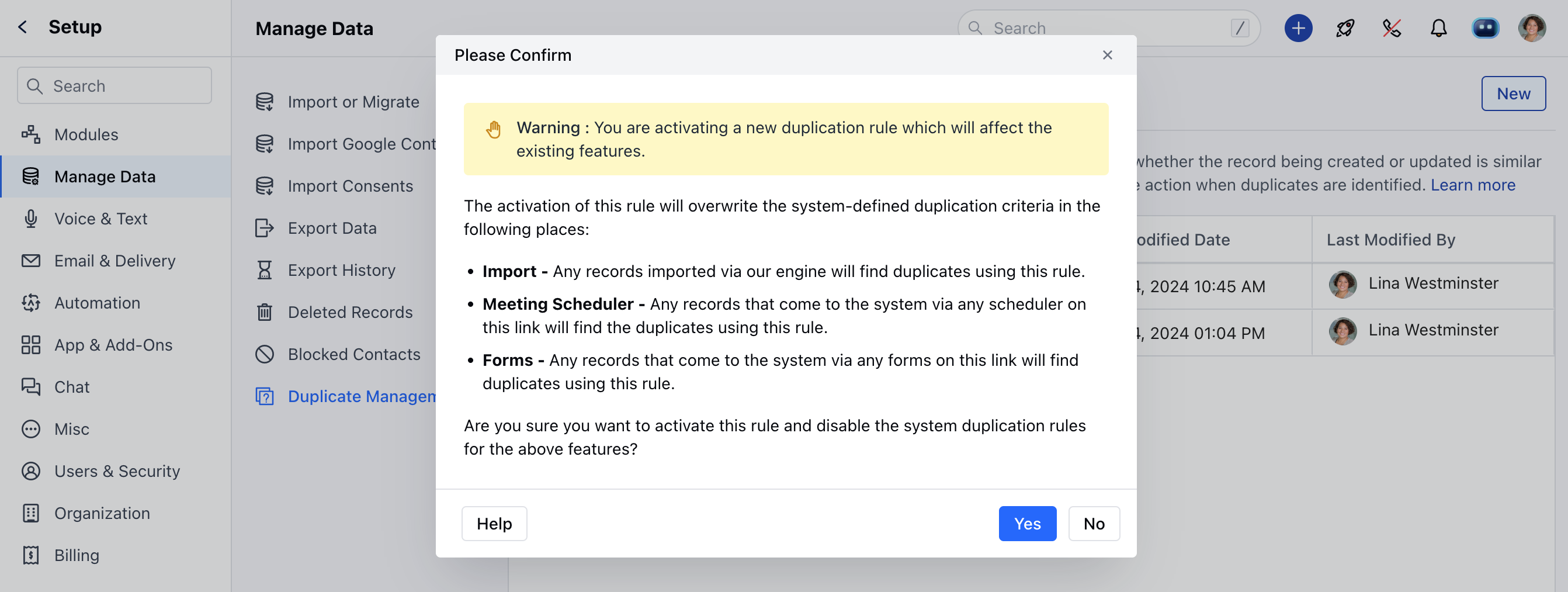
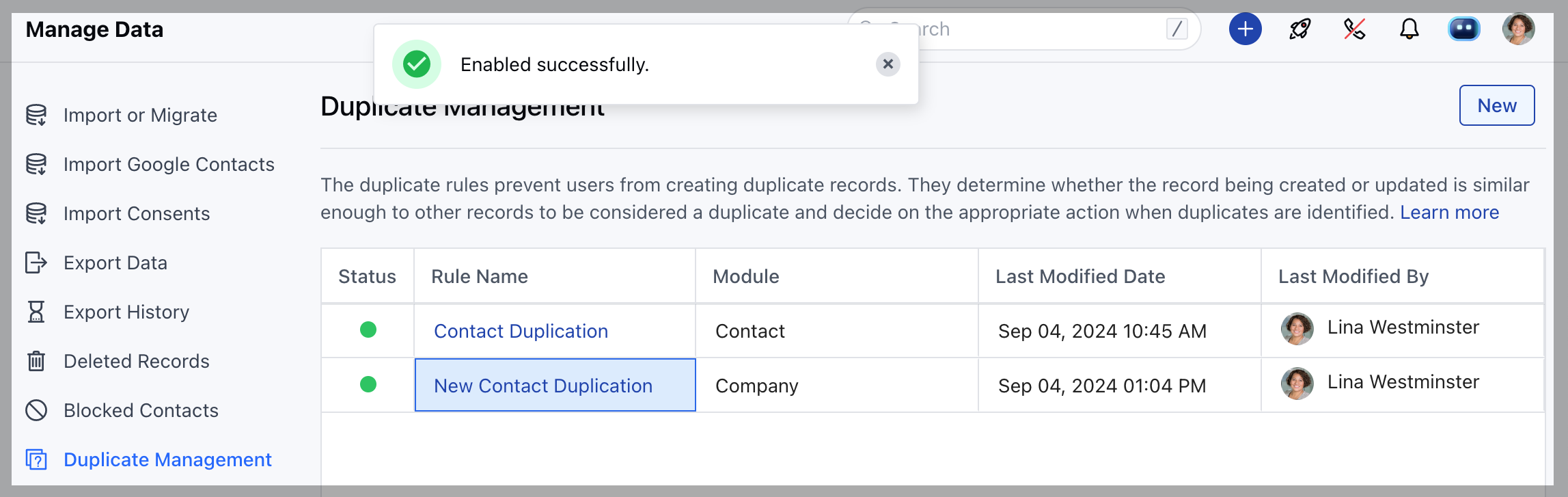
To Activate Duplicate Rule, Navigate to the Profile Icon on the top right corner.Click on the **Set Up.- **Head over to the Manage Data category.Click on the Duplicate Management option.
- Meeting Scheduler: Any records that come to the system via any scheduler on this link will find the duplicates using this rule.
- Forms: Any records that come to the system via any forms on this link will find duplicates using this rule.
Deactivate the Duplicate Rule
To Deactivate Duplicate Rule, Navigate to the Profile Icon on the top right corner.Click on the **Set Up.- **Head over to the Manage Data category.Click on the Duplicate Management option.