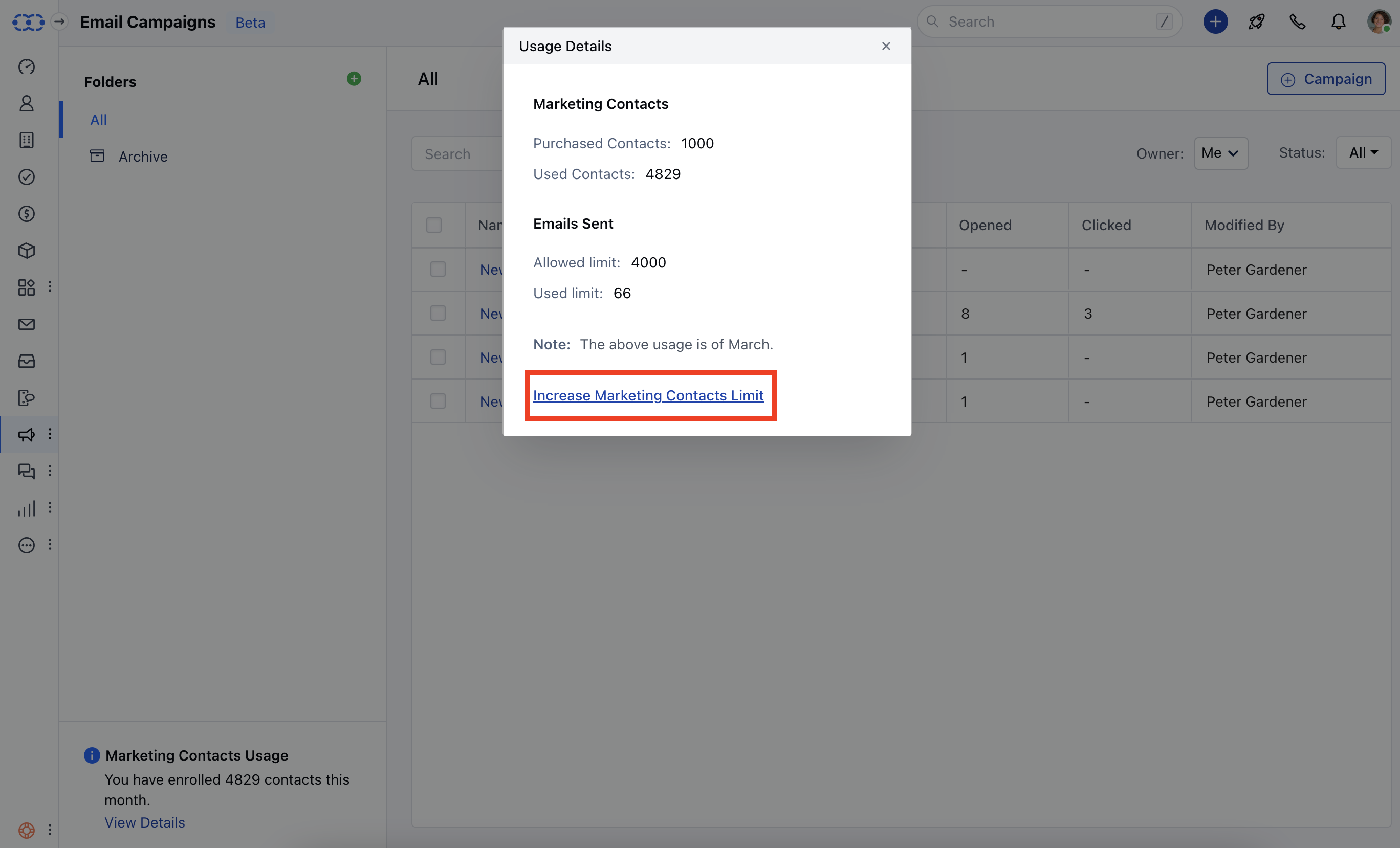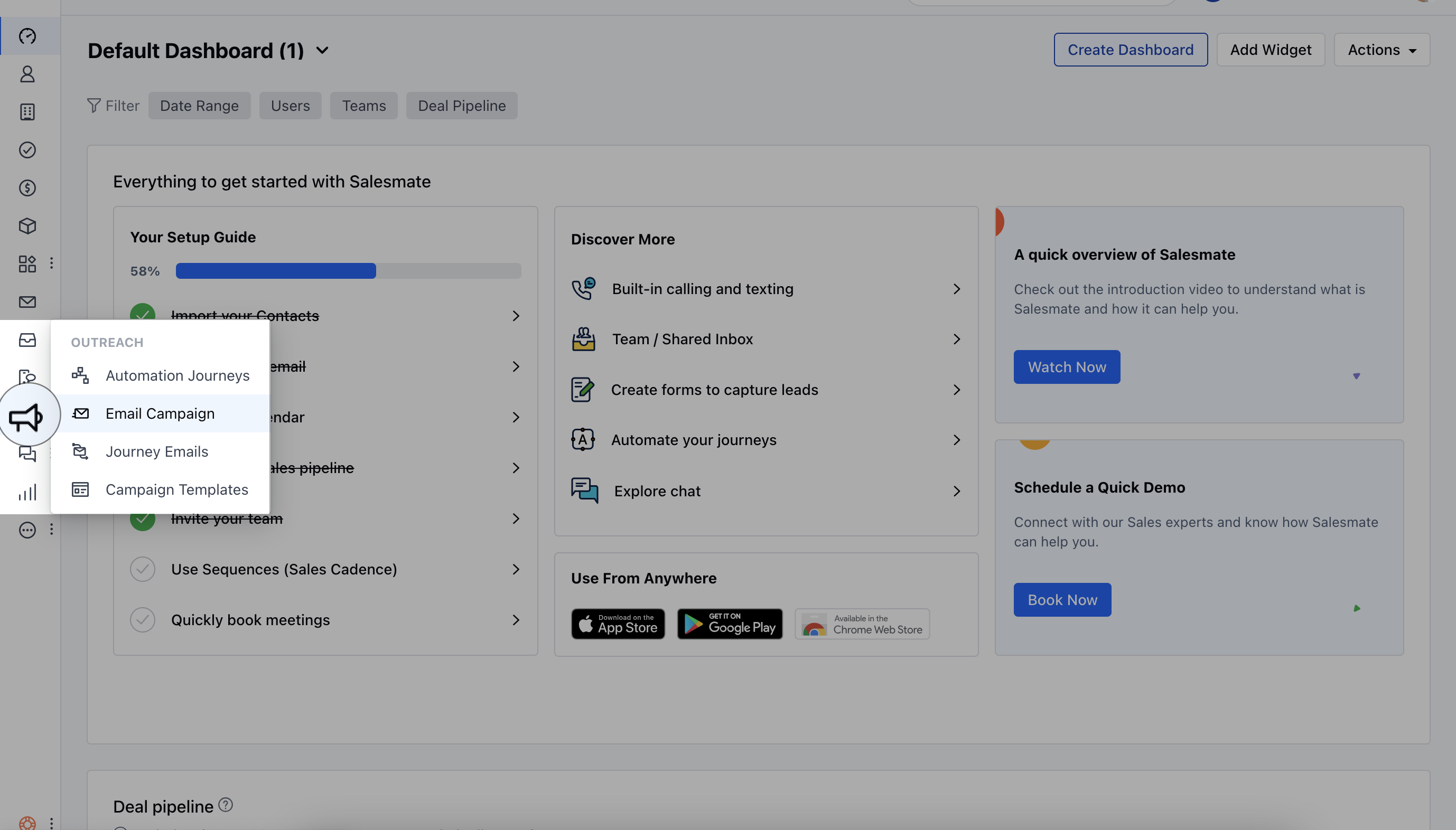
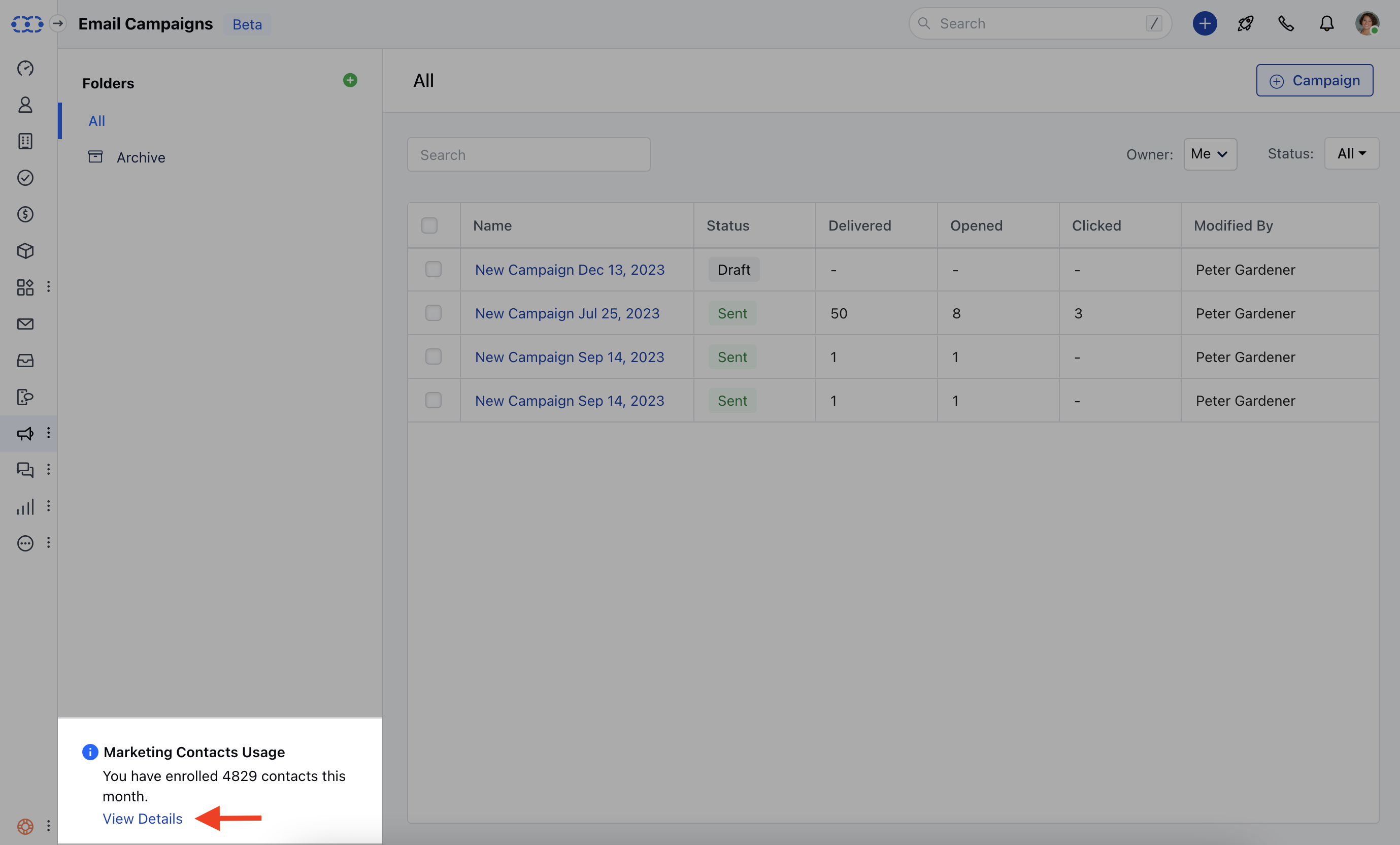
Used Contacts The Used Contacts section shows the number of contacts that have been utilized in the automation journey or campaign. This information gives you an overview of how many contacts have been engaged or included in your marketing efforts.
Allowed Limit The Allowed Limit indicates the maximum limit set for the number of emails you can send through your automation journey or campaign. It is essential to be aware of this limit to avoid exceeding your email-sending capabilities.
Used Limit The “Used Limit” section presents the actual number of emails that have been sent through your automation journey or campaign. This data allows you to monitor your email usage and evaluate the effectiveness of your marketing communications.
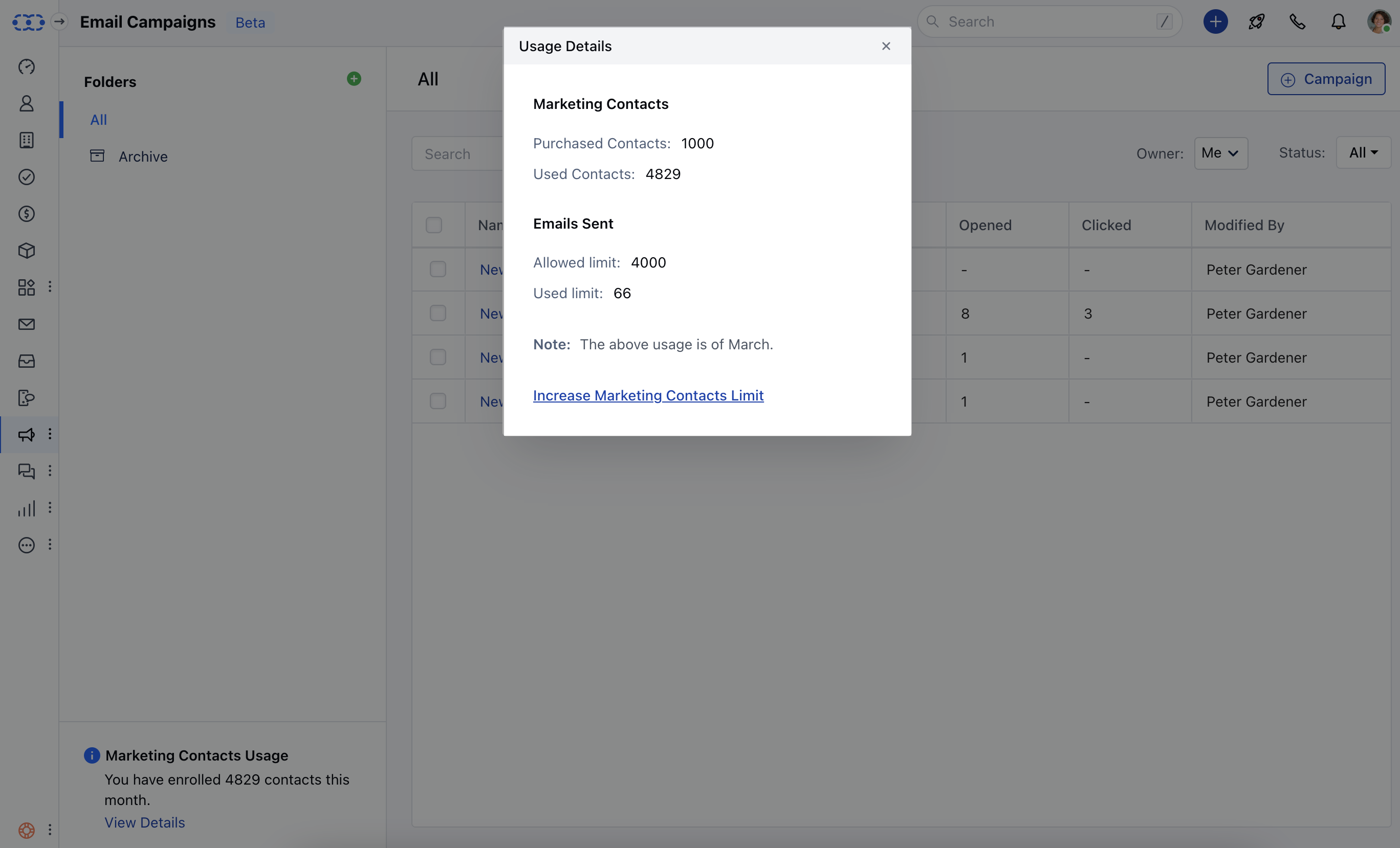
Increasing Marketing Contacts Limit If you find that you need to increase your marketing contacts limit, which refers to the contacts limit specifically for your automation journeys, you have the option to do soOn the usage details popup, you will find a link or button that leads to the subscription upgrade page. Click on this option to access the page where you can increase your marketing contacts limit according to your requirements.