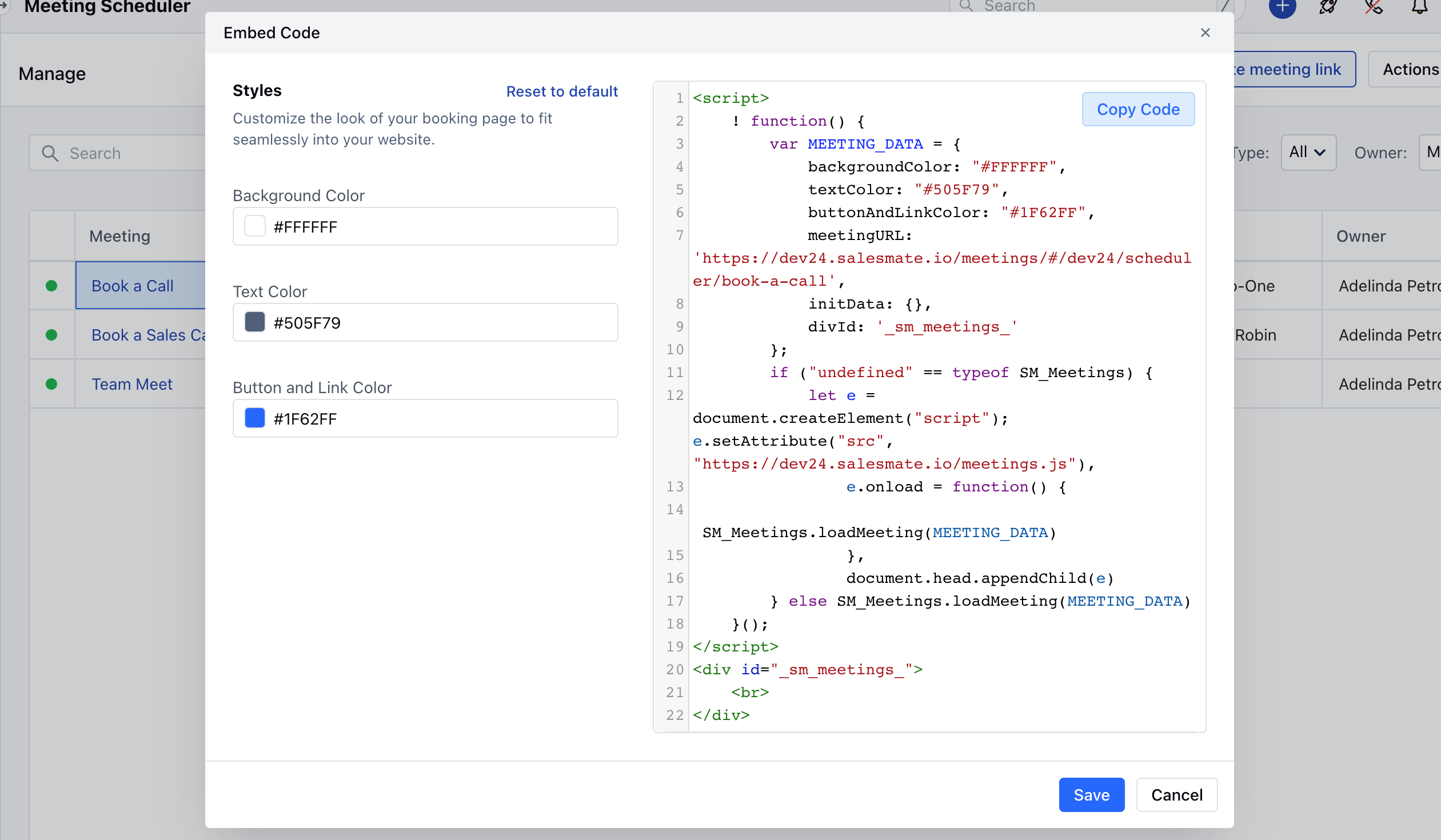
Generate embed code for particular user.
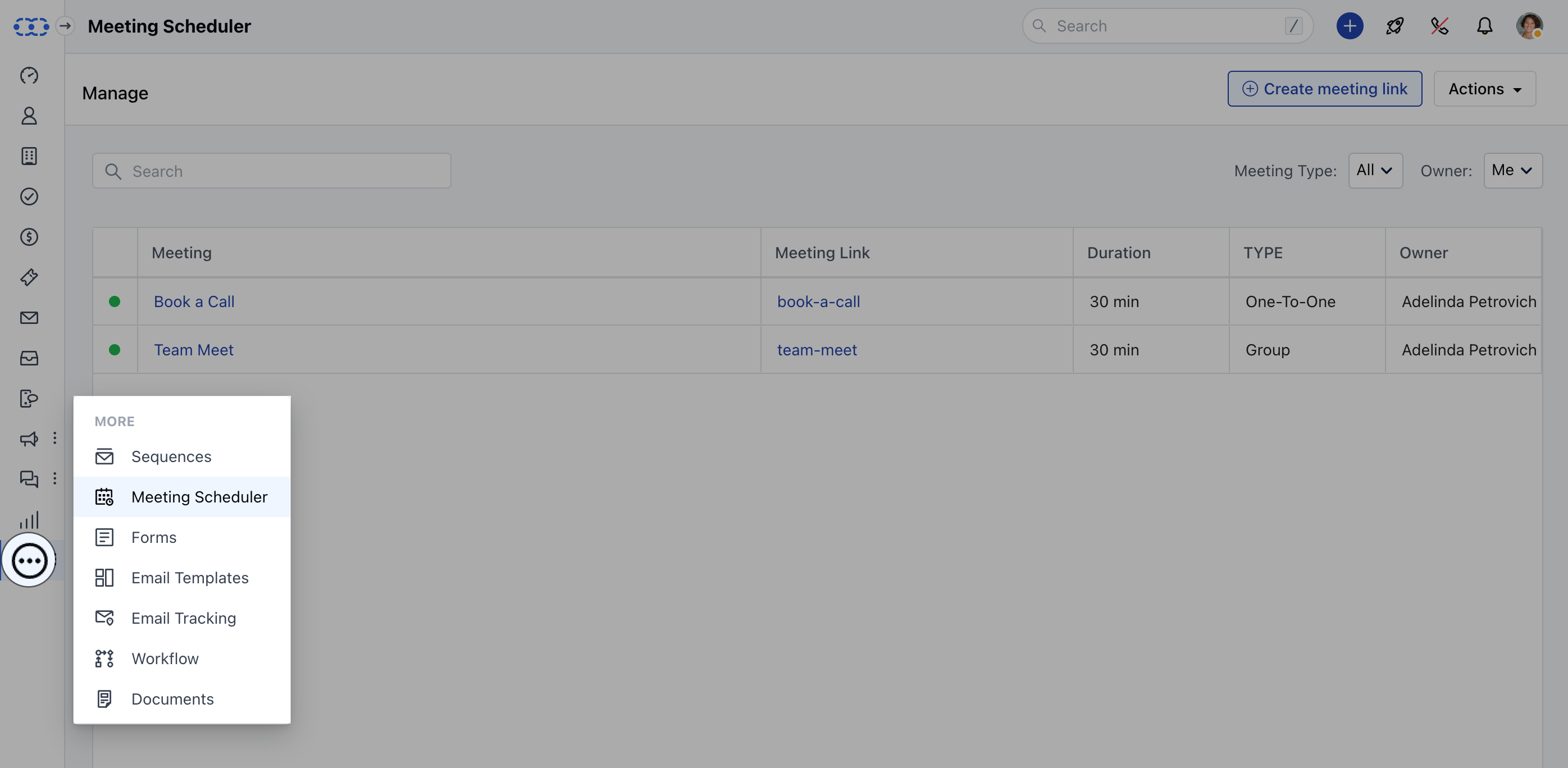
To copy the code, follow the steps below:- Navigate to the More option from left sidebar menu
- Click on Meeting Scheduler
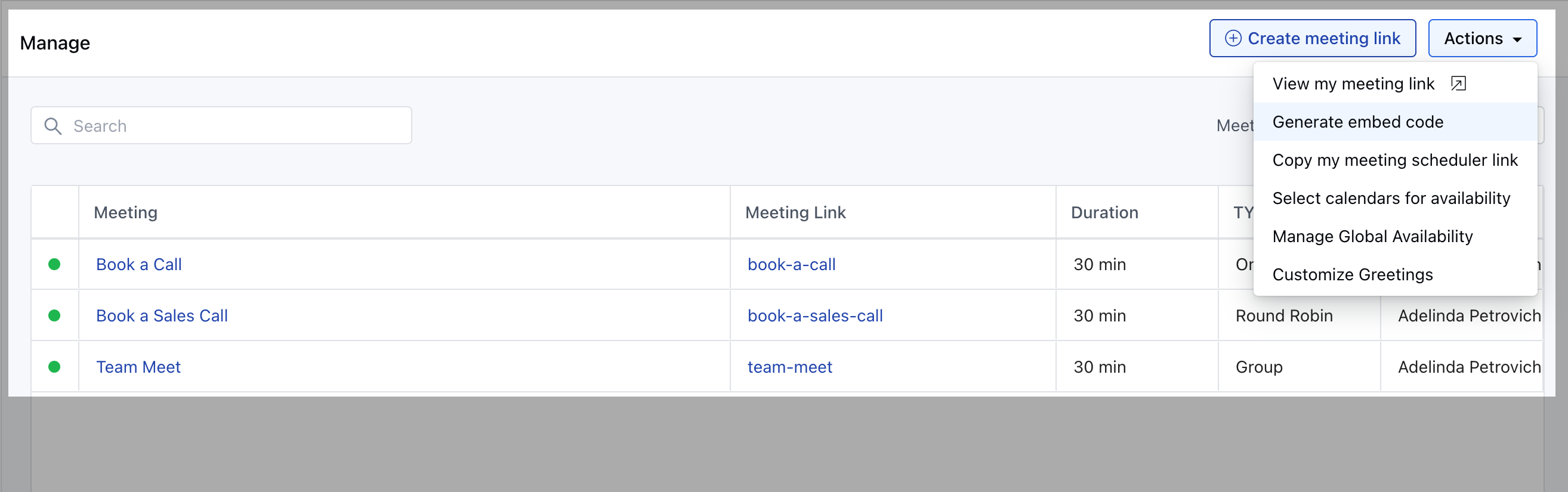
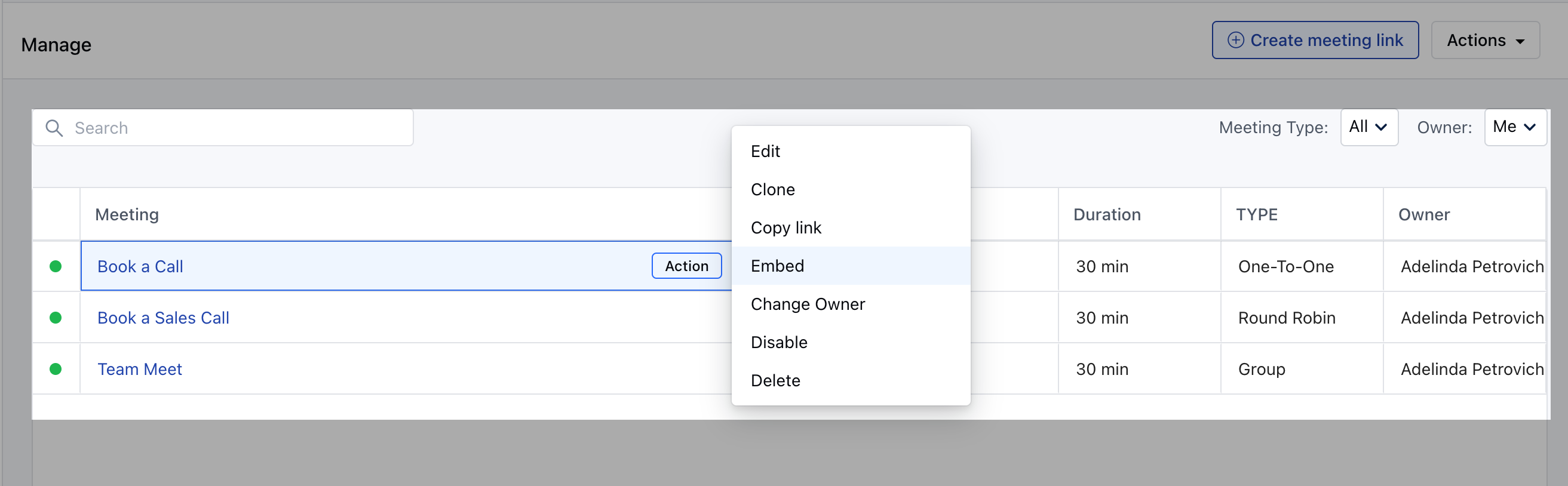
- Click on Actions menu of the Meeting >> Generate embed code.
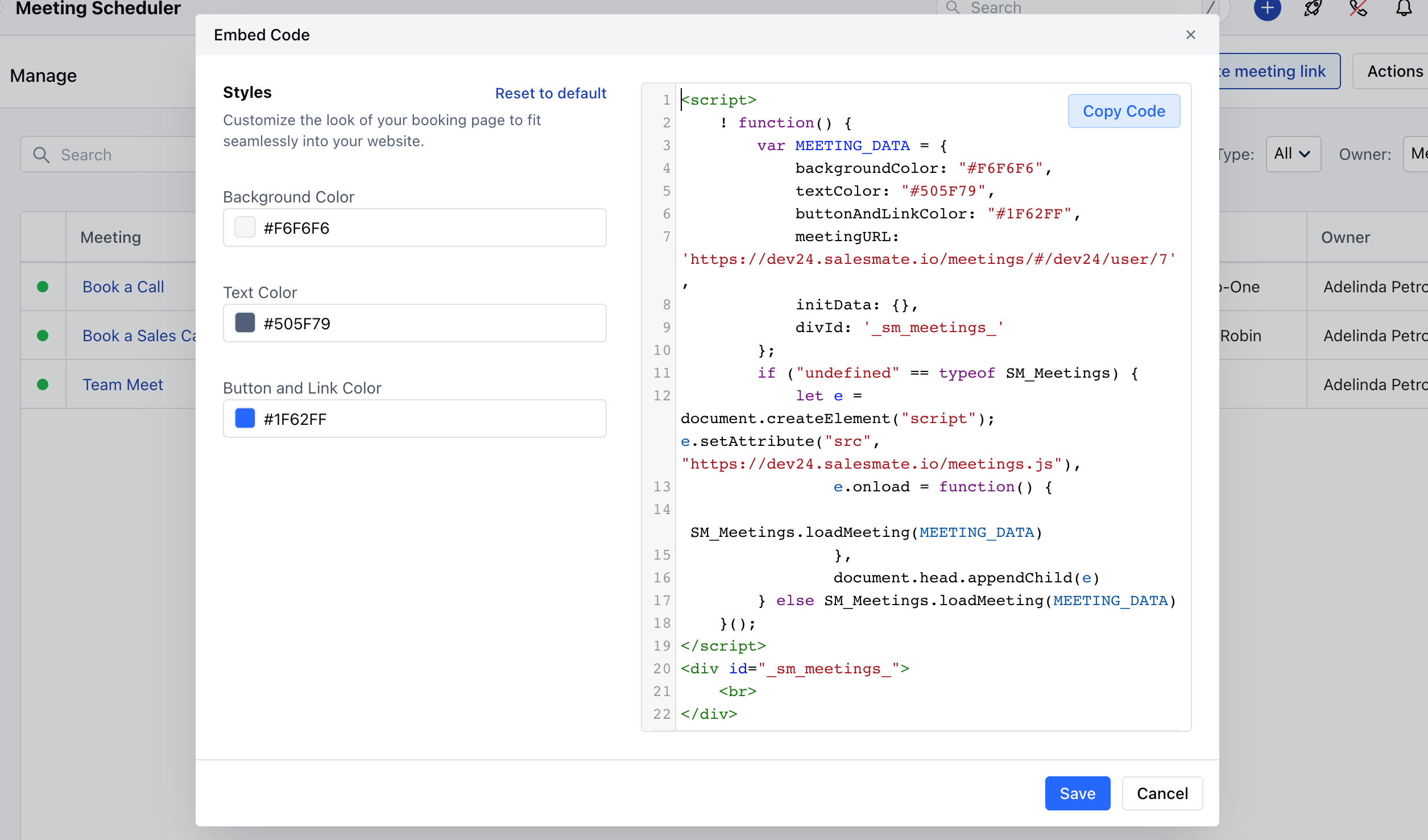
- Copy the code and paste it to your website.
Generate embed code for particular meeting scheduler
- Navigate to the More option from left sidebar menu
- Click on Meeting Scheduler
- Click on **Actions against the meeting >> **Click on Embed
- In both cases, you can then adjust the appearance (customize parameters like Background Color, Text Color, Button & Link Color ) to fit your site and click Copy Code to paste it your website