

Topics covered:
How to use Regex Conditions
Navigate to the Profile Icon at the top right corner.Click on Setup. Go to the Modules section.Select the Module on which you wish to create a Validation RuleHere, click on the ** Validation Rules ***
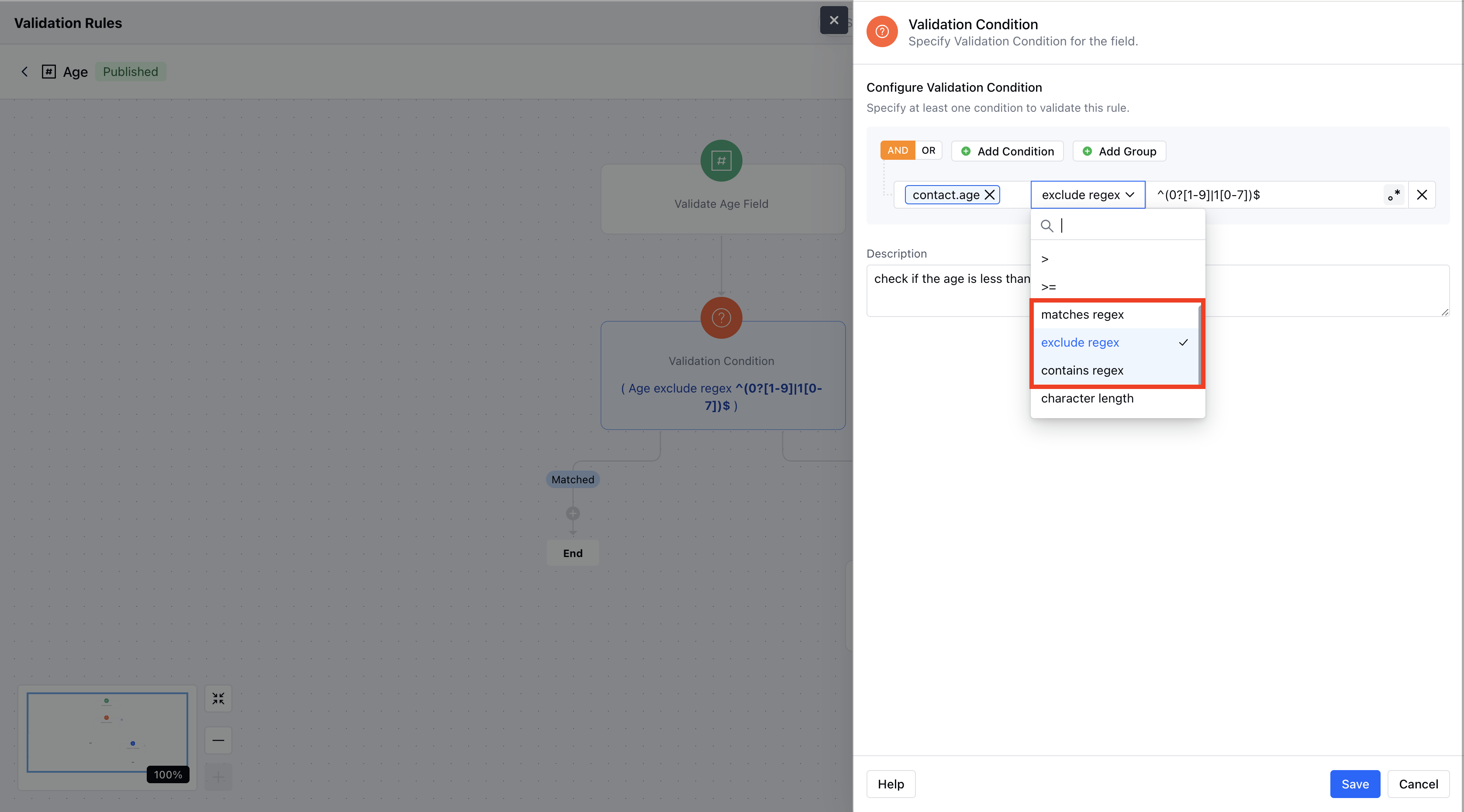
- *In the Condition, select any field (e.g., “Email”).Choose one of the conditions (e.g., “Excludes Regex”) from the operator list.There are 3 Regex Conditions you can choose from:**Matches Regex:Check if the input Exactly **matches the regex pattern.
- **Excludes Regex:Ensures the input does Not **contain the regex pattern anywhere.
- **Contains Regex:Checks if any part of the input Contains ** a substring that matches the regex pattern.
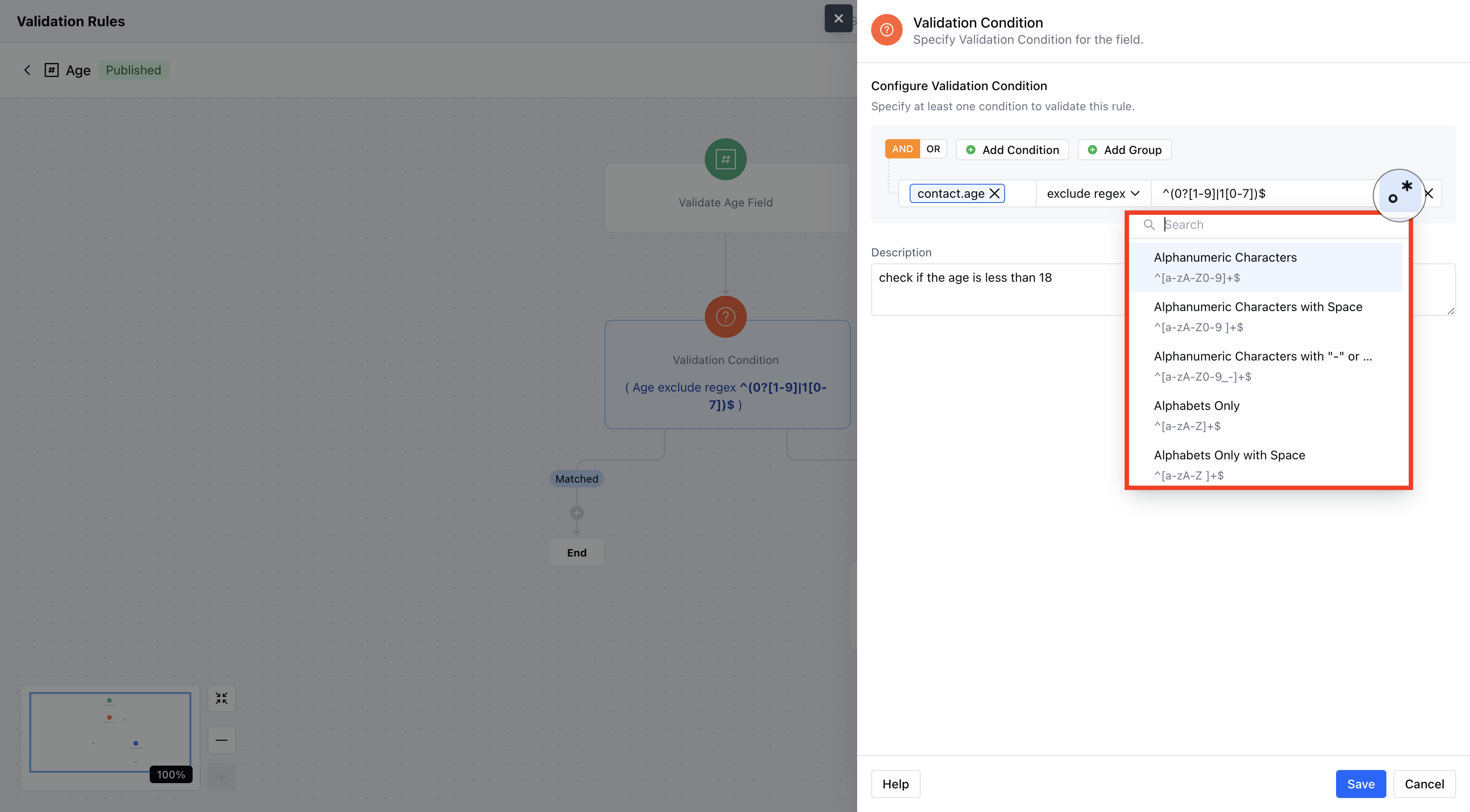
Predefined Regex Patterns
Here are all the pre-defined Regex patterns you can use.- **Alphanumeric Characters Description: Validates strings that contain only letters and numbers.Example:
abc123**Alphanumeric with Space **Description:**Allows letters, digits, and spaces.Example:hello 123**Alphanumeric with ”-” or ”_“Description: Permits letters, digits, hyphens, and underscores.Example:user_name**Alphabets Only **Description:**Accepts only letters.Example:username**Numbers Only Description: Ensures the input consists solely of digits.Example:123456**Email ID **Description:**Validates that the input follows a standard email format.Example:user@example.com**Indian Phone Number (+91)Description: Validates a 10-digit Indian mobile number with the +91 prefix.Example:+919876543210**US Phone Number **Description:**Validates U.S. phone numbers starting with +1 and following standard formats.Example:+1 123-456-7890**UUID Description: Validates a universally unique identifier (UUID).Example:123e4567-e89b-12d3-a456-426614174000**IP Address (IPv4)**Description:**Checks that the input is a valid IPv4 address.Example:192.168.1.1**MAC Address Description: Verifies the common MAC address format.Example:00:1A:2B:3C:4D:5E**Social Security Number **Description:**Validates the Social Security number format (xxx-xx-xxxx).Example:123-45-6789**Credit Card Description: Validates a 16-digit credit card number.Example:1234567890123456**Street Address **Description:**Checks for a basic street address format.Example:123 Main St**Canadian Postal Code Description: Validates the format of Canadian postal codes.Example:K1A 0B1**U.S. Postal Code Description: Validates the common 5-digit U.S. postal code format (with optional extended digits).Example:12345