You can easily delete a Validation Rule to keep your system organized and relevant to your needs. In this article, we’ll show you how simple it is to delete a Validation Rule when it’s no longer required.You can refer to the article on creating a validation rule here.
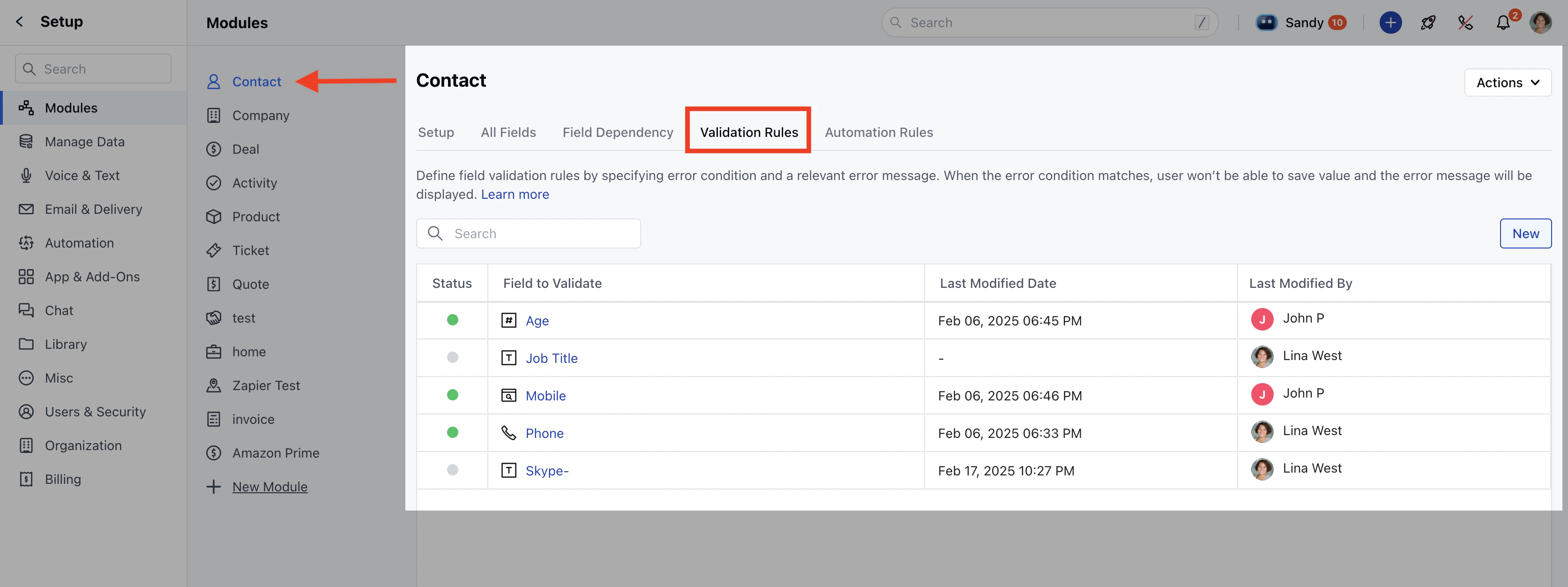
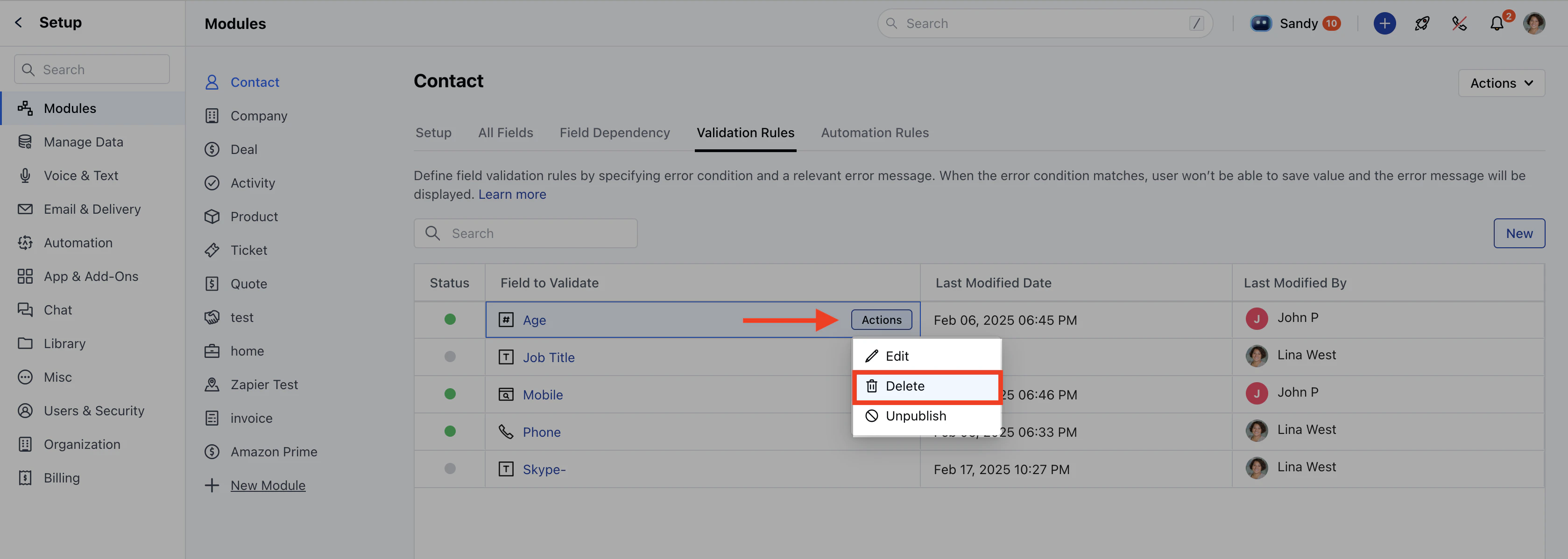
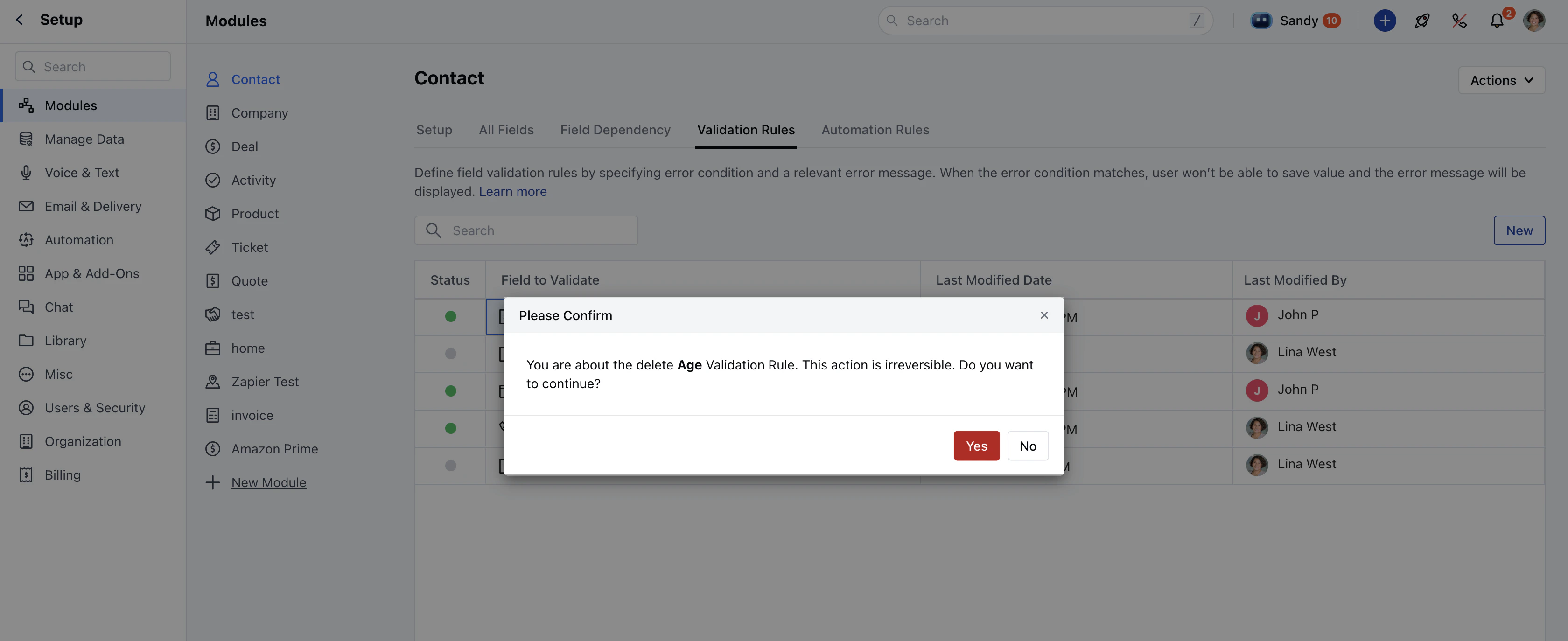
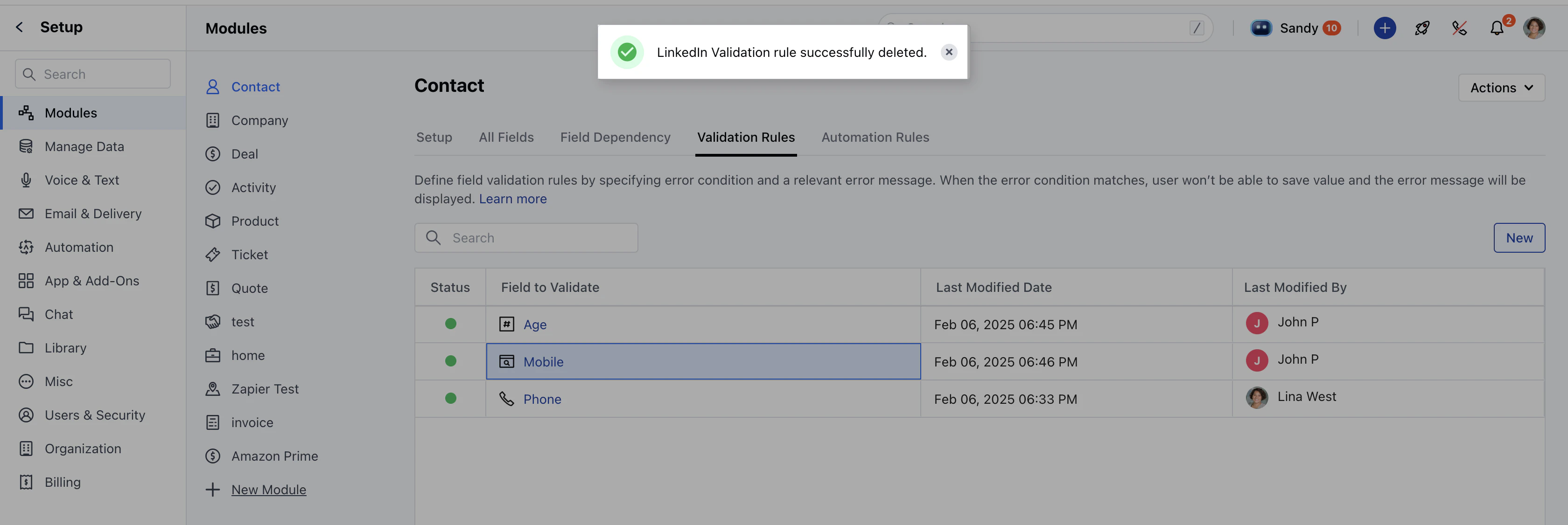
Navigate to the Profile Icon on the top right corner.Click on Set Up. Go to the Modules section.Select the module where you want to delete a validation rule.Click on the Validation Rules tab.Hover over the validation rule you want to delete and click on Actions. Click on the Delete option.A confirmation message will appear:_“You are about to delete the validation rule. This action is irreversible. Do you want to continue?”_Click Yes to confirm.Once deleted, you will see a ” Validation rule successfully deleted” message.**Note:**You will require “Manage Modules” permission to access these settings.