

Topics covered:
Configuring the Trigger
While setting up a Execution Flow, select the Intent Detected Trigger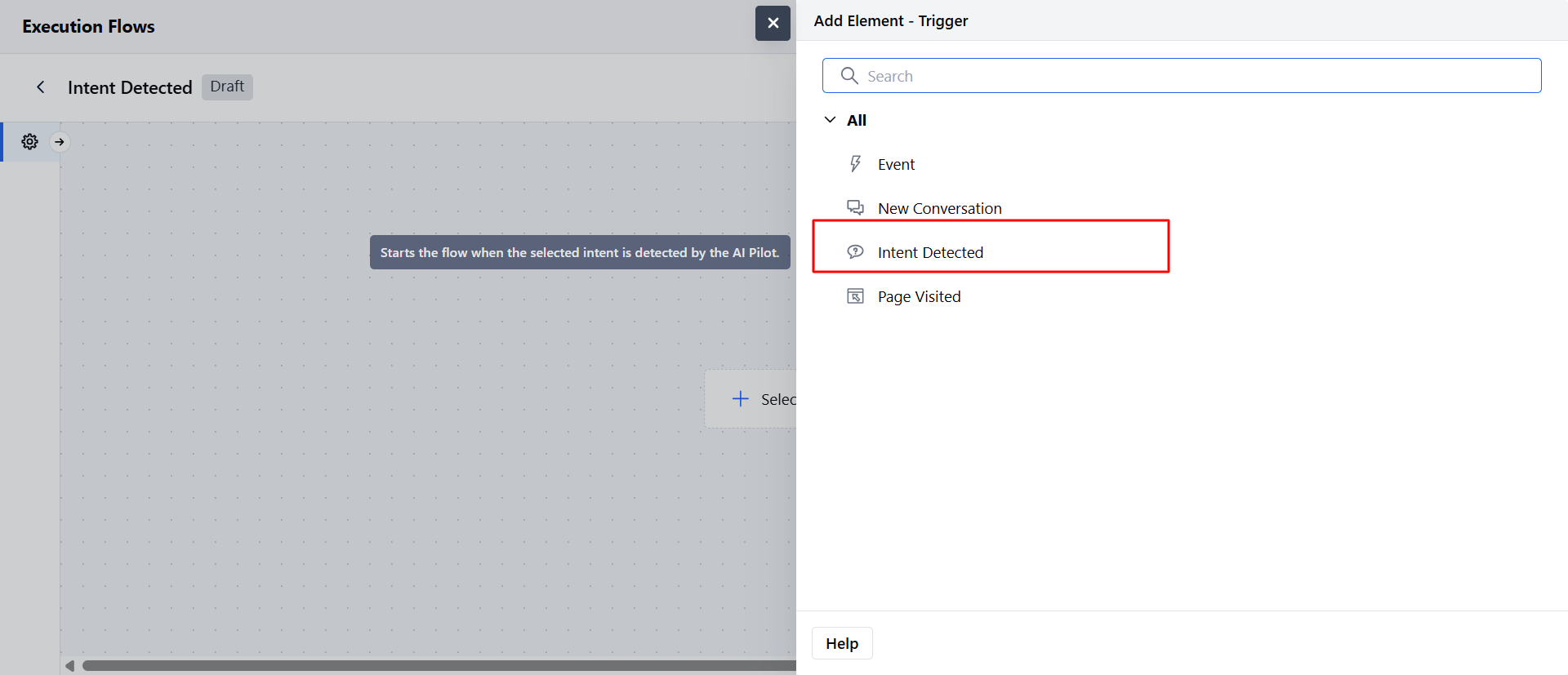
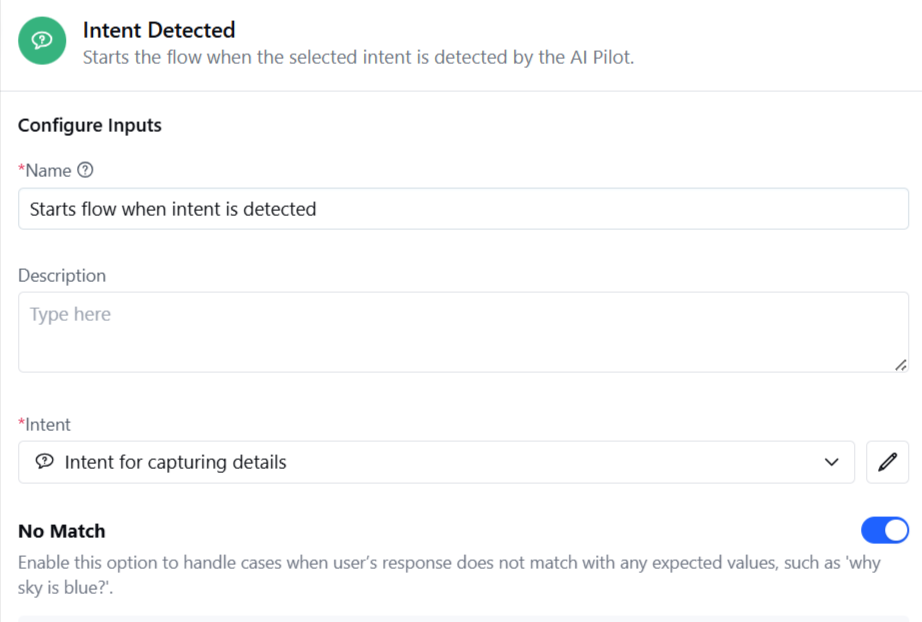
- Name: Assign a clear and descriptive name for the trigger to easily identify its purpose.
- Description (Optional): Provide a brief explanation of the trigger’s function for reference.
- Intent: Select the intent that will trigger this flow upon detection. Only enabled intents will appear in the dropdown list.
- No Match Handling: This option manages situations when the user’s input doesn’t match the expected prompt or contains irrelevant content.
- You can add optional re-prompts to guide the user back on track.
- Generate More with AI: Available after adding at least one re-prompt; generates five, ten, or fifteen new training phrases.
- Re-prompts loop until all provided prompts are used, after which the conversation proceeds along the default path.
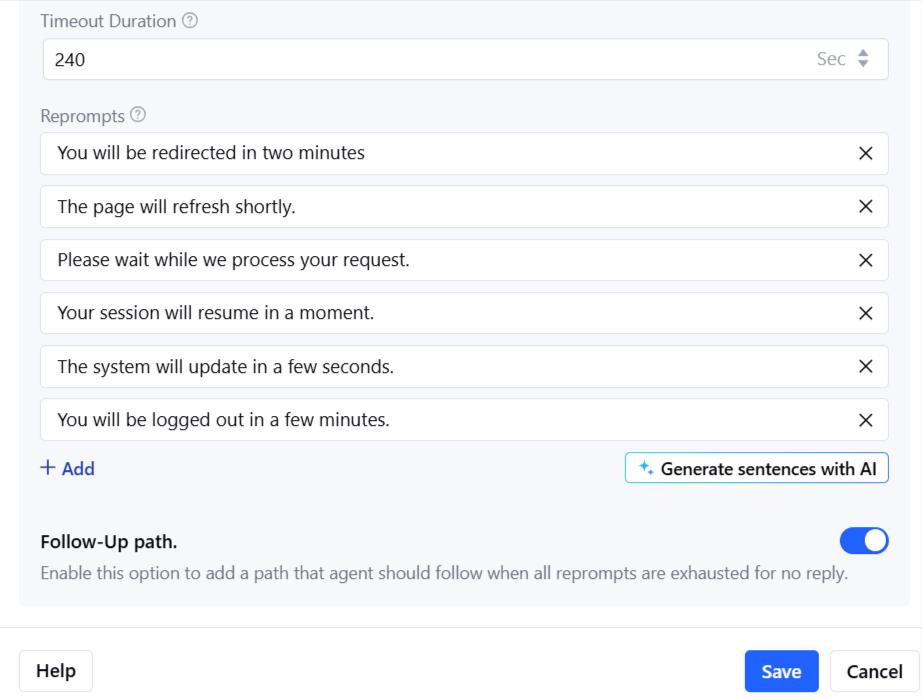
- Follow-up Path: Define an alternative route if the user remains off track after all re-prompts are used.
- Enabling this adds an extra output port to specify the follow-up path.
- No Reply Handling: This option manages cases and send automated responses when the user does not respond.
- Timeout Duration: Set duration after which re-prompt message should be sent
- Re-Prompt configuration: Provide one response to send when No reply is detected and you can use the “Generate Sentences with AI” button to get additional responses.
Practical Use Case:
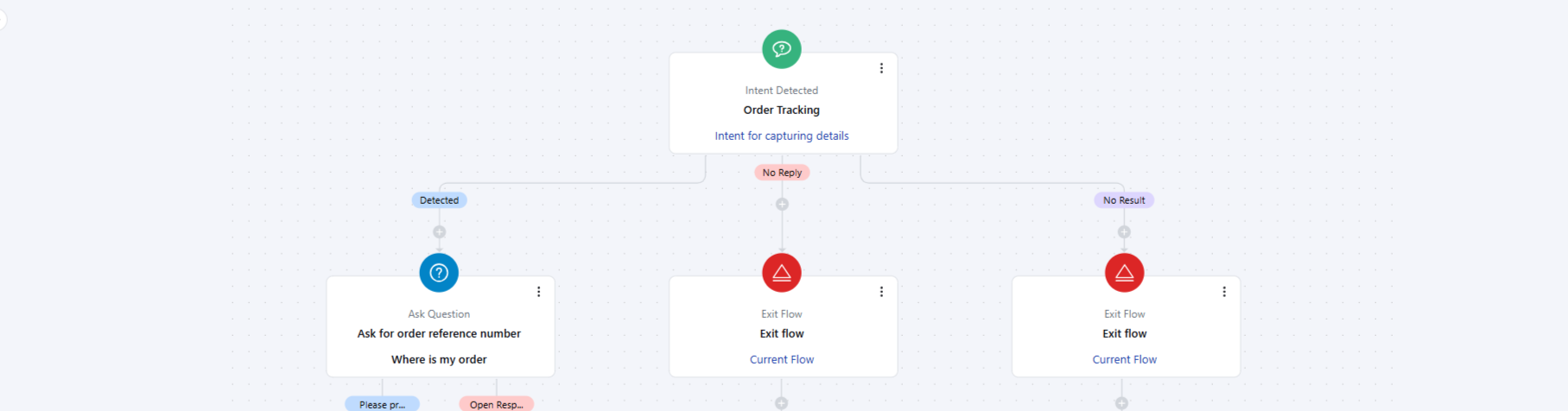
Imagine a customer messaging the chatbot with the phrase “Where’s my order?”. Instead of routing the query to a human agent or waiting for a manual reply, the Intent Detected: Agent trigger can:- Automatically detect the Order Tracking intent.
- Start a pre-configured flow that fetches order details from the integrated system (e.g., Shopify, internal database). Provide the customer with real-time order status, estimated delivery date, and a tracking link. If the customer’s input doesn’t match or is incomplete (e.g., missing order number), the re-prompts guide them to provide the required information.
Note:
- When used in an execution flow, the flow type is set as Sub Flow of synchronous type.
- Execution settings are displayed; however, you can only access flow manager within Execution settings when this trigger is selected.