Topics covered:
How to Configure Event Trigger
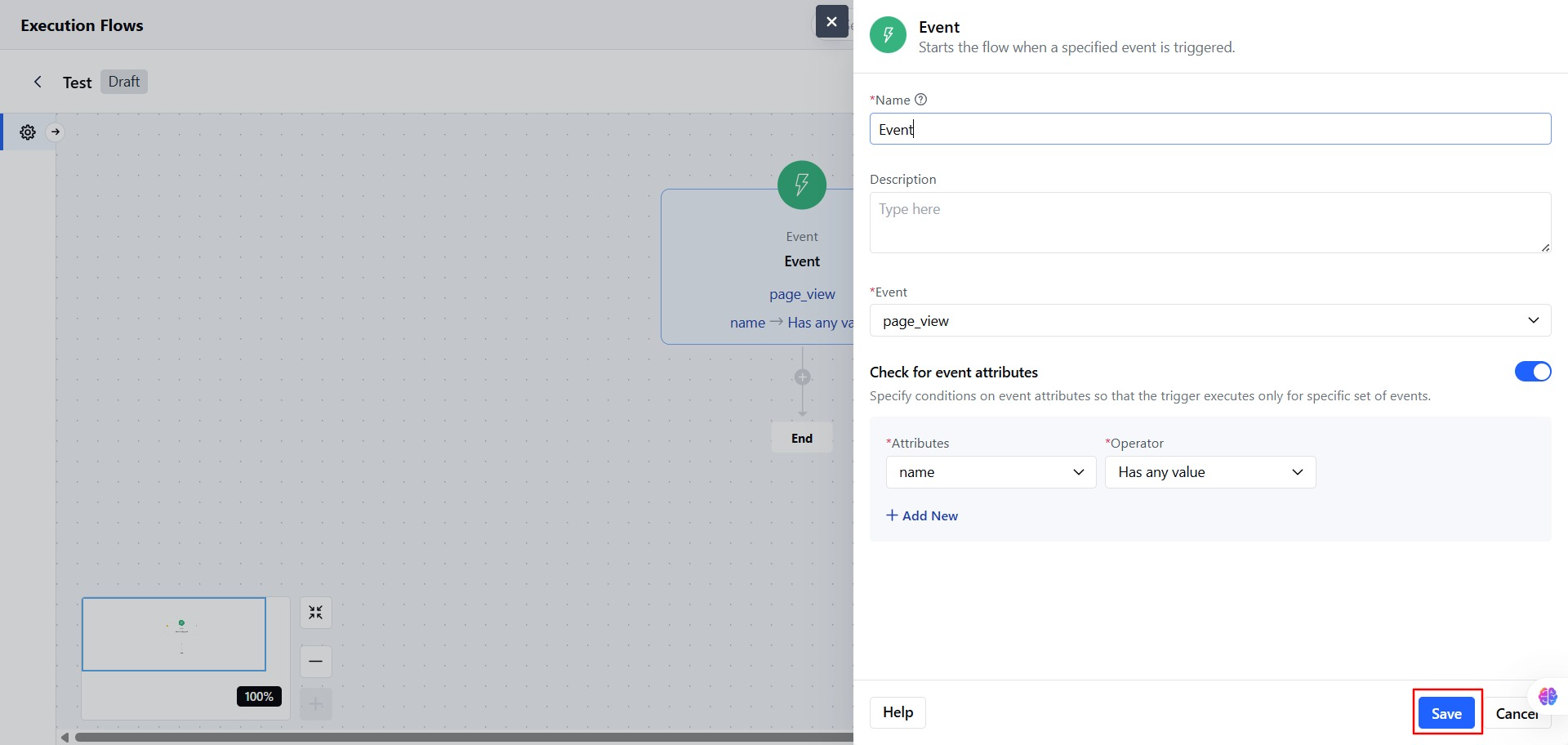
Select the Event Trigger from the Execution Flow Triggers.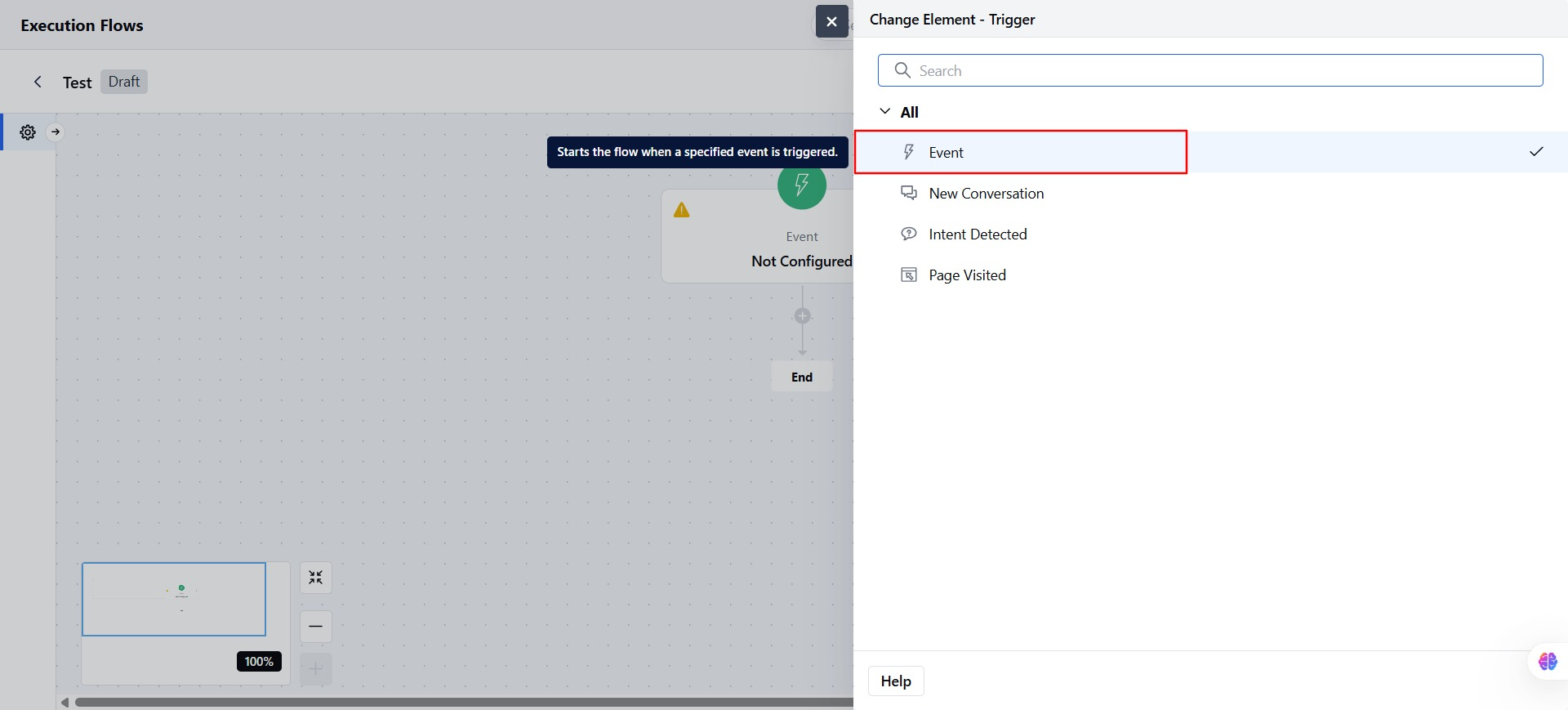
- Add the Name for the Event Trigger.
- You can also add a Description describing the Event trigger.
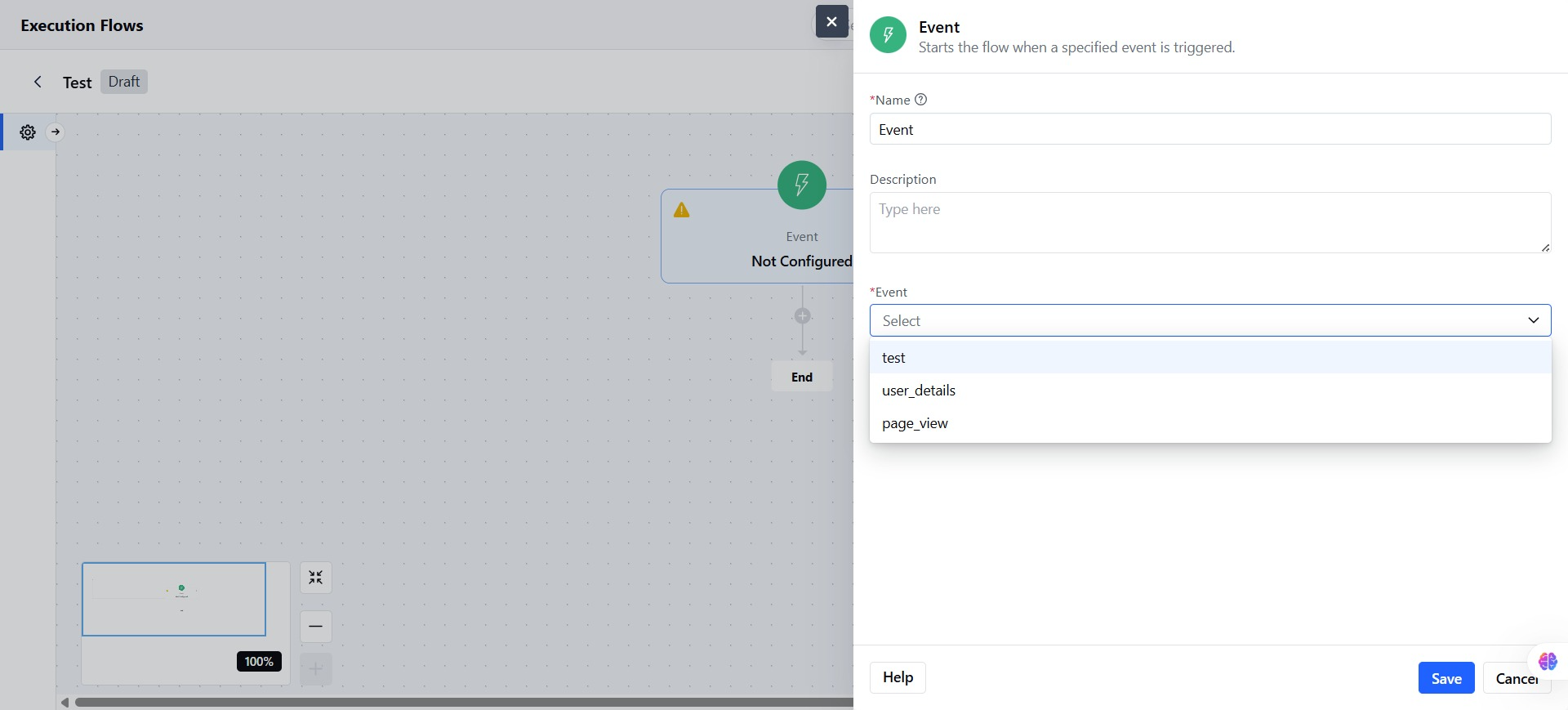
- Select the Event from the list.
- You can add Attribute Conditions: Add one or more conditions based on event attributes.
- Attribute Name
- Operator: Choose based on the type of data
- Is
- Is not
- Is unknown
- Has any value
- More than
- Less than
- Value
- You can also add more attributes for better or specific results.
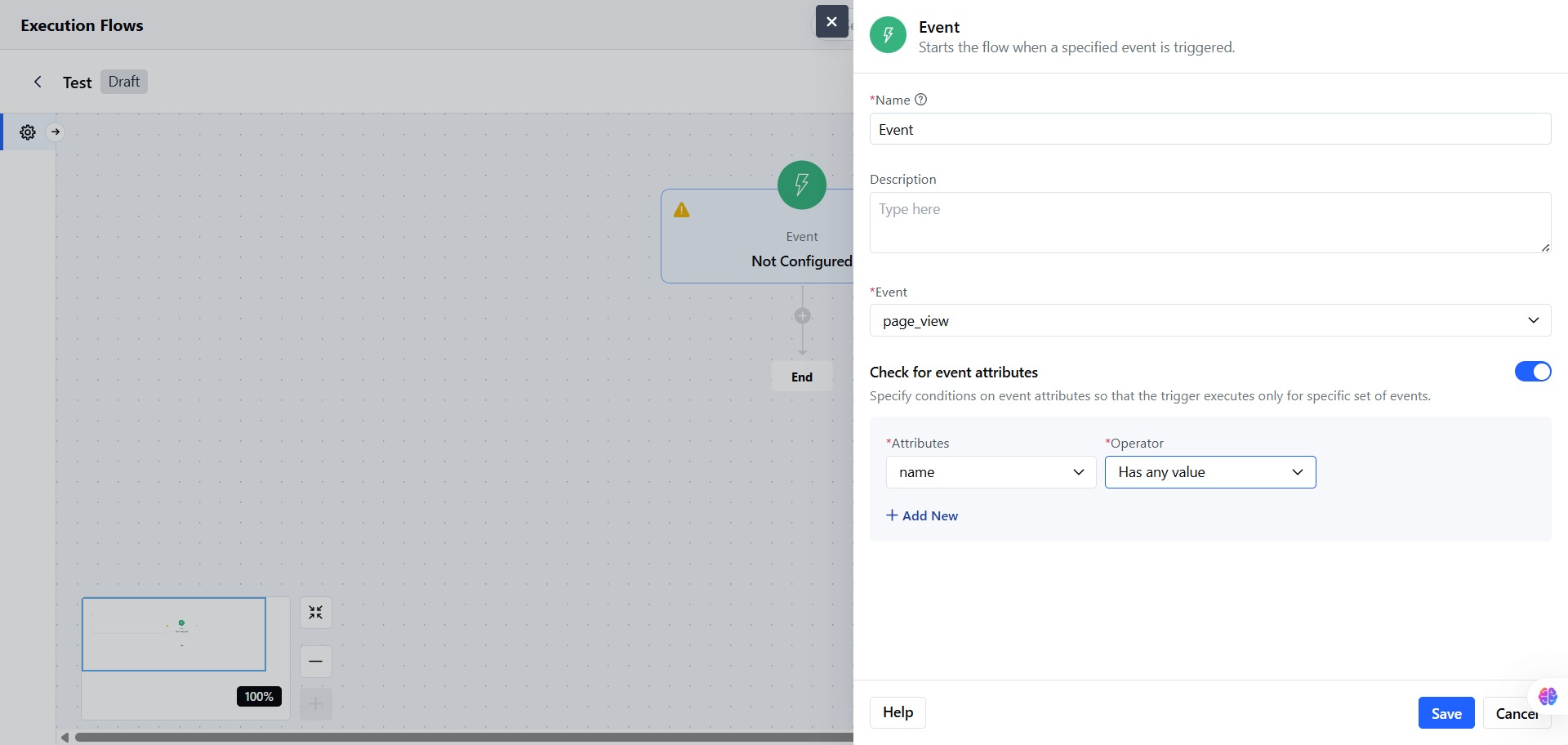
- Click on Save to store the configuration.
Note: The Flow will only start if all attribute conditions match.
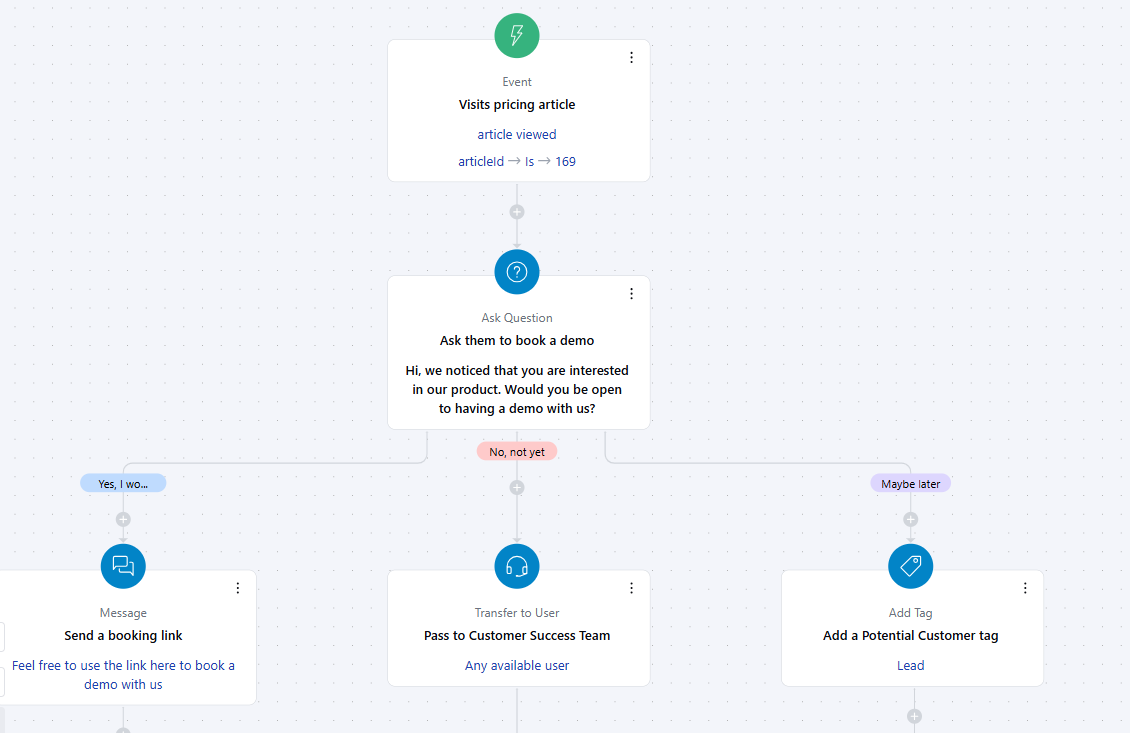
Practical Example
When a visitor views the Pricing & Plans article in your knowledge base, you want to initiate a conversation asking if they’d like to book a demo. Based on their response, the flow should:- Send a booking link if the answer is Yes
- Redirect to a live agent if the answer is No
- Add a “Potential Customer” tag if the answer is Maybe