

Quick Links
- Connecting Dialpad
- Receiving a Call On An Unmatched User Account
- Activity Logging From Pending Call Logs
- Available Call Types

Receiving a call on an unmatched user account
If there are multiple users on Dialpad and Salesmate accounts, and the option to log calls for all users is selected, the following events occur when someone makes or receives a call outside Salesmate:- Users will not see the log call popup while the call is in progress.
- Once the call is completed, the system checks:
- a) If an associated contact/company exists in Salesmate, the call is logged and marked as closed.\
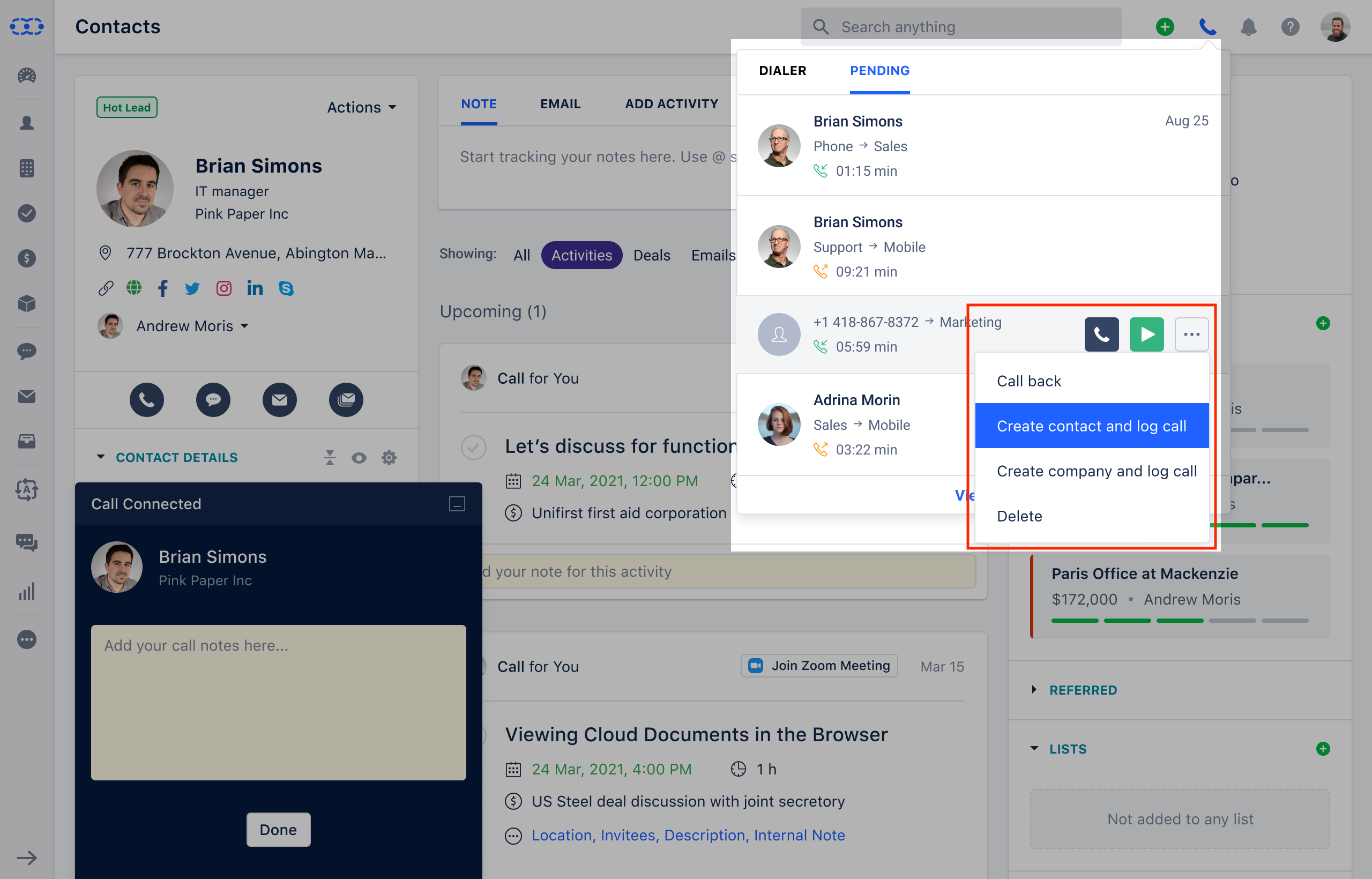
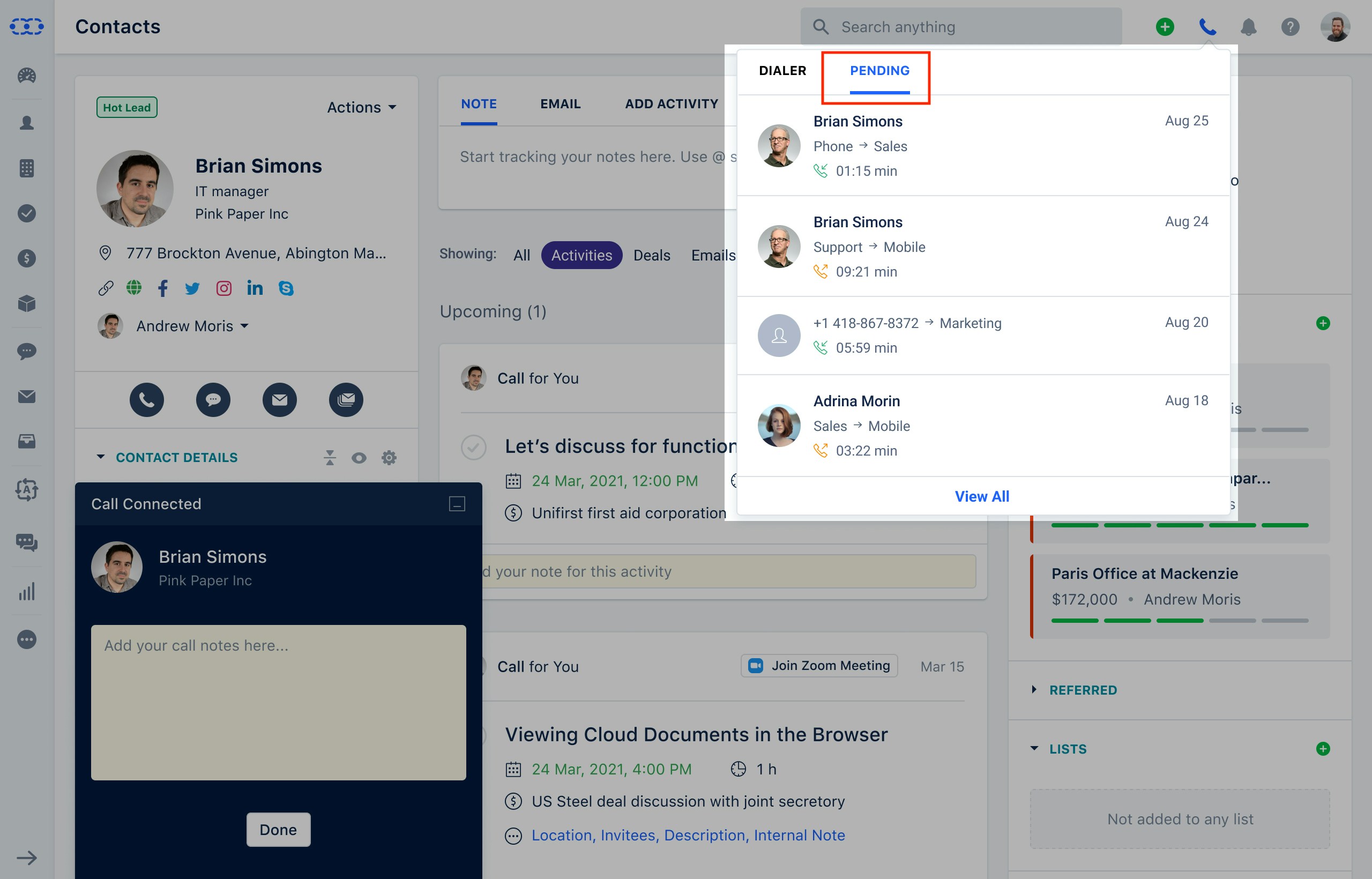
- b) If the contact/company doesn’t exist, the call log appears in recent call logs and can be manually logged later.\
- a) If an associated contact/company exists in Salesmate, the call is logged and marked as closed.\
If the user is no longer active, the system continues to route calls to that disabled user, and someone must change the Dialpad settings.
Activity logging from pending call logs
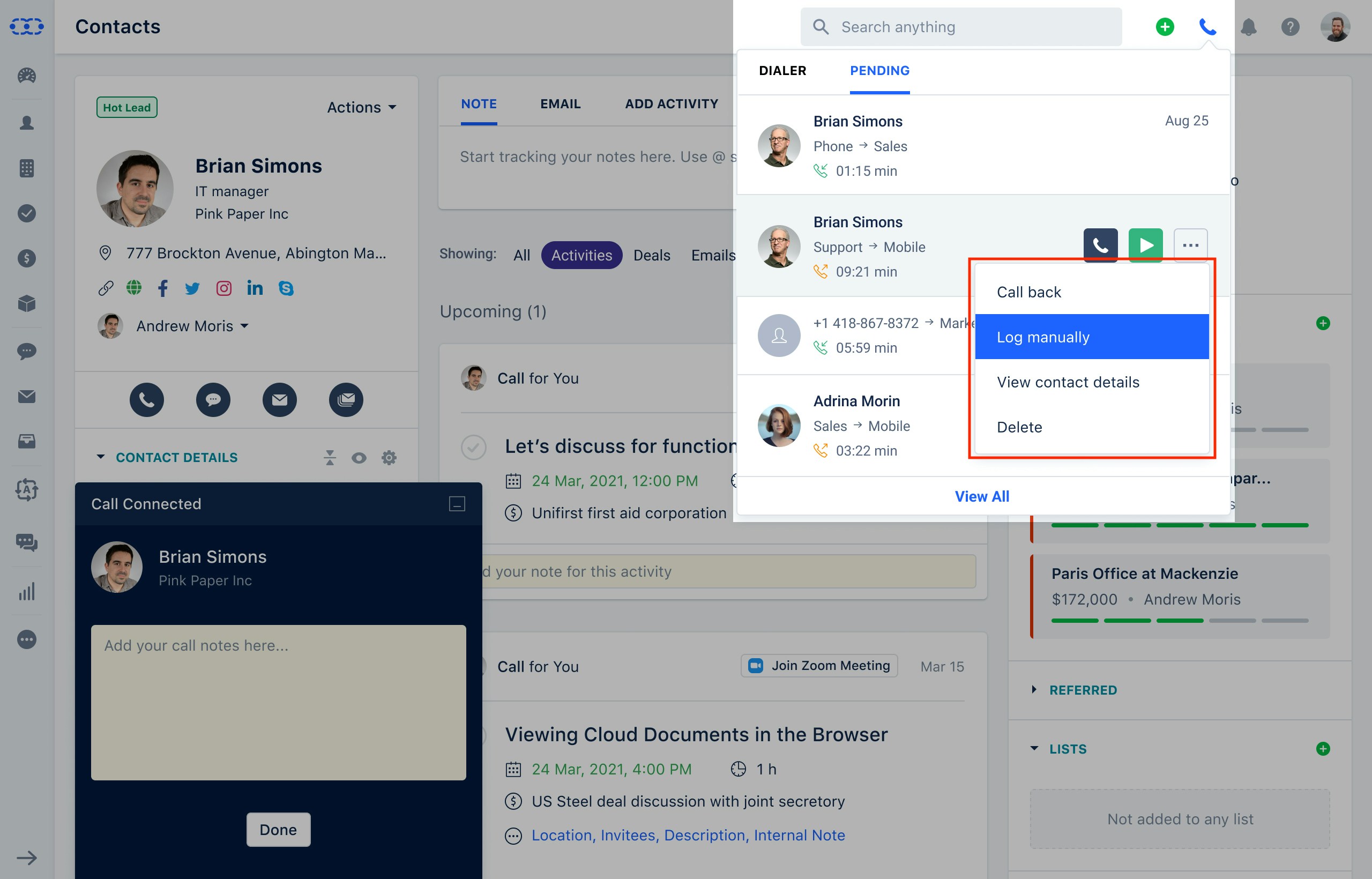
All calls not logged as an activity in the system appear in the Pending tab, where the user can take various actions depending on the call type.Available call types
Contact Missed Phone Call
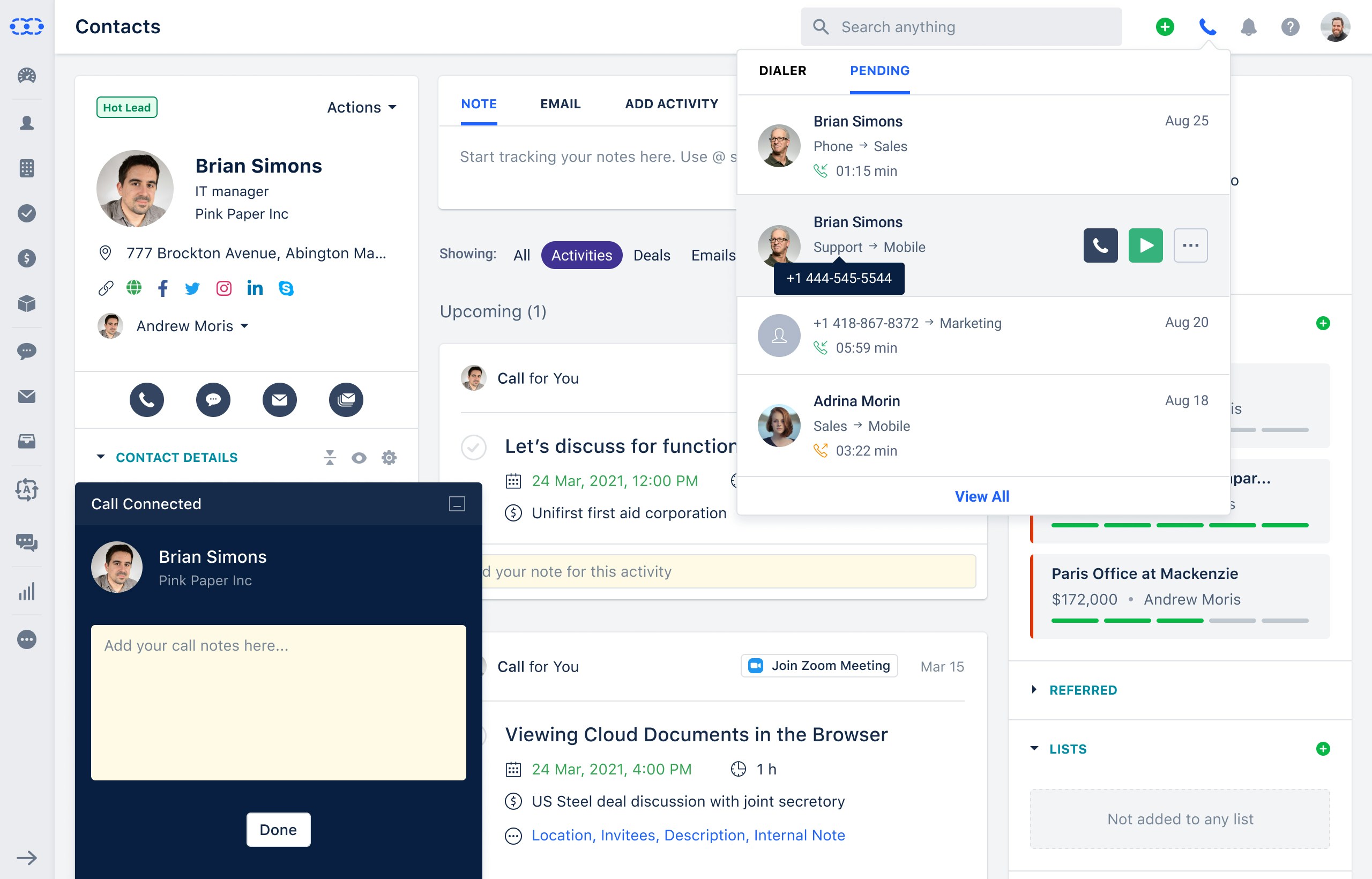
Options:- Call back
- Manually log
- View contact information
- Remove
Inbound/Outbound Call
Options:- Call back
- Manually log
- View contact information
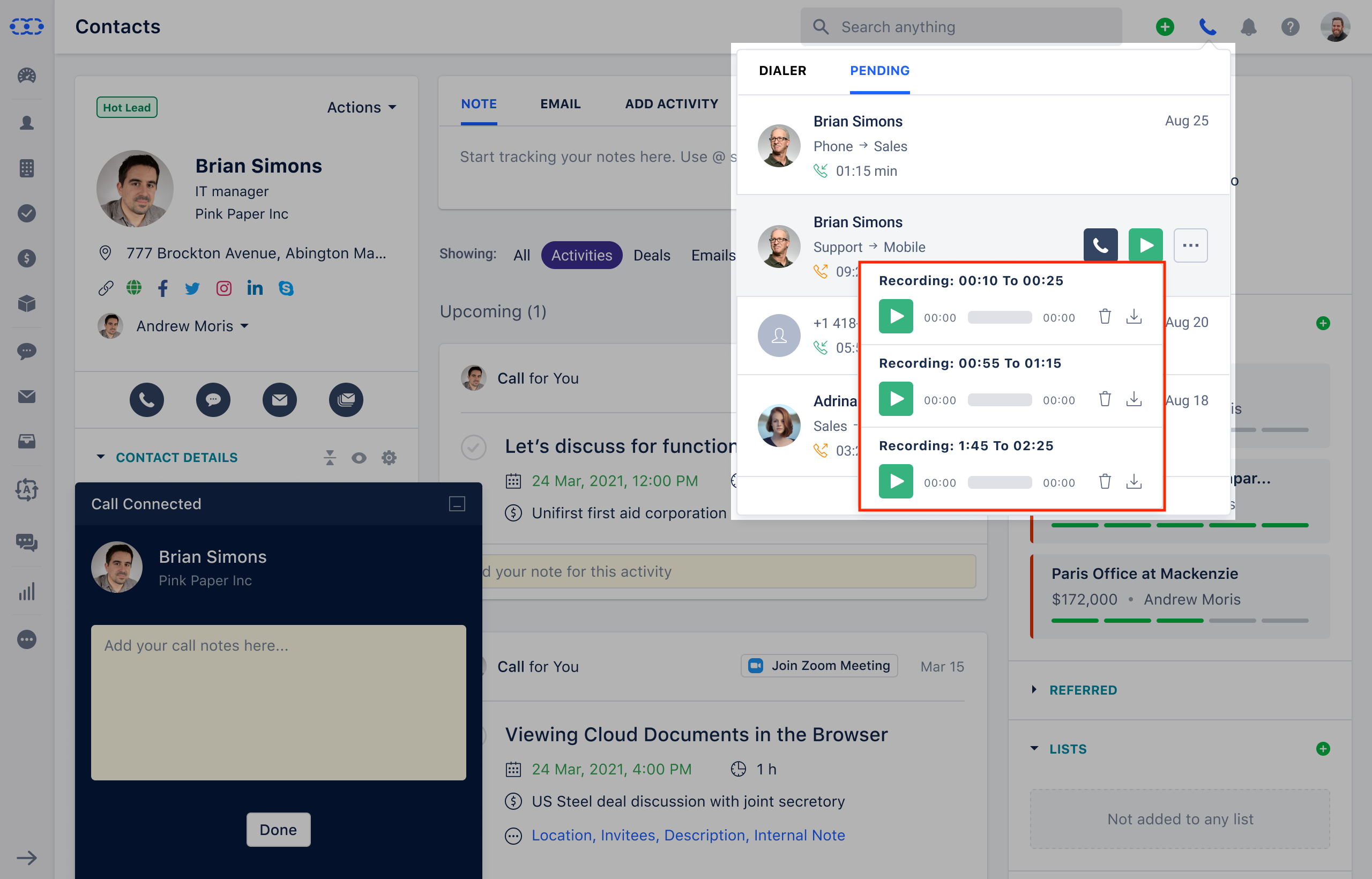
- Recording download
- Remove recording
- Remove
Unidentified Missed Call
Options:- Call back
- Create contact and log call
- Create company and record call
- Remove
Unidentified Inbound/Outbound Call
Options:- Call back
- Add contact and log call
- Create company and record call
- Download recording
- Remove recording
- Remove
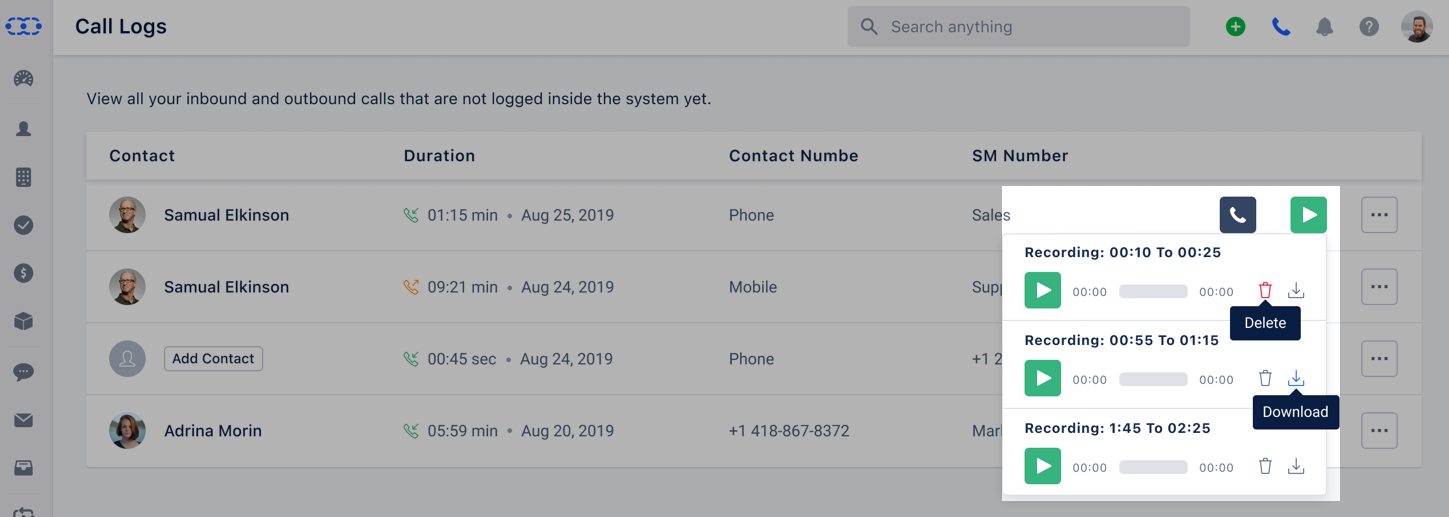
There is also an option to View All Call Logs, where users can see all calls.
The Delete option removes a log (only if no activity exists yet).
Download Recording and Delete Recording appear only in full-screen mode.
If multiple recordings exist for a contact, all can be played.
Note: Power Dialer feature is supported with Dialpad.