Objectives that can be achieved via Salesmate:
Salesmate offers a mechanism via Webform to capture the Consent to collect and store information about your customer’s preferences when it comes to marketing.Webform Consent will help you capture your potential customer’s contact details, and their preferred method of contact and inform them about your marketing terms and conditions.Salesmate allows you to capture Consent in two different ways:
Capture Consent via WebForms Import the Consent In this article, we’ll learn how to Capture Communication Consent through WebForms.Topics Covered,How to Enable Capture Communication Consent
To start capturing Consent through Webform, Navigate to the More Icons from the left menu barClick on Forms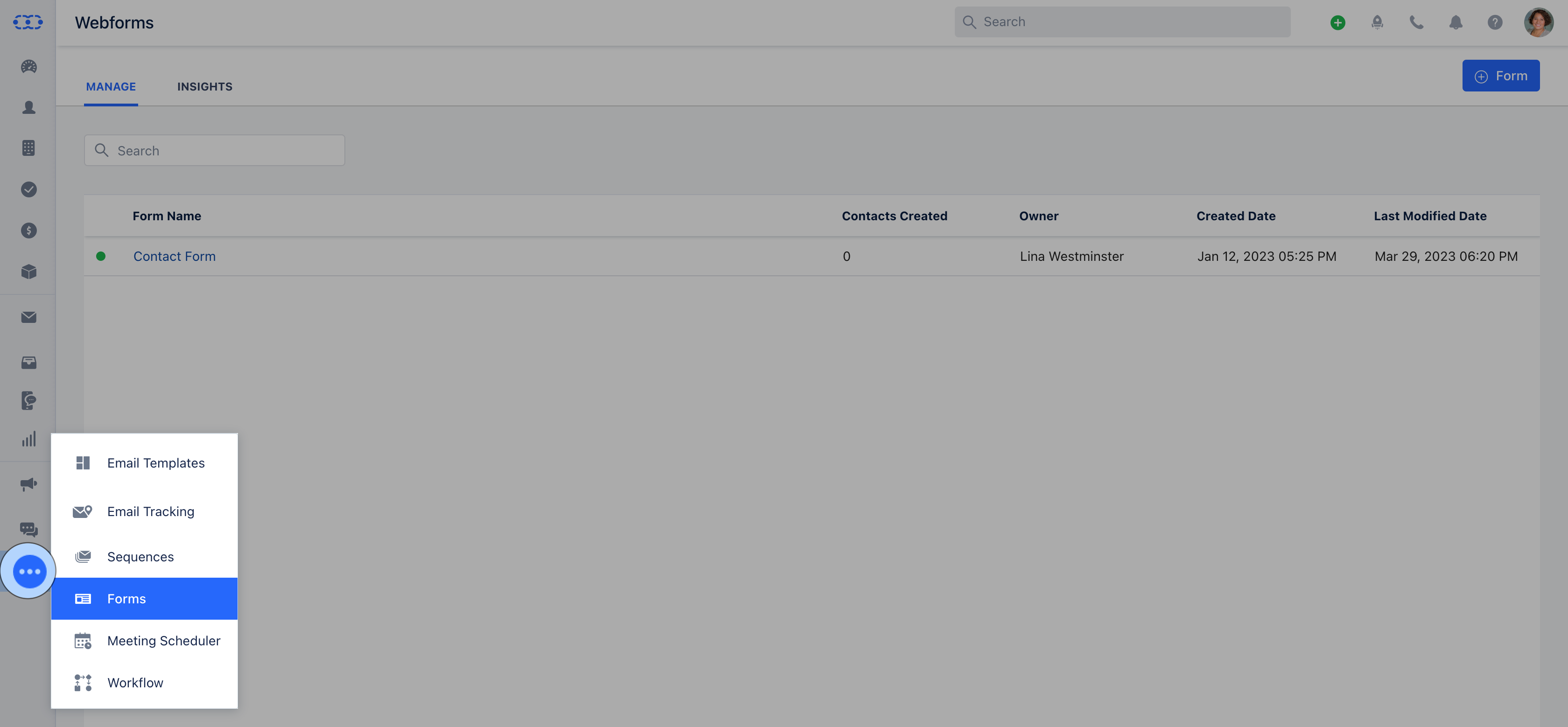
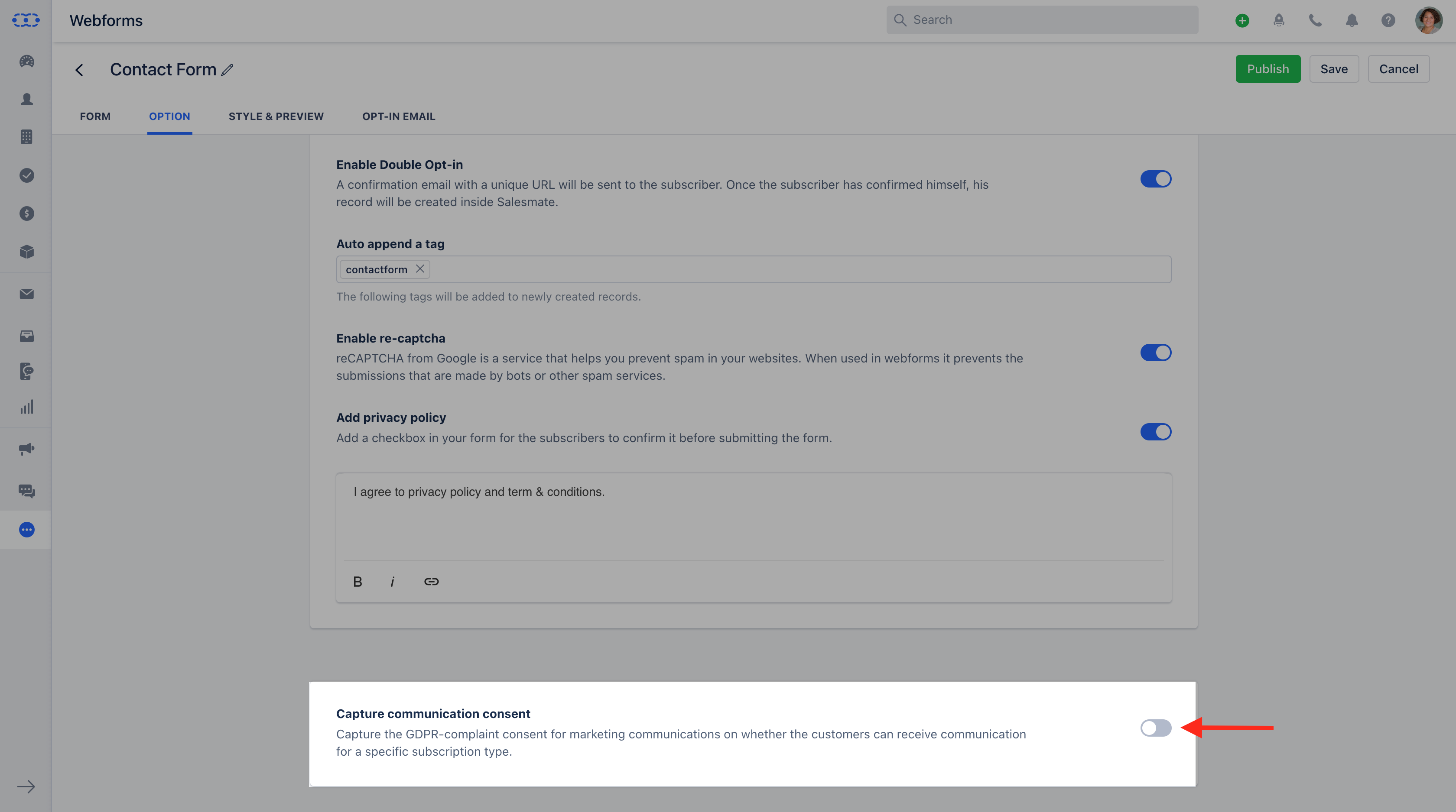
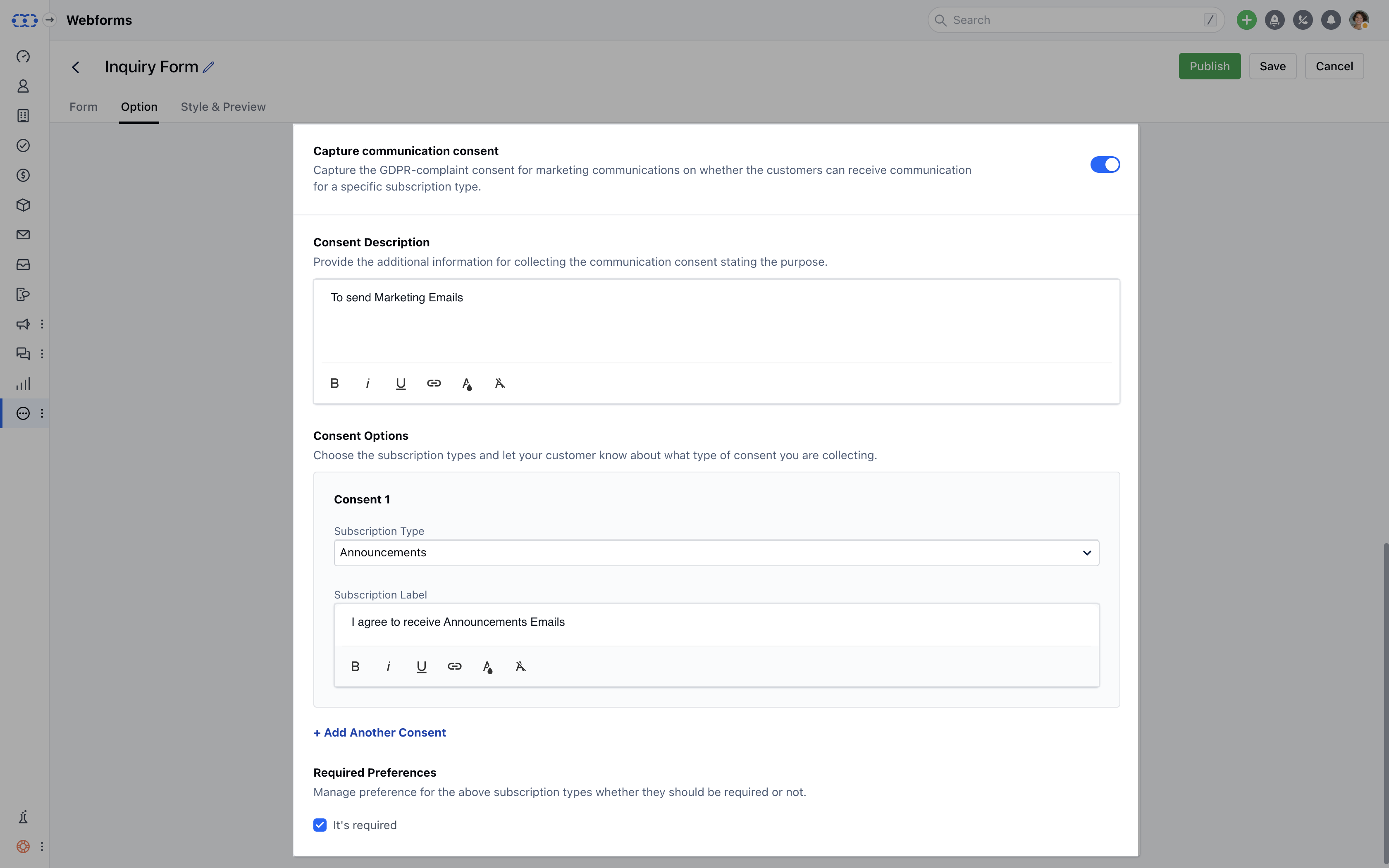
As you Enable the option, it will open the following options:**Consent Description
- **Add the purpose of collecting the Consent.
- ** Consent Options for Consent 1 Subscription Type- Select the Subscription Type from the dropdown for which you would like to capture the Consent.
- Subscription Label- Let your customers know about which type of consent they are providing.
- **Add Another Consent -**Click on the Add Another Consent if you wish to capture Consent for more than one Subscription Type.
- ** Required Preferences **- Select the required preference for the selected Subscription Type, if you wish to keep this option required or not.
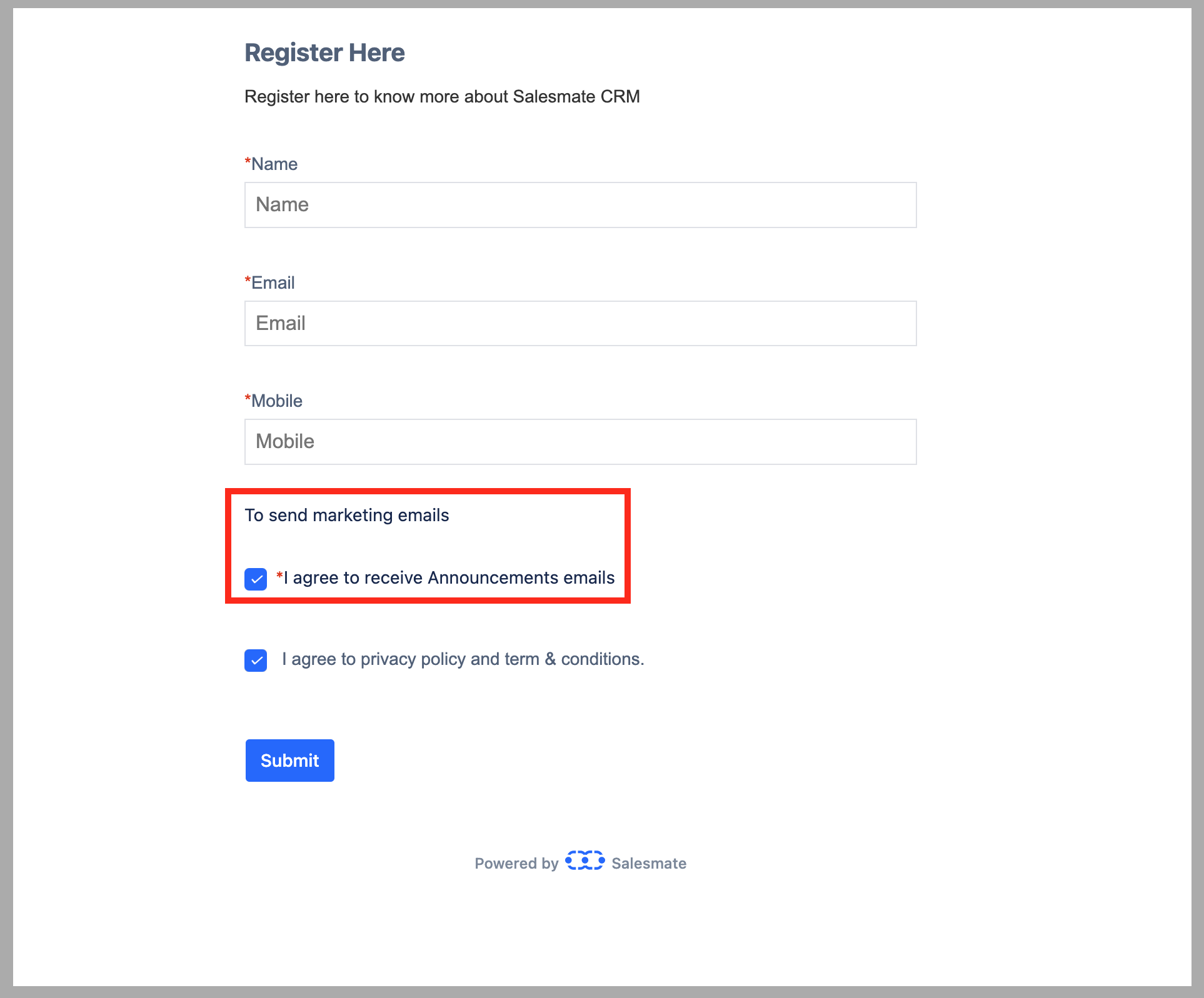
How would Consent appear in Salesmate
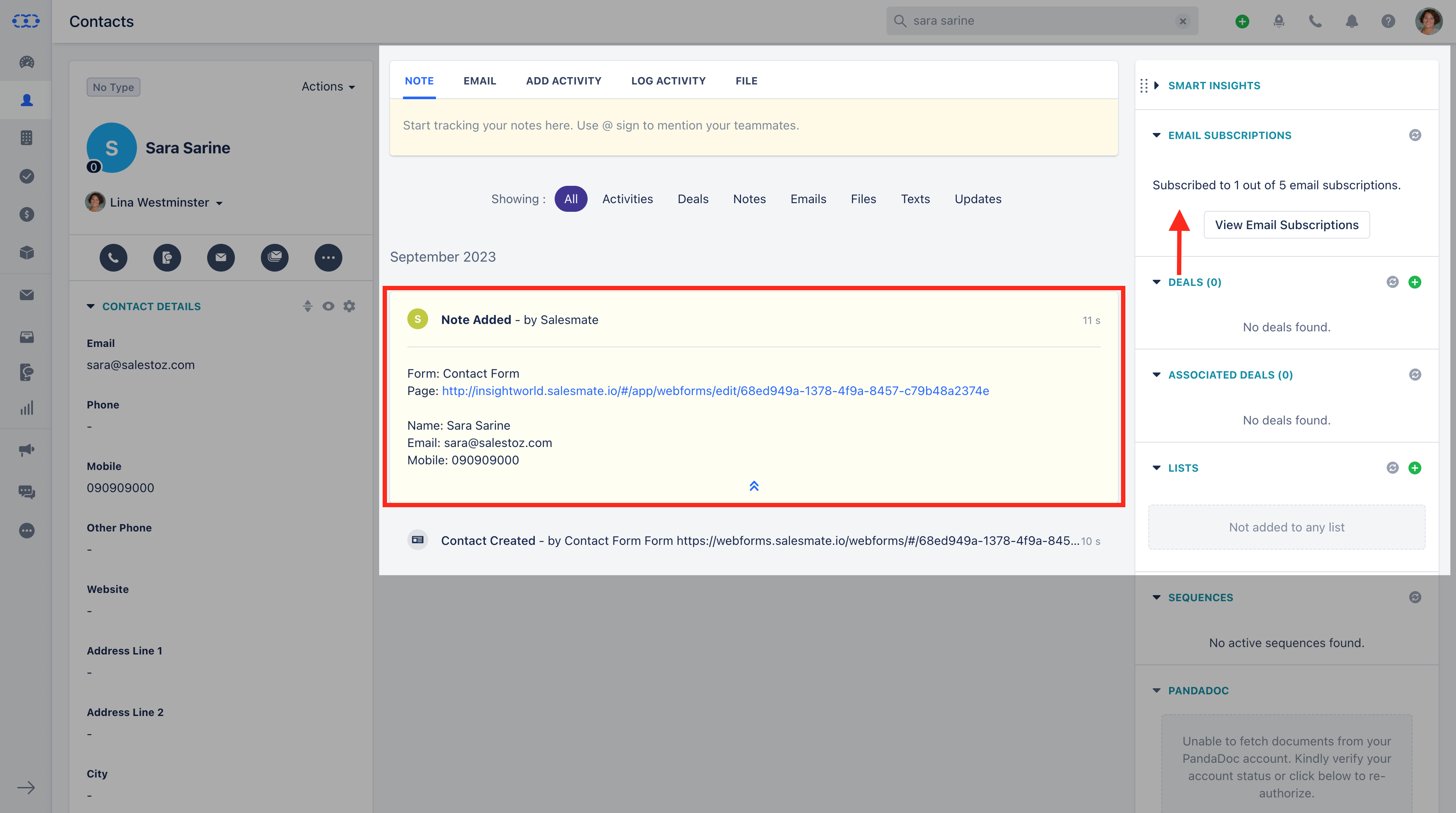
Once the Form is Published Live, and a Contact submits the Form a Record gets created in Salesmate.On the detail screen of the created Record, the View Subscriptions widget will show the details of the number of Subscriptions Opted In by the Contact from the Total number of Subscription Types.