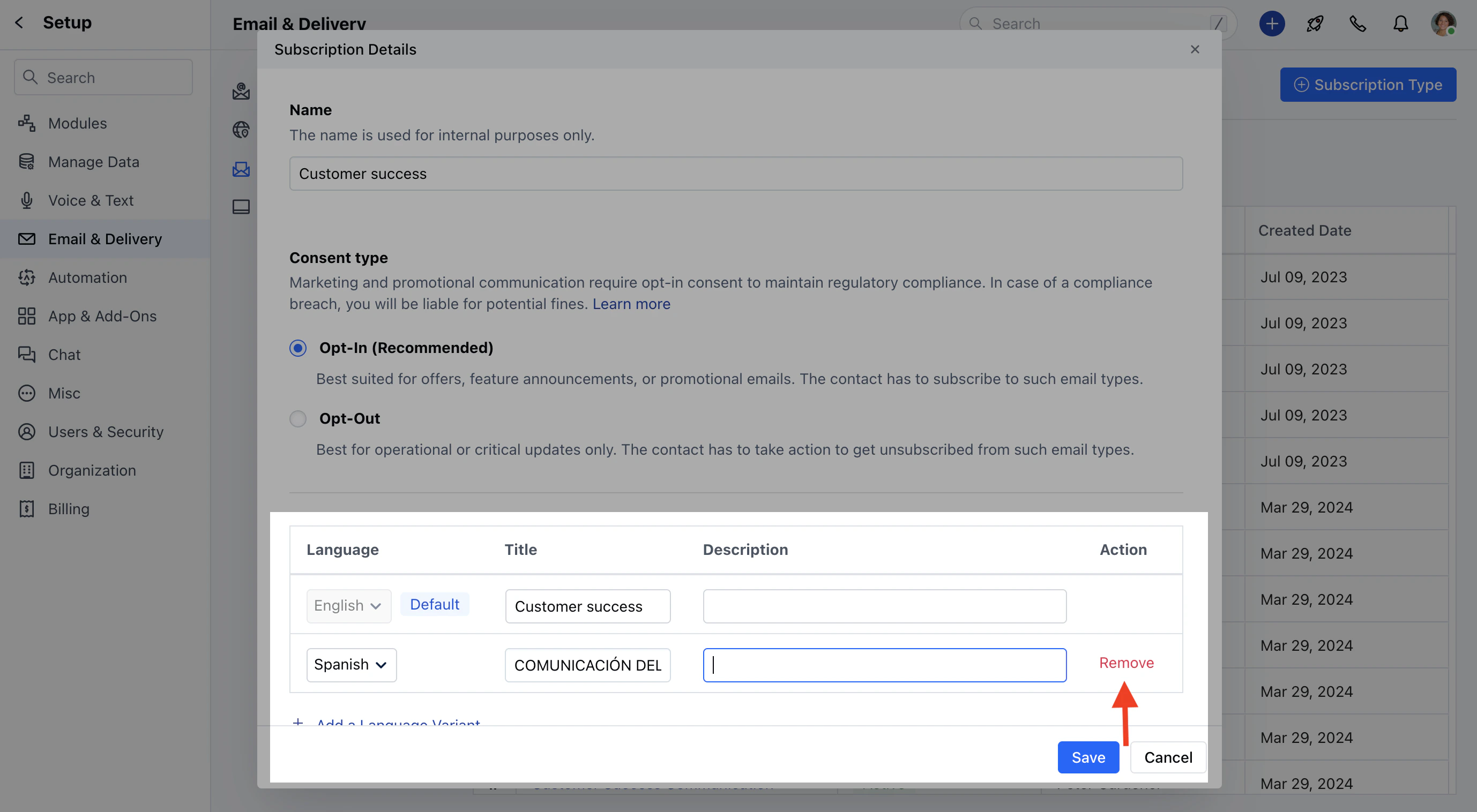
How to Set-Up a new subscription Type in different languages
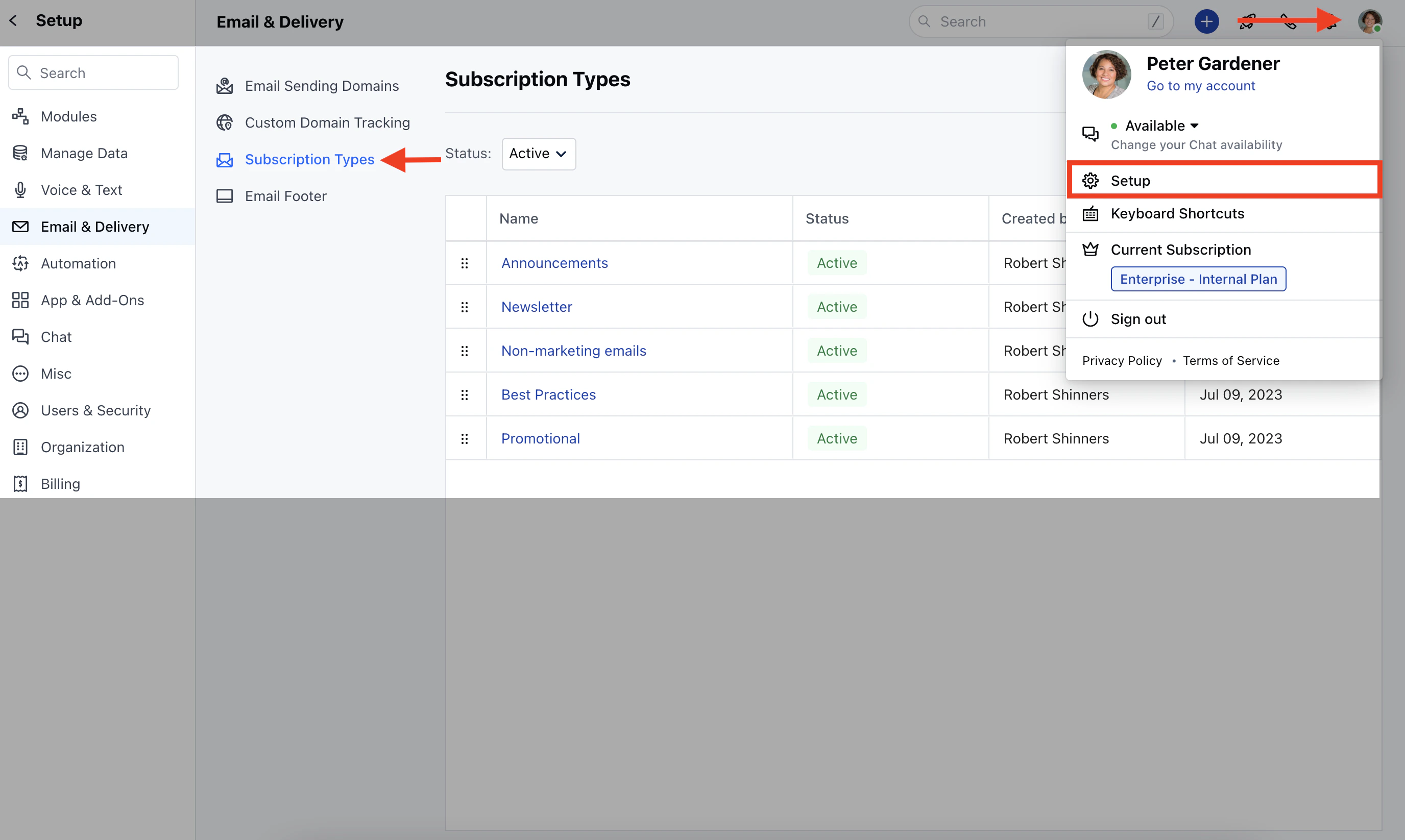
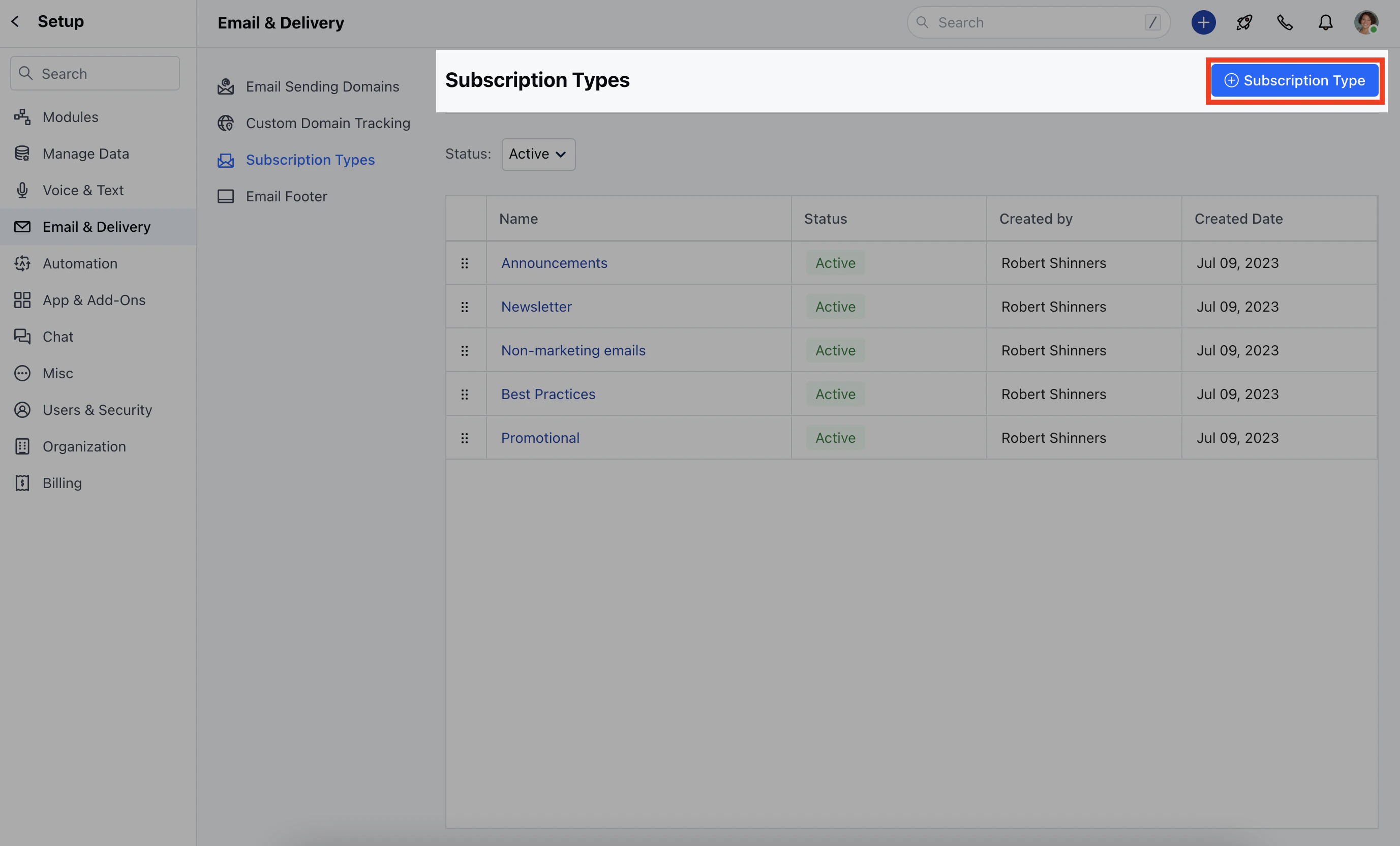
Salesmate provides an option to Set Up the new Subscription type in your preferred language.To set up a new Subscription Type in different languages,Navigate to your Profile Icon on the top right cornerClick on Setup Head over to Email & Delivery Click on Subscription TypesClick on + Subscription TypeHere, you need to add,- Name: Give a name to the subscription type
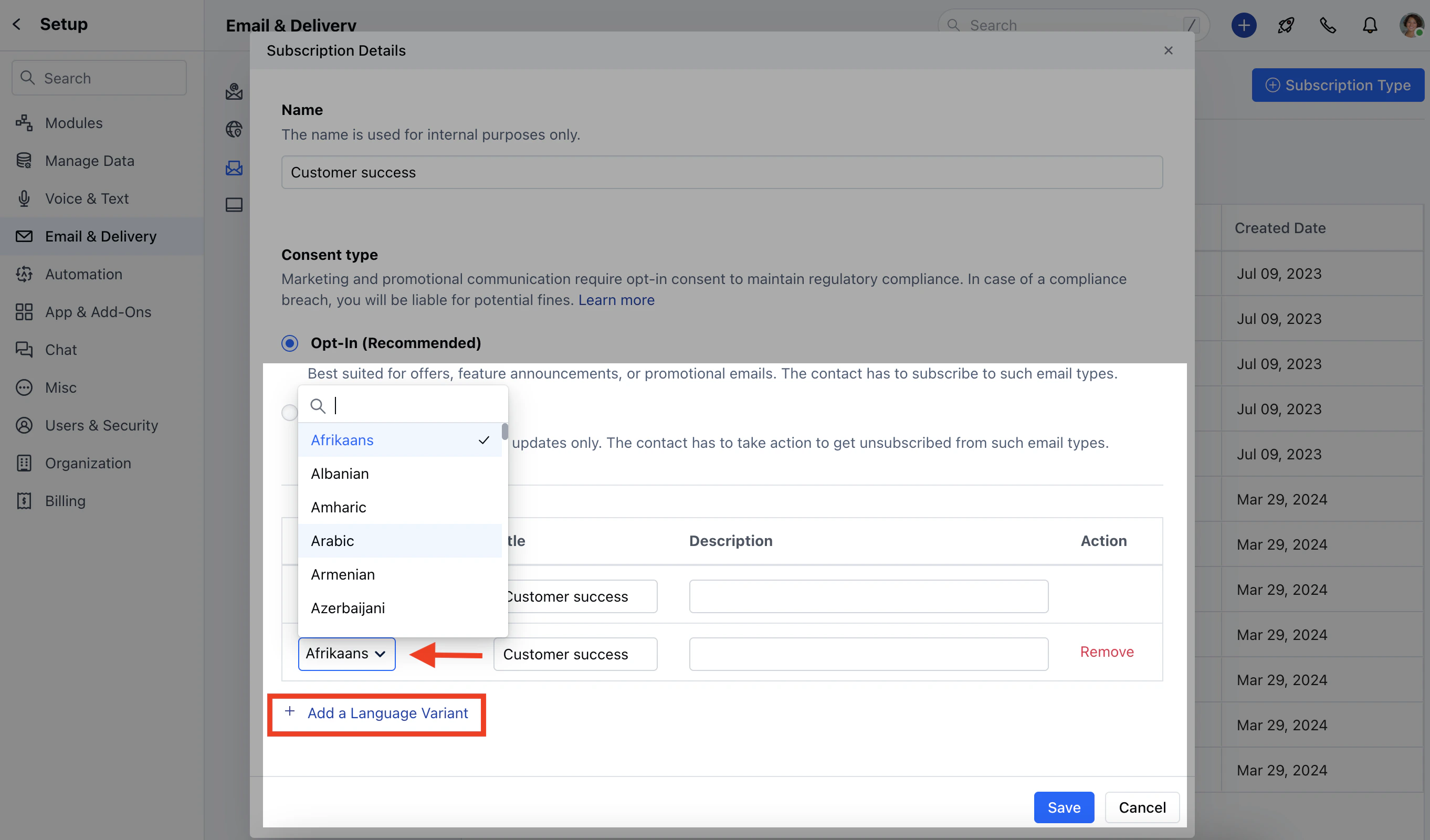
Language: Select the language, by default it will be English To add a different language, click on Add a Language Variant
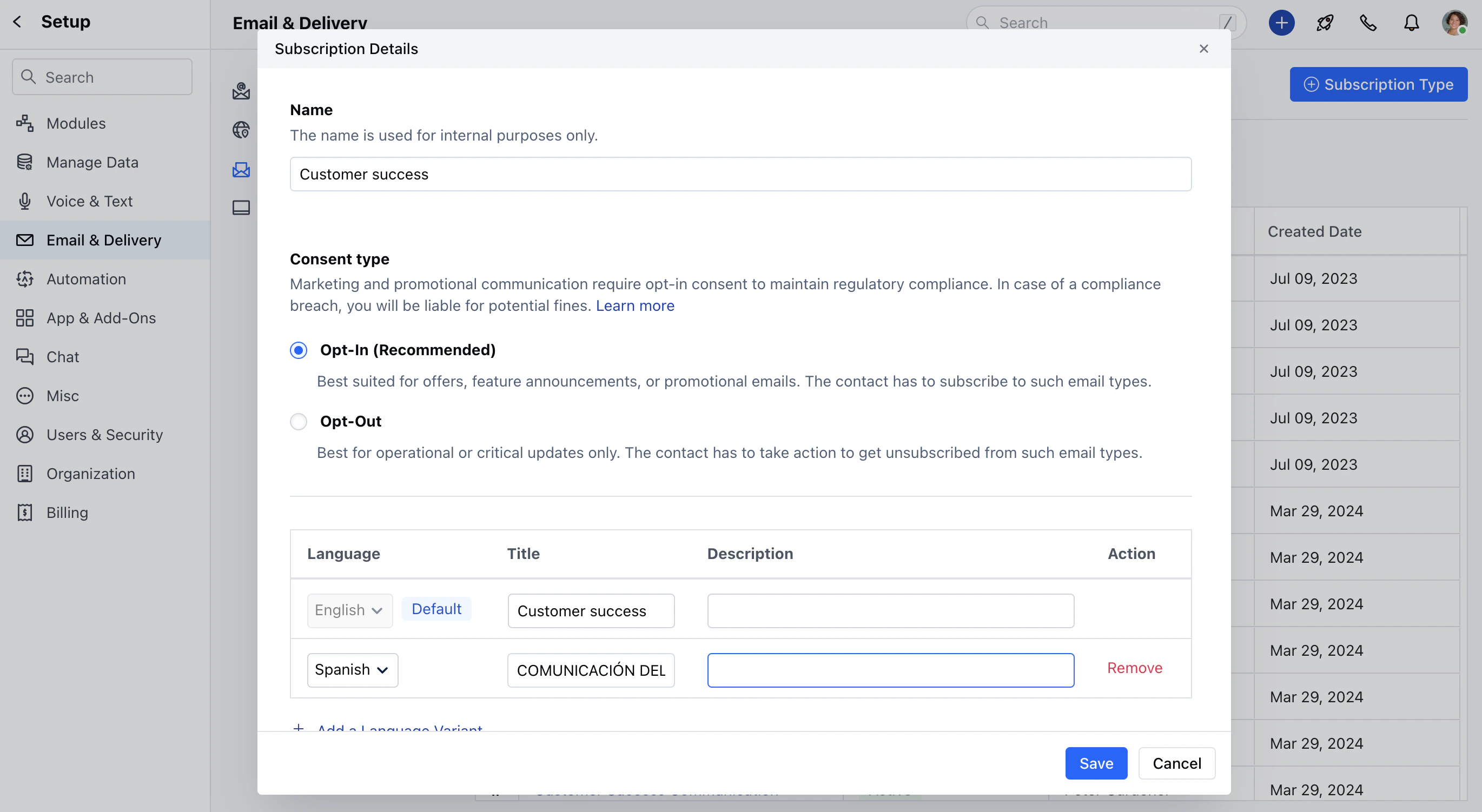
Once the language is selected the Title and Description will get auto-copied from the English language variant by default which can be updated by the User.Click on SaveIf you wish to Remove the Language Variant, you can do so by clicking on the Remove option next to the Variant.