

To Delete Calculated Fields:
- Navigate to the Profile Icon in the top right corner
- Click on the Set Up
- Head Over to the Modules Category
- Select the Module(Contact or Company)
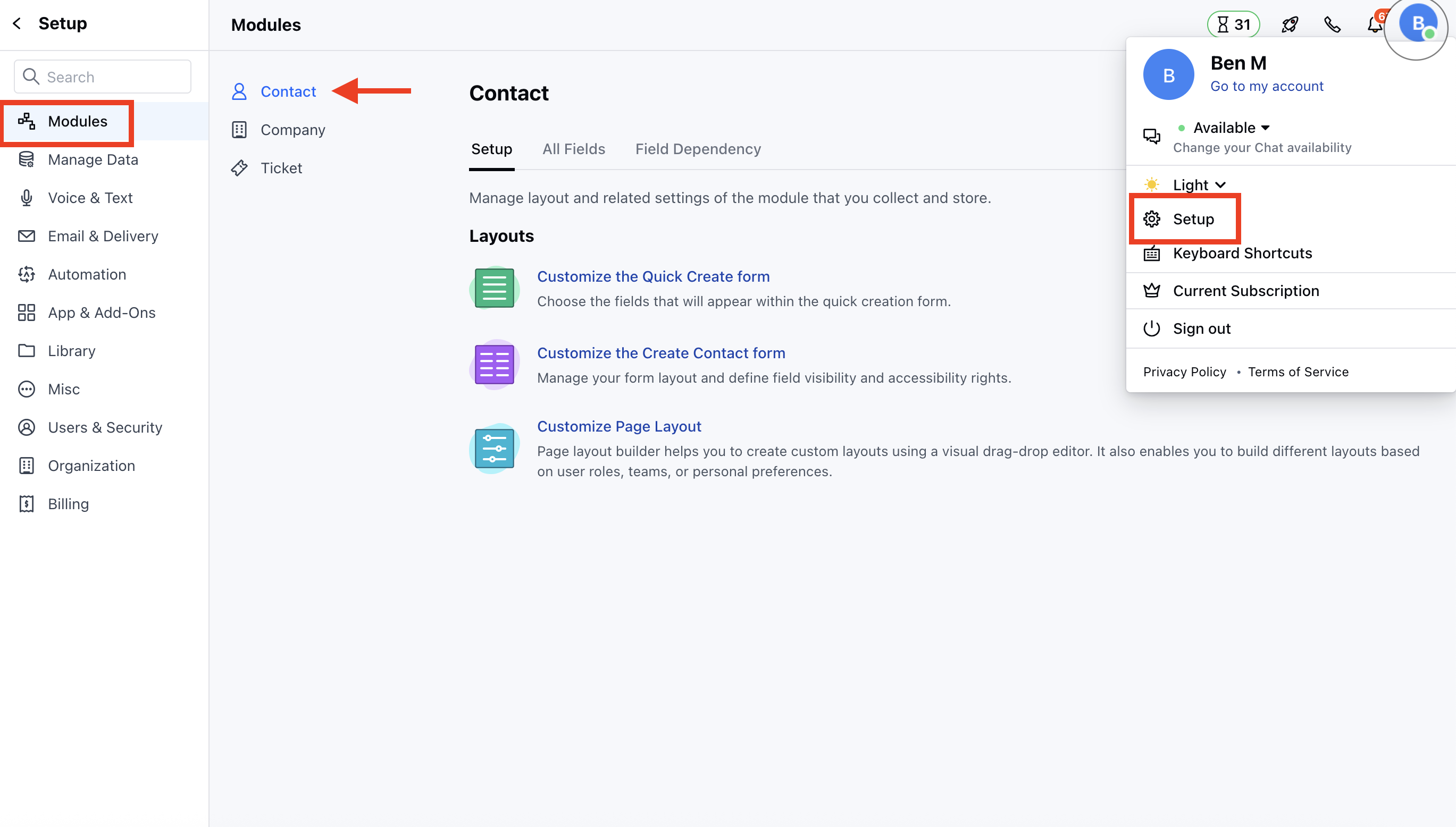
- Go to All Detail Form Field Section
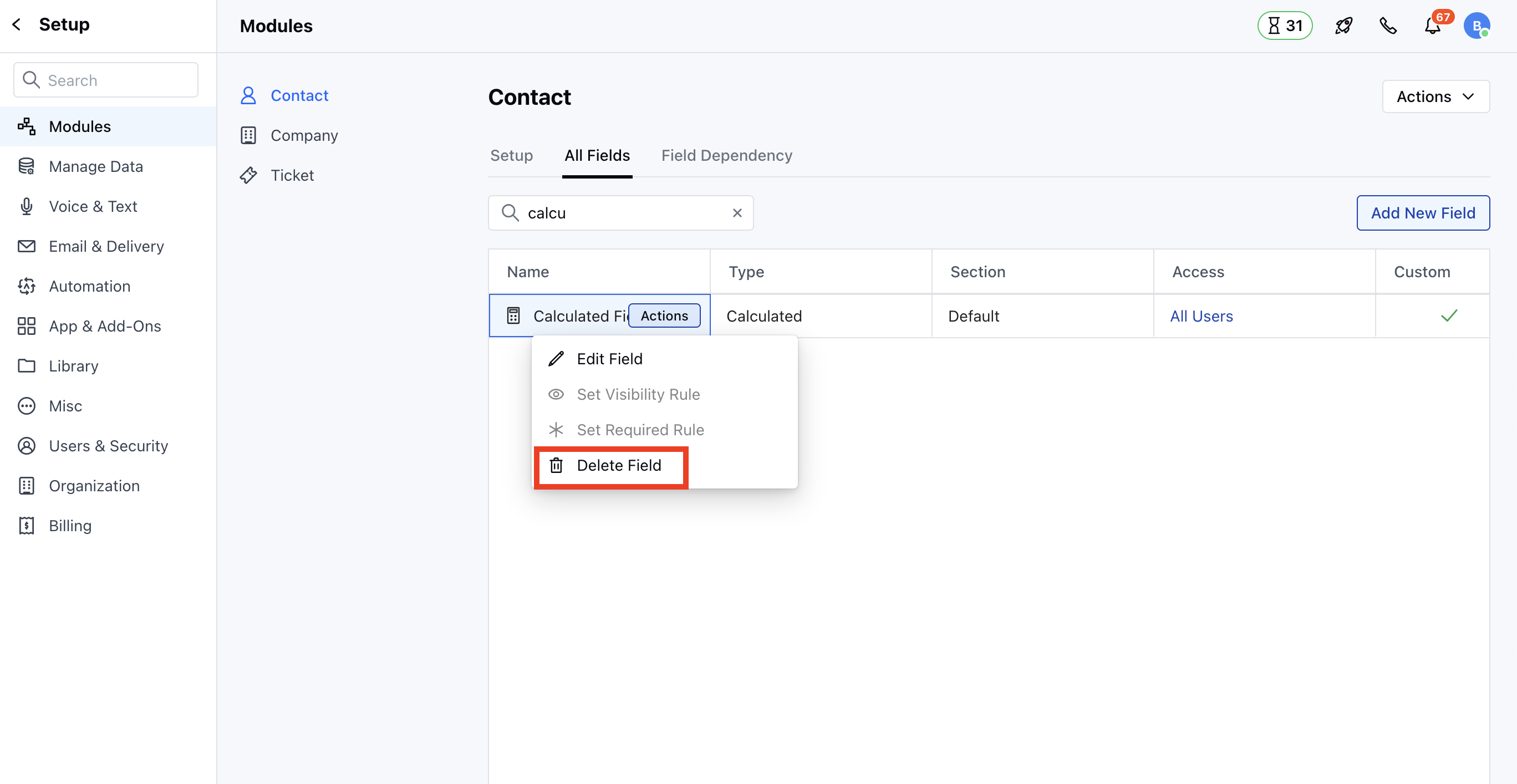
- Select the Calculated Fields to Delete, then hover over the field you wish to modify and click on the Actions button.
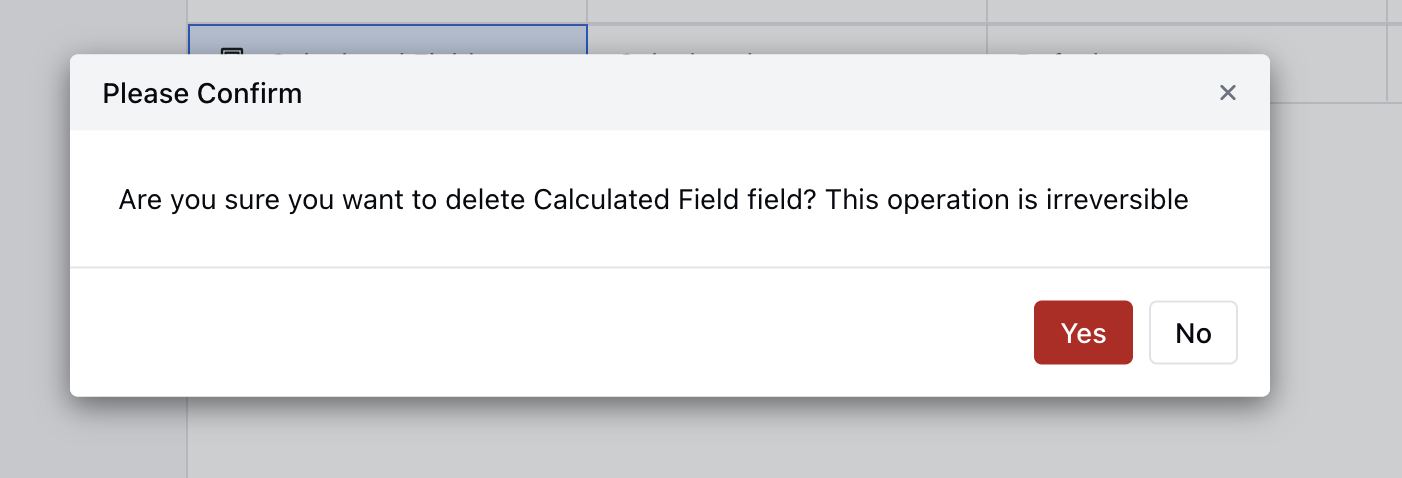
- Confirm the action to continue deleting the field by clicking Yes.
Note:
- You need “Manage Fields” permission to delete it.
- If you try deleting a custom field that is used as an aggregate field in the calculated field, it will throw an error message stating, “Please remove this field from the calculated field(s) to delete it.”