

- Security is a very important part of any software and thus it’s important to keep track of all your devices and the access history to monitor for any suspicious activity and change the security settings accordingly. Topics Covered:
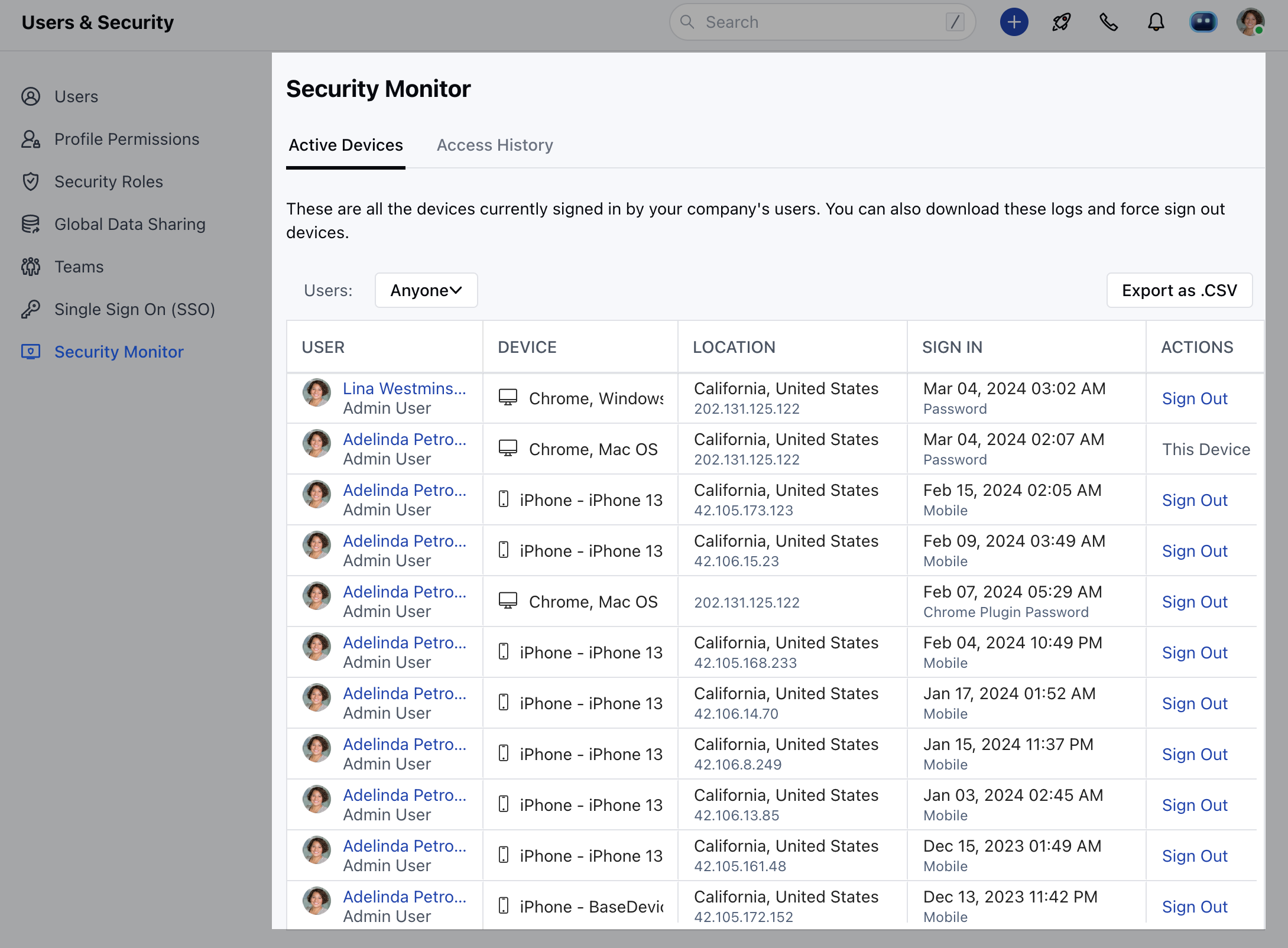
- Active Devices
- Access History
Active Devices
To monitor the currently active devices,- Navigate to the Profile Icon on the top right corner
- Click on Setup
- Head over to Users and Security
- Click on Security Monitor
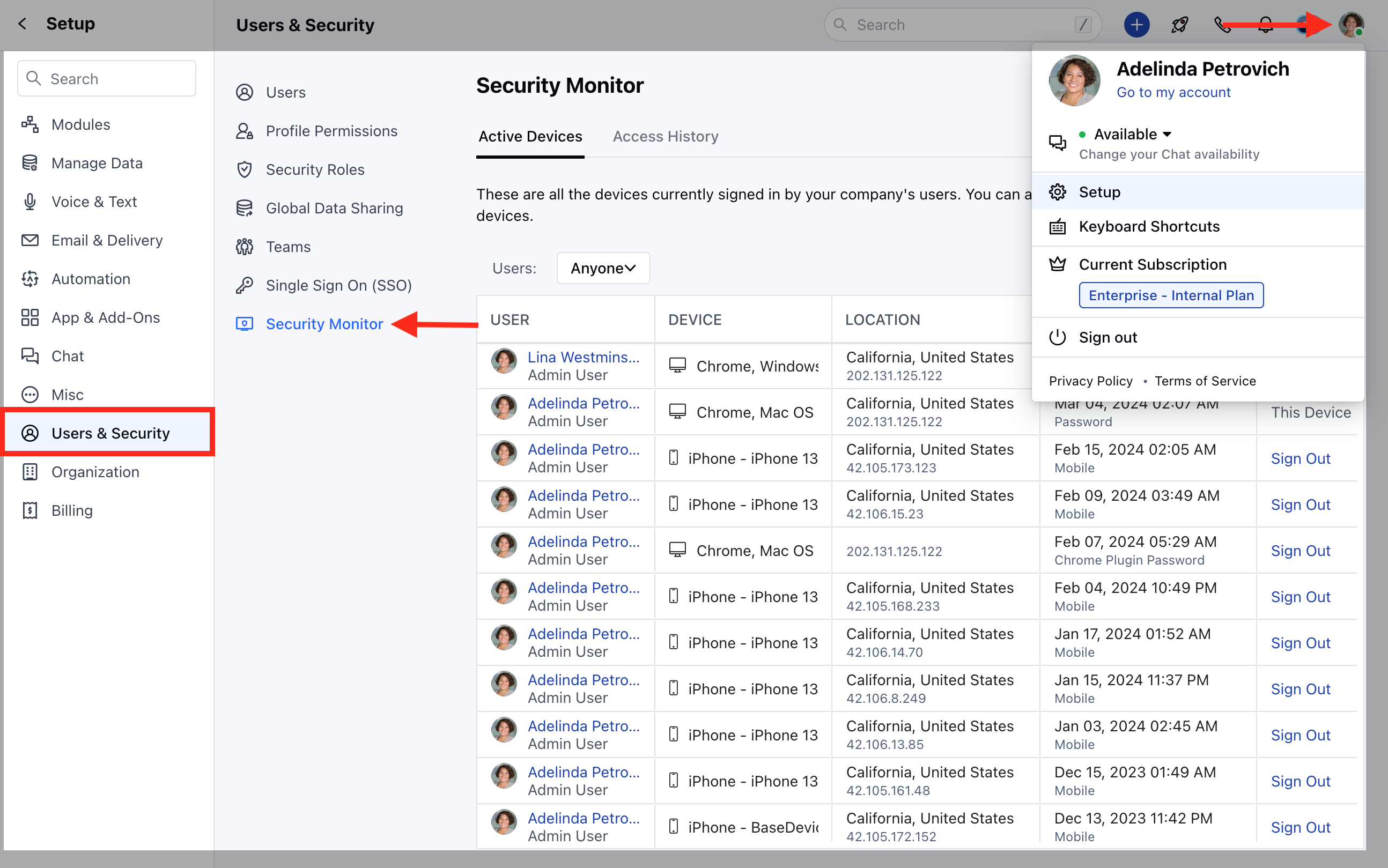
- Click on Active Devices
Access History
- Additionally, In case you wish to check for the Access History or logs for the last 90 days, you can do so by clicking on the access history just beside the active devices tab.
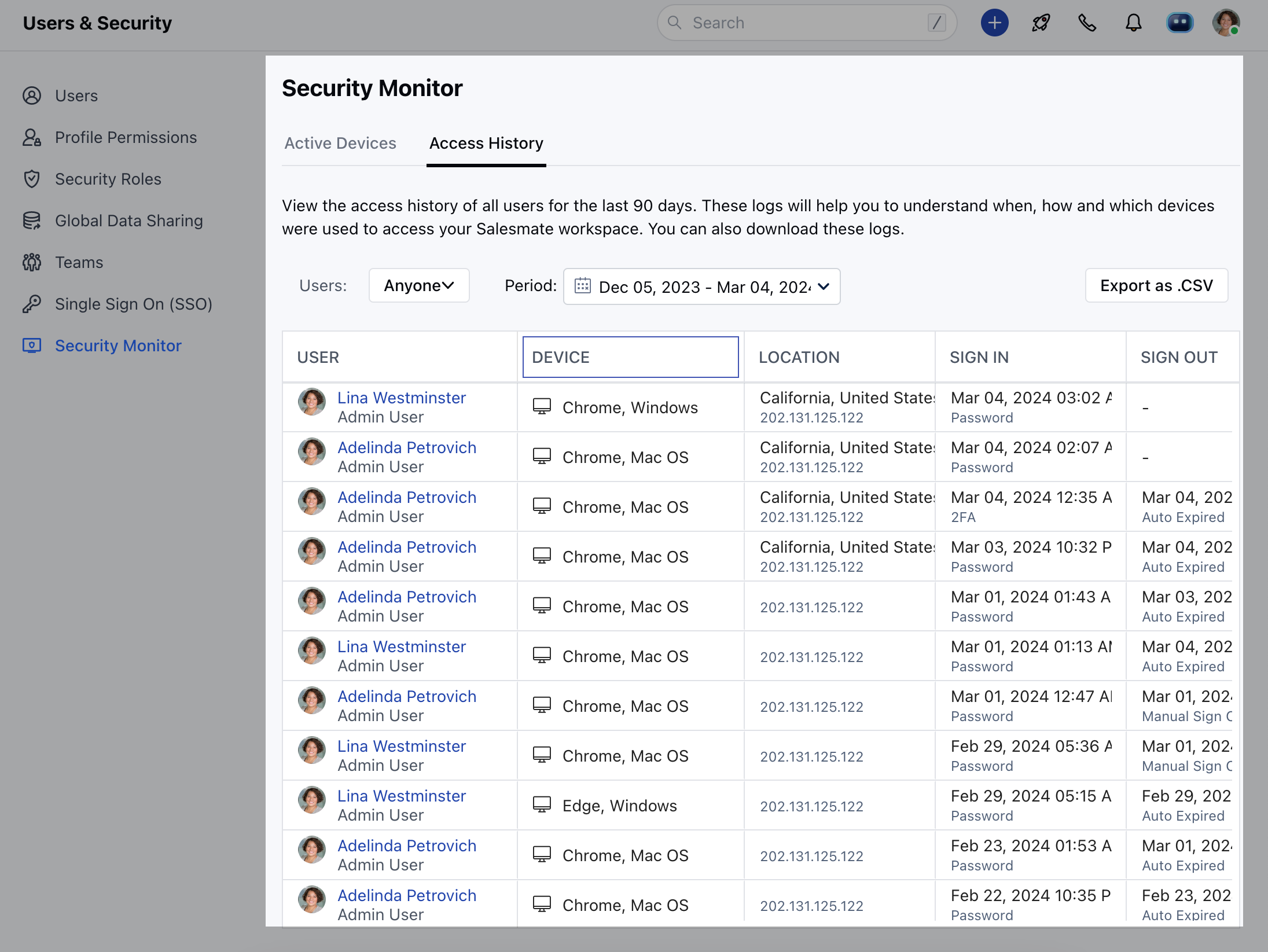
- Using the security monitor the user will now be able to keep track of the following
- Device used
- The location from where the user accessed the platformSign in / Sign out History
- Log out from specific devices that are unused.
Note:Only the Admin profile would be able to have access to the security monitor feature.