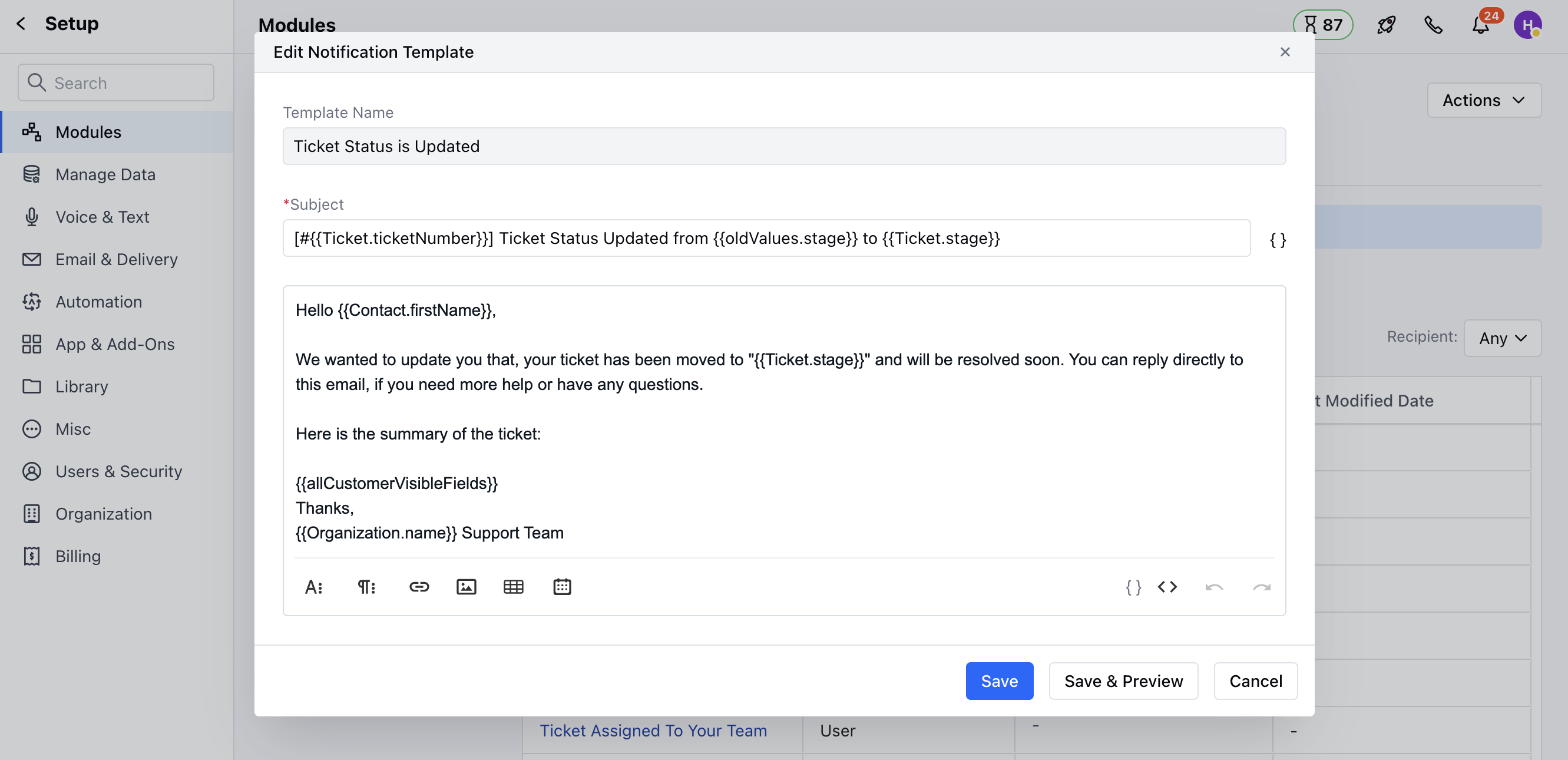
- Navigate to the Profile Icon on the top right corner
- Click on the Set Up
- Head over to the Modules category
- Click on the Ticket module
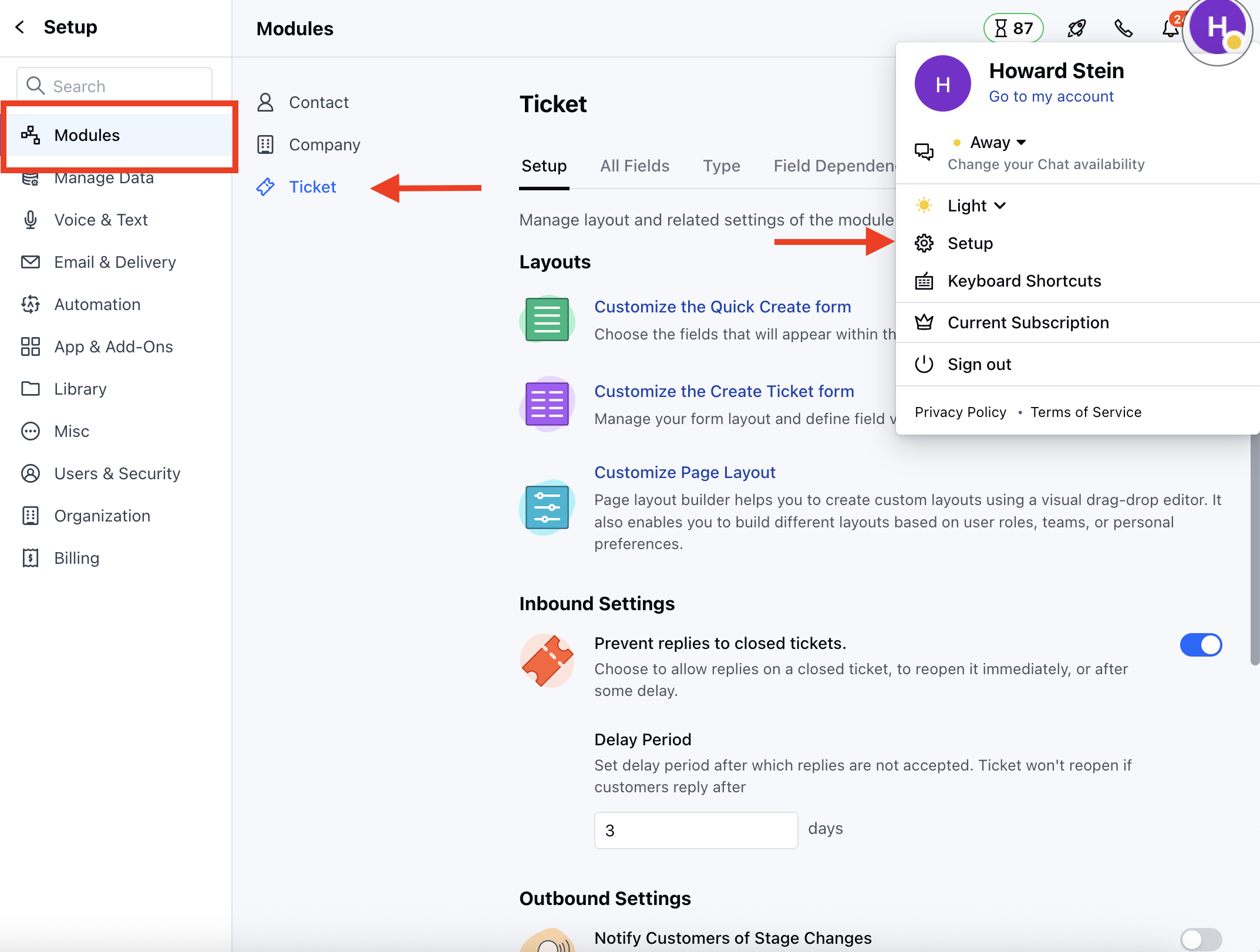
- Head to the Notifications section.
- You will see the List of the Notification Templates
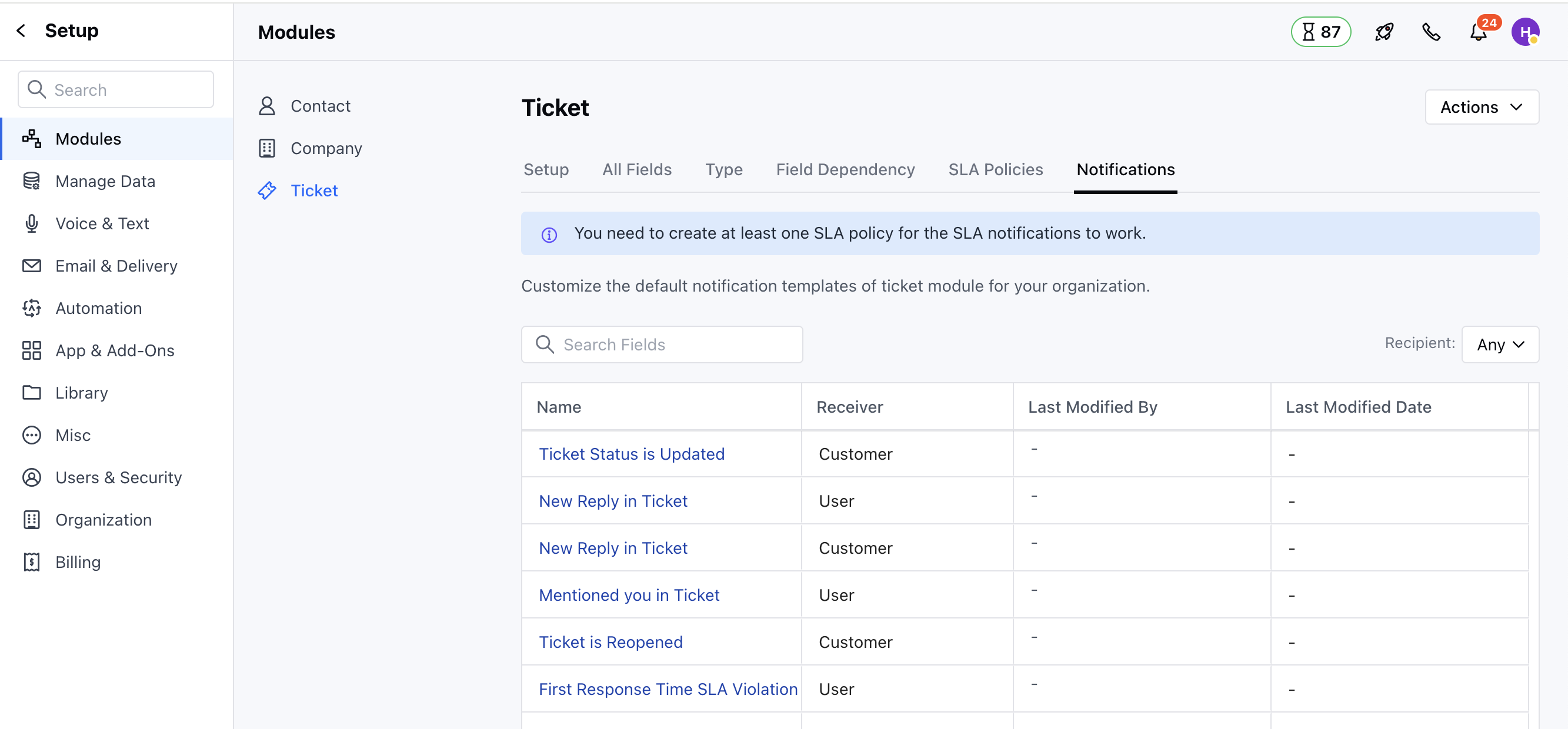
- Select the preferred Template
- A pop-up will appear, which allows you to customize the following:
- Subject
- Body (Make the required changes)
- A pop-up will appear, which allows you to customize the following:
- Once done, you can either Save & Preview the Template to see how it will appear or just click on Save to save the changes